
1. Производот завршиview
The SUNPAK SD 2.0 USB Flash Memory Card Reader/Writer is a compact and versatile device designed for quick and efficient transfer of data from various memory card formats to your computer. It supports SD, SDHC, and MMC memory cards, providing a convenient solution for managing your digital photos, videos, music, and other files.
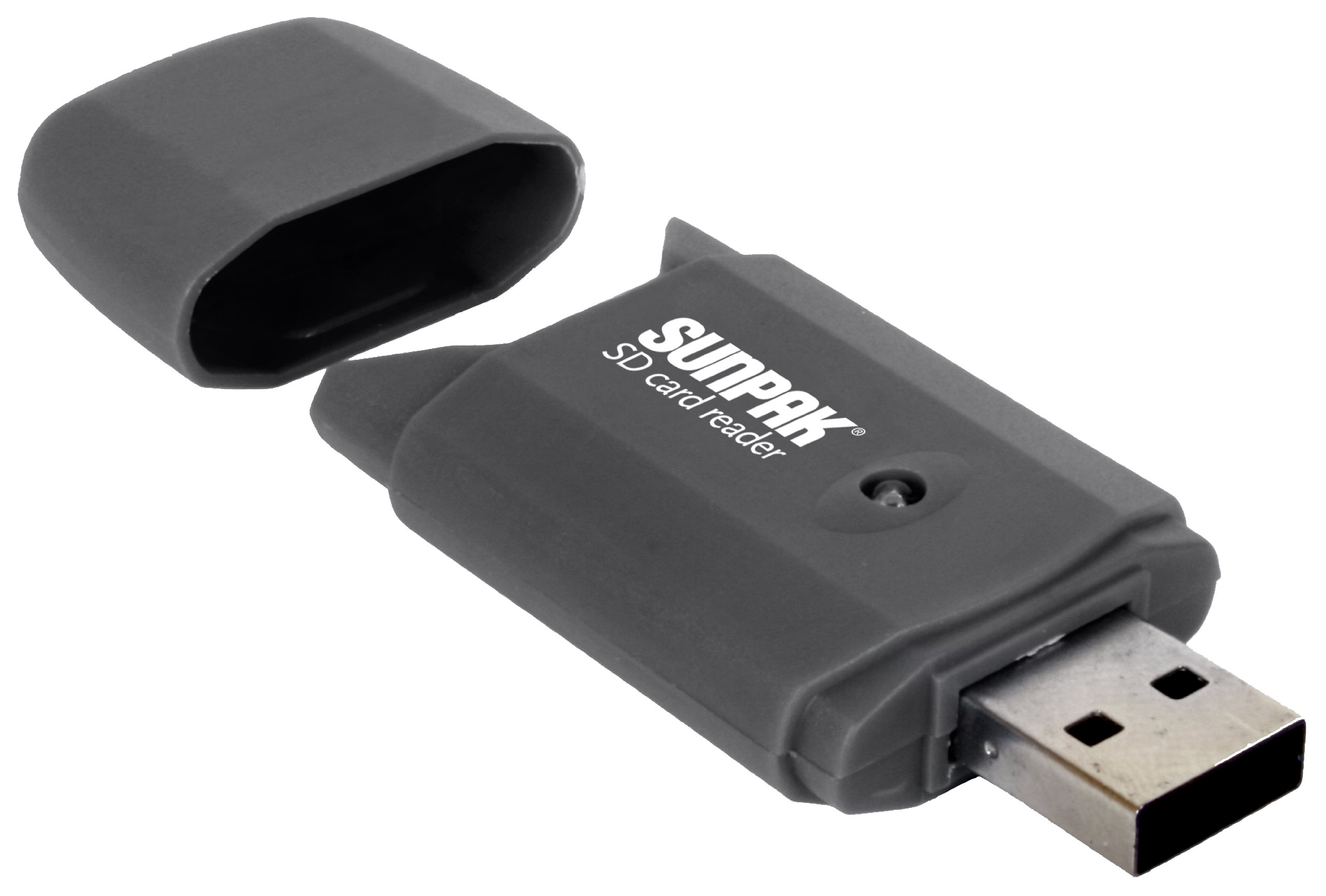
Image 1.1: The SUNPAK SD 2.0 USB Flash Memory Card Reader/Writer. This device facilitates data transfer between memory cards and computers via a USB 2.0 connection.
2. Клучни карактеристики
- Universal USB 2.0 SD Card Reader: Compatible with standard USB 2.0 ports for broad connectivity.
- Пренос на податоци со голема брзина: Enables super-fast uploading and downloading of pictures, videos, music, and other files.
- Компатибилност со повеќе картички: Reads and writes to SD, SDHC, and MMC memory cards.
- Built-in Read Status Light: An LED indicator light shows when the device is active or transferring data.
- Компактен дизајн: Portable and easy to carry, ideal for on-the-go use.
3. Водич за поставување
Follow these steps to set up your SUNPAK SD 2.0 USB Flash Memory Card Reader/Writer:
- Отпакувајте го уредот: Carefully remove the card reader from its packaging.
- Поврзете се со компјутер: Insert the USB connector of the card reader into an available USB 2.0 port on your computer.
- Инсталација на драјвери: Most modern operating systems will automatically detect and install the necessary drivers. Wait for the operating system to confirm that the device is ready for use. This may take a few moments.
- Потврдете ја врската: Once installed, the card reader will appear as a removable drive in 'My Computer' (Windows) or 'Finder' (macOS) when a memory card is inserted.
4. Упатства за работа
To use the card reader for data transfer:
- Вметнете мемориска картичка: With the card reader connected to your computer, carefully insert your SD, SDHC, or MMC memory card into the appropriate slot on the card reader. Ensure the card is inserted correctly, usually with the metal contacts facing down and towards the reader. Do not force the card.
- Пристап Files: The LED indicator light on the card reader will illuminate or blink, indicating activity. Your computer should recognize the memory card as a new removable drive. Open 'My Computer' (Windows) or 'Finder' (macOS) and locate the new drive.
- Трансфер на податоци: Сега можете да влечете и пуштате files to and from the memory card, or use your computer's copy/paste functions to transfer data.
- Безбедно исфрлање: Before removing the memory card or disconnecting the card reader, always safely eject the device from your computer. On Windows, right-click the drive icon in 'My Computer' and select 'Eject'. On macOS, drag the drive icon to the Trash or click the Eject button next to the drive in Finder.
- Отстранете го уредот: Once safely ejected, remove the memory card from the reader, and then disconnect the card reader from the USB port.
5. Нега и одржување
- Чистење: Use a soft, dry cloth to clean the exterior of the card reader. Do not use liquid cleaners or solvents.
- Складирање: Чувајте го читачот на картички на ладно и суво место, подалеку од директна сончева светлина и екстремни температури.
- Ракување: Avoid dropping the device or subjecting it to strong impacts. Do not force memory cards into the slot, as this can damage both the card and the reader.
- Заштита на USB порта: Keep the USB connector free from dust and debris.
6 Смена на проблеми
If you encounter issues with your card reader, refer to the following common problems and solutions:
| Проблем | Решение |
|---|---|
| Уредот не е препознаен од компјутерот. |
|
| Memory card not reading. |
|
| Бавни брзини на пренос на податоци. |
|
7. Технички спецификации
| Карактеристика | Детал |
|---|---|
| Број на модел | SD-CR-BK |
| Интерфејс | USB 2.0 |
| Компатибилни типови медиуми | SD Card, SDHC, MMC |
| Боја | Црното |
| Димензии на производот | 0.5 x 4.25 x 7.25 инчи (приближни димензии на пакувањето) |
| Тежина на ставката | 1.6 унци |
| Специјална карактеристика | Compact Design, LED Indicator Light |
| Производител | Tocad America Inc. |
8. Гаранција и поддршка
За информации за гаранцијата и техничка поддршка, ве молиме погледнете ја документацијата вклучена во вашата нарачка или контактирајте го производителот директно. Зачувајте го доказот за купување за какви било рекламации во врска со гаранцијата.
Manufacturer: Tocad America Inc.