
Вовед
This manual provides essential information for the safe and efficient operation of your Samsung HT-E6500W 5.1 Channel 3D Blu-Ray Home Theater System. Please read this manual thoroughly before using the product and retain it for future reference. This system integrates a 3D Blu-ray player with a 5.1 channel audio system, offering a comprehensive home entertainment solution.
Важни безбедносни информации
Always follow basic safety precautions when using this product to reduce the risk of fire, electric shock, and injury to persons. Keep this manual in a safe place for future reference.
- Не го изложувајте овој апарат на дожд или влага.
- Не ги блокирајте отворите за вентилација. Инсталирајте во согласност со упатствата на производителот.
- Не инсталирајте во близина на извори на топлина како што се радијатори, топлински регистри, шпорети или други апарати (вклучувајќи ampлајфикатори) кои произведуваат топлина.
- Заштитете го кабелот за напојување од одење или стискање, особено на приклучоците, приклучните приклучоци и местото каде што тие излегуваат од апаратот.
- Користете само додатоци/додатоци наведени од производителот.
- Пренесете ги сите сервиси на квалификуван сервисен персонал. Сервисирањето е потребно кога апаратот е оштетен на кој било начин.
Содржина на пакетот
Проверете дали сите компоненти се присутни во пакувањето:
- Main Unit (Blu-Ray Player/Receiver)
- Сабвуфер
- Централен звучник
- Front Speakers (2)
- Surround Speakers (2)
- Далечински управувач со батерии
- iPod Cradle
- Кабли за звучници
- FM антена
- Упатство за употреба (овој документ)
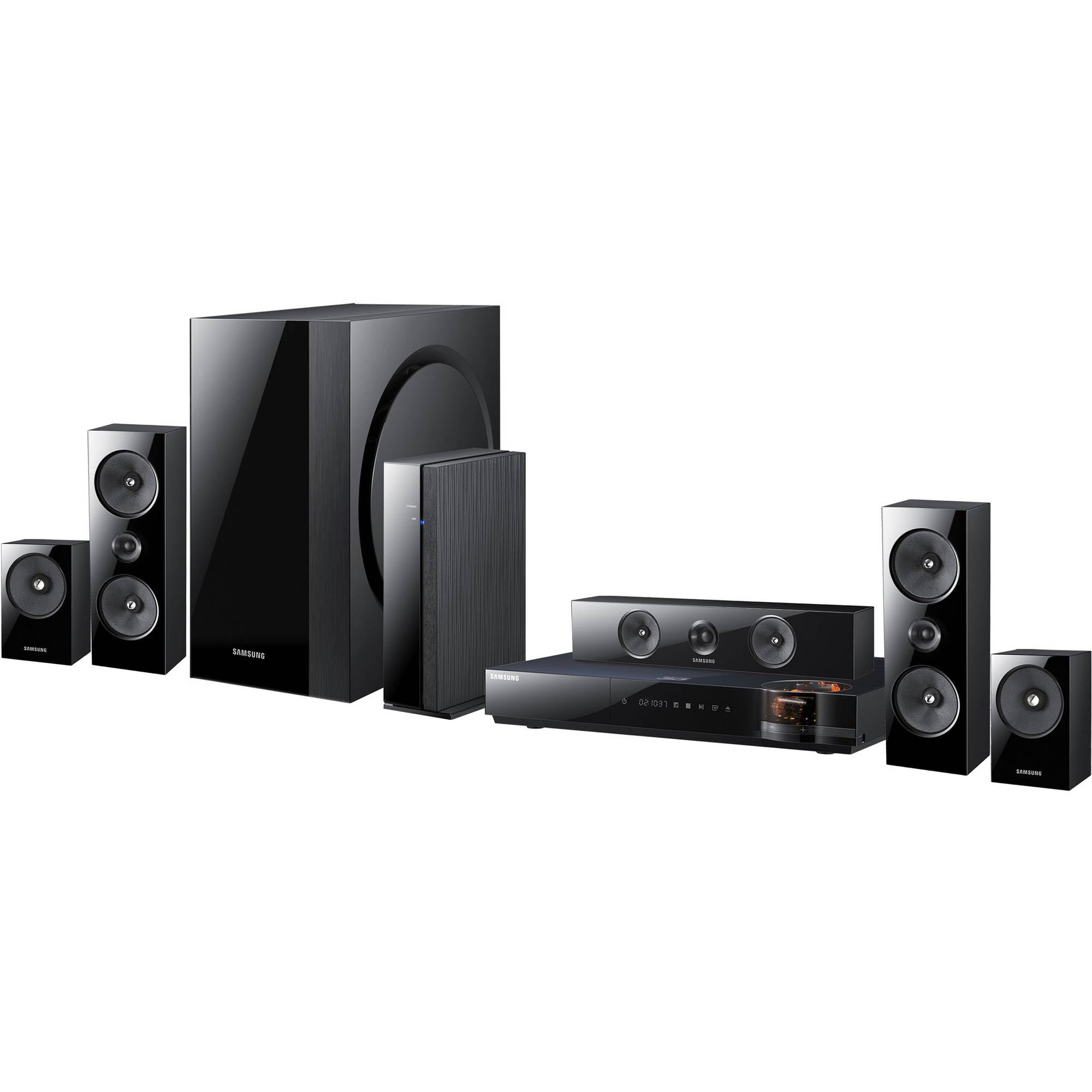
Слика: Надview of the Samsung HT-E6500W 5.1 Channel Home Theater System components.
Поставување
1. Поставување звучници
Proper speaker placement is crucial for optimal surround sound experience. Position speakers as follows:
- Предни звучници: Place to the left and right of your television, equidistant from the viewпозиција.
- Централен звучник: Position directly above or below the center of your television.
- Сараунд звучници: Place to the sides or slightly behind the main listening area, at ear level when seated. The HT-E6500W features wireless rear speakers for easier setup.
- Сабвуфер: Can be placed anywhere in the room, preferably near a wall or corner for enhanced bass response.
2. Поврзување на звучници
Connect the speaker cables from each speaker to the corresponding terminals on the main unit. Ensure correct polarity (positive to positive, negative to negative) for each connection. The wireless rear speakers connect to a separate wireless receiver module, which then communicates with the main unit.
3. Connecting to TV and Other Devices
Use an HDMI cable to connect the HDMI OUT port on the home theater system to an HDMI IN port on your television. For other devices like gaming consoles or set-top boxes, connect them to the HDMI IN ports on the home theater system.
4. Поврзување за напојување
Plug the power cord into the main unit and then into a wall outlet. Ensure all connections are secure before powering on the system.
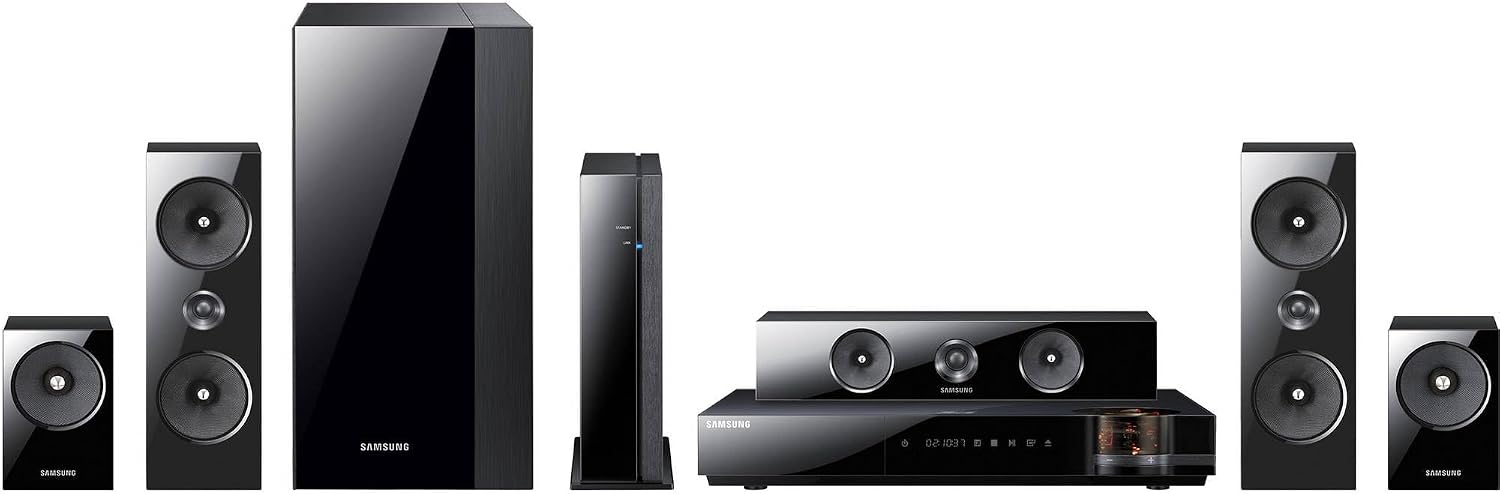
Слика: Детална view of the main unit and center speaker, illustrating connectivity points.
Упатства за работа
1. Основни функции
- Вклучување/исклучување: Press the Power button on the remote control or the main unit.
- Контрола на јачината на звукот: Користете ги копчињата за зголемување/намалување на јачината на звукот на далечинскиот управувач.
- Избор на влез: Press the Function button on the remote to cycle through available inputs (e.g., Blu-ray, HDMI 1, HDMI 2, AUX, Digital In).
2. 3D Blu-ray Playback
Insert a 3D Blu-ray disc into the disc tray. The system will automatically detect the disc and begin playback. Ensure your television is 3D compatible and 3D glasses are worn for the 3D effect.
3. Smart Hub and Network Features
The system features built-in Wi-Fi for network connectivity. Connect to your home network to access Smart Hub, which provides various online services and applications. Navigate Smart Hub using the remote control.
4. iPod Cradle Usage
Connect your iPod to the provided iPod cradle. The system will detect the device, allowing you to play audio through the home theater speakers. Control playback using the system's remote or the iPod itself.
5. Режими на звук
Select various sound modes (e.g., Stereo, Surround Sound, Dolby Digital) to optimize audio for different content types. Refer to the remote control for specific sound mode buttons or menu options.
Одржување
- Чистење: Use a soft, dry cloth to clean the exterior surfaces of the main unit and speakers. Do not use liquid cleaners or abrasive materials.
- Вентилација: Ensure that the ventilation openings on the main unit are not blocked to prevent overheating.
- Грижа за дискови: Handle Blu-ray discs by their edges. Store discs in their cases to prevent scratches and dust accumulation.
Решавање проблеми
| Проблем | Можно решение |
|---|---|
| Нема моќ | Check if the power cord is securely connected to the unit and the wall outlet. Ensure the outlet is functional. |
| Нема звук | Verify speaker connections. Check the volume level and mute status. Ensure the correct input source is selected. |
| No picture from Blu-ray | Check the HDMI cable connection between the system and the TV. Ensure the TV is set to the correct HDMI input. Try a different disc. |
| Далечинскиот управувач не работи | Replace the batteries in the remote control. Ensure there are no obstructions between the remote and the main unit's sensor. |
| Безжичните задни звучници не се поврзуваат | Ensure the wireless receiver module is powered on and within range of the main unit. Refer to the wireless module's specific pairing instructions. |
Спецификации
- Име на модел: HT-E6500W
- Аудио канали: 5.1 канал
- Вкупна излезна моќност: 1000 вати
- Компатибилност со диск: 3D Blu-ray, Blu-ray, DVD, CD
- Поврзување: HDMI (Input/Output), Built-in Wi-Fi, USB, Optical Digital Audio In
- Посебни карактеристики: Smart Hub, iPod Cradle, Wireless Rear Speakers
- Боја: Црното
- Тежина на ставката: Приближно 8.5 фунти (главна единица)
Информации за гаранцијата
This product is covered by a limited warranty. For specific terms and conditions, please refer to the warranty card included with your product or visit the official Samsung webлокација. Чувајте ја сметката како доказ за купување за гаранциски побарувања.
Поддршка за корисници
For technical assistance, service, or product inquiries, please contact Samsung Customer Service. Contact information can be found on the official Samsung webстраницата или во документацијата што е испорачана со вашиот производ.
Поддршка преку Интернет: www.samsung.com/us/support/