
1. Вовед
This manual provides essential instructions for the safe operation and maintenance of your VTech VM333 Safe & Sound Video Baby Monitor. Please read this manual thoroughly before using the product to ensure proper setup and functionality. The VTech VM333 is designed to help you monitor your baby with a high-resolution color LCD screen, automatic night vision, and two-way audio communication.
2. Производот завршиview
The VTech VM333 system includes a Parent Unit (monitor) and a Baby Unit (camera). Familiarize yourself with the components and controls of each unit.
2.1. Parent Unit
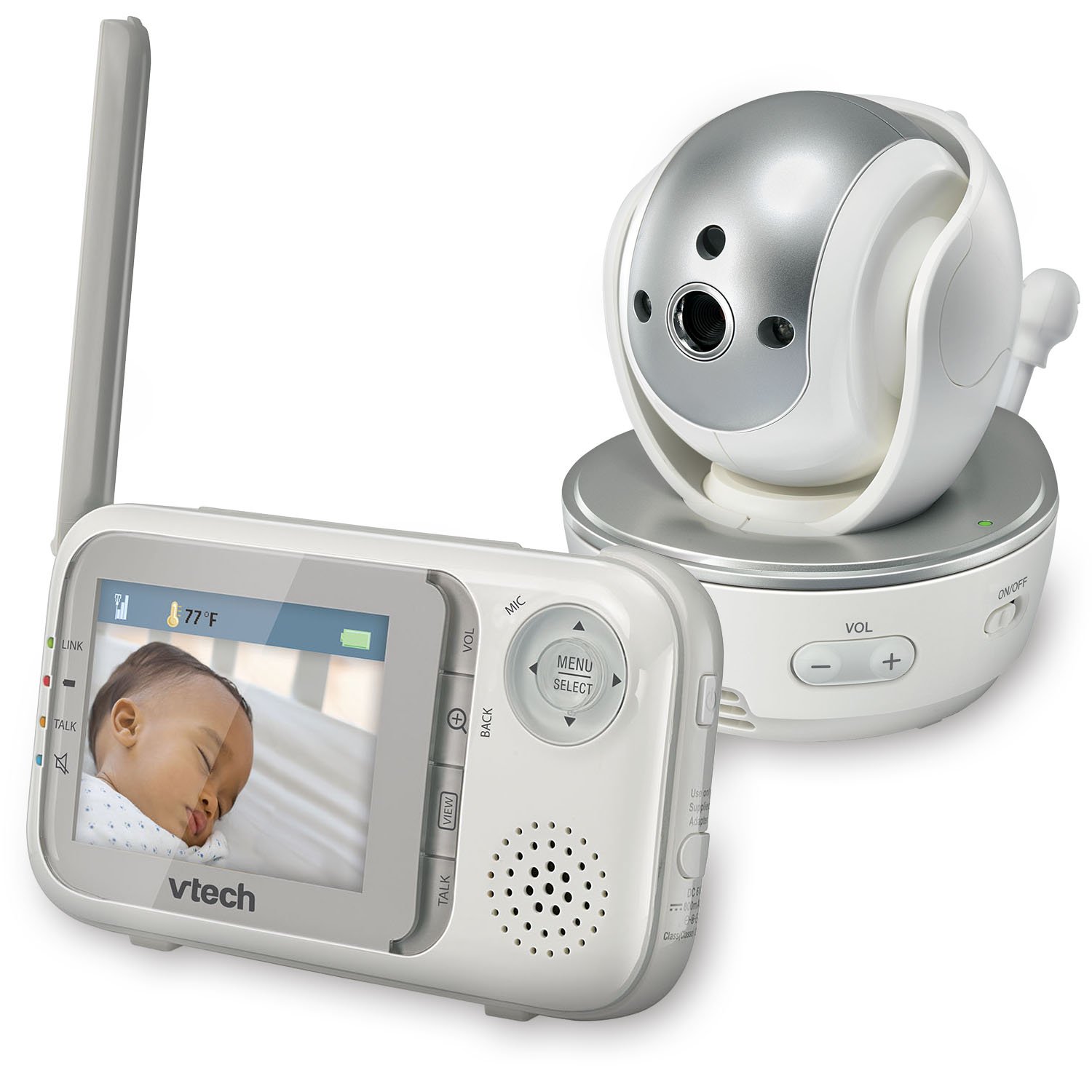
Слика: напред view of the VTech VM333 Parent Unit.
- 2.8-инчен LCD екран во боја: Displays live video feed from the Baby Unit.
- MENU/SELECT Button: Пристапува до опциите на менито и ги потврдува изборите.
- Стрелки за насока (горе/долу/лево/десно): Navigates menus and controls camera pan/tilt.
- ZOOM Button (+/-): Magnifies the video image.
- TALK Button: Activates two-way audio communication.
- VOLUME Buttons (+/-): Adjusts the Parent Unit speaker volume.
- Индикатор за ЛИНК: Shows connection status between units.
- Индикатор за батерија: Го прикажува моменталното ниво на батеријата.
- Приказ на температура: Shows the temperature detected by the Baby Unit.
2.2. Бебешка единица (камера)

Слика: напред view of the VTech VM333 Baby Unit camera.
- Објектив на камерата: Снима видео.
- Инфрацрвени LED диоди: Provide night vision in low light conditions.
- Микрофон: Detects sound from the baby's room.
- Говорник: За двонасочна аудио комуникација.
- Сензор за температура: Ја следи собната температура.
- Вклучување / исклучување на прекинувачот: Turns the Baby Unit on or off.
- Моќ Jackек: Се поврзува со адаптерот за напојување.

Слика: Страна view of the VTech VM333 Baby Unit, illustrating the wall-mount bracket.
3. Поставување
3.1. Powering On the Units
- Поврзете ја единицата за бебиња: Plug the small end of the power adapter into the power jack on the back of the Baby Unit. Plug the large end into a wall outlet.
- Connect the Parent Unit: Plug the small end of the power adapter into the power jack on the side of the Parent Unit. Plug the large end into a wall outlet. The Parent Unit battery will begin charging.
- Вклучи: Slide the ON/OFF switch on the Baby Unit to the ON position. Press and hold the POWER button on the Parent Unit until the screen turns on.
The units are pre-linked. If they do not link automatically, refer to the "Troubleshooting" section for re-pairing instructions.
3.2. Positioning the Baby Unit (Camera)
Place the Baby Unit at least 3 feet (1 meter) away from your baby to avoid potential hazards. Ensure the camera is positioned to capture the desired viewing area. Avoid placing the Baby Unit where it can be easily reached by children.
- For optimal performance, place the Baby Unit on a flat surface or mount it to a wall using the included wall-mount bracket.
- Keep the Baby Unit and Parent Unit within range (up to 1,000 feet / 300 meters in open space). Obstacles like walls and furniture can reduce the range.
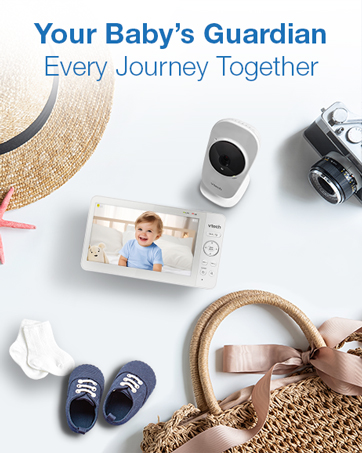
Image: Proper placement of the Baby Unit near a crib.
4. Операција
4.1. Основен мониторинг
Once both units are powered on and linked, the Parent Unit will display live video from the Baby Unit. Adjust the volume using the VOL+ и ВОЛУМЕН - buttons on the Parent Unit.
4.2. Pan, Tilt, and Zoom
The Baby Unit camera can be remotely controlled from the Parent Unit to adjust its viewагол на зумирање и ниво на зумирање.
- Пан/навалување: Користете го Насочни стрелки (Up, Down, Left, Right) on the Parent Unit to move the camera lens horizontally (up to 270 degrees) and vertically (up to 124 degrees).
- Зумирајте: Притиснете го ЗООМ + button to zoom in (2x magnification) and ZOOM - да одзумирате.
Video: Demonstration of the VTech VM333's pan, tilt, and zoom features, showing remote camera control from the Parent Unit.
4.3. Двонасочен разговор
You can speak to your baby through the Baby Unit's speaker.
- Притиснете и задржете го РАБОТИ копчето на родителската единица.
- Зборувајте јасно во микрофонот на родителската единица.
- Ослободете го РАБОТИ button to stop speaking and hear your baby again.

Image: Using the two-way talk feature on the Parent Unit.
4.4. Automatic IR Night Vision
The Baby Unit is equipped with infrared LEDs that automatically activate in low light conditions, providing a clear black and white video image of your baby in the dark.
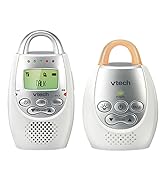
Image: The Baby Unit operating in night vision mode.
4.5. Sound Activation Mode
This mode allows the Parent Unit screen to turn off automatically to save power and reduce light disturbance, and then turn back on when sounds are detected from the Baby Unit.
- Притиснете го MENU/SELECT копчето на родителската единица.
- Одете до Чувствителност на VOX or Активирање на звук поставување.
- Select your desired sound sensitivity level. A higher sensitivity will activate the screen with softer sounds.
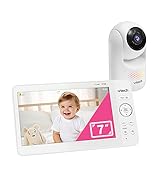
Image: Parent Unit displaying the sound activation icon.
4.6. Temperature Monitoring and Alerts
The Baby Unit monitors the room temperature and displays it on the Parent Unit screen. You can set alerts for temperature deviations.
- Притиснете го MENU/SELECT копче.
- Одете до Температурно предупредување поставувања.
- Set your desired minimum and maximum temperature thresholds. The Parent Unit will beep if the temperature goes outside this range.
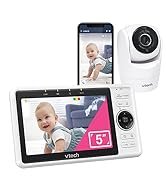
Image: Parent Unit displaying room temperature.
4.7. Multiple Camera Monitoring (Expandable System)
The VM333 system supports up to four cameras (additional cameras sold separately). You can view multiple cameras in different modes.
- Слободна View: Displays video from one camera at a time. Use the VIEW button to cycle through connected cameras.
- Сплит View: Displays video from multiple cameras simultaneously on a split screen.
- Режим на патрола: Automatically cycles through all connected cameras, displaying each for a few seconds.
Video: Demonstration of multi-camera viewing modes, including single view, раздели view, and patrol mode.
5. Одржување
- Чистење: Clean the surfaces of the Parent Unit and Baby Unit with a soft, damp крпа. Не користете спрејови за чистење или течни средства за чистење.
- Нега на батеријата: The Parent Unit uses a rechargeable Lithium-Ion battery. For optimal battery life, fully charge the unit before first use. Avoid extreme temperatures. If storing the unit for an extended period, remove the battery.
- Нега на леќи: Keep the camera lens clean to ensure clear video quality. Use a soft, lint-free cloth to gently wipe the lens if needed.
6 Смена на проблеми
| Проблем | Решение |
|---|---|
| No video/audio on Parent Unit. |
|
| Лош квалитет на видеото. |
|
| Parent Unit beeps (low battery, out of range, temperature). |
|
| Интерференција со други уреди. |
|
7. Спецификации
| Карактеристика | Детал |
|---|---|
| Број на модел | VM333 |
| Големина на екранот | 2.8 inches (LCD) |
| Безжична технологија | 2.4 GHz FHSS digital transmission |
| Опсег | До 1,000 стапки (300 метри) во отворен простор |
| Агол на пан | Up to 270 degrees horizontal |
| Агол на навалување | Up to 124 degrees vertical |
| Зумирајте | 2x дигитален зум |
| Ноќна визија | Automatic infrared (IR) |
| Двонасочно аудио | Да |
| Активирање на звук | Да (VOX) |
| Сензор за температура | Yes, with alerts |
| Може да се прошири | Up to 4 cameras (additional cameras sold separately) |
| Живот на батеријата на родителската единица | Up to 3.5 hours (video streaming) |
| Извор на енергија | Rechargeable Lithium-Ion battery (Parent Unit), AC power (Baby Unit) |
| Боја | Бело / сребрено |
| Тежина на ставката | 2 фунти |
8. Гаранција и поддршка
For warranty information and technical support, please contact VTech customer service.
- Број за поддршка на клиентите: (800) 595-9511
- Webсајт: www.vtechbabycare.com
- Е-пошта: support@vtechbabycare.com
Ве молиме зачувајте ја вашата сметка за купување како доказ за купување за целите на гаранцијата.