
1. Производот завршиview
The TP-Link TL-WA750RE is a 150Mbps Universal Wireless Range Extender designed to expand the coverage of an existing wireless network. It eliminates Wi-Fi dead zones by boosting the wireless signal to previously unreachable or hard-to-wire areas. Its compact, wall-mounted design allows for flexible deployment and easy relocation within your home or office.
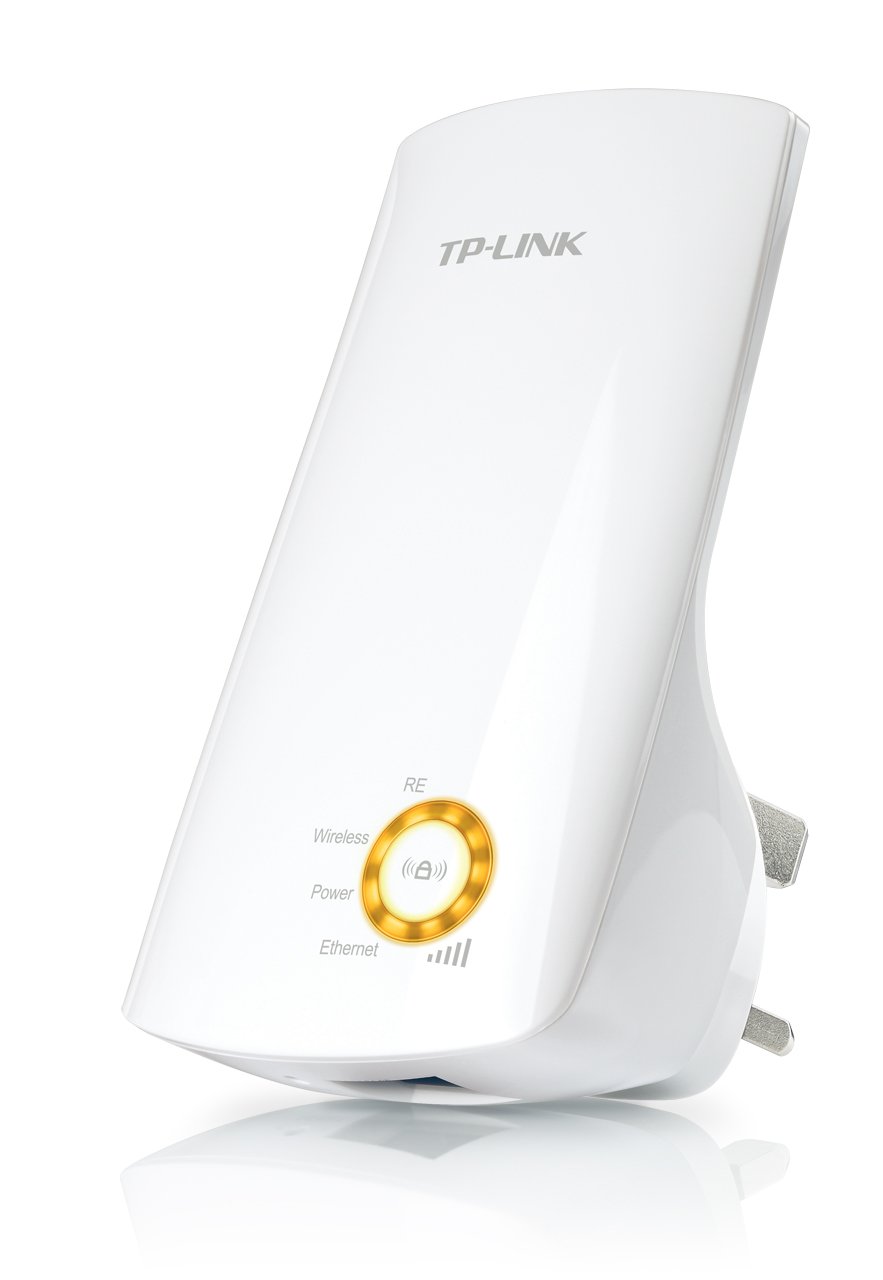
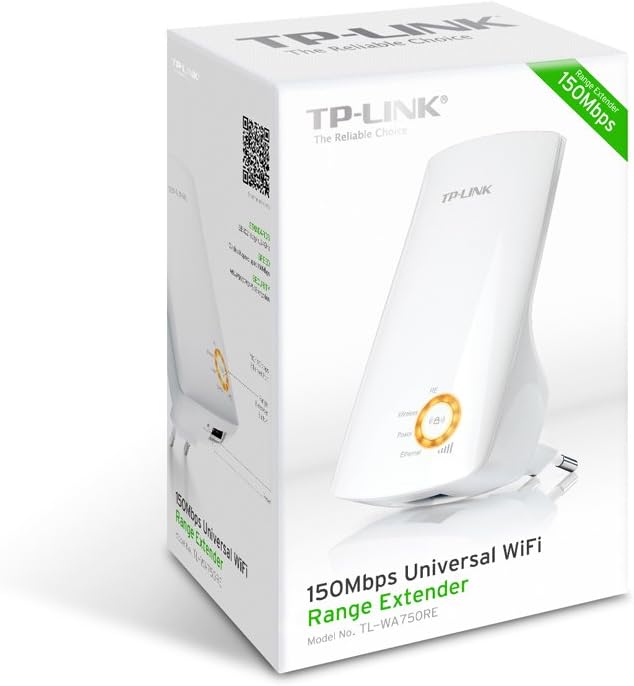
Слика 1: TP-Link TL-WA750RE Universal Wireless Range Extender. This image shows the device in its retail packaging, highlighting its compact design and wall-plug form factor.
2. Клучни карактеристики
- Режим на проширување на опсегот: Boosts wireless signal to eliminate Wi-Fi dead zones and extend network coverage.
- Компактен дизајн: Small size and wall-mounted design for easy deployment and flexible movement.
- Копче WPS: Allows for instant setup and secure connection with compatible routers.
- Индикатор за паметен сигнал: Helps users find the optimal location for placing the range extender for best performance.
- Универзална компатибилност: Works seamlessly with all 802.11n/g/b wireless devices.
3. Содржина на пакетот
Пакетот на производи обично ги вклучува следниве артикли:
- TP-Link TL-WA750RE 150Mbps Universal Wireless Range Extender
- Упатство за употреба
4. Водич за поставување
4.1. Брзо поставување со помош на копчето WPS
- Приклучи се: Plug the TL-WA750RE into an electrical outlet near your wireless router.
- Активирајте WPS на рутерот: Press the WPS button on your main wireless router. Refer to your router's manual for the exact location and procedure.
- Активирајте WPS на екстендерот: Within two minutes, press the WPS button on the TL-WA750RE. The Signal LED on the extender should begin to flash.
- Чекај за поврзување: The Signal LED will turn solid blue or green when a successful connection is established.
- Премести го продолжувачот: Unplug the extender and move it to a location between your router and the Wi-Fi dead zone. Ensure the Signal LED indicates a strong connection (e.g., solid blue or green) in the new location.
4.2. Рачно поставување преку Web Прелистувач
- Приклучи се: Plug the TL-WA750RE into an electrical outlet near your computer.
- Поврзете се со екстендер: Connect your computer to the extender's Wi-Fi network (e.g., "TP-LINK_Extender_XXXXXX"). No password is required initially.
- Пристап Web Интерфејс: Отвори a web прелистувач и напишете http://tplinkrepeater.net or the extender's default IP address (usually 192.168.0.254) into the address bar.
- Најавете се: Enter "admin" for both the username and password when prompted.
- Следете ги упатствата на екранот: Use the Quick Setup wizard to select your main Wi-Fi network and enter its password.
- Премести го продолжувачот: Once configured, unplug the extender and move it to an optimal location between your router and the desired coverage area.
Слика 2: Страна view of the TL-WA750RE. This image illustrates the physical layout of the device, including the WPS button and Ethernet port, which are crucial for setup and operation.
5. Ракување со проширувачот на домет
Once the TL-WA750RE is successfully set up, it will automatically extend your existing Wi-Fi network. Devices within the extended range can connect to the network name created by the extender (e.g., "YourNetworkName_EXT").
5.1. Smart Signal Indicator
The Smart Signal Indicator LEDs on the front of the device provide real-time feedback on the signal strength received from your main router. This helps you determine the best placement for the extender:
- Цврсто сино/зелено: Excellent signal strength.
- Цврсто црвено: Weak signal strength. Consider relocating the extender closer to your router.
- Исклучено: No connection to the main router.
5.2. Ethernet Port Usage
The TL-WA750RE includes an Ethernet port. This port can be used to connect a wired device, such as a desktop computer, gaming console, or smart TV, to your wireless network, providing a stable wired connection in the extended Wi-Fi area.
6. Одржување
- Чистење: Користете мека, сува крпа за чистење на уредот. Не користете течни или аеросолни средства за чистење.
- Поставување: Avoid placing the extender in direct sunlight, near heat sources, or in areas with high humidity.
- Ажурирања на фирмверот: Периодично проверувајте го официјалниот сајт на TP-Link webстраница за ажурирања на фирмверот за да се обезбедат оптимални перформанси и безбедност.
- Циклус на напојување: If the device experiences issues, try unplugging it from the power outlet for 10 seconds and then plugging it back in.
7 Смена на проблеми
- П1: Што треба да направам ако не можам да пристапам до продолжетокот? web страница за управување?
- A1: Ensure your computer is connected to the extender's network. Verify that http://tplinkrepeater.net is correctly typed in the browser. If issues persist, try using the extender's IP address (e.g., 192.168.0.254) or reset the extender to factory defaults.
- Q2: My extended network has poor signal or frequent disconnections.
- A2: Check the Smart Signal Indicator on the extender. If it's red or off, the extender is too far from your main router. Relocate the extender to a position where the indicator shows a strong signal (solid blue/green). Ensure there are no major obstructions between the router and the extender.
- П3: Како да го ресетирам екстендерот на фабричките стандардни поставки?
- A3: With the extender powered on, use a pin to press and hold the Reset button (usually a small hole) for approximately 5-10 seconds until all LEDs flash briefly. The extender will then restart with factory default settings.
8. Спецификации
| Бренд | TP-Link |
| Број на модел | TL-WA750RE |
| Безжичен стандард | 802.11b/g/n |
| Стапка на пренос на податоци | 150 Mbps |
| Фреквенција | 2.4 GHz |
| Посебни карактеристики | Smart Signal Indicator, WPS Button |
| Тип на конектор | RJ45 (Етернет порт) |
| Тежина на ставката | 0.4 фунти |
| Боја | Бело |
9. Гаранција и поддршка
9.1. Информации за гаранцијата
This TP-Link TL-WA750RE device comes with a 2 година гаранција од датумот на купување. Ве молиме зачувајте го доказот за купување за гаранциски барања. Гаранцијата ги покрива дефектите во материјалите и изработката при нормална употреба.
9.2. Техничка поддршка
За техничка помош, решавање проблеми или дополнителни прашања, посетете ја официјалната поддршка на TP-Link. webвеб-страница или контактирајте ја нивната служба за корисници. Можете да најдете детални ресурси за поддршка, често поставувани прашања и информации за контакт на www.tp-link.com/support.