
1. Вовед
This manual provides instructions for the proper use and care of your DeltaTrak 11047 Digital Lollipop Min/Max Probe Thermometer. This device is designed for accurate temperature measurement in various applications, featuring a digital display and Min/Max temperature recording capabilities.
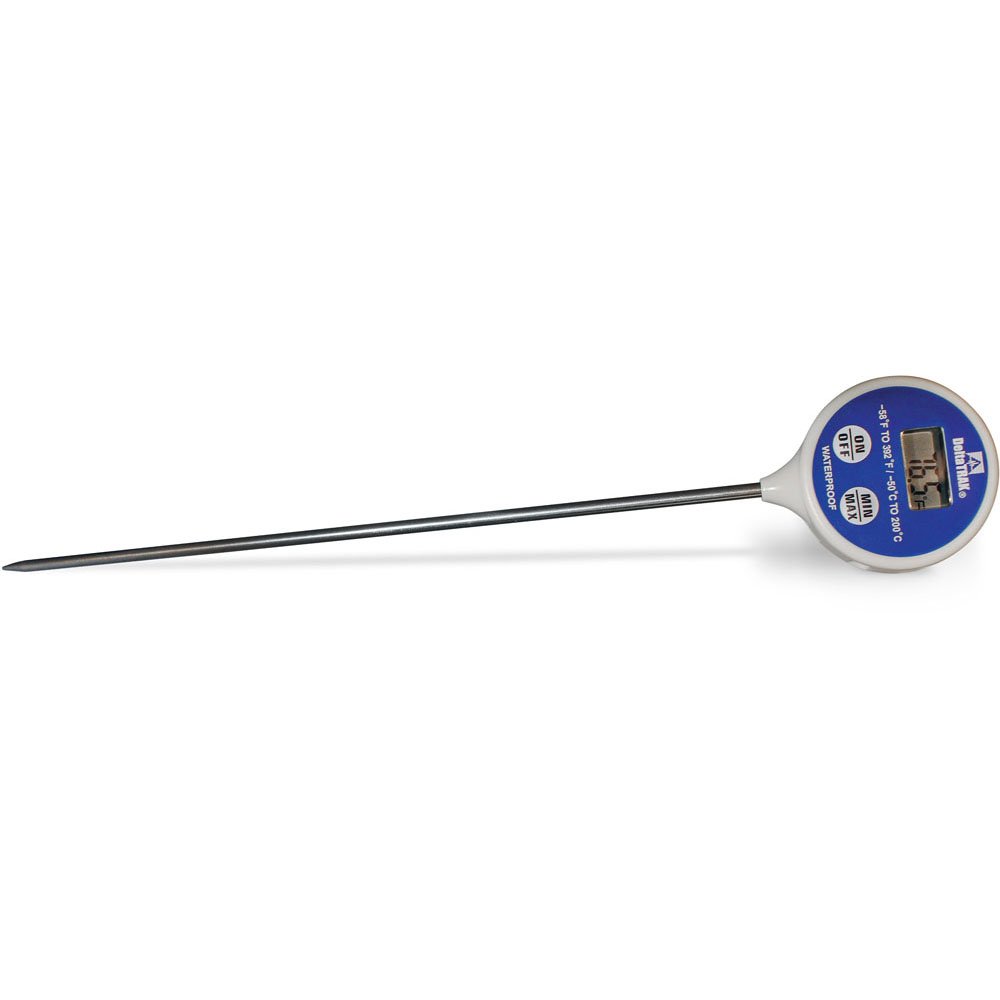
Слика 1: DeltaTrak 11047 Digital Lollipop Min/Max Probe Thermometer. This image shows the thermometer with its digital display and probe.
2. Информации за безбедност
Please read all safety instructions before using the thermometer to ensure safe operation and prevent damage to the device or injury to yourself.
- Do not expose the thermometer to extreme temperatures outside its specified operating range.
- Do not immerse the main body of the thermometer in water or other liquids. The probe is designed for immersion, but the display unit is not waterproof.
- Да се чува подалеку од дофат на деца.
- Do not attempt to disassemble or modify the thermometer. This will void the warranty and may cause damage.
- Фрлете ги батериите според локалните прописи.
3. Поставување
3.1. Инсталација на батерија
The DeltaTrak 11047 thermometer requires batteries for operation (not included). Follow these steps to install them:
- Пронајдете го капакот на преградата за батерии на задната страна од термометарот.
- Користете мала шрафцигер или паричка за да го отворите преградата за батерии.
- Insert the required batteries, ensuring correct polarity (+ and -). Refer to the markings inside the compartment.
- Вратете го капакот на преградата за батерии и цврсто прицврстете го.
3.2. Првично вклучување
По инсталирањето на батеријата, притиснете го копчето ВКЛУЧЕНО/ИСКЛУЧЕНО button to power on the device. The display will show the current temperature.
4. Упатства за работа
4.1. Мерење на температурата
- Осигурајте се дека термометарот е вклучен.
- Insert the stainless steel probe into the substance or environment you wish to measure. Ensure the probe tip is fully immersed or positioned correctly for accurate readings.
- Wait for the temperature reading on the digital display to stabilize. This usually takes a few seconds.
4.2. Min/Max Temperature Function
The thermometer can record the minimum and maximum temperatures measured during a session.
- Притиснете го MIN / MAX button once to display the maximum temperature recorded since the last reset.
- Притиснете го MIN / MAX button a second time to display the minimum temperature recorded.
- Притиснете го MIN / MAX Притиснете го копчето трет пат за да се вратите на приказот на моменталната температура.
- За да ги ресетирате мин./макс. вредностите, притиснете и држете го MIN / MAX button for approximately 3 seconds while in Min or Max display mode.
4.3. Unit Selection (°C/°F)
За да префрлате помеѓу Целзиусови (°C) и Фаренхајтови (°F):
- Лоцирајте го ° C / ° F button, usually found near the display or battery compartment.
- Press this button to toggle between the two temperature units.
5. Одржување
5.1. Чистење
As per product care instructions, the thermometer should be cleaned by wiping it. Use a damp cloth with mild soap or a sanitizing wipe to clean the probe and the body of the thermometer. Do not use abrasive cleaners or immerse the main unit in water.
5.2. Складирање
When not in use, store the thermometer in a clean, dry place at room temperature. Ensure the probe is clean and dry before storage. The thermometer often comes with a protective sheath for the probe; use this to prevent damage.
5.3. Замена на батеријата
If the display becomes dim or the thermometer stops functioning, it may be time to replace the batteries. Follow the battery installation steps in Section 3.1.
6 Смена на проблеми
| Проблем | Можна причина | Решение |
|---|---|---|
| Нема екран или екранот е затемнет | Мртви или слаби батерии; неправилна инсталација на батериите. | Заменете ги батериите, осигурувајќи се дека е точен поларитетот. |
| Неточни читања | Probe not fully immersed; probe damaged; thermometer outside operating range. | Ensure probe is correctly positioned; check for visible damage; use within specified temperature range. |
| Thermometer does not turn on | Batteries not installed; power button malfunction. | Install or replace batteries; if problem persists, contact support. |
7. Спецификации
- Бренд: DeltaTrak
- Број на модел: 11047
- UPC: 700779110473
- Надворешен материјал: Glass (Note: This likely refers to the display or a component, the probe is typically stainless steel)
- Исполнета спецификација: НИСТ
- Тежина на ставката: 36.3 гр
- Димензии на пакетот: 26.8 x 5.41 x 2.79 cm
- Вклучени компоненти: Термометар
- Инструкции за нега на производот: Исчистете го
- Батерии: Не е вклучено
8. Гаранција и поддршка
8.1. Информации за гаранцијата
DeltaTrak products are manufactured to high-quality standards. For specific warranty details regarding your DeltaTrak 11047 thermometer, please refer to the warranty card included with your purchase or visit the official DeltaTrak webлокација. Чувајте ја сметката како доказ за купување за гаранциски побарувања.
8.2. Поддршка за корисници
If you encounter any issues not covered in this manual or require further assistance, please contact DeltaTrak customer support. Contact information can typically be found on the product packaging or the official DeltaTrak webсајт.
За повеќе информации, посетете: www.deltatrak.com