
1. Вовед
This manual provides detailed instructions for the safe and efficient operation of your UNIC UC50 Mini Projector. Please read this manual thoroughly before using the device and retain it for future reference.
The UNIC UC50 is a compact DLP projector designed for various multimedia applications, offering portability and ease of use.
2. Содржина на пакетот
Проверете дали сите артикли наведени подолу се вклучени во вашиот пакет. Доколку некои артикли недостасуваат или се оштетени, ве молиме контактирајте го вашиот продавач.
- 1x UNIC UC50 Projector
- 1x Упатство за употреба (овој документ)
- 1x адаптер за напојување
- 1x кабел
- 1x далечински управувач

Слика 2.1: UNIC UC50 Mini Projector and included accessories. The image displays the compact projector unit along with its power adapter, remote control, and connecting cables, all neatly arranged.
3. Производот завршиview
Familiarize yourself with the various components and ports of your UNIC UC50 Mini Projector.
3.1 фронт View

Слика 3.1.1: Предна страна view of the UNIC UC50 Mini Projector with the lens cover open. This view highlights the projection lens and the sliding lens cover mechanism.

Слика 3.1.2: Предна страна view of the UNIC UC50 Mini Projector with the lens cover closed. The sliding cover protects the lens when the projector is not in use.
3.2 Страна Views (Input/Output Ports)

Слика 3.2.1: Страна view of the UNIC UC50 Mini Projector, displaying the USB port and SD card slot for media input.

Слика 3.2.2: Спротивна страна view of the UNIC UC50 Mini Projector, featuring the HDMI input, AV input, and 3.5mm earphone output jack.
3.3 Заден дел View

Слика 3.3.1: Заден дел view of the UNIC UC50 Mini Projector. This side includes the focus adjustment wheel and the DC 5V 2A power input port.
3.4 Врвот View
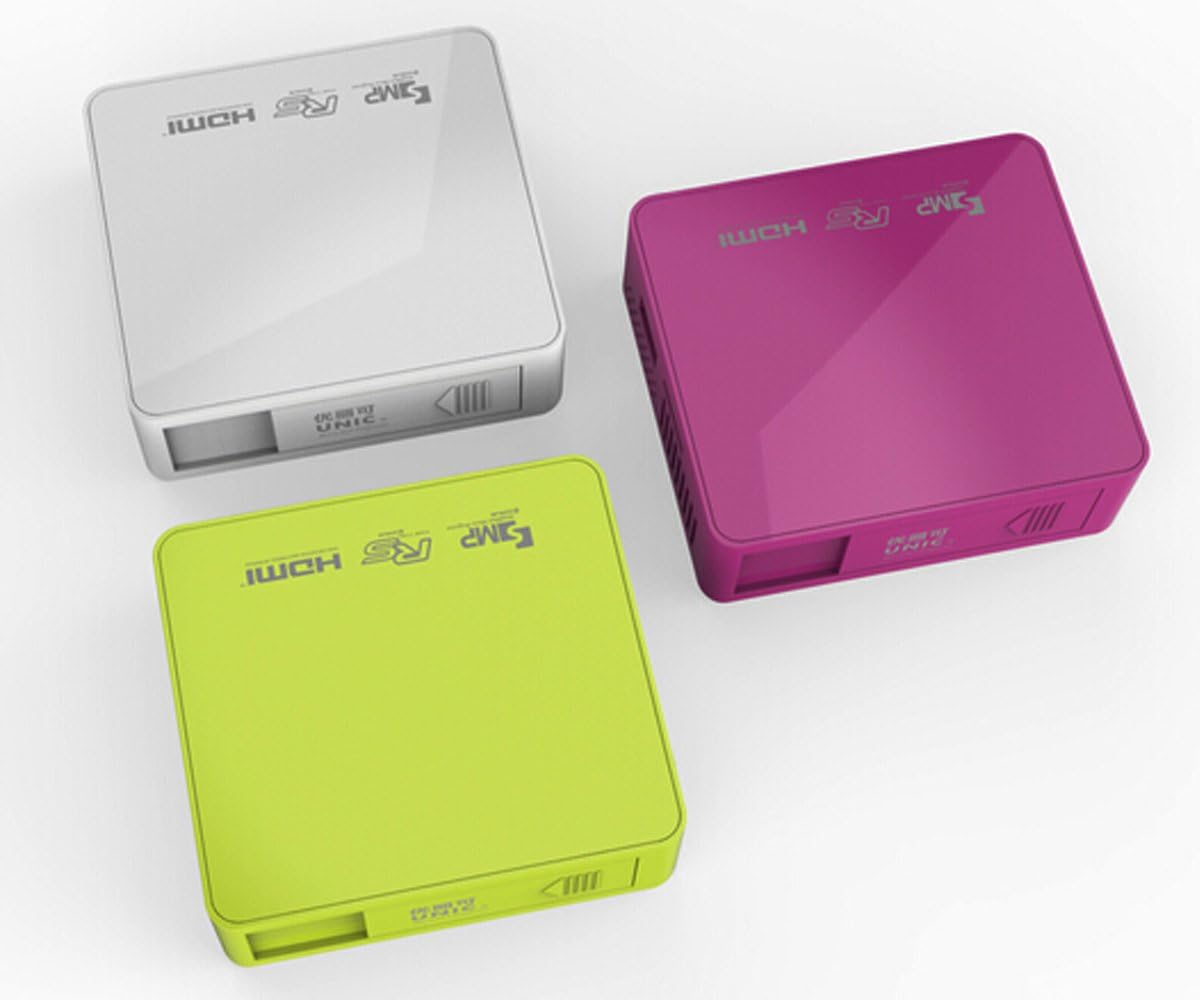
Слика 3.4.1: Врвот view of the UNIC UC50 Mini Projector, showing the minimalist design and branding.
4. Поставување
4.1 Поврзување за напојување
- Connect the provided power adaptor to the DC 5V 2A input port on the rear of the projector.
- Plug the power adaptor into a standard electrical outlet (AC 100-240V, 50/60Hz).
- The projector will power on automatically or can be turned on using the remote control.
4.2 Поставување и проекција
- Поставете го проекторот на стабилна, рамна површина.
- Ensure the projection surface (screen or wall) is clean and smooth.
- Adjust the projection distance between 35.5 cm and 430 cm to achieve the desired image size (14-150 inches).
- За оптимално viewing, operate the projector in a dimly lit room.
5. Упатства за работа
5.1 Прилагодување на фокусот
Rotate the focus adjustment wheel located on the rear of the projector until the projected image appears clear and sharp.
5.2 Избор на влезен извор
The UNIC UC50 supports multiple input sources:
- USB: Вметнете USB флеш-драјв во USB-портата.
- SD: Вметнете SD картичка во слотот за SD картичка.
- АВ: Connect an AV cable to the AV input port.
- HDMI: Connect an HDMI cable to the HDMI input port.
Use the remote control to navigate the on-screen menu and select the desired input source.
5.3 Репродукција на мултимедија
When a USB drive or SD card is inserted, the projector's UNIC Multimedia OS will allow you to browse and play supported file формати:
- Формати на видео: MP4, AVI, MOV, VOB, DAT, MPEG, MPG, RM, RMVB (Video encoding: MPEG1/MPEG2/MPEG4/DivX/Xvid)
- Аудио формати: MP3, WMA, WAV, AAC, OGG, ASF
- Формати на слики: JPG, BMP, PNG
- Document Format: TXT
Навигирајте низ files using the remote control and select the desired content for playback.
5.4 Аудио излез
The projector has built-in speakers (1.0W *2). For private listening or connecting external audio systems, use the 3.5mm earphone output jack.
6. Одржување
6.1 Чистење на објективот
Користете мека крпа без влакненца, специјално дизајнирана за оптички леќи, за нежно да ја избришете леќата на проекторот. Избегнувајте употреба на абразивни средства за чистење или прекумерна сила, бидејќи тоа може да ја изгребе леќата.
6.2 Чистење на куќиштето на проекторот
Wipe the exterior of the projector with a soft, dry cloth. Do not use liquid cleaners or solvents.
6.3 Складирање
When not in use, store the projector in a cool, dry place, away from direct sunlight and extreme temperatures. Ensure the lens cover is closed to protect the lens from dust.
7 Смена на проблеми
| Проблем | Можна причина | Решение |
|---|---|---|
| Не е проектирана слика |
|
|
| Сликата е матна |
|
|
| Нема звук |
|
|
| Далечинскиот управувач не работи |
|
|
8. Спецификации
| Карактеристика | Детал |
|---|---|
| Систем за слика | DLP |
| Lamp Тип | LED |
| Мајчин резолуција | 854 x 480 пиксели |
| Поддржана резолуција | Up to 1920 x 1080 pixels (1080P) |
| Сооднос на аспект | 4:3 / 16:9 |
| Оперативен систем | UNIC Multimedia OS |
| Осветленост | 800 лумени |
| Сооднос на контраст | 800:1 |
| Леќа | F=125 |
| Фокусирајте се | Прирачник |
| Lamp Работно време | 20,000 часа |
| Големина на сликата | 14-150 инчи |
| Растојание на проекција | 35.5 см - 430 см |
| Режим на проекција | Предна проекција |
| Режим на работа | Рачно / далечински управувач |
| Излезни порти | 3.5 мм слушалки |
| Влезни порти | USB, SD, AV, HDMI, IR |
| Влез на енергија | AC 100-240V, 50/60Hz |
| Излезна моќност | DC 5V 2A |
| Потрошувачка на енергија | 10 W |
| Говорник | 1.0W x 2 |
| Тежина | 130 гр |
| Димензии (Д x Ш x В) | 78 x 71 x 24.5 mm |
| OS Language | English, Polski, Russian, Deutsch, Spanish, Czech, etc. (23 Languages) |
| Посебни карактеристики | 3D подготвен |
9. Гаранција и поддршка
The UNIC UC50 Mini Projector comes with a standard manufacturer's warranty. Please refer to the warranty card included in your package for specific terms and conditions, including warranty period and coverage details.
For technical support, troubleshooting assistance beyond this manual, or warranty claims, please contact your original point of purchase or visit the official UNIC support webсајт (доколку е достапен).
Note: Specific warranty details and support contact information may vary by region and retailer.