
Logitech LOG920003051
Безжична тастатура Logitech K270
Упатство за употреба
Вовед
The Logitech K270 Wireless Keyboard offers a full-size traditional keyboard layout, including a numeric pad, designed for efficient and comfortable typing. It features eight hotkeys for instant access to frequently used applications and websites, enhancing productivity.
This keyboard utilizes a tiny Logitech Unifying receiver that plugs into your USB port, allowing connection of up to five additional compatible Logitech devices. The 2.4 GHz wireless technology ensures a reliable signal distance of up to 33 feet, depending on environmental conditions. Built for durability, the K270 features a spill-resistant design and UV-coated keys.
Содржина на пакетот
- Безжична тастатура Logitech K270
- Logitech Unifying приемник
- 2 AAA батерии (претходно инсталирани или вклучени)
- Корисничка документација
Поставување
- Вметнете батерии: If not already installed, open the battery compartment on the underside of the keyboard and insert the two AAA batteries, ensuring correct polarity.
- Поврзете го унифицирачкиот приемник: Plug the tiny Logitech Unifying receiver into an available USB port on your computer.
- Вклучување: Turn on the keyboard using the On/Off switch located on the top right side of the keyboard. The keyboard should automatically connect to the receiver.
- Install Logitech Unifying Software (Optional): For advanced customization and to connect additional compatible devices, download and install the Logitech Unifying Software from the official Logitech webсајт.

Слика: Од горе надолу view of the Logitech K270 Wireless Keyboard, showing the full layout including the numeric pad and function keys.

Слика: Под агол view of the Logitech K270 Wireless Keyboard, highlighting its slim profile and key arrangement.
Упатства за работа
Основна употреба на тастатура
The Logitech K270 functions as a standard full-size keyboard. Simply begin typing after successful setup. The 2.4 GHz wireless connection provides a reliable and lag-free experience up to 33 feet (10 meters) from your computer, though actual range may vary based on environmental conditions and computer setup.
Кратенки и функционални копчиња
The keyboard features eight dedicated hotkeys located above the function keys (F1-F12) for quick access to common functions:
- Пушти/Пауза: Контролирајте ја репродукцијата на медиумите.
- Исклучи звук: Исклучи звук на аудио излезот.
- Намалување на јачината на звукот: Намалете ја јачината на звукот.
- Јачина на звук нагоре: Зголемете ја јачината на звукот.
- Дома: Отворете го вашиот стандарден web browser's home page.
- Е-пошта: Open your default email client.
- Спиење на компјутер: Ставете го компјутерот во режим на спиење.
- Калкулатор: Open the calculator application.
Standard function keys (F1-F12) can be accessed directly or by holding the 'Fn' key, depending on your system's configuration and any Logitech software settings.
Logitech Unifying приемник
The included Unifying receiver allows you to connect up to five additional compatible Logitech wireless devices (such as mice or other keyboards) to the same receiver, freeing up USB ports. Use the Logitech Unifying Software to manage and pair additional devices.
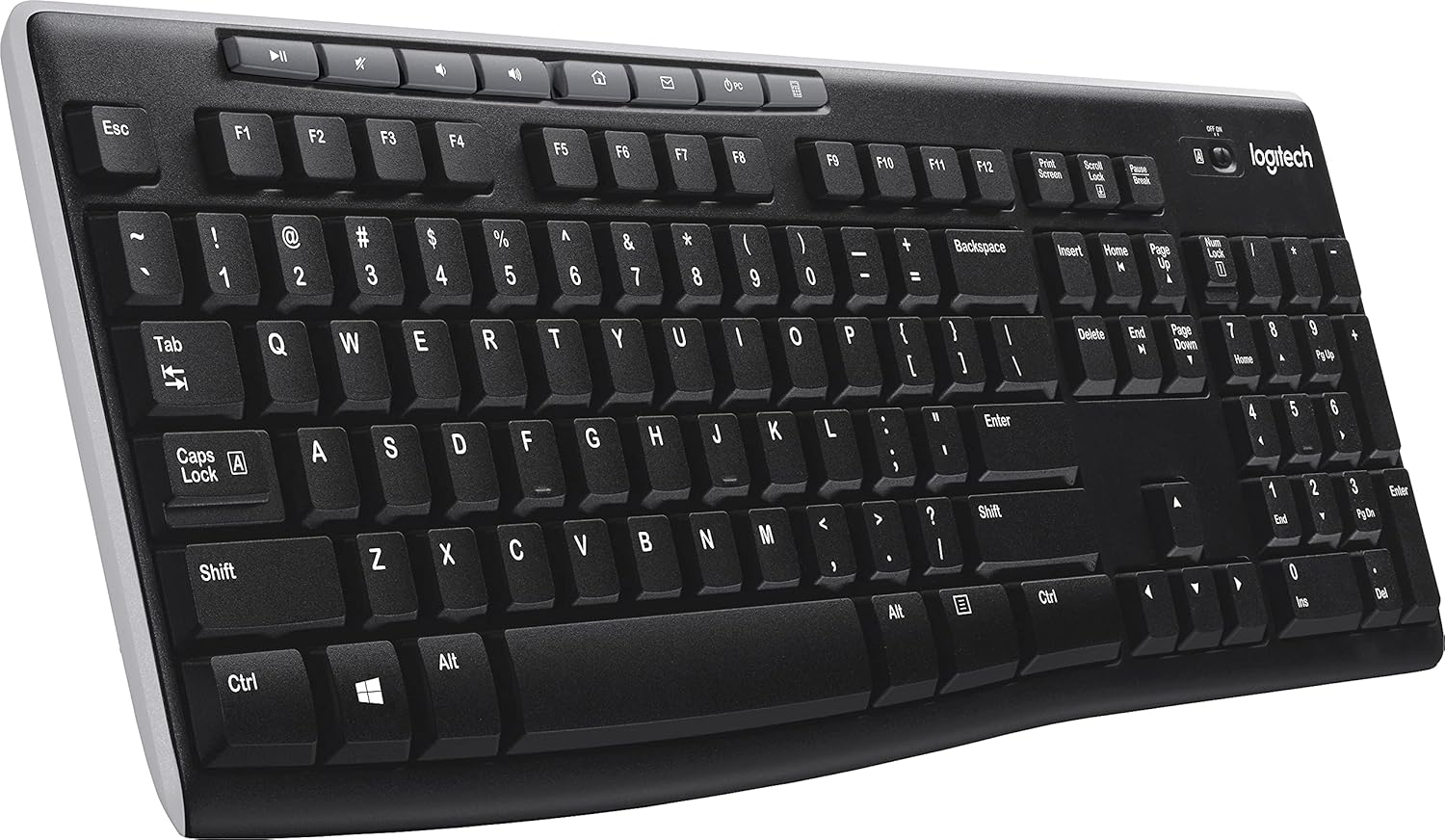
Слика: Под агол view of the Logitech K270 Wireless Keyboard, showcasing the right side with the numeric keypad and hotkeys.
Одржување
The Logitech K270 keyboard is designed with durability in mind, featuring a spill-resistant design and UV-coated keys to prevent fading.
- Чистење: To clean the keyboard, gently wipe the surface with a soft, damp cloth. Avoid using harsh chemicals or abrasive cleaners. Ensure the keyboard is powered off before cleaning.
- Отпорност на истурање: While spill-resistant, it is not waterproof. In case of a spill, immediately power off the keyboard, disconnect it from the computer, and allow it to dry completely before re-using. Do not submerge the keyboard in liquid.
- Замена на батерија: Replace batteries when the low battery indicator light illuminates or when keyboard performance degrades. Use two AAA alkaline batteries.
Решавање проблеми
| Проблем | Решение |
|---|---|
| Тастатурата не реагира |
|
| Доцнење или повремена врска |
|
| Кратечките копчиња не работат |
|
Спецификации
| Бренд | Логитек |
| Број на модел | LOG920003051 |
| Технологија за поврзување | Wireless (2.4 GHz, USB Unifying Receiver) |
| Опис на тастатурата | Wireless, Full-size with Numeric Pad |
| Специјална карактеристика | Spill Resistant, UV-Coated Keys |
| Боја | Црното |
| Извор на енергија | Напојува со батерии (2 x AAA) |
| Компатибилност на оперативниот систем | Windows Vista, Windows XP, Mac OS X (and newer versions) |
| Тежина на ставката | 1.59 фунти (приближно 0.72 кг) |
| Димензии на производот (ДxШxВ) | 18.1 x 17.2 x 0.8 инчи (приближно 46 x 43.7 x 2 см) |
Гаранција и поддршка
За детални информации за гаранцијата, техничка поддршка и дополнителни ресурси, посетете ја официјалната страница за поддршка на Logitech. webстраница. Таму можете да најдете драјвери, често поставувани прашања и контакт информации за корисничка поддршка.
Поддршка на Logitech Webсајт: support.logi.com
Please have your product model number (K270 or LOG920003051) and serial number ready when contacting support.