
1. Вовед
This manual provides detailed instructions for the installation, operation, and maintenance of your Thomson 512331 720p WiFi IP Camera. This wireless security camera features 720p HD resolution, advanced night vision, motion detection, and remote viewing capabilities via a smartphone or tablet application. Designed for outdoor use, it boasts an IP66 weather-resistant rating and a durable metal construction.
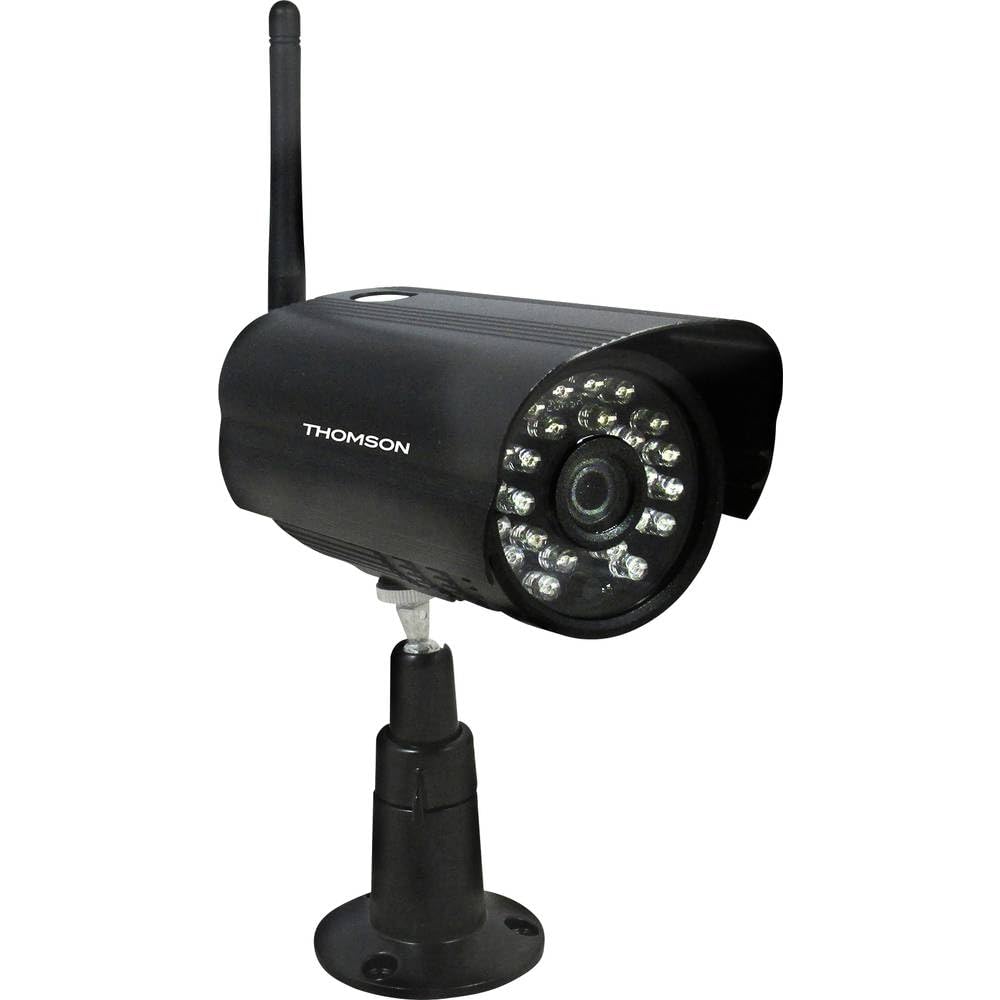
Слика 1: Предна страна view of the Thomson 512331 720p WiFi IP Camera. This image shows the camera's main body, lens, and antenna connection point, highlighting its compact and robust design suitable for outdoor surveillance.
2. Содржина на пакетот
Ве молиме проверете дали сите артикли наведени подолу се вклучени во вашиот пакет. Доколку некои артикли недостасуваат или се оштетени, контактирајте ја службата за корисници.
- Thomson 512331 IP Camera
- Power Adapter (230VAC/12VDC 500mA)
- WiFi антена
- Комплет за монтирање (завртки и ѕидни приклучоци)
- Упатство за употреба (овој документ)
3. Производот завршиview
The Thomson 512331 camera is designed for reliable surveillance with the following key features:
- Објектив: 3.6mm fixed lens for a wide field of view.
- Резолуција: 1280x720 (720p) HD video capture.
- Ноќно гледање: Infrared night vision with 24 LEDs, providing a range of up to 20 meters. Features color night vision capability.
- Аудио: Integrated microphone for audio acquisition.
- Поврзување: Wireless Wi-Fi connectivity for flexible placement.
- Отпорност на времето: IP66 rated for outdoor use, protecting against dust and powerful water jets.
- Материјал: Durable metal housing.
- Моќност: 12VDC 500mA power input, maximum consumption 5W.
- Видео компресија: H.264 for efficient storage and streaming.
- Складирање: Supports SD card for local storage (SD card not included).
4. Поставување
4.1 Физичка инсталација
- Изберете локација: Select a suitable outdoor location for the camera, ensuring it has a clear view of the area you wish to monitor and is within range of your Wi-Fi network.
- Монтирајте ја камерата: Use the provided mounting kit to securely attach the camera to a wall or other stable surface. Drill pilot holes if necessary, insert wall plugs, and fasten the camera bracket with screws.
- Прикачете WiFi антена: Screw the WiFi antenna firmly onto the designated port on the camera.
- Поврзете напојување: Connect the power adapter to the camera's 12VDC input port and plug the adapter into a suitable power outlet. Ensure the power outlet is protected from weather if installed outdoors.
4.2 Network Configuration and App Setup
- Преземете ја апликацијата: Пребарај за the official Thomson IP Camera application on your smartphone's or tablet's app store (iOS or Android). Download and install the application.
- Креирај сметка: Отворете ја апликацијата и следете ги упатствата на екранот за да креирате нова корисничка сметка или најавете се ако веќе имате.
- Додадете камера: In the app, select the option to "Add Device" or "Add Camera." Follow the in-app wizard to connect your camera to your Wi-Fi network. This typically involves scanning a QR code on the camera or entering your Wi-Fi credentials.
- Конфигурирајте ги поставките: Once connected, you can configure various settings such as motion detection sensitivity, recording schedules, and alert notifications within the app.
5. Упатства за работа
5.1 Во живо View
Open the Thomson IP Camera app on your smartphone or tablet. Select your camera from the device list to view the live video feed. You can typically switch between standard and HD resolution, and access controls for audio and recording.
5.2 Детекција на движење и известувања
The camera is equipped with motion detection. When motion is detected, the camera can trigger recordings and send push notifications to your connected device. Adjust motion detection sensitivity and alert preferences in the app's settings.
5.3 Ноќно гледање
The camera automatically switches to infrared night vision in low-light conditions, providing clear black and white video. It also supports color night vision in certain conditions. The 24 built-in IR LEDs illuminate up to 20 meters.
5.4 Снимање и репродукција
If an SD card is installed (not included), the camera can record video locally. Recordings can be triggered by motion or set on a schedule. Access recorded footagпреку функцијата за репродукција на апликацијата.
6. Одржување
- Чистење: Периодично чистете го објективот и куќиштето на камерата со мека, дamp крпа за отстранување прашина и нечистотија. Не користете груби хемикалии или абразивни средства за чистење.
- Ажурирања на фирмверот: Check the app regularly for firmware updates. Keeping your camera's firmware up-to-date ensures optimal performance and security.
- Напојување: Осигурајте се дека адаптерот за напојување и кабелот се во добра состојба и не се оштетени.
- Wi-Fi конекција: Verify your Wi-Fi signal strength periodically to ensure a stable connection for continuous surveillance.
7 Смена на проблеми
- Камерата не се поврзува со Wi-Fi:
- Уверете се дека камерата е во опсегот на вашиот Wi-Fi рутер.
- Проверете дали лозинката за Wi-Fi е правилно внесена во апликацијата.
- Рестартирајте го рутерот и камерата.
- Уверете се дека вашата Wi-Fi мрежа е 2.4 GHz, бидејќи мрежите од 5 GHz можеби не се поддржани.
- Нема видео довод:
- Проверете дали камерата е вклучена.
- Confirm a stable internet connection on both the camera and your viewинг уред.
- Рестартирајте ја камерата и апликацијата.
- Откривањето движење не работи:
- Check motion detection settings in the app; ensure it is enabled and sensitivity is adjusted correctly.
- Осигурајте се дека нема пречки што го блокираат пристапот на камерата view.
- Лош квалитет на ноќно гледање:
- Исчистете го објективот на камерата за да отстраните каква било нечистотија или дамки.
- Ensure there are no reflective surfaces close to the camera that might interfere with IR illumination.
8. Спецификации
| Име на моделот | 512331 |
| Бренд | Томсон |
| Димензии (Д x Ш x В) | 50 x 50 x 28 cm |
| Тежина | 500 грама |
| Технологија за поврзување | Безжичен, Wi-Fi |
| Специјална карактеристика | Ноќна визија |
| Компатибилни уреди | Таблет, паметен телефон |
| Извор на енергија | AC Power (12VDC 500mA adapter) |
| Тип на контролер | iOS (via application) |
| Тип на монтирање | Монтирање на ѕид |
| Карактеристики на производот | Ноќен вид, детекција на движење |
| Материјал | Метал |
| Ниво на отпорност на вода | IP66 (Водоотпорен) |
| Тип на сигнализација | Само движење |
| Тип на извор на светлина | LED |
| Контролен метод | Апликација |
| Потрошувачка на енергија | 5 вати |
| Потребни се батерии | бр |
| Број на канали | 1 |
| Тип на фокус | Автоматски фокус |
| Технологија на оптички сензор | BSI CMOS |
| Видео резолуција | 720p (1280x720 пиксели) |
| Опсег на ноќни визии | 20 метри |
| Тип на ноќно гледање | Infrared with Color Night Vision capability |
| Тип на флеш меморија | SD (for local storage) |
9. Гаранција и поддршка
For warranty information and technical support, please refer to the documentation provided with your purchase or visit the official Thomson webстраница. Зачувајте го доказот за купување за гаранциски побарувања.
Онлајн ресурси: www.thomson.eu