
1. Вовед
This manual provides detailed instructions for the Symcode MJ-2030-W Barcode Scanner. This device offers both 2.4GHz wireless and USB 2.0 wired connectivity, designed for efficient and reliable barcode scanning in various environments. Please read this manual thoroughly before operating the scanner to ensure proper use and to maximize its performance.
2. Производот завршиview
The Symcode MJ-2030-W is a versatile handheld laser barcode scanner. Key features include:
- Двојно поврзување: Supports both 2.4GHz wireless and USB 2.0 wired connections.
- Проширен опсег: Effective wireless communication up to 200 meters outdoors and 100 meters indoors.
- Долг век на батеријата: Equipped with a 2000mAh rechargeable battery, providing extended operation.
- Два режими на работа: Instant upload and storage modes for flexible data handling.
- Customizable Scanning: Supports prefix/suffix settings and character manipulation.
- Издржлив дизајн: Features a shock-resistant silicone casing (IP54 rated) for enhanced protection.
3. Поставување
3.1 Содржина на пакетот
Пред да започнете, проверете дали сите елементи се присутни во пакувањето:
- Symcode MJ-2030-W Barcode Scanner
- Mini USB Receiver (2.4GHz wireless dongle)
- USB кабел (за полнење и жична врска)
- Упатство за употреба (овој документ)
3.2 Поврзување на скенерот
The scanner offers two primary connection methods:
3.2.1 Безжична конекција од 2.4 GHz
- Insert the mini USB receiver into an available USB 2.0 port on your computer.
- Turn on the barcode scanner. It will automatically pair with the receiver.
- A successful connection is indicated by a specific sound or LED indicator on the scanner.

Figure 1: The reliable mini USB receiver for wireless connection.

Figure 2: Scanner in use with 2.4GHz wireless connection.
3.2.2 USB жична врска
- Connect one end of the provided USB cable to the scanner's USB port.
- Поврзете го другиот крај од USB кабелот со слободен USB 2.0 порт на вашиот компјутер.
- The scanner will be recognized as a HID keyboard device, and no additional drivers are typically required.
4. Упатства за работа
4.1 Основно скенирање
To scan a barcode, aim the laser beam at the center of the barcode and press the trigger button. A successful scan is usually indicated by a beep and/or a green LED light.
4.2 Data Upload Modes
The scanner supports two modes for uploading scanned data:
4.2.1 Режим на моментално прикачување
In this mode, scanned barcodes are immediately transmitted to the connected computer. This is suitable for real-time data entry.
4.2.2 Режим на складирање
When the scanner is out of range of the receiver or disconnected, it can store scanned barcodes internally. The scanner supports storing approximately 1000 barcodes in offline memory. To upload stored data, reconnect the scanner to your computer (either wirelessly or via USB) and scan the specific 'Upload Data' barcode (refer to the programming guide for this barcode, if provided). The stored data will then be transmitted to your computer.
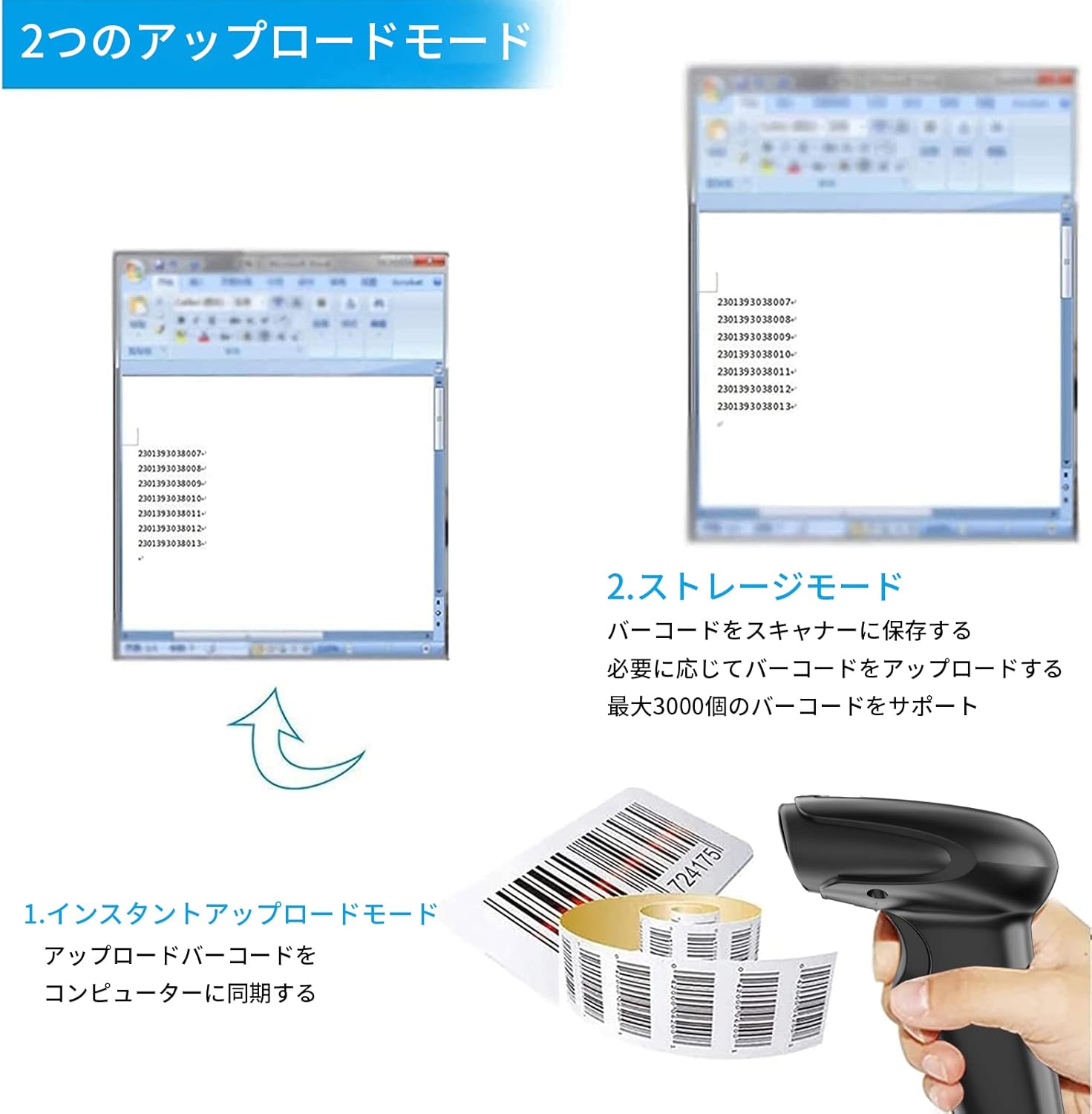
Figure 3: Illustration of Instant Upload and Storage Modes.
4.3 Programmable Barcodes
The Symcode MJ-2030-W scanner allows for customization of barcode data output:
- Поставки за префикс и суфикс: You can configure the scanner to add a specific prefix or suffix to each scanned barcode data.
- Character Insertion/Deletion: Specific characters can be inserted or deleted from the scanned data.
Refer to the separate programming guide (if included) or the manufacturer's website for detailed instructions on how to program these settings by scanning specific configuration barcodes.

Figure 4: Scanner demonstrating programmable barcode features.
5. Батерија и полнење
The scanner is equipped with a 2000mAh rechargeable battery. For optimal performance, ensure the battery is fully charged before first use.
- Време на полнење: Приближно 3-4 часа за целосно полнење.
- Работно времетраење: A full charge can provide up to 12,000 hours of standby time or approximately 74,000 scans.
- Начин на полнење: Connect the scanner to a computer or a USB power adapter using the provided USB cable.

Figure 5: Battery specifications and shock-resistant design.
6. Одржување
- Чистење: Use a soft, dry cloth to clean the scanner's exterior. For the scanning window, use a soft, lint-free cloth slightly dampсо вода или благ раствор за чистење. Избегнувајте абразивни средства за чистење или растворувачи.
- Складирање: Чувајте го скенерот на ладно и суво место, подалеку од директна сончева светлина и екстремни температури.
- Трајност: The scanner features a black silicone protective cover with IP54 rating, designed to protect the glass window from scratches and the unit from drops up to 6.56 feet (2 meters).
7 Смена на проблеми
7.1 Скенерот не реагира
- Ensure the scanner is turned on and fully charged.
- For wireless connection, verify the mini USB receiver is securely plugged into the computer and the scanner is within range. Try re-pairing if necessary (refer to the programming guide for pairing instructions).
- For wired connection, ensure the USB cable is properly connected to both the scanner and the computer. Try a different USB port.
7.2 Баркодовите не се скенираат
- Ensure the barcode is clear, undamaged, and well-lit.
- Прилагодете го растојанието и аголот помеѓу скенерот и баркодот.
- Check if the scanner is in the correct operating mode (e.g., not in a configuration mode).
7.3 Unexpected Sound Volume
If the scanner's beep volume is too loud or too quiet, refer to the programming guide for specific barcodes that allow adjustment of the sound settings.
7.4 Недостасуваат компоненти
If any components, such as the receiver or a programming code sheet, are missing from your package, please contact customer support immediately.
8. Спецификации
| Карактеристика | Спецификација |
|---|---|
| Бренд | симкод |
| Број на модел | MJ-2030-W |
| Боја | Бело |
| Димензии | 17.53 x 8.38 x 11.43 cm |
| Тежина | 280.66 гр |
| Извор на енергија | Напојува со батерија |
| Технологија за поврзување | 2.4 GHz безжичен, USB кабел |
| Капацитет на батеријата | 2000 mAh |
| Wireless Range (Outdoor) | До 200м |
| Wireless Range (Indoor) | До 100м |
| Капацитет на складирање | Approx. 1000 barcodes (offline mode) |
| Отпорност на пад | До 6.56 стапки (2 метри) |
| Оценка за заштита | IP54 |

Figure 6: Wireless transmission distance capabilities.
9. Гаранција и поддршка
Symcode products are designed for reliability and performance. For warranty information, technical support, or service inquiries, please refer to the contact information provided with your purchase or visit the official Symcode website. Please have your product model number (MJ-2030-W) and purchase details ready when contacting support.