
1. Вовед
This manual provides essential information for the safe and efficient operation of your Vestel ST49U01 49-inch Full HD LED Digital Signage Flat Panel. Please read this manual thoroughly before using the product and retain it for future reference. This display is designed for professional digital signage applications, offering a vibrant Full HD resolution and versatile connectivity options.
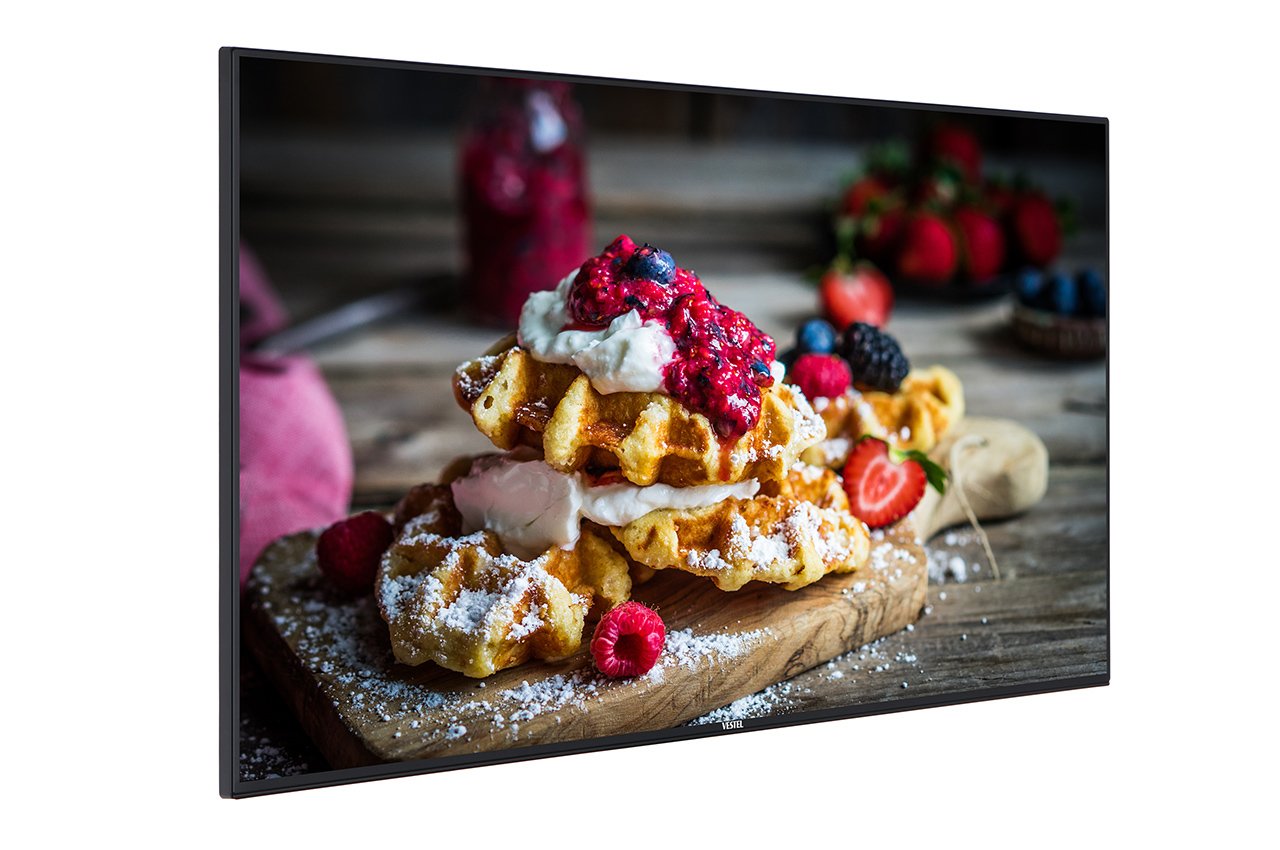
Figure 1: Vestel ST49U01 Digital Signage Flat Panel. This image shows the front view of the 49-inch display, highlighting its slim bezel and large screen area suitable for various digital signage content.
2. Инструкции за безбедност
За безбедно работење и спречување на оштетување, почитувајте ги следниве безбедносни мерки на претпазливост:
- Извор на енергија: Connect the display only to a grounded power outlet with the correct voltage како што е наведено на етикетата на производот.
- Вентилација: Do not block ventilation openings. Ensure adequate space around the display for proper airflow to prevent overheating.
- Изложеност на течност: Keep the display away from liquids. Do not expose it to rain or moisture.
- Чистење: Unplug the display before cleaning. Use a soft, dry cloth. Avoid liquid cleaners or aerosol sprays.
- Монтирање: Use appropriate mounting hardware and follow installation instructions carefully. Ensure the mounting surface can support the display's weight.
- Сервисирање: Не обидувајте се сами да го сервисирате овој производ. Пренесете ги сите сервиси на квалификуван сервисен персонал.
- Температура: Operate the display within the specified temperature range. Avoid extreme heat or cold.
3. Содржина на пакетот
Проверете дали сите артикли се присутни во пакувањето:
- Vestel ST49U01 Digital Signage Flat Panel
- Кабел за напојување
- Далечински управувач со батерии
- Водич за брз почеток
- Гарантна картичка
- HDMI кабел (може да се разликува во зависност од регионот)
Забелешка: If any items are missing or damaged, contact your retailer or Vestel customer support immediately.
4. Поставување
4.1 Отпакување
- Внимателно отстранете го екранот од неговото пакување.
- Place the display face down on a soft, clean surface to avoid scratching the screen.
4.2 Монтирање на екранот
The Vestel ST49U01 supports VESA mounting standards for wall mounts or stands. Refer to the specific instructions provided with your mounting kit.
- Ensure the mounting bracket is compatible with the display's VESA pattern (e.g., 400x400mm).
- Use screws of appropriate length and diameter to secure the bracket to the display.
- Mount the display securely to a sturdy wall or stand, ensuring it is level and stable.
4.3 Поврзување на периферни уреди
Connect your input sources and network cables to the appropriate ports on the display's rear panel.
- HDMI: Connect an HDMI cable from your media player or computer to one of the display's HDMI ports. The display has 2 HDMI ports.
- Етернет: For wired network connectivity, connect an Ethernet cable to the LAN port.
- USB: For local content playback or firmware updates, insert a USB storage device into the USB port.
- Моќност: Connect the power cable to the display's power input and then to a grounded electrical outlet.
4.4 Почетно вклучување
- Проверете дали сите врски се безбедни.
- Press the power button on the display or the remote control.
- Follow the on-screen prompts for initial setup, including language selection, time zone, and network configuration.
5. Ракување со екранот
5.1 Основни контроли
The display can be controlled using the physical buttons on the unit or the included remote control.
- Копче за вклучување: Го вклучува или исклучува дисплејот.
- Копче за внесување/извор: Cycles through available input sources (HDMI1, HDMI2, USB, etc.).
- Копче за мени: Accesses the on-screen display (OSD) menu.
- Копчиња за навигација: Used to navigate through OSD menu options.
- Копчиња за јачина на звук: Adjusts the audio volume (if speakers are connected or built-in).
5.2 Мени за приказ на екран (OSD).
The OSD menu allows you to configure various display settings:
- Притиснете го Мени button on the remote control or display.
- Use the navigation buttons to select categories such as Слика, Звук, Мрежа, Систем, и Signage Settings.
- Притиснете OK or the right navigation button to enter a sub-menu.
- Adjust settings using the navigation buttons and confirm with OK.
- Притиснете Излезете or Мени again to close the OSD.
5.3 Digital Signage Features
The ST49U01 is designed for digital signage. Key features include:
- Content Scheduling: Set schedules for content playback via the internal media player or connected external sources.
- Управување со мрежата: Configure network settings (wired Ethernet or Wi-Fi) to manage content remotely.
- Репродукција на USB: Играјте медиуми files директно од уред за складирање USB.
- Input Source Management: Automatically switch between input sources based on schedule or signal detection.
6. Одржување
6.1 Чистење на екранот
- Turn off the display and unplug the power cable.
- Нежно избришете го екранот со мека крпа што не остава влакненца. За тврдокорни дамки, малку избришете гоampen the cloth with water or a specialized screen cleaner (non-ammonia based).
- Wipe the frame and back panel with a dry, soft cloth.
- Do not spray cleaners directly onto the screen or into ventilation openings.
6.2 Општа нега
- Avoid placing heavy objects on the display.
- Do not expose the display to direct sunlight for extended periods.
- Обезбедете соодветна вентилација за да спречите акумулација на топлина.
7 Смена на проблеми
Пред да контактирате со корисничката поддршка, обидете се со следниве решенија за вообичаени проблеми:
| Проблем | Можна причина | Решение |
|---|---|---|
| Нема моќ | Power cable not connected; Power outlet faulty; Display off | Check power cable connection; Try a different outlet; Press the power button |
| Нема сигнал | Incorrect input source selected; Input cable loose or faulty; Source device off | Select correct input source; Check/replace input cable; Ensure source device is on |
| Picture is distorted or unclear | Resolution mismatch; Cable quality; Source device issue | Adjust source device resolution to 1920x1080; Use a high-quality HDMI cable; Test with another source device |
| Проблеми со мрежната врска | Ethernet cable loose; Wi-Fi password incorrect; Router/modem issue | Check Ethernet cable; Re-enter Wi-Fi password; Restart router/modem |
If the problem persists after trying these solutions, contact Vestel customer support.
8. Спецификации
| Карактеристика | Детал |
|---|---|
| Бренд | Вестел |
| Број на модел | ST49U01 |
| Големина на екранот | 49 инчи (124.5 см) |
| Технологија на прикажување | LED |
| Резолуција | 1920 x 1080 (Full HD) |
| Максимална резолуција на екранот | 1920 x 1080 пиксели |
| Сооднос на аспект | 16:9 |
| Време на одговор | 6 милисекунди |
| Viewинголен агол | 170 степени |
| Технологија за поврзување | Етернет |
| Хардверско поврзување | USB, HDMI (2 ports) |
| Тежина на ставката | 35.05 фунти (приближно 15.9 кг) |
| ASIN | B07489H8R5 |
| Меѓународен членски код | 03700410340761 |
9. Гаранција и поддршка
For warranty information, please refer to the warranty card included in your product package or visit the official Vestel webстраница. Зачувајте го доказот за купување за гаранциски побарувања.
For technical support, service, or replacement parts, please contact Vestel customer service through their official channels. Contact details can typically be found on the Vestel webстраницата или во документацијата за вашиот производ.