1. Системот завршиview
This manual provides instructions for the SANNCE 16-channel 8MP NVR Wireless WiFi Security Camera System. This system is designed for comprehensive surveillance, offering high-resolution video recording and remote monitoring capabilities.
Клучни карактеристики:
- 16-Channel 8MP NVR: Supports up to 16 cameras with 8-megapixel resolution for clear video.
- Безжична WiFi конекција: Utilizes 2.4/5.8GHz dual-band WiFi for stable and long-distance connections up to 985ft in open environments.
- H.264+ Video Coding: Advanced compression technology to optimize storage space while maintaining video quality.
- IP66 Outdoor Cameras: Weatherproof cameras suitable for various environmental conditions (-20℃ to 60℃).
- Ноќно гледање: Features up to 98ft IR night vision and 33ft full-color night vision for 24/7 monitoring.
- Human Motion Detection & Two-Way Talk: Enhanced security with intelligent detection and audio communication.
- Проширен простор за складирање: Supports up to 8TB local HDD storage and cloud storage options.
- Паметна интеграција: Compatible with Alexa for voice control.
2. Поставување на системот
The SANNCE security system is designed for quick and easy plug-and-play installation. Follow these steps for initial setup.
2.1 Unpacking and Initial Connection
- Carefully unpack all components: NVR, cameras, power adapters, and accessories.
- Connect the NVR to a monitor using an HDMI or VGA cable.
- Поврзете го NVR со извор на енергија користејќи го дадениот адаптер за напојување.
- Connect the cameras to their respective power sources. The cameras will automatically pair with the NVR.
- Connect the NVR to your router via an Ethernet cable for network access and remote viewинг.

Слика 2.1: Готовоview of system installation, WiFi connection, and remote access via mobile application.
2.2 Конфигурација на мрежата
Once the NVR is connected to your router, access the NVR's interface on the connected monitor to configure network settings. Ensure DHCP is enabled on your router or assign a static IP address to the NVR if required by your network setup.
2.3 Поставување на мобилна апликација
- Download the SANNCE mobile application from your device's app store.
- Регистрирајте сметка и најавете се.
- Add your NVR to the app by scanning the QR code displayed on the NVR's interface or by manually entering its ID.
- Откако ќе се додаде, можете view live feeds, playback recordings, and receive alerts remotely.

Слика 2.2: Далечински управувач viewing of camera feeds on various devices.
3. Работа на системот
This section details the various operational modes and features of your SANNCE security system.
3.1 Режими на снимање
The system offers flexible recording options:
- Континуирано снимање: Снимање 24/7 без прекин.
- Снимање на откривање на движење: Снима само кога ќе се детектира движење.
- Детекција на човечко движење: Advanced detection specifically for human shapes, reducing false alarms.
- Закажано снимање: Поставете специфични времиња за снимање.
- Alarm Triggered Recording: Records when an alarm event (e.g., motion, human detection) is triggered.

Figure 3.1: Intelligent human detection feature and various recording options.
3.2 Ноќно гледање
The cameras are equipped with advanced night vision technology to ensure clear surveillance in low-light conditions.
- IR ноќна визија: Provides black and white video up to 98 feet in complete darkness.
- Ноќно гледање во боја: Offers color video up to 33 feet in low-light conditions, enhancing detail and identification.

Figure 3.2: Demonstration of full-color night vision capability.
3.3 Двонасочно аудио
Utilize the built-in microphone and speaker on the cameras for two-way communication. This feature allows you to speak to individuals near the camera and hear their responses through the mobile app or NVR interface.

Figure 3.3: System features including two-way audio.

Слика 3.4: Прample of two-way audio communication.
3.4 Remote Monitoring and Alerts
Stay informed with real-time notifications and remote access:
- Mobile App Notifications: Receive instant alerts on your smartphone when motion or human detection is triggered.
- Сигнали за е-пошта: Configure the system to send email notifications with snapshots of events.
- Алекса интеграција: Use voice commands with Alexa-enabled devices to view доводи на камерата.

Figure 3.5: Notifications for intelligent people detection.

Figure 3.6: Seamless integration with Alexa for voice control.
4. Одржување
Редовното одржување обезбедува оптимални перформанси и долготрајност на вашиот безбедносен систем.
4.1 Чистење на камерата
- Периодично чистете ги леќите на фотоапаратот со мека, дamp крпа за отстранување прашина, нечистотија или дамки од вода што може да го попречат view.
- Avoid using harsh chemicals or abrasive materials that could damage the lens coating.
4.2 NVR and Storage Management
- Осигурајте се дека NVR е поставен во добро проветрено место за да спречите прегревање.
- Regularly check the hard drive status through the NVR interface to ensure it is functioning correctly.
- Manage storage space by configuring recording settings or backing up important footage to external storage or cloud services.
4.3 Ажурирања на фирмверот
Check the SANNCE official website or the mobile application periodically for firmware updates. Keeping your system's firmware updated ensures access to the latest features, security patches, and performance improvements.
5 Смена на проблеми
Овој дел се однесува на вообичаени проблеми со кои може да се соочите и нуди решенија.
5.1 No Video Display
- Проверете ја моќноста: Ensure the NVR and all cameras are properly connected to power outlets and are turned on.
- Поврзување на мониторот: Verify the HDMI/VGA cable connection between the NVR and your monitor.
- Спарување на камерата: Confirm that cameras are successfully paired with the NVR. Refer to the setup section for pairing instructions if needed.
5.2 Poor Wireless Connection
- Јачина на сигналот: Check the wireless signal strength of the cameras in the NVR interface.
- Опструкции: Reduce obstacles (thick walls, metal structures) between cameras and the NVR.
- Растојание: Ensure cameras are within the effective wireless range (up to 985ft in open environments).
- Пречки: Minimize interference from other wireless devices. The system supports dual-band WiFi (2.4/5.8GHz) which can help.
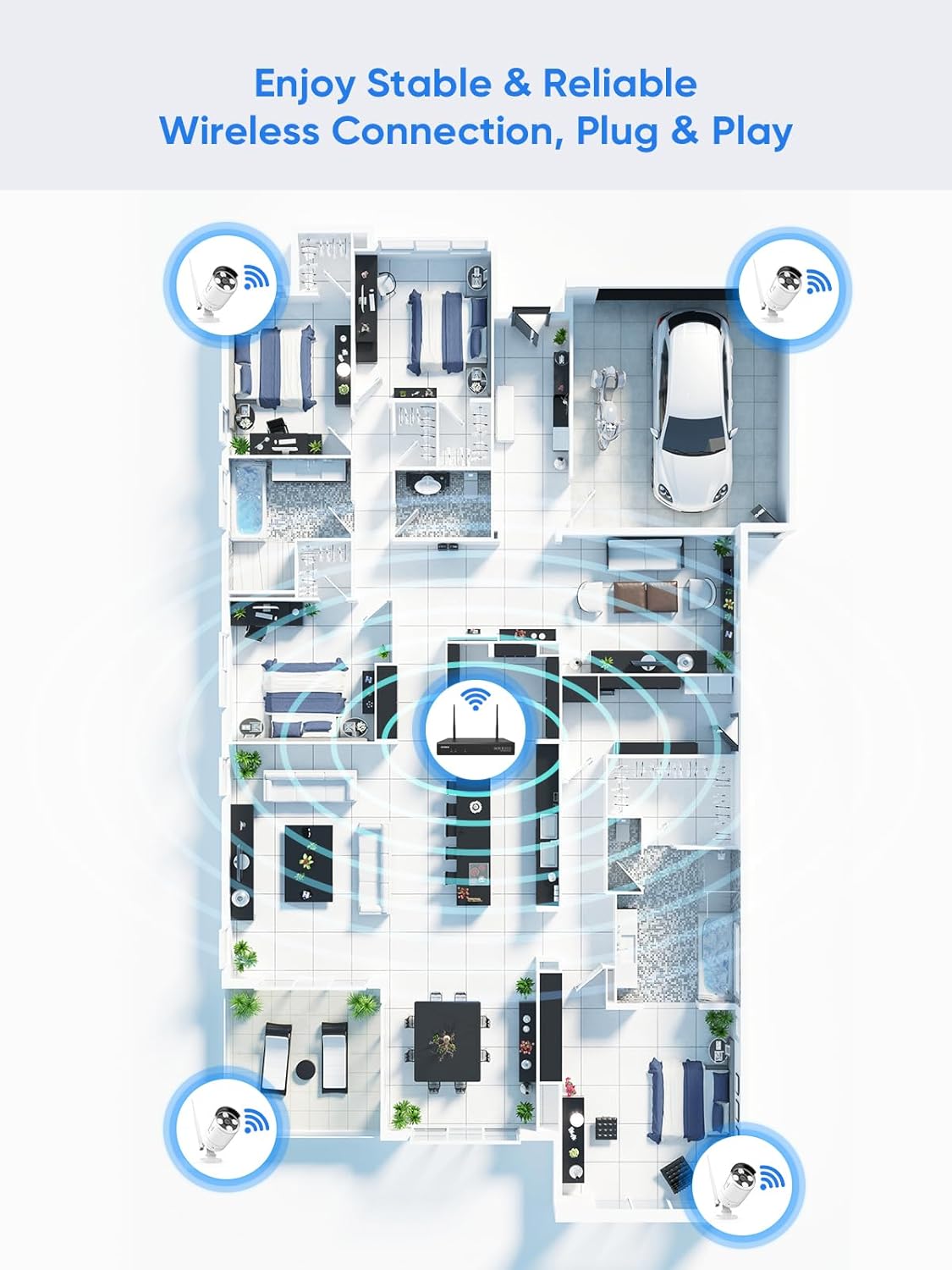
Figure 5.1: Wireless coverage and connection stability.
5.3 Проблеми со снимањето
- Хард диск: Verify the hard drive is installed correctly and is not full. Format the HDD if necessary (this will erase all data).
- Распоред за снимање: Check your recording schedule and motion detection settings to ensure they are configured as desired.
- Чувствителност на движење: Adjust motion detection sensitivity if recordings are too frequent or not frequent enough.
5.4 Remote Access Problems
- Интернет врска: Ensure both your NVR and mobile device have a stable internet connection.
- NVR Network Settings: Confirm the NVR's network settings are correct and it has access to the internet.
- Најавување на апликација: Verify you are logged into the SANNCE app with the correct account.
6. Спецификации
| Карактеристика | Детал |
|---|---|
| Број на модел | 4335041969 |
| Бренд | САНСЕ |
| Технологија за поврзување | HDMI, USB, VGA, Wireless WiFi (2.4/5.8GHz) |
| Компатибилни уреди | Камери |
| Капацитет за складирање на меморија | Up to 8 TB (HDD) |
| Големина на хард дискот | 8 TB (Maximum Supported) |
| Оценка за IP | IP66 (Outdoor Cameras) |
| Работна температура | -20℃ до 60℃ |
| Димензии на пакетот | 13.78 x 11.42 x 3.19 инчи |
| Тежина на ставката | 3.14 фунти |
| Датум прв на располагање | 11 декември 2017 година |
7. Гаранција и поддршка
7.1 Политика за враќање
This product is subject to a 30-day return policy from the date of purchase. Please refer to your retailer's specific return guidelines for detailed information.
7.2 Гаранција на производителот
SANNCE provides a limited warranty for this product against defects in materials and workmanship. For specific warranty terms, duration, and conditions, please refer to the warranty card included with your product or visit the official SANNCE webсајт.
7.3 Поддршка за корисници
If you encounter any issues or have questions regarding the installation, operation, or maintenance of your SANNCE security system, please contact SANNCE customer support for assistance. You can typically find contact information on the SANNCE official webна локацијата или во рамките на пакувањето на производот.
За повеќе информации, посетете ја SANNCE Store.