
Вовед
This user manual provides comprehensive instructions for the VTech VM3252-2 Digital Video Baby Monitor. Please read this manual thoroughly before using the product to ensure proper operation and safety. Keep this manual for future reference.
Содржина на пакетот
Your VTech VM3252-2 package includes:
- One (1) Parent Unit with 2.8-inch color LCD screen
- Two (2) Baby Units (cameras)
- Three (3) Power Adapters (one for Parent Unit, two for Baby Units)
- One (1) Rechargeable Battery (pre-installed in Parent Unit)
- Упатство за употреба (овој документ)

Image: The VTech VM3252-2 Digital Video Baby Monitor system, showing the parent unit and two baby units.
Поставување
1. Charging the Parent Unit Battery
The parent unit operates on a rechargeable battery or AC power. To maximize battery life, charge the parent unit for at least 12 hours before initial use. The battery icon on the screen indicates the charge level.
- Connect the small plug of the parent unit power adapter to the power jack on the side of the parent unit.
- Connect the large end of the power adapter to a wall outlet.
2. Connecting the Baby Units (Cameras)
The baby units operate on AC power only. Ensure they are placed within range of the parent unit and have a clear line of sight to the baby.
- Connect the small plug of the baby unit power adapter to the power jack on the back of the baby unit.
- Connect the large end of the power adapter to a wall outlet.
- Position the baby unit at least 3 feet (1 meter) away from the baby.
- Adjust the camera angle manually to get the desired view.

Image: A hand demonstrates adjusting the camera angle of the baby unit.
3. Вклучување/исклучување
- To turn on the parent unit, press and hold the МОЌ button until the VTech logo appears.
- To turn off the parent unit, press and hold the МОЌ копчето додека не се исклучи екранот.
- To turn on a baby unit, slide the ВКЛУЧЕНО/ИСКЛУЧЕНО префрлете се на ON позиција.
- To turn off a baby unit, slide the ВКЛУЧЕНО/ИСКЛУЧЕНО префрлете се на ИСКЛУЧЕНО позиција.
Операција
1. Следење на вашето бебе
Once both units are powered on and linked, the parent unit will automatically display video from the baby unit. If you have two cameras, the parent unit will cycle between them or allow manual selection.

Image: The parent unit's 2.8-inch color LCD screen showing a clear view на бебе.
2. Two-Way Talk Intercom
You can speak to your baby through the baby unit from the parent unit.
- Притиснете и задржете го РАБОТИ button on the parent unit.
- Speak clearly into the microphone on the parent unit.
- Ослободете го РАБОТИ button to stop speaking and hear your baby.

Image: A user interacting with the parent unit, demonstrating the two-way talk feature.
3. Soothing Sounds and Lullabies
The baby unit can play pre-set lullabies and soothing sounds to help calm your baby.
- Пристапете до менито на родителската единица.
- Navigate to the Lullaby/Sound option.
- Select a melody or sound to play.
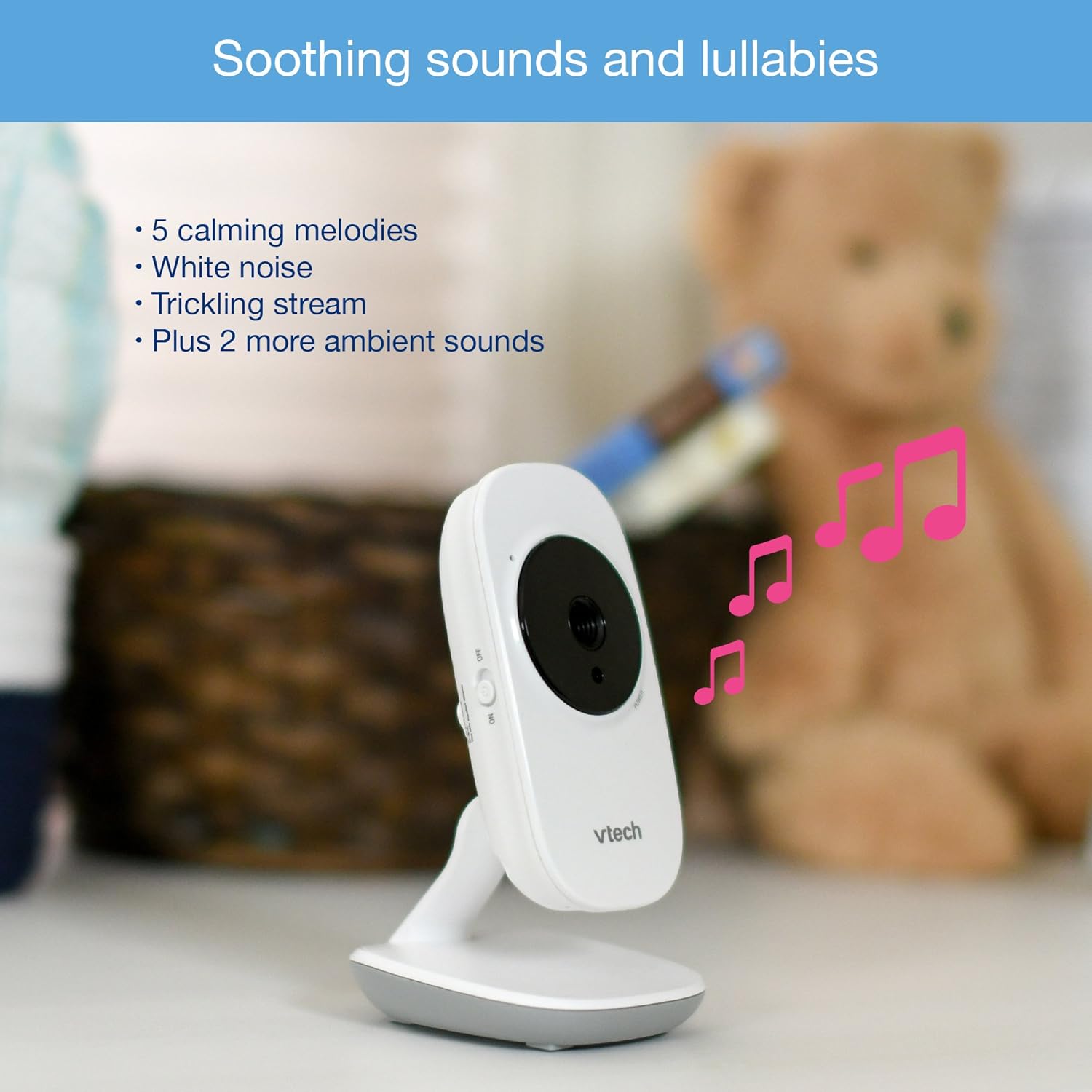
Image: The baby unit, illustrating its ability to play soothing sounds and lullabies.
4. Контрола на јачината на звукот
Adjust the listening volume on the parent unit using the volume buttons.
- Притиснете го ЗГОЛЕМИ ВОЛУМЕНТ копче за зголемување на јачината на звукот.
- Притиснете го НАМАЛУВАЈ ЈА ЈАСИНАТА копче за намалување на јачината на звукот.
- The parent unit features a 6-level sound indicator to visually represent the sound level detected by the baby unit.
Клучни карактеристики
- High-Resolution 2.8-inch Color LCD Screen: Provides a clear video feed of your baby.
- Автоматски инфрацрвен ноќен вид: Automatically activates in low-light conditions for clear viewво мракот.
- Сензор за температура: Monitors the room temperature around the baby unit and displays it on the parent unit. Alerts can be set for temperature fluctuations.
- Прилагодлив агол на камерата: Manually adjust the baby unit's camera to achieve the optimal viewинголен агол.
- 2x дигитален зум: Zoom in on your baby for a closer look.
- Дострел до 1,000 стапки: Stay connected to your baby from various rooms in your home.

Image: A visual summary of key features including temperature monitoring, night vision, adjustable camera, and sound indicators.
Одржување
Чистење на мониторот
- Избришете ги површините на родителската и бебешката единица со мека, дamp крпа.
- Не користете спрејови за чистење или течни средства за чистење.
- Уверете се дека единиците се суви пред повторно да ги поврзете на струја.
Нега на батерии
- The parent unit uses a rechargeable battery. If the battery life significantly decreases, it may need replacement.
- Only use the specified replacement battery type.
- Do not dispose of batteries in fire. Check local regulations for proper battery disposal.
Решавање проблеми
Нема врска / Надвор од опсег
If the parent unit displays "No Link" or "Out of Range":
- Ensure both the parent unit and baby units are powered on.
- Преместете ја родителската единица поблизу до единицата за бебиња.
- Relocate the baby unit to a position with fewer obstructions (e.g., walls, furniture).
- Avoid placing the monitor near other electronic devices that may cause interference (e.g., Wi-Fi routers, cordless phones).
Poor Picture Quality / Blurry Night Vision
- Уверете се дека објективот на камерата е чист и без прашина или дамки.
- Check for adequate lighting in the room during daytime use.
- During night vision, ensure there are no direct light sources near the baby unit that could interfere with the infrared sensors.
- Adjust the position of the baby unit for a clearer view.
Short Battery Life on Parent Unit
- Ensure the parent unit is fully charged for at least 12 hours before use.
- Reduce screen brightness to conserve battery.
- If the battery life remains significantly short after full charging, the rechargeable battery may need to be replaced.
- Keep the parent unit plugged into the power adapter for continuous use.
Monitor Randomly Turns Off
- Check if the parent unit battery is low. Recharge the unit.
- Ensure the power adapter is securely connected to both the parent unit and the wall outlet.
- Ако проблемот продолжи, контактирајте со поддршката за корисници.
Спецификации
| Карактеристика | Детал |
|---|---|
| Број на модел | ВМ3252-2 |
| Големина на екранот | 2.8 инчи |
| Резолуција за снимање видео | 720 стр |
| Број на камери | 2 |
| Технологија за поврзување | Безжичен |
| Извор на енергија | AC Powered (Baby Units), Rechargeable Battery / AC Powered (Parent Unit) |
| Ноќна визија | Автоматски инфрацрвен ноќен вид |
| Дигитален зум | 2x |
| Домофон | Двонасочен разговор |
| Сензор за температура | Да |
| Lullabies/Sounds | Да |
| Димензии на ставката | 4.89 x 4.77 x 2.83 инчи |
| Тежина на ставката | 1.88 фунти |
| Боја | Бело |
Информации за гаранцијата
VTech products are designed with quality and reliability in mind. For detailed warranty information, please refer to the warranty card included in your product packaging or visit the official VTech webстраница. Чувајте ја сметката за купување како доказ за купување.
Поддршка за корисници
If you have any questions or require assistance with your VTech VM3252-2 Digital Video Baby Monitor, please contact VTech customer support:
- Webсајт: www.vtechbabycare.com
- Е-пошта: support@vtechbabycare.com
For additional resources and FAQs, please visit the VTech support page online.
Производот завршиview Видео
Video: An official VTech overview of the VM3252-2 Digital Video Baby Monitor, highlighting its features and ease of use.