
1. Вовед
Thank you for choosing the Yoobao Portable USB Handheld Fan F02-BE. This compact and versatile fan is designed to provide personal cooling in various settings, whether at home, in the office, or during travel. Please read this manual carefully before use to ensure proper operation and maintenance.
2. Производот завршиview
2.1 Компоненти
The Yoobao Portable USB Handheld Fan F02-BE includes the following components:
- Yoobao Handheld Fan
- Charging Dock (for wireless charging)
- Микро USB кабел за полнење
- Упатство за употреба

Слика 1: Пакување на производот и вклучени компоненти.
2.2 Клучни карактеристики
- Преносен дизајн: Lightweight and compact for easy carrying.
- Adjustable Wind Speed: Three distinct speed settings (Low, Medium, High).
- Батерија на полнење: Интегрирана батерија од 3000 mAh за продолжена употреба.
- Разновидно полнење: Supports both Micro USB cable charging and wireless charging via the included dock.
- Тивко работење: Designed for minimal noise output.

Figure 2: Fan dimensions (9.3 inches height, 4.1 inches width) and weight (174g / 6.14oz).
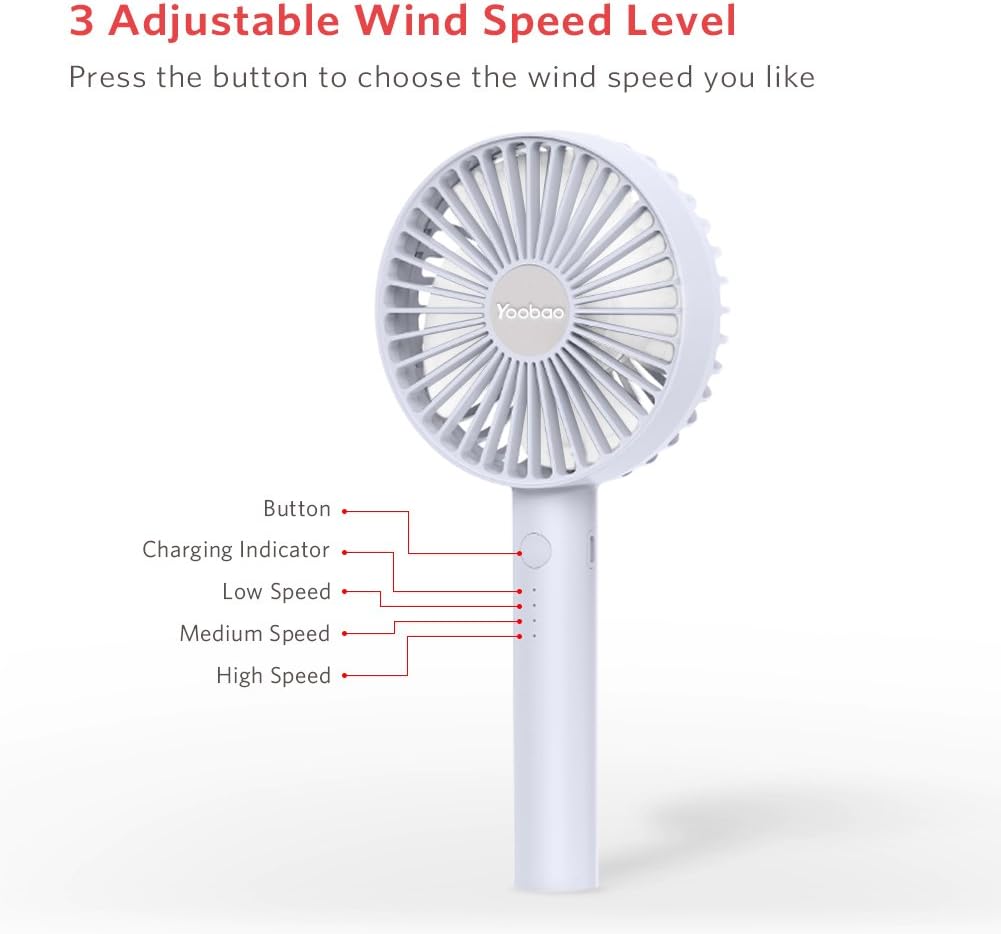
Figure 3: Fan controls and indicators, showing the power button, charging indicator, and three speed indicators (Low, Medium, High).
3. Поставување
Before first use, ensure the fan is fully charged. Refer to the 'Charging Instructions' section for details.
- Отпакувајте ги сите компоненти од кутијата.
- Place the fan on a stable surface or hold it comfortably in your hand.
- If using the charging dock, connect the Micro USB cable to the dock and a power source.
4. Упатства за работа
The fan features a single button for power and speed control.
- За да се вклучи: Press the power button once. The fan will start at Low speed.
- За прилагодување на брзината: Press the power button repeatedly to cycle through speeds:
- 1st Press: Low Speed
- 2nd Press: Medium Speed
- 3rd Press: High Speed
- Да се исклучи: Press the power button a fourth time after High speed, or press and hold the button for 2 seconds at any speed.

Figure 4: The fan can be used handheld for personal cooling.
5. Упатство за полнење
The Yoobao F02-BE fan offers two charging methods: direct USB cable charging and wireless charging via the dock.
5.1 Direct USB Charging
- Locate the Micro USB charging port on the side of the fan handle.
- Connect the provided Micro USB cable to the fan's charging port.
- Connect the other end of the USB cable to a suitable USB power source (e.g., power adapter, computer USB port, power bank).
- The charging indicator lights will illuminate to show charging status.
5.2 Wireless Charging with Dock
- Connect the Micro USB cable to the charging dock and a suitable USB power source.
- Gently place the fan into the charging dock, ensuring it is seated correctly.
- The charging indicator lights on the fan will illuminate to show charging status.
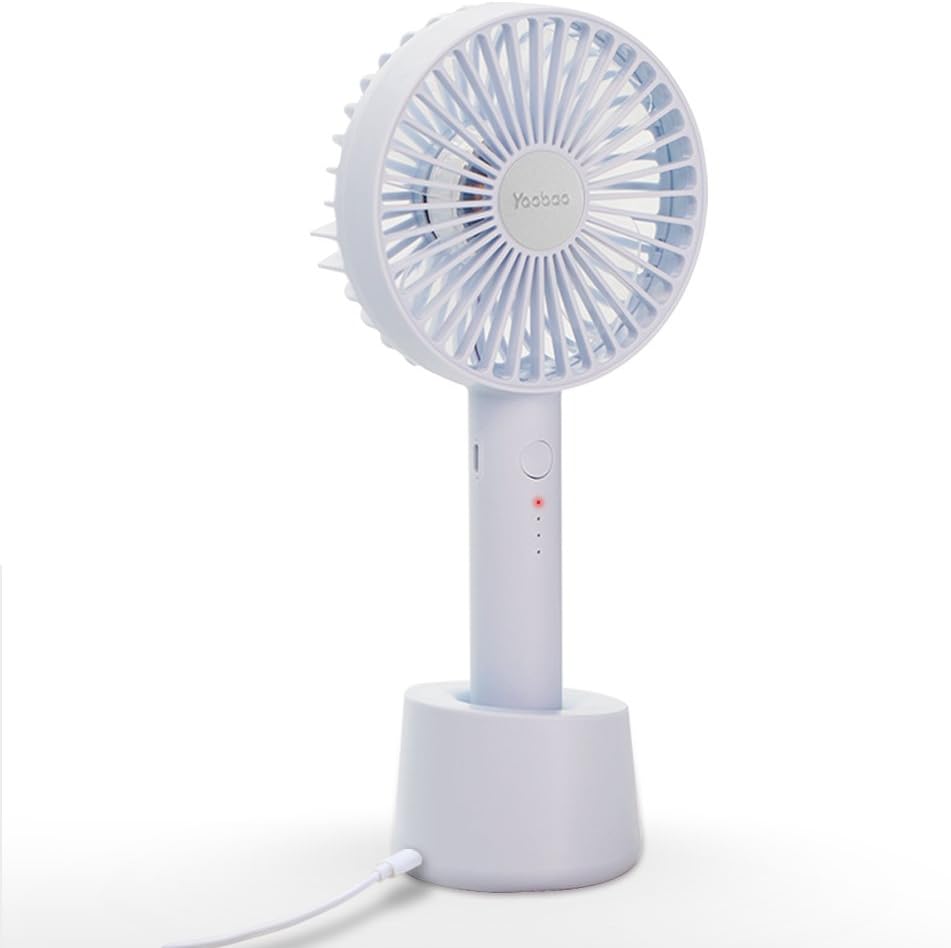
Figure 5: The fan securely placed in its charging dock, connected via USB cable.
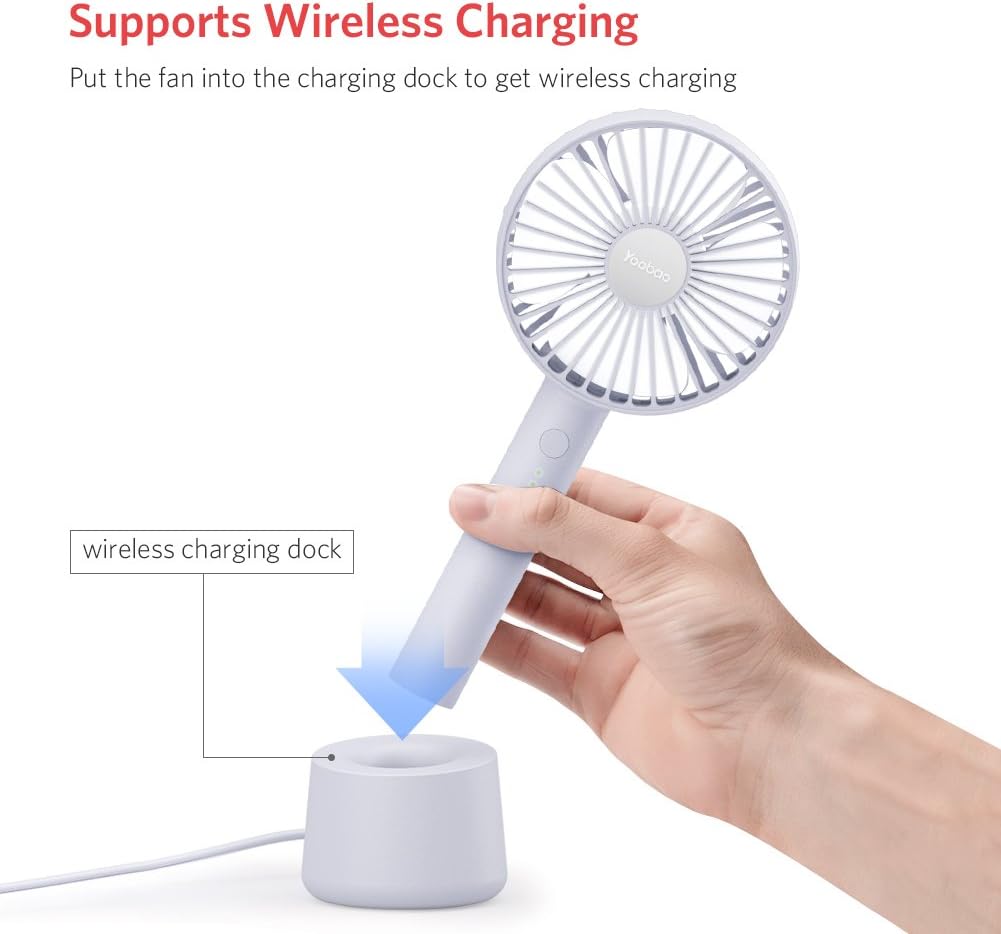
Figure 6: Illustrates placing the fan into the wireless charging dock for convenient charging.

Figure 7: Demonstrates charging via power adapter, computer/laptop, and power bank.
5.3 Траење на батеријата
A full charge provides approximately:
- Low Speed: Up to 11.7 hours
- Medium Speed: Up to 6 hours
- High Speed: Up to 3.5 hours
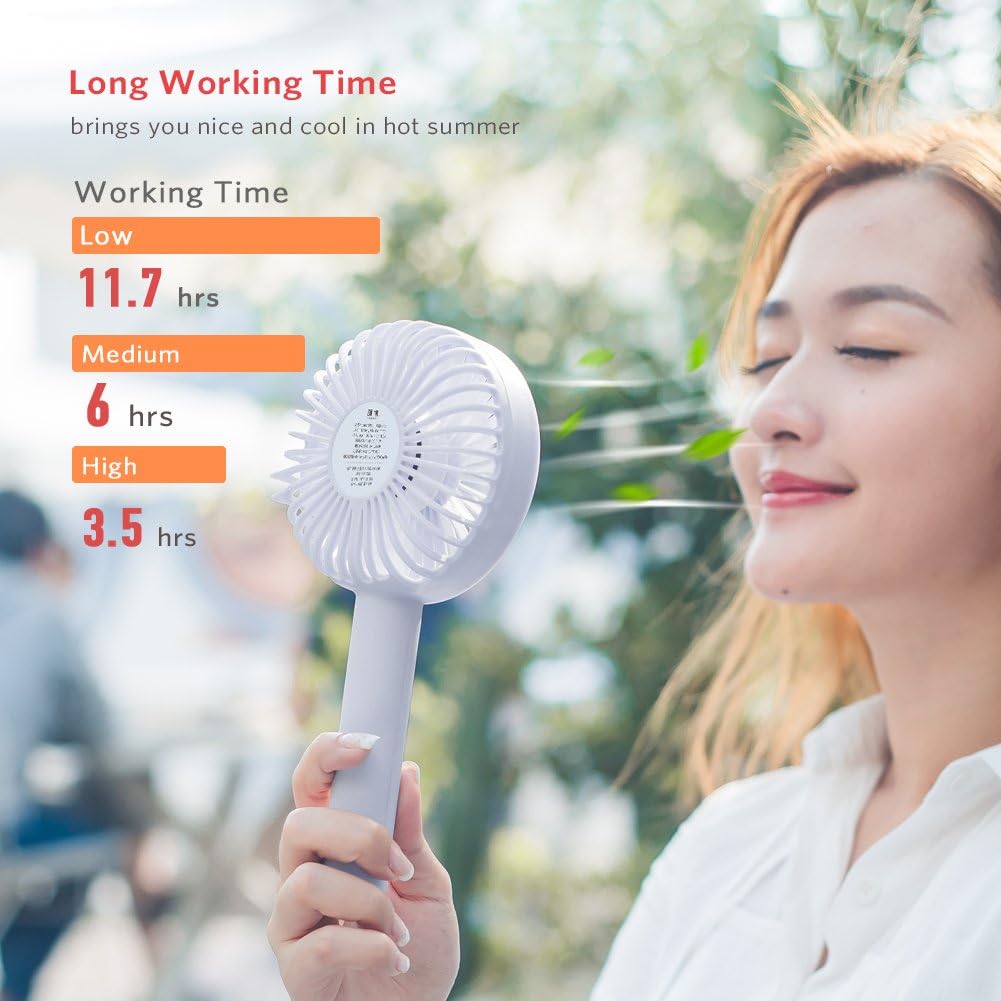
Figure 8: Visual representation of battery life at different fan speeds.
6. Одржување
6.1 Чистење
- Ensure the fan is turned off and unplugged from any power source before cleaning.
- Избришете ја надворешноста на вентилаторот со мека, сува крпа.
- Не користете абразивни средства за чистење, растворувачи и не го потопувајте вентилаторот во вода.
- For dust accumulation on the fan blades, use a soft brush or compressed air to gently clean the grille and blades.
6.2 Складирање
- Чувајте го вентилаторот на ладно и суво место, подалеку од директна сончева светлина и екстремни температури.
- Доколку ја складирате подолго време, наполнете ја батеријата до приближно 50% за да го продолжите нејзиниот век на траење.
7 Смена на проблеми
If you encounter issues with your Yoobao Portable USB Handheld Fan F02-BE, please refer to the following common problems and solutions:
| Проблем | Можна причина | Решение |
|---|---|---|
| Вентилаторот не се вклучува. | Батеријата е испразнета. | Charge the fan using the provided USB cable or charging dock. |
| Слаб проток на воздух. | Вентилаторот е на поставка за ниска брзина. | Press the power button to increase the fan speed. |
| Вентилаторот испушта необичен шум. | Запушување на лопатките на вентилаторот или внатрешен проблем. | Turn off the fan and check for any obstructions. If the noise persists, contact customer support. |
| Fan tips over easily in dock. | Unstable surface or improper placement. | Ensure the dock is placed on a flat, stable surface. Verify the fan is correctly seated in the dock. |
| Индикаторските светла за полнење не работат. | Проблем со кабелот за полнење или изворот на енергија. | Check the USB cable connection and try a different power source. Ensure the fan is properly seated in the charging dock if using wireless charging. |
8. Спецификации
| Карактеристика | Детал |
|---|---|
| Бренд | Јобао |
| Број на модел | F02-BE |
| Дизајн на електричен вентилатор | Wearable Fan / Handheld Fan |
| Извор на енергија | Напојува со батерија |
| Капацитет на батеријата | 3000mAh (approximate, inferred from product title) |
| Димензии на производот (ДxШxВ) | 4.13 x 2.67 x 9.25 инчи (1.2"Д x 3.5"Ш x 7.3"В) |
| Тежина на ставката | 7.5 унци (214 грама) |
| Ватtage | 3 вати |
| Voltage | 5 волти |
| Специјална карактеристика | Лесен, пренослив |
| Вклучени компоненти | Cord (Micro USB Charging Cable) |
9. Гаранција и поддршка
Yoobao products are designed for quality and reliability. For specific warranty details, please refer to the warranty card included with your product or visit the official Yoobao website. If you experience any issues or have questions regarding your Yoobao Portable USB Handheld Fan F02-BE, please contact Yoobao customer support through their official channels.
Ве молиме зачувајте ја вашата сметка како доказ за купување за гаранциски побарувања.