
1. Вовед
Ви благодарам за купувањетоasing the FiiO K3 Type-C USB DAC Headphone Amp. This manual provides detailed instructions for setting up, operating, and maintaining your device to ensure optimal performance and longevity. The FiiO K3 is a high-performance digital-to-analog converter and headphone amplifier designed to enhance your audio experience with various devices, including computers and other audio sources.

Figure 1: FiiO K3 Type-C USB DAC Headphone Amp
2. Поставување
Follow these steps to set up your FiiO K3 for the first time.
2.1 Содржина на пакетот
Пред да продолжите, проверете дали сите елементи се присутни во пакувањето:
- FiiO K3 Unit
- USB тип-C кабел за податоци
- Anti-slip Tape (4 pieces)
- Водич за брз почеток
- Гарантна картичка

Figure 2: FiiO K3 and included accessories
2.2 Поврзување со компјутер
Connect the FiiO K3 to your computer using the provided USB Type-C cable. The K3 draws power directly from the USB port.
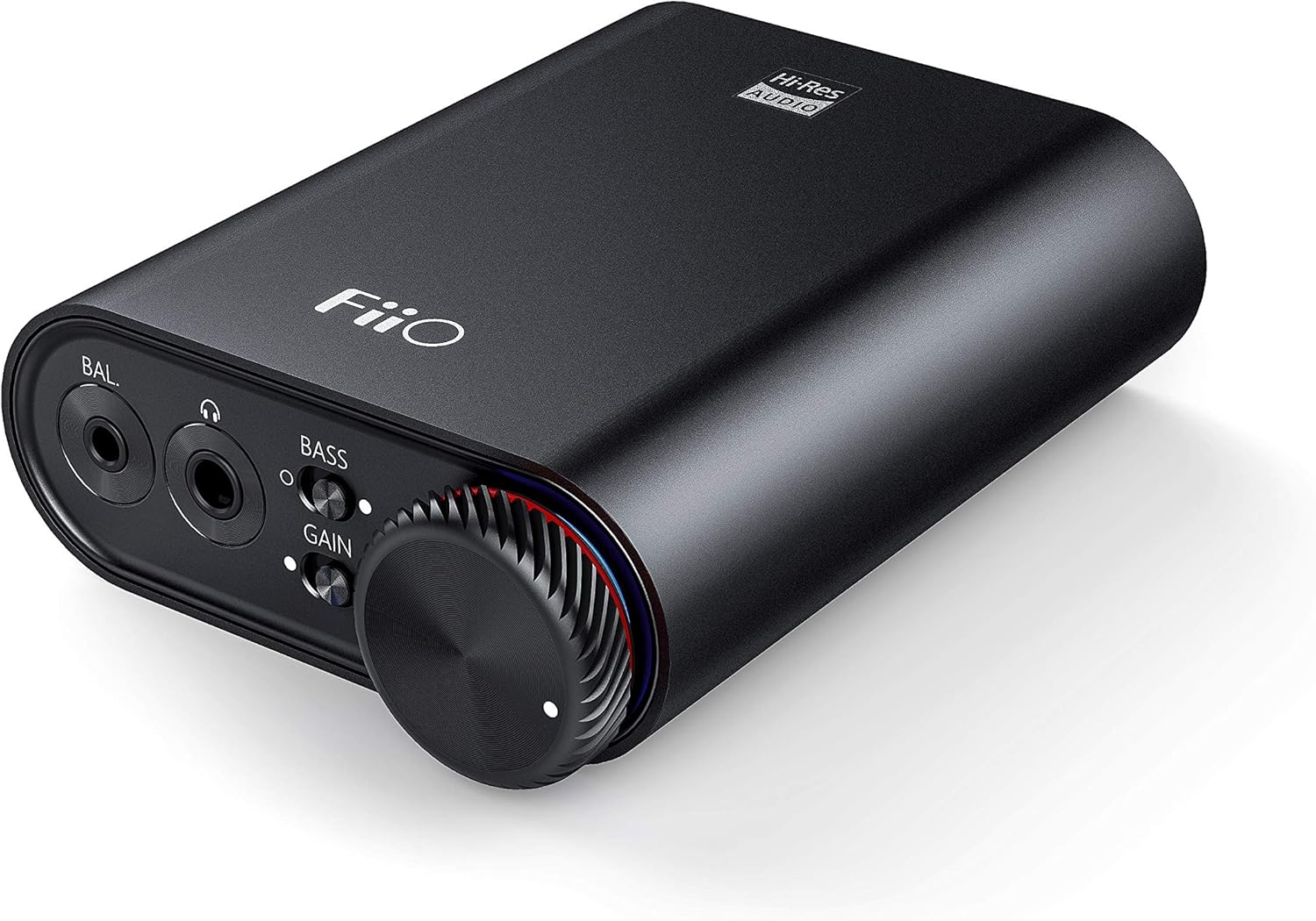
Figure 3: Front panel of FiiO K3 with headphone outputs and controls.
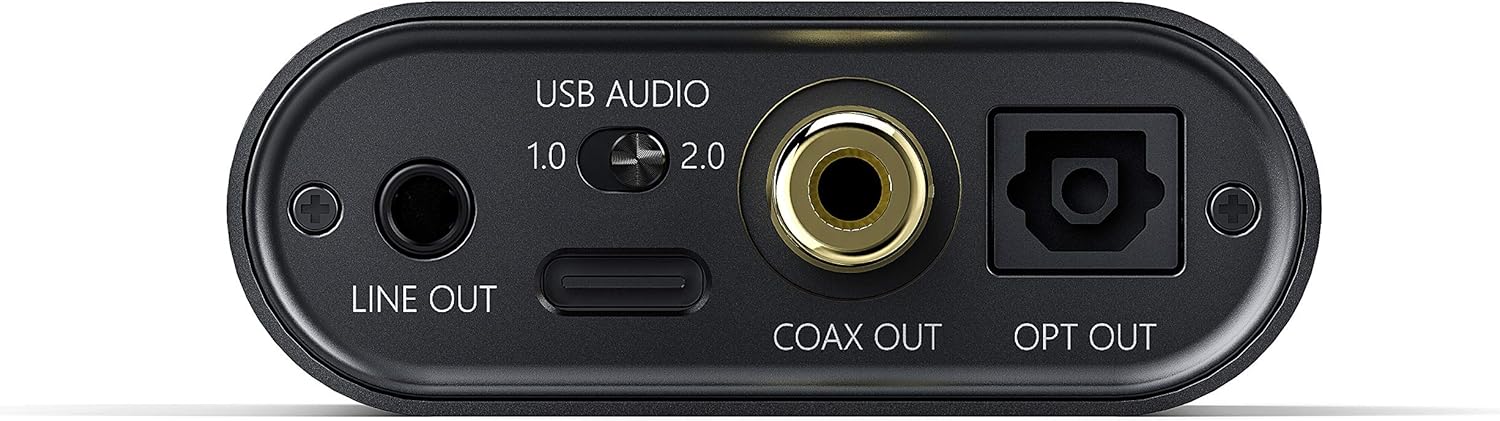
Figure 4: Rear panel of FiiO K3 with USB-C, Line Out, Coaxial Out, and Optical Out ports.
USB аудио режими
The FiiO K3 supports two USB Audio modes, selectable via a switch on the rear panel:
- USB Audio 1.0 (Driver-Free): This mode is plug-and-play and does not require driver installation. It supports up to 96kHz/24-bit PCM audio. Compatible with Windows, macOS, and Linux.
- USB Audio 2.0 (Requires Driver): This mode offers higher performance, supporting up to 384kHz/32-bit PCM and DSD256. For Windows operating systems, a specific driver must be installed. For macOS and Linux, it is typically driver-free.
To download the Windows USB 2.0 driver, visit the official FiiO support webсајт: www.fiio.com/поддржува.
2.3 Поврзување слушалки
The FiiO K3 features two headphone output jacks on the front panel:
- Едностран излез од 3.5 mm: For standard headphones.
- Балансиран излез од 2.5 мм: For headphones with a balanced connection, offering improved sound separation and power.
Plug your headphones into the appropriate jack. Ensure the connection is secure.
2.4 Connecting to External Audio Devices
The FiiO K3 provides multiple output options for connecting to external speakers, amplifiers, or other DACs:
- 3.5mm Line Out: Connects to the analog input of an amplifier or active speakers. The volume of the Line Out is controlled by the K3's volume knob.
- Коаксијален излез: Provides a digital coaxial output for connecting to an external DAC or amplifier with a coaxial input.
- Оптички излез: Provides a digital optical output for connecting to an external DAC or amplifier with an optical input.
When using the Line Out, Coaxial Out, or Optical Out, ensure that the connected device is set to the correct input source.
Video 1: FiiO K3 User Guides. This video demonstrates the unboxing, connection to a computer, and various input/output options of the FiiO K3, including USB Audio modes, headphone outputs, and digital/analog line outs.
3. Упатства за работа
3.1 Вклучување/исклучување и контрола на јачината на звукот
The large knob on the front panel serves as both the power switch and volume control. Rotate it clockwise to power on the device and increase the volume. Rotate counter-clockwise to decrease the volume and power off the device when turned fully to the left.
3.2 Прекинувач за засилување
The K3 features a gain switch (labeled "GAIN") on the front panel. This switch allows you to adjust the output level to match the impedance and sensitivity of your headphones:
- Ниска добивка: Suitable for sensitive headphones or earphones.
- Висока добивка: Provides more power for high-impedance or less sensitive headphones.
Adjust the gain setting to achieve a comfortable listening volume without distortion.
3.3 Bass Boost Switch
The bass boost switch (labeled "BASS") on the front panel allows you to enhance the low-frequency response of your audio. Toggle it on or off according to your preference.
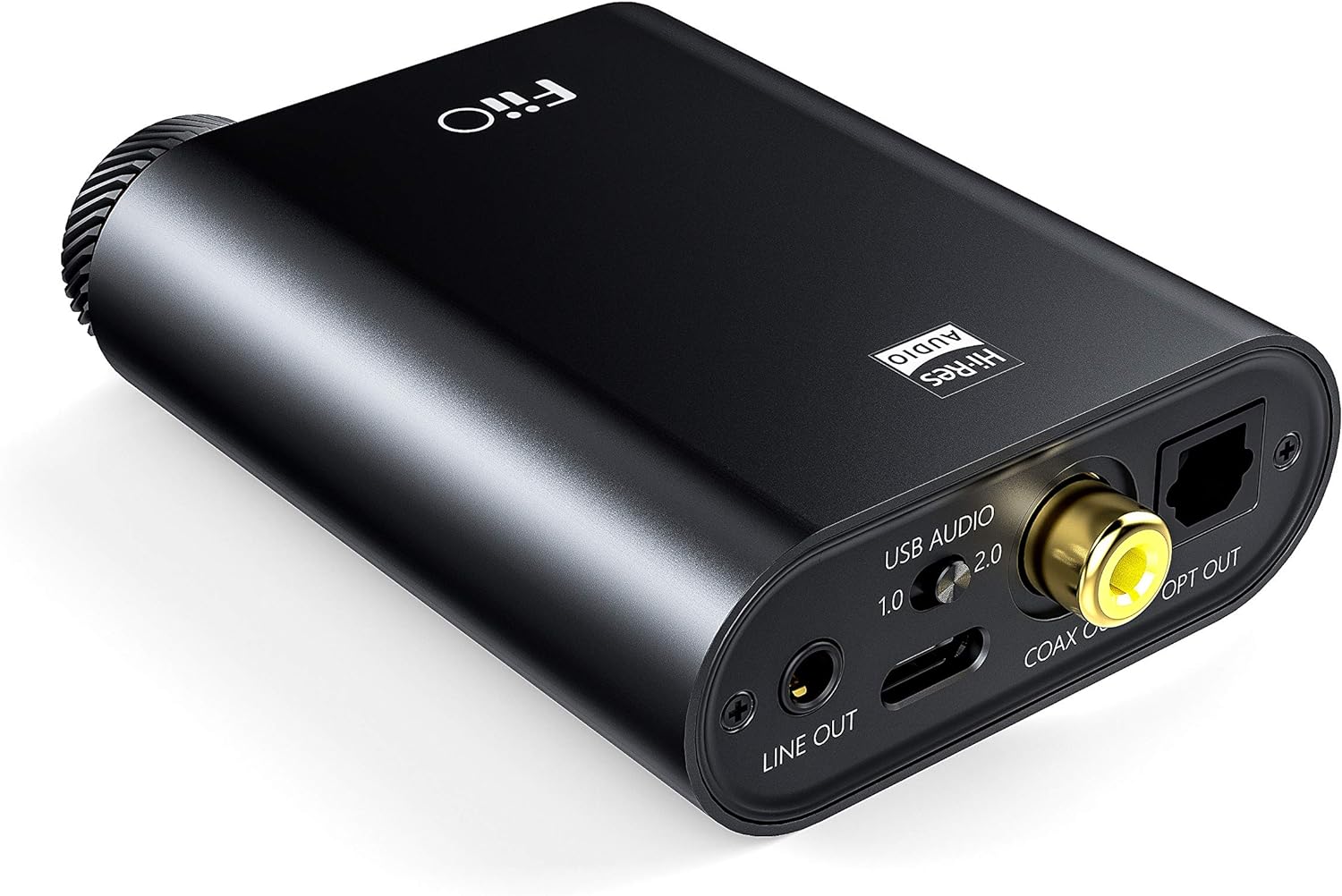
Figure 5: Close-up of the FiiO K3 front panel showing volume knob, bass switch, and gain switch.
3.4 RGB Indicator
The RGB indicator light located near the volume knob displays the current sampling rate of the audio being played:
- Сина: 44.1 kHz или 48 kHz во секундаampстапка на линг.
- жолта: Sampling rate greater than 48kHz.
- Зелена: DSD audio.
- Црвено: Нема сигнал.
4. Одржување
Proper maintenance ensures the longevity and optimal performance of your FiiO K3.
- Чистење: Use a soft, dry cloth to wipe the device. Avoid using harsh chemicals or abrasive materials.
- Ракување: Ракувајте со уредот внимателно. Избегнувајте да го испуштате или да го изложувате на прекумерна сила.
- Животна средина: Keep the device away from extreme temperatures, direct sunlight, moisture, and dust.
- Anti-slip Tape: Apply the provided anti-slip tape to the bottom of the unit to prevent it from sliding on surfaces.
5 Смена на проблеми
If you encounter issues with your FiiO K3, refer to the following common problems and solutions:
5.1 Нема излез на звук
- Проверете ги врските: Ensure all cables (USB, headphones, line out) are securely connected.
- Ниво на гласност: Verify that the volume knob on the K3 is turned up and not at its minimum setting. Also check the volume level on your computer or connected audio device.
- Input/Output Selection: Confirm that your computer's audio output is set to the FiiO K3. If using Line Out, ensure your external amplifier/speakers are set to the correct input.
- RGB индикатор: If the RGB indicator is red, there is no signal. Check your source device and connections.
5.2 Искривен звук
- Поставување на засилување: If the sound is distorted, try switching the GAIN to "Low" for sensitive headphones.
- Ниво на гласност: Reduce the volume on both the K3 and your source device to prevent clipping.
- Квалитет на изворот: Обезбедете го аудио изворот file не е оштетено или со низок квалитет.
- Интегритет на кабелот: Check if the cables are damaged or faulty.
5.3 USB 2.0 Driver Issues (Windows)
- Инсталација на драјвери: Ensure the correct FiiO USB 2.0 driver is installed from the official FiiO webсајт.
- USB порта: Обидете се да се поврзете со друга USB порта на вашиот компјутер.
- Рестартирај: Рестартирајте го компјутерот по инсталирањето на драјверот.
6. Спецификации
| Карактеристика | Вредност |
|---|---|
| Бренд | FiiO |
| Модел | K3 |
| Поддршка за USB DAC | Up to 384kHz/32bit PCM, DSD256 |
| Напојување | USB тип-C |
| Излези за слушалки | 3.5mm Single-Ended, 2.5mm Balanced |
| Излез на линија | Линија од 3.5 мм |
| Дигитални излези | Coaxial Out, Optical Out |
| Тежина на ставката | 82 грама |
7. Гаранција и поддршка
The FiiO K3 comes with a standard manufacturer's warranty. Please refer to the included Warranty Card for specific terms and conditions. For technical support, driver downloads, firmware updates, and frequently asked questions, please visit the official FiiO webсајт:
You may also contact FiiO customer service directly through their webсајт за понатамошна помош.