
Вовед
Thank you for choosing SIMOLIO JH-711 Wireless Kids Headphones. These headphones are designed with children's safety and comfort in mind, featuring 3-level volume limiting for hearing protection, Bluetooth connectivity, and a durable, foldable design. This manual will guide you through the setup, operation, and maintenance of your new headphones.
Карактеристики на производот
- 3-Level Volume Limiting: Protects children's hearing with selectable limits of 75dB (toddlers), 85dB (kids), and 94dB (adults).
- Wireless & Wired Modes: Connect via Bluetooth for wireless freedom or use the included 3.5mm audio cable when the battery is low or with non-Bluetooth devices.
- Вграден микрофон: Enables hands-free calling for convenience.
- Audio Sharing Port: Allows another headphone to connect and share audio from the same device.
- Durable & Flexible Design: Constructed with memory stainless steel strips in the headband to withstand bending and twisting.
- Преклоплив и компактен: Easy to fold and store in the included EVA hard carrying case, perfect for travel and school.
- Долг век на батеријата: Provides up to 15 hours of playtime on a single charge.

Image: Diagram illustrating the 3-level volume limiting feature (75dB, 85dB, 94dB) for different age groups.

Image: Hands bending the headphone headband, showcasing its flexible and durable construction.

Image: The headphones folded compactly, ready to be stored in their EVA hard carrying case.
Што има во кутијата
- SIMOLIO JH-711 Wireless Kids Headphones (2 Count)
- USB кабел за полнење
- Аудио кабел од 3.5 мм AUX
- Упатство за употреба (овој документ)
- EVA Hard Carrying Case
Поставување
1. Полнење на слушалките
- Locate the Micro USB charging port on the headphone earcup.
- Поврзете го испорачаниот USB кабел за полнење со приклучокот за полнење на слушалките.
- Вклучете го другиот крај од USB кабелот во компатибилен USB извор на напојување (на пр., компјутер, USB адаптер за ѕид).
- LED индикаторот ќе свети за време на полнењето и ќе се исклучи кога ќе се наполни целосно. Целосното полнење трае приближно 3 часа.

Image: The SIMOLIO JH-711 headphones with the charging cable inserted into the Micro USB port.
2. Bluetooth спарување
- Осигурајте се дека слушалките се целосно наполнети.
- Press and hold the Power button (MFB) on the headphone earcup until the LED indicator flashes blue and red, indicating pairing mode.
- На вашиот уред (паметен телефон, таблет итн.), овозможете Bluetooth и пребарајте достапни уреди.
- Select "SIMOLIO JH-711" from the list of devices.
- Откако ќе се поврзе, LED индикаторот полека ќе трепка сино.
3. Жична врска (AUX режим)
- Locate the 3.5mm AUX port on the headphone earcup.
- Connect one end of the provided 3.5mm AUX audio cable to the headphone's AUX port.
- Connect the other end of the AUX cable to the 3.5mm audio jack of your device.
- The headphones will automatically switch to wired mode. This mode works even if the headphone battery is depleted.
4. Adjusting Volume Limiter
The headphones feature a 3-level volume limiter switch (75dB, 85dB, 94dB) located on the earcup. Slide the switch to select the desired maximum volume level appropriate for the user's age and environment.

Image: Detail of the headphone earcup highlighting the 3-level volume limiter switch.
5. Прилагодување на лентата за глава
The headband is adjustable to fit various head sizes. Gently slide the earcups up or down along the headband to achieve a comfortable and secure fit. The flexible design allows for minor reshaping.

Image: A person demonstrating how to adjust the headband for a proper fit.
Упатства за работа
1. Вклучување/исклучување
- Вклучување: Press and hold the Multi-Function Button (MFB) for approximately 3 seconds until the LED indicator lights up.
- Исклучено: Притиснете и држете го MFB приближно 3 секунди додека LED индикаторот не се исклучи.
2. Репродукција на музика
- Пушти/Пауза: Кратко притиснете го MFB.
- Следна песна: Долго притиснете го копчето „Зголемување на јачината на звукот“.
- Претходна песна: Долго притиснете го копчето „Намалување на јачината на звукот“.
- Јачина на звук нагоре: Кратко притиснете го копчето „Зголеми ја јачината на звукот“.
- Намалување на јачината на звукот: Кратко притиснете го копчето „Намалување на јачината на звукот“.
3. Управување со повици
- Одговори/заврши повик: Кратко притиснете го MFB.
- Одбијте го повикот: Долго притиснете го MFB.
4. Audio Sharing
To share audio with another pair of headphones, connect a 3.5mm audio cable from the sharing jack on the right earcup of the SIMOLIO headphones to the audio input of another headphone. This allows two users to listen to the same audio source simultaneously.
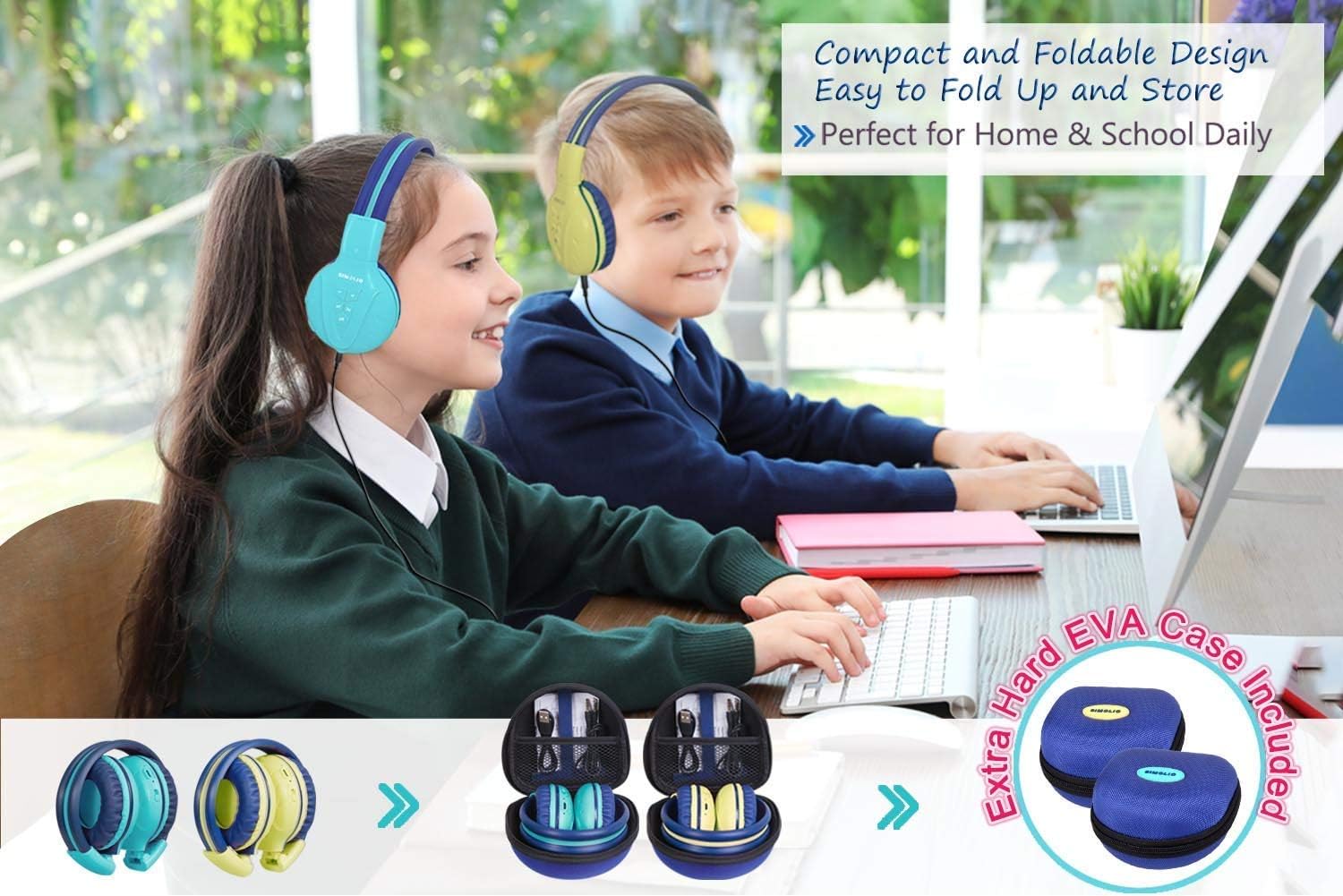
Image: Two pairs of headphones connected using the audio sharing feature, allowing simultaneous listening.
Одржување
- Чистење: Користете мека, сува крпа за чистење на слушалките. Не користете течни средства за чистење или аеросоли.
- Складирање: When not in use, fold the headphones and store them in the provided EVA hard carrying case to protect them from dust and damage.
- Нега на батеријата: За да го продолжите траењето на батеријата, избегнувајте често целосно празнење на слушалките. Полнете ги редовно, дури и ако не се во постојана употреба.
Решавање проблеми
| Проблем | Решение |
|---|---|
| Слушалките не се вклучуваат. | Ensure the headphones are charged. Connect to a power source using the USB cable. |
| Не може да се спари преку Bluetooth. | Make sure the headphones are in pairing mode (flashing blue/red LED). Ensure your device's Bluetooth is on and within range. Forget previous pairings on your device and try again. |
| Нема звук во жичен режим. | Check that the 3.5mm AUX cable is securely connected to both the headphones and the audio source. Ensure the audio source's volume is not muted or too low. |
| Sound is too low/high. | Adjust the volume using the +/- buttons on the headphones and on your connected device. Check the 3-level volume limiter switch setting. |
Спецификации
- Име на модел: Kids Bluetooth Headphones JH-711MY
- Технологија за поврзување: Безжичен (Bluetooth), жичен (3.5 mm AUX)
- Технологија на безжична комуникација: Bluetooth 4.0
- Опсег на Bluetooth: 30 стапки
- Траење на батеријата: До 15 часа
- Време на полнење: Приближно 3 часа
- Тип на драјвер за аудио: Динамичен драјвер
- Поставување на увото: Над уво
- Контрола на бучава: Звучна изолација
- Посебни карактеристики: 3 Adjustable Volume Limited, Built-in Microphone, Durable and Flexible, Foldable, Audio Share Port, EVA Case
- Димензии на производот: 5.51 x 3.15 x 5.31 инчи
- Тежина на ставката: 1.8 фунти (0.82 килограми)
- Материјал: Nylon, Stainless Steel (headband), EVA (carrying case)
Официјално видео за производот
Video: An official product video from Simolio Direct showcasing the features and usage of the SIMOLIO Bluetooth Headphones for Kids with Case JH-711.
Гаранција и поддршка
For warranty information or technical support, please refer to the contact details provided on the product packaging or visit the official SIMOLIO webсајт.