
Вовед
The Forge Doosl DSER102 is a versatile device designed to enhance your audio experience. It functions as both a Bluetooth receiver, allowing you to stream audio wirelessly to non-Bluetooth devices, and an FM transmitter, enabling you to broadcast audio to your car radio. This manual provides detailed instructions for setup, operation, and maintenance to ensure optimal performance.
Информации за безбедност
- Чувајте го уредот подалеку од вода, влага и екстремни температури.
- Не обидувајте се сами да го расклопите или поправите уредот. Обратете се кај квалификуван сервисер.
- Користете го само испорачаниот кабел за полнење или сертифициран еквивалент.
- Избегнувајте продолжено изложување на директна сончева светлина.
- Отстранете го уредот и неговата батерија одговорно во согласност со локалните прописи.
Содржина на пакетот
Ве молиме проверете го пакувањето за следните ставки:
- Forge Doosl DSER102 Bluetooth Receiver & FM Transmitter
- Микро USB кабел за полнење
- Аудио кабел од 3.5 мм
- Упатство за употреба (овој документ)
Производот завршиview
Запознајте се со компонентите на уредот:
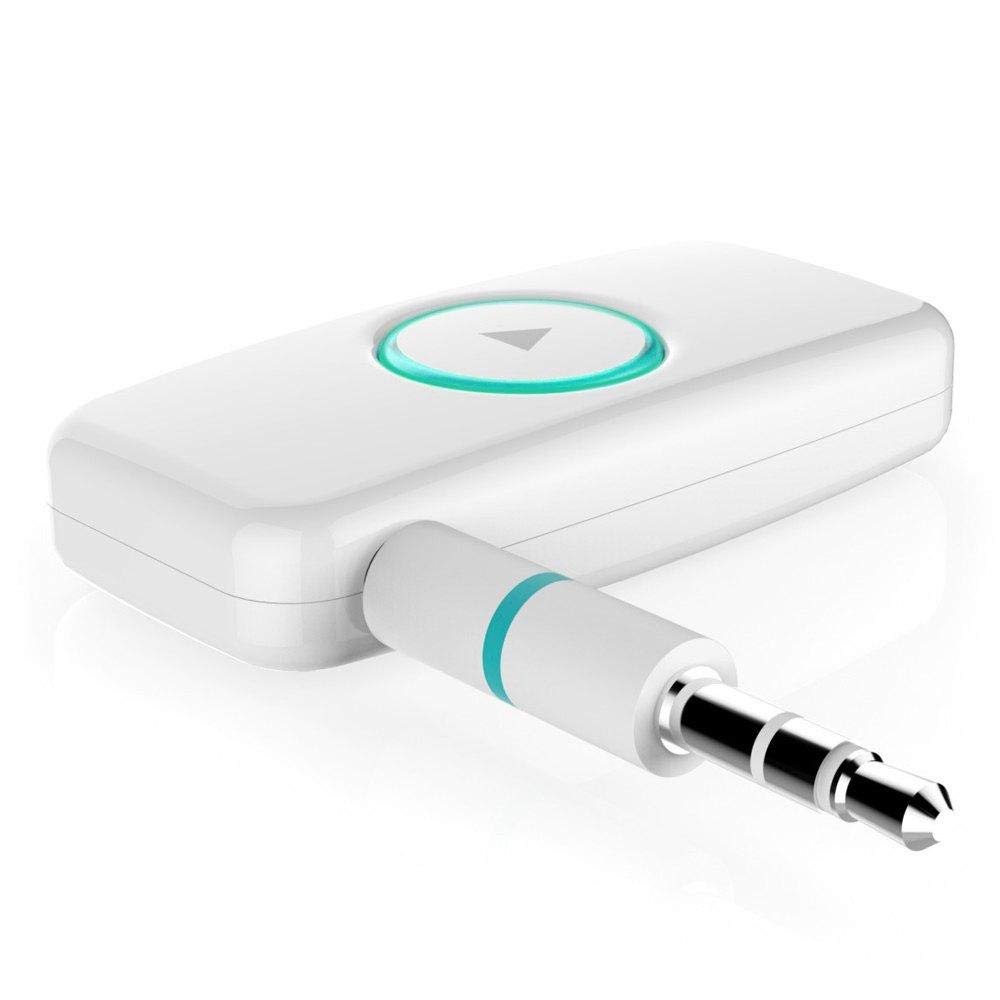
Слика 1: Предна страна view of the DSER102 device.
- Копче за повеќе функции: Power on/off, Play/Pause, Answer/End Call, Mode Switch.
- LED индикатор: Shows power, charging, and connection status.
- 3.5mm Audio Output/Input Port: Connects to audio devices.
- Микро USB приклучок за полнење: За полнење на внатрешната батерија.
Поставување
1. Полнење на уредот
Before first use, fully charge the DSER102.
- Connect the Micro USB charging cable to the device's charging port.
- Поврзете го другиот крај од кабелот со USB адаптер за напојување (не е вклучен) или со USB порт на компјутерот.
- The LED indicator will show red during charging and turn off when fully charged. A full charge takes approximately 2 hours and provides up to 16 hours of music playback.
2. Bluetooth Receiver Mode Setup
Use this mode to stream audio from your Bluetooth-enabled phone to a non-Bluetooth speaker or car stereo.
- Вклучување: Press and hold the Multi-function Button for 3 seconds until the LED indicator flashes blue rapidly, indicating pairing mode.
- Поврзување со аудио уред: Plug the DSER102 into the 3.5mm AUX input of your car stereo, home stereo, or speaker using the 3.5mm audio cable.
- Спари со телефон: On your mobile phone, enable Bluetooth and search for "DSER102" in the list of available devices. Select it to pair.
- Connection Confirmed: Once paired, the LED indicator will flash blue slowly. You can now play music from your phone through the connected audio device.
3. FM Transmitter Mode Setup
Use this mode to broadcast audio from the DSER102 to your car's FM radio.
- Вклучување: Притиснете и држете го копчето за повеќе функции 3 секунди.
- Switch to FM Transmitter Mode: Double-press the Multi-function Button to switch modes. The LED indicator will change color or pattern (refer to device for specific indication).
- Tune FM Radio: On your car's FM radio, tune to an unused FM frequency (e.g., 87.5 MHz or 108.0 MHz).
- Set DSER102 Frequency: The DSER102 will transmit on a specific FM frequency. If adjustable, match the DSER102's frequency to your car radio's frequency. If not adjustable, find the frequency the DSER102 is broadcasting on and tune your car radio to it.
- Поврзете го аудио изворот: Connect your audio source (e.g., phone via Bluetooth) to the DSER102. The audio will now be transmitted to your car's FM radio.
Упатства за работа
Вклучување/исклучување
- Вклучување: Press and hold the Multi-function Button for approximately 3 seconds until the LED indicator lights up.
- Исклучено: Press and hold the Multi-function Button for approximately 3 seconds until the LED indicator turns off.
Music Playback (Bluetooth Receiver Mode)
- Пушти/Пауза: Кратко притиснете го копчето за повеќе функции.
Call Management (Bluetooth Receiver Mode)
- Одговори/заврши повик: Кратко притиснете го копчето за повеќе функции.
- Одбијте го повикот: Притиснете и држете го копчето за повеќе функции 2 секунди.
- Повторно бирајте последен број: Двоен притисок на копчето за повеќе функции.
Одржување
- Чистете го уредот со мека, сува крпа. Не користете течни средства за чистење или аеросоли.
- Чувајте го уредот на ладно и суво место кога не го користите.
- Избегнувајте паѓање или изложување на уредот на силни удари.
Решавање проблеми
| Проблем | Решение |
|---|---|
| Уредот не се вклучува. | Уверете се дека уредот е целосно наполнет. Поврзете го со извор на енергија користејќи го микро USB кабелот. |
| Не може да се спари со уред со Bluetooth. | Make sure the DSER102 is in pairing mode (rapidly flashing blue LED). Ensure your phone's Bluetooth is enabled and within range. Try restarting both devices. |
| No audio in Bluetooth Receiver mode. | Check if the 3.5mm audio cable is securely connected to both the DSER102 and your audio system's AUX input. Ensure your audio system is set to the correct AUX input. Adjust volume on both devices. |
| Poor audio quality in FM Transmitter mode. | Find a clear, unused FM frequency on your car radio and match the DSER102's frequency to it. Avoid frequencies used by local radio stations. Reduce interference by moving the device away from other electronics. |
Спецификации
- Модел: DSER102
- Bluetooth верзија: V4.0
- Капацитет на батеријата: 250mAh Li-батерија
- Време на репродукција на музика: До 16 часа
- Порта за полнење: Микро USB
- Аудио излез: 3.5 mm AUX
- Димензии: 1.4 x 4.6 x 3.7 cm
- Тежина: 200 гр
- Компатибилни уреди: Слушалки, паметен телефон, звучник
Гаранција и поддршка
For warranty information or technical support, please refer to the retailer where the product was purchased or visit the official Forge webстраница. Чувајте ја сметката за купување како доказ за купување.