
Мета 301-00171-01
Слушалки за VR игри „сè-во-едно“ од Oculus Quest – упатство за употреба од 128 GB
Модел: 301-00171-01 | Бренд: Мета
Вовед
The Oculus Quest is an all-in-one virtual reality gaming system designed for immersive experiences without the need for a PC or external sensors. This manual provides essential information for setting up, operating, maintaining, and troubleshooting your Oculus Quest headset and controllers.
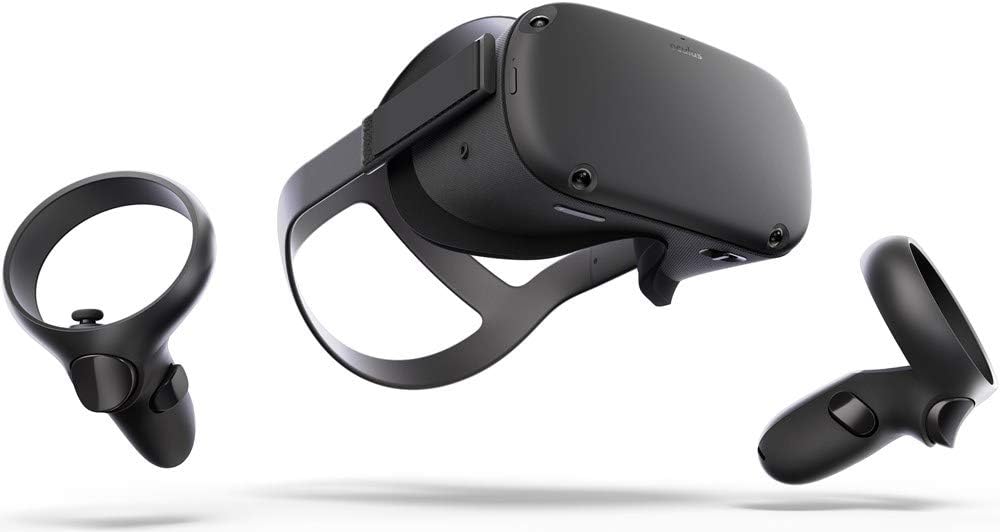
Image: The Oculus Quest headset and its two accompanying Touch controllers, showcasinнивниот елегантен дизајн.
Што има во кутијата
Your Oculus Quest package includes the following components:
- Слушалки Oculus Quest (128GB)
- Oculus Touch Controllers (2)
- USB-C кабел за полнење
- Адаптер за напојување
- AA Batteries (2, for controllers)
- Очила разделувач
Image: All included components of the Oculus Quest system, neatly arranged for inspection.
Поставување
- Полнете ги слушалките: Connect the USB-C charging cable to the headset and the power adapter, then plug it into a wall outlet. The LED indicator on the headset will show charging status.
- Вметнете ги батериите во контролерите: Open the battery compartment on each Oculus Touch controller and insert the provided AA batteries, ensuring correct polarity.
- Првично поставување преку мобилна апликација: Download the Oculus mobile app on your smartphone. Follow the on-screen instructions to pair your headset, connect to Wi-Fi, and create or log in with your Facebook account.
- Прилагодување на прилагодувањето на слушалките: Place the headset on your head. Adjust the top strap and side straps for a snug yet comfortable fit. Ensure the display is clear and centered. If you wear glasses, insert the included glasses spacer before wearing the headset.
- Поставете го системот за заштита: The Guardian system helps you define your play space and avoid obstacles. Follow the prompts in VR to draw your boundary. You can choose between Stationary (sitting/standing in one spot) or Roomscale (moving around a larger area).
Упатства за работа
Користење на слушалките
- Вклучување/исклучување: Press and hold the power button on the side of the headset for a few seconds to turn it on or off.
- Navigating the Home Environment: Once powered on, you will enter the Oculus Home environment. Use your Touch controllers to interact with menus, launch applications, and browse content.
- Adjusting IPD: The Interpupillary Distance (IPD) slider at the bottom of the headset allows you to adjust the lens spacing to match your eye distance for optimal clarity.
Using the Touch Controllers
The Oculus Touch controllers provide intuitive interaction within VR. Each controller features:
- Аналоген стап: For movement and navigation.
- Face Buttons (A/B/X/Y): For in-game actions and menu selections.
- Копче за активирање: Typically used for grabbing or firing.
- Копче за држење: For gripping objects.
- Копче на Oculus: Press to open the universal menu or recenter your view.
- Копче за мени: Used for in-app menus.
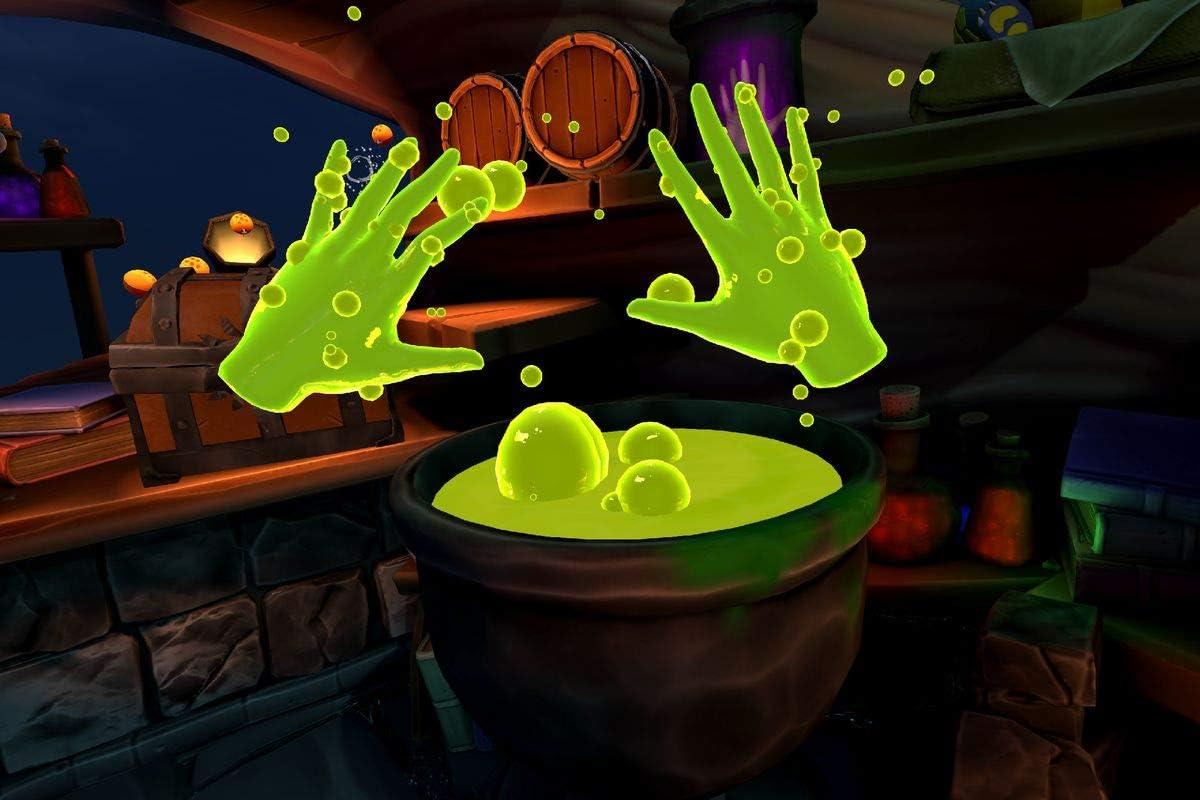
Image: A user demonstrating the proper way to wear the Oculus Quest headset and hold the Touch controllers during gameplay.
Слика: Поранешенample of in-game interaction, showing virtual hands with glowing effects above a cauldron, demonstrating the immersive experience.
Одржување
- Чистење на леќите: Use a dry microfiber cloth specifically designed for lenses. Wipe gently from the center outwards in a circular motion. Do not use liquid cleaners, alcohol, or abrasive cloths.
- Cleaning the Headset and Controllers: Користете сува или малку гamp non-abrasive cloth. Avoid getting moisture into any openings.
- Складирање: Store your Oculus Quest in a cool, dry place away from direct sunlight. Prolonged exposure to sunlight can damage the lenses and display.
- Нега на батеријата: За оптимален век на траење на батеријата, избегнувајте често целосно празнење на слушалките. Полнете ги редовно.
Решавање проблеми
| Проблем | Можно решение |
|---|---|
| Слушалките не се вклучени | Ensure the headset is fully charged. Press and hold the power button for at least 10 seconds for a hard reset. |
| Controllers not pairing/tracking | Check controller batteries. Re-pair controllers via the Oculus mobile app. Ensure your play space has adequate lighting. |
| Blurry vision/display | Adjust the headset's fit and IPD slider. Clean the lenses with a microfiber cloth. |
| Guardian system issues | Redraw your Guardian boundary. Ensure your play space is well-lit and free of reflective surfaces. |
| Аудио проблеми | Check volume settings in VR. Ensure headphones (if used) are properly connected. |
Спецификации
- Име на модел: 301-00171-01
- Складирање: 128 GB
- Димензии: 14.7 x 9.1 x 5 инчи
- Тежина на ставката: 1.1 фунти
- Поврзување: Bluetooth, WiFi
- Оперативен систем: Базиран на Android
- Вклучени компоненти: Headset, 2 Touch Controllers, USB-C Cable, Power Adapter, 2 AA Batteries, Glasses Spacer
- Производител: Oculus (Brand: Meta)
- Прв достапен: 10 јануари 2019 година
Гаранција и поддршка
For detailed warranty information and customer support, please refer to the official Meta (Oculus) webлокација или директно контактирајте ја нивната служба за корисници. Зачувајте го доказот за купување за гаранциски барања.
Online resources and FAQs are available to assist with common queries and advanced usage tips.
Ask a question about this manual
Ask about setup, troubleshooting, compatibility, parts, safety, or missing instructions. Manuals+ will review the question and use this page’s manual context to help answer it.