
Apexcam TOUR 3
Apexcam Dash Cam User Manual
Модел: TOUR 3
1. Вовед
Thank you for choosing the Apexcam Dash Cam. This manual provides detailed instructions for the installation, operation, and maintenance of your new dash camera system. Please read this manual thoroughly before use to ensure proper functionality and to maximize your driving safety and recording experience.
The Apexcam Dash Cam is a 1080P Full HD car dash camera featuring a 3-inch IPS display, dual front and waterproof rear lenses, a 170° wide-angle view, WDR technology, Super Night Vision, Parking Monitor, Loop Recording, and Motion Detection capabilities. It is designed to capture critical moments on the road and provide comprehensive surveillance for your vehicle.
2. Содржина на пакетот
Ве молиме проверете дали сите артикли наведени подолу се вклучени во вашиот пакет:
- Apexcam Dash Cam (Front Unit)
- Водоотпорна задна камера
- Монтирање на чаши за вшмукување
- Лепило за монтирање
- Полнач за автомобил
- USB кабел
- Упатство за употреба
- Кабел за задна камера
- Screws for Rear Camera Mounting
- Adhesive Pad for Rear Camera
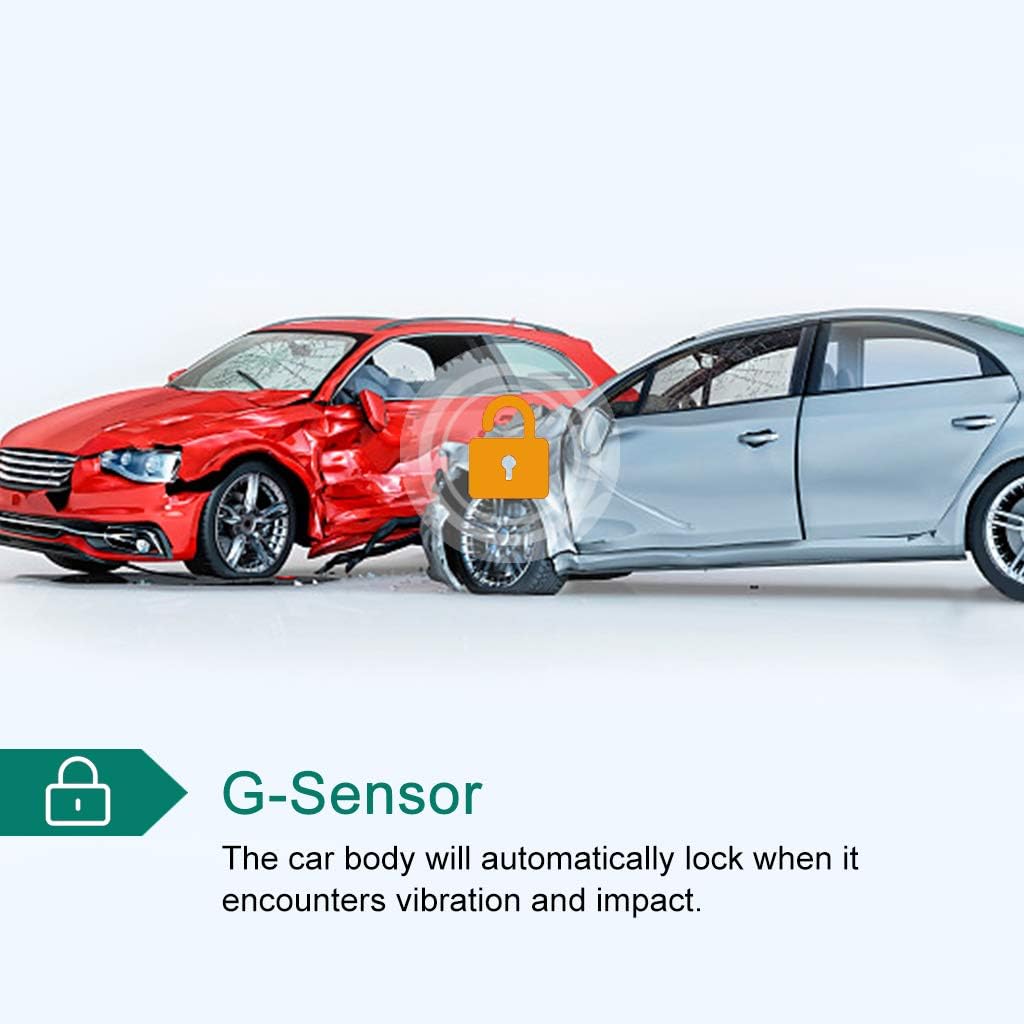
Image: All components included in the Apexcam Dash Cam package.
3. Производот завршиview
3.1 Клучни карактеристики
- 1080P FHD Recording: Captures high-definition video and photos, ensuring clear footage of road details.
- 3-инчен IPS дисплеј: Provides a clear and wide viewing angle for real-time monitoring and playback.
- Систем со двојни леќи: Includes a front camera with a 170° wide-angle lens and a waterproof rear camera for comprehensive coverage.
- Г-сензор: Automatically detects sudden vibrations or collisions and locks the current video footagд за да се спречи препишување.
- Снимање на јамка: Континуирано снима со пребришување на најстарото отклучено fileкога мемориската картичка е полна, обезбедувајќи непрекинато снимање.
- 24-часовен монитор за паркирање: Activates recording automatically if a collision or vibration is detected while the vehicle is parked, providing surveillance even when the engine is off.
- WDR (Wide Dynamic Range) Technology: Enhances video quality in varying light conditions, preventing overexposure in bright areas and ensuring clarity in dark areas.
- Супер ноќна визија: Improves low-light performance, making night recordings clearer and enabling better recognition of license plates.

Image: Visual representation of the dash cam's powerful functions.
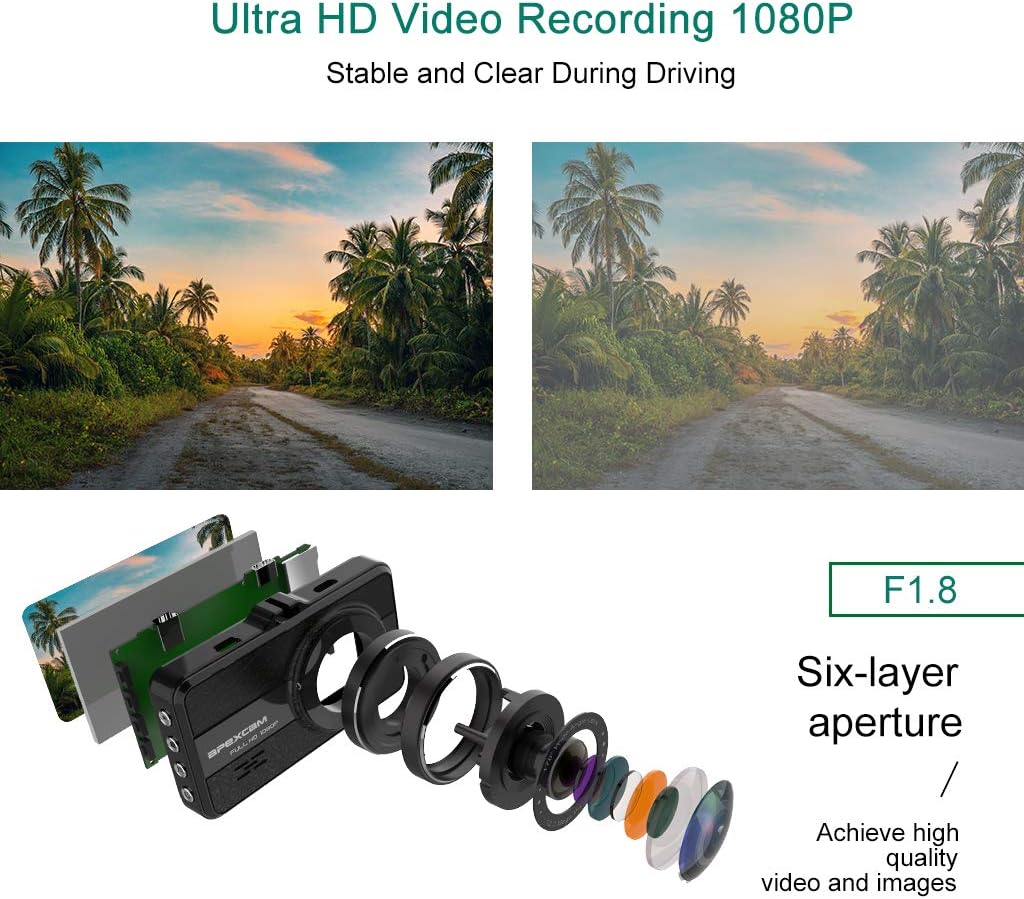
Image: Illustration of the F1.8 six-layer aperture lens for Ultra HD 1080P video recording.
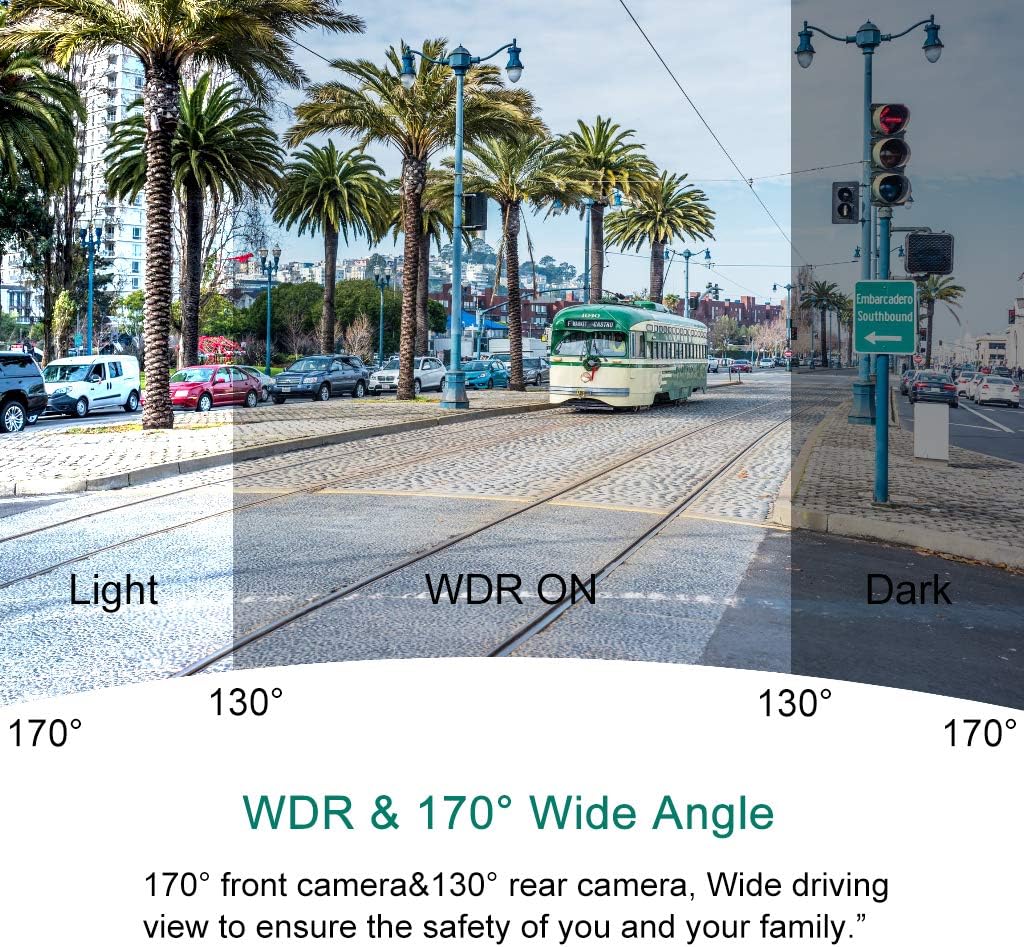
Image: Demonstration of WDR (Wide Dynamic Range) and 170° Wide Angle capabilities, showing improved visibility in varied lighting.

Image: G-Sensor functionality, automatically locking video footage upon detecting vibration or impact.

Image: Parking Monitoring feature, providing 24-hour comprehensive surveillance of the parking environment.

Image: Illustration of the wide viewing angles provided by the 170° front camera and 130° rear camera.
4. Водич за поставување и инсталација
Follow these steps for proper setup and installation of your dash cam system.
4.1 Почетно поставување
- Вметнете Micro SD картичка: Before first use, insert a high-speed Class 10 or higher Micro SD card (not included) into the dash cam's SD card slot. Ensure the card is inserted correctly until it clicks into place.
- Форматирајте SD-картичка: It is highly recommended to format the Micro SD card within the dash cam's settings menu before initial use and periodically thereafter (e.g., monthly) to ensure stable recording performance.
- Наполнете ја батеријата: Connect the dash cam to the car charger or a USB power source to fully charge the internal battery before installation.
4.2 Инсталација на предна камера
- Чистење на шофершајбната: Choose a suitable location on your windshield, preferably behind the rearview mirror, where the dash cam will not obstruct your view. Clean the area thoroughly to ensure strong adhesion for the suction cup or adhesive mount.
- Прикачете ја монтажата: Secure the suction cup mount or adhesive mount to the cleaned area of the windshield. Ensure it is firmly attached.
- Монтирање на камера на контролна табла: Slide the dash cam onto the mount until it clicks into place. Adjust the camera angle to ensure the lens captures the road ahead clearly, with the horizon in the middle of the frame.
4.3 Rear Camera Installation and Wiring
The rear camera provides additional coverage and can assist with parking. Follow the wiring diagram below for proper connection.
- Насочување на кабелот за задната камера: Connect the rear camera to the main dash cam unit using the provided cable. Carefully route the cable along the vehicle's headliner, A-pillar, and floor trim to the rear of the vehicle.
- Монтирање на задна камера: Mount the waterproof rear camera on the rear windshield or near the license plate using the adhesive pad or screws. Ensure the camera has a clear view од задниот дел.
- Connect to Reversing Lamp (Изборен): For automatic display of the rear view when reversing, connect the red wire from the rear camera cable to the positive lead of your vehicle's reversing lamp. If this connection is not made, the rear view will still be recorded but will not automatically display on the screen when reversing.
- Поврзете напојување: Plug the car charger into your vehicle's cigarette lighter socket and connect the other end to the dash cam's power input.
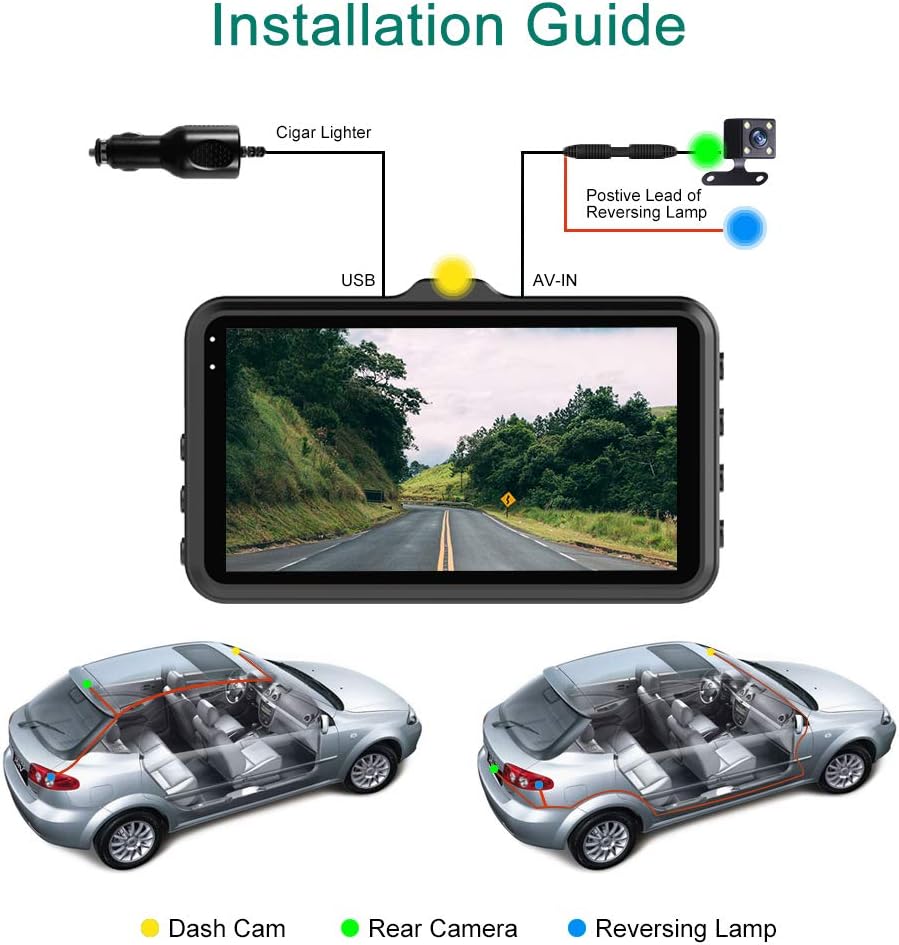
Image: Detailed installation guide showing wiring connections for the front and rear dash cameras.
5. Упатства за работа
5.1 Вклучување/исклучување
- Автоматски: The dash cam will automatically power on and begin recording when your vehicle's engine starts (and power is supplied to the cigarette lighter socket). It will power off automatically a few seconds after the engine is turned off.
- Прирачник: Притиснете и задржете го копчето за вклучување за рачно да ја вклучите или исклучите камерата на таблата.
5.2 Режими на снимање
- Снимање на јамка: This feature ensures continuous recording. When the memory card is full, the dash cam will automatically overwrite the oldest unlocked video files. Video segments are typically recorded in 1, 3, or 5-minute intervals (configurable in settings).
- Снимање во итни случаи (G-сензор): Во случај на ненадеен удар или судир, вградениот G-сензор автоматски ќе го детектира настанот и ќе го заклучи тековното видео file, preventing it from being overwritten by loop recording. These locked files се чуваат во посебна папка.
- Монитор за паркирање: When enabled, the dash cam will automatically turn on and record a short video if it detects a vibration or collision while the vehicle is parked and the engine is off. This feature requires a continuous power supply (e.g., hardwire kit, not included) or the dash cam's internal battery.
5.3 Навигација на мени
Use the physical buttons on the side or front of the dash cam to navigate through the menu options. Common buttons include:
- Копче за мени: Влегува во менито за поставки.
- Копчиња горе/долу: Навигирајте низ опциите на менито.
- Копче ОК/Потврди: Избира опција или потврдува поставка.
- Копче за режим: Switches between video recording, photo mode, and playback mode.
5.4 Репродукција
За повторноview снимени видеа или фотографии:
- Switch the dash cam to Playback Mode using the Mode button.
- Use the Up/Down buttons to browse through the recorded files.
- Press the OK button to play a video or view фотографија.
- За пренос files to a computer, remove the Micro SD card and insert it into a card reader, or connect the dash cam directly to a computer via USB cable (select "Mass Storage" mode if prompted).
6. Одржување
- Одржување на SD картичка: Regularly format your Micro SD card (e.g., once a month) to prevent data corruption and ensure optimal recording performance. Back up any important files пред форматирање.
- Чистење: Користете мека, сува крпа за чистење на леќата и екранот на камерата на контролната табла. Избегнувајте употреба на абразивни средства за чистење или растворувачи.
- Температура: Avoid exposing the dash cam to extreme temperatures for prolonged periods, as this can affect battery life and overall performance.
7 Смена на проблеми
| Проблем | Можна причина / решение |
|---|---|
| Камерата на таблата не се вклучува. |
|
| Dash cam stops recording or freezes. |
|
| Видео фудtage е заматено или нејасно. |
|
| Dash cam falls off the windshield. |
|
| Задната камера не работи. |
|
8. Спецификации
| Карактеристика | Детал |
|---|---|
| Модел | ТУРА 3 |
| Големина на приказ | 3 инчи |
| Тип на дисплеј | IPS |
| Видео резолуција | 1080p full HD |
| Агол на предната камера | 170 степени |
| Агол на задната камера | 130 Degrees (approx.) |
| Посебни карактеристики | G-Sensor, Loop Recording, Parking Monitor, WDR |
| Складирање | Micro SD/SD (up to 32GB, Class 10 or higher recommended) |
| Тип на батерија | Литиум полимер (вклучен) |
| Поврзување | USB |
| Тип на монтирање | Леплива монтажа, држач за вшмукување |
| Compatible Media Type | MOV |
9. Гаранција и поддршка
Apexcam products are designed for reliability and performance. For any questions, technical support, or warranty inquiries, please contact our customer service team through the retailer's platform or the official Apexcam website. Please have your product model and purchase information ready when contacting support.
We are committed to providing excellent customer service and support for your Apexcam Dash Cam.
Ask a question about this manual
Ask about setup, troubleshooting, compatibility, parts, safety, or missing instructions. Manuals+ will review the question and use this page’s manual context to help answer it.