
1. Вовед
This manual provides comprehensive instructions for the Microsoft Surface Laptop 3, Model VGY-00001. Designed for productivity and portability, this device features a 13.5-inch touchscreen, Intel Core i5 processor, 8GB RAM, and a 128GB Solid State Drive. Please read this manual thoroughly to ensure proper setup, operation, and maintenance of your device.
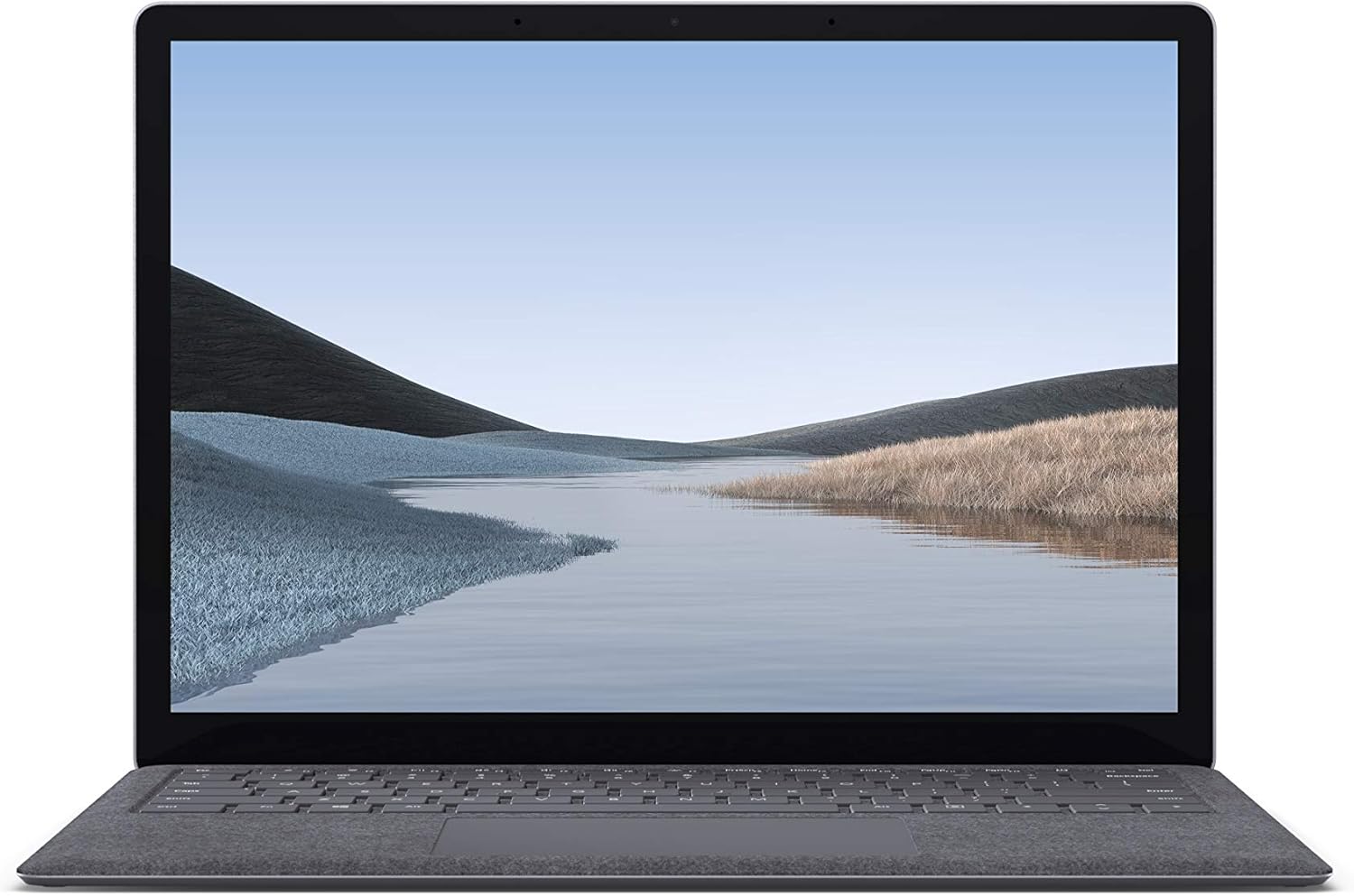
Слика 1.1: напред view of the Microsoft Surface Laptop 3 with its display active.
The Surface Laptop 3 offers a clean, elegant design, weighing approximately 2.79 pounds, making it easy to carry. It features improved speed and performance with its 10th Gen Intel Core processors, offering up to two times faster performance than previous models. Connectivity options include USB-C and USB-A ports for connecting to displays, docking stations, and accessories. The device provides up to 11.5 hours of battery life and supports fast charging, reaching up to 80% in about one hour.
2. Што има во кутијата
Upon unboxing your Microsoft Surface Laptop 3, verify that all the following items are present:
- Microsoft Surface Laptop 3 (Model VGY-00001)
- Водич за брз почеток (QSG)
- Напојување (AC адаптер)
3. Поставување
3.1 Почетно вклучување
- Поврзете напојување: Plug the power supply into a wall outlet and connect the magnetic Surface Connect port to your laptop. The LED indicator on the connector will light up when properly connected.
- Вклучување: Open the laptop lid or press the power button located on the keyboard.
- Поставување на Windows: Следете ги упатствата на екранот за да го завршите поставувањето на Windows 10 Home. Ова вклучува избор на вашиот регион, поврзување со Wi-Fi мрежа и креирање корисничка сметка.
- Windows Здраво: Configure Windows Hello for secure and fast login using facial recognition.
3.2 Поврзување на периферни уреди
Вашиот Surface Laptop 3 вклучува различни порти за поврзување на надворешни уреди:
- USB-C порта: For data transfer, video output, and charging compatible devices.
- USB-A порта: For connecting traditional USB devices like mice, keyboards, and external storage.
- Приклучок за слушалки од 3.5 мм: За аудио излез кон слушалки или надворешни звучници.
- Површинска врска пристаниште: For the power supply and compatible Surface docking stations.

Слика 3.1: Страна view illustrating the available ports on the Surface Laptop 3.
4. Ракување со вашиот Surface Laptop 3
4.1 Екран и екран на допир
The 13.5-inch PixelSense touchscreen display offers a resolution of 2256 x 1504 pixels. It supports multi-touch gestures and is compatible with the Surface Pen (sold separately) for writing and drawing directly on the screen.
4.2 Тастатура и тачпед
The full-size ergonomic keyboard features backlighting for comfortable typing in various lighting conditions. The large precision touchpad supports multi-finger gestures for navigation and control.
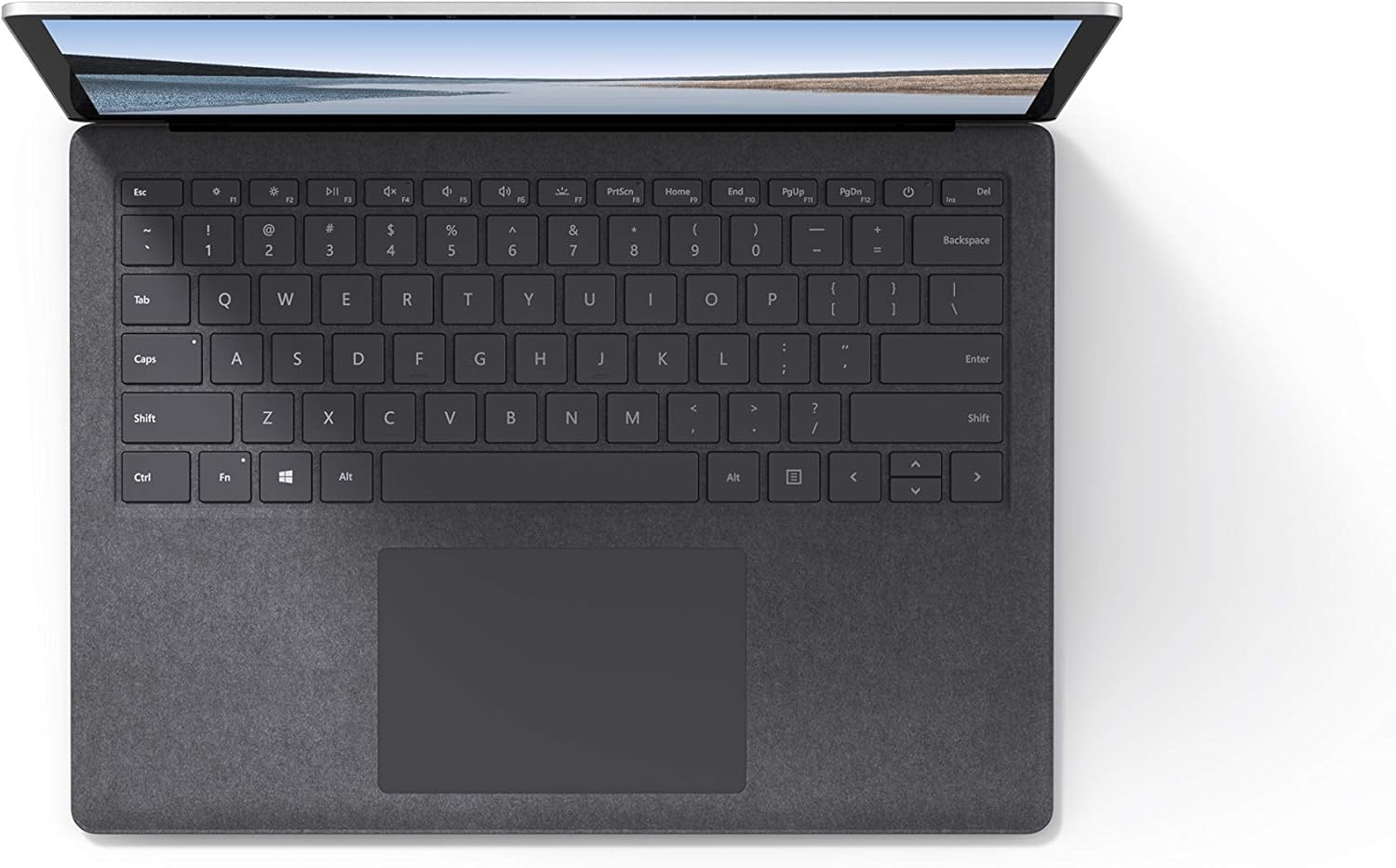
Слика 4.1: Од горе надолу view на тастатурата и областа на допирната површина.
4.3 Аудио и камера
The laptop is equipped with Omnisonic Speakers with Dolby Audio Premium for clear sound. Dual far-field Studio Mics enhance voice clarity for calls and recordings. A front-facing 720p HD camera supports video conferencing and Windows Hello facial authentication.
4.4 Безжично поврзување
The Surface Laptop 3 supports Wi-Fi 6 (802.11ax) for fast and reliable internet access, and Bluetooth 5.0 for connecting wireless accessories.
Video 4.1: Official Microsoft video showcasing the Surface Laptop 3's features and design.
5. Одржување
5.1 Чистење на вашиот уред
- Користете мека крпа без влакненца гampened with water or an approved screen cleaner to clean the display.
- За тастатурата и куќиштето, користете мека, сува крпа. Избегнувајте груби хемикалии или абразивни материјали.
- Чувајте ги портите без прашина и остатоци.
5.2 Ажурирања на софтверот
Редовно проверувајте и инсталирајте ажурирања на Windows за да обезбедите оптимални перформанси, безбедност и пристап до најновите функции. Одете на Поставки > Ажурирање и безбедност > Windows Update.
5.3 Грижа за батерии
- Избегнувајте екстремни температури.
- For optimal battery longevity, avoid consistently discharging the battery to 0% or keeping it at 100% for extended periods.
- Користете го само даденото напојување.
6 Смена на проблеми
6.1 Проблеми со напојувањето
- Уредот не се вклучува: Ensure the power supply is securely connected and the outlet is functional. Try a forced shutdown by holding the power button for 30 seconds, then release and press again briefly to restart.
- Батеријата не се полни: Verify the Surface Connect cable is properly attached. Check for any damage to the cable or port.
6.2 Проблеми со перформансите
- Бавни перформанси: Close unnecessary applications. Check Task Manager for resource-intensive processes. Ensure Windows is up to date.
- Прегревање: Ensure ventilation vents are not blocked. Avoid using the laptop on soft surfaces that can obstruct airflow.
6.3 Проблеми со поврзување
- Wi-Fi не се поврзува: Restart your router and the laptop. Check Wi-Fi settings and ensure the correct network is selected and password entered.
- Bluetooth уредот не се спарува: Проверете дали Bluetooth уредот е во режим на спарување и во опсег. Проверете ги поставките за Bluetooth на вашиот лаптоп.
7. Спецификации
| Карактеристика | Детал |
|---|---|
| Бренд | Мајкрософт |
| Име на моделот | Површински лаптоп 3 |
| Број на модел | VGY-00001 |
| Големина на екранот | 13.5 инчи |
| Резолуција | 2256 x 1504 пиксели |
| Модел на процесорот | Intel Core i5 (10th Generation) |
| Брзина на процесорот | 1.2 GHz (up to 3.7 GHz with Turbo Boost) |
| Големина на инсталирана RAM меморија | 8 GB LPDDR4 |
| Големина на хард дискот | 128 GB SSD |
| Оперативен систем | Windows 10 Home (бесплатна надградба на Windows 11 кога е достапна) |
| Графички копроцесор | Intel Iris Plus |
| Технологија за поврзување | 1 x USB-C, 1 x USB-A, 3.5 mm headphone jack, 1 x Surface Connect port |
| Безжична технологија | Wi-Fi 6 (802.11ax), Bluetooth 5.0 |
| Траење на батеријата | До 11.5 часа |
| Тежина на ставката | 2.79 фунти |
| Dimensions (L x W x Thickness) | 8.8"Д x 12.1"Ш x 0.57"Т |
| Камера | Front-facing 720p HD camera with Windows Hello face authentication |
| Аудио | Omnisonic Speakers with Dolby Audio Premium, Dual far-field Studio Mics |
8. Гаранција и поддршка
8.1 Гаранција за производот
The Microsoft Surface Laptop 3 (Model VGY-00001) comes with a 1-годишна ограничена гаранција од производителотОваа гаранција ги покрива дефектите во материјалите и изработката при нормална употреба. За специфични услови и одредби, ве молиме погледнете ја гарантната документација вклучена со вашиот производ или посетете ја официјалната поддршка на Microsoft. webсајт.
8.2 Поддршка за корисници
For technical assistance, troubleshooting, or warranty claims, please contact Microsoft Support. You can find contact information and additional resources on the official Microsoft Surface support website. Keep your proof of purchase and product serial number readily available when contacting support.
Поддршка преку Интернет: Посетете support.microsoft.com/surface for FAQs, drivers, and software downloads.