
Вовед
This manual provides detailed instructions for the setup, operation, maintenance, and troubleshooting of your VTECH VS112-2 DECT 6.0 Bluetooth 2 Handset Cordless Phone. Please read this manual thoroughly to ensure proper use and to take full advantagе од сите карактеристики.

Image: The VTECH VS112-2 cordless phone system, showing two handsets and the base unit with an integrated answering machine.
Поставување
1. Распакување и почетно поставување
- Внимателно отстранете ги сите компоненти од пакувањето.
- Place the base unit near a standard electrical outlet and a telephone wall jack.
- Ensure the location is away from heat sources, direct sunlight, and other electrical devices that may cause interference.
2. Поврзување на основната единица
- Приклучете го малиот крај од адаптерот за напојување во приклучокот за напојување на задната страна од базата.
- Вклучете го големиот крај на адаптерот за напојување во ѕиден штекер.
- Приклучете го едниот крај од телефонскиот кабел во приклучокот TEL LINE на задната страна од базата.
- Вклучете го другиот крај од телефонскиот кабел во телефонски ѕиден приклучок.
3. Инсталација и полнење на батеријата
- Each handset requires 2 product-specific batteries (included).
- Отворете го капакот на преградата за батерии на задната страна од секој слушалки.
- Insert the batteries, observing the correct polarity (+ and - markings).
- Заменете го капакот на преградата за батерии.
- Place each handset in its respective charger cradle. The CHARGE light on the handset will illuminate, indicating proper charging.
- Allow the handsets to charge for at least 16 hours before initial use.
4. Connect to Cell Pairing
The Connect to Cell feature allows you to make and receive cellular calls using your cordless handsets. You can pair up to two cell phones or one cell phone and one Bluetooth headset.
- Ensure your cell phone's Bluetooth is enabled and discoverable.
- On the VTECH handset, navigate to the Bluetooth menu.
- Select 'Pair New Device' and follow the on-screen prompts to search for and connect to your cell phone.
- Потврдете го кодот за спарување на двата уреди доколку се побара.

Image: This image demonstrates the 'Connect to Cell' functionality, showing how the cordless phone integrates with mobile devices for call management.
5. Digital Answering System Setup
The system includes a digital answering machine with a voice guide to assist with setup.
- Access the Answering System menu on the handset or base unit.
- Follow the voice guide prompts to set the outgoing announcement, number of rings, and message alert tone.
- The system can record up to 22 minutes of messages, announcements, and memos.
Упатства за работа
1. Остварување и примање повици
- За да остварите повик: Притиснете ДОМ / БЕШКА for a landline call or КЛЕТКА for a cellular call, then dial the number.
- За да одговорите на повик: Press any dialing key (0-9, #, *) or ДОМ / БЕШКА or КЛЕТКА кога ќе заѕвони телефонот.
- За да завршите повик: Притиснете ИСКЛУЧЕНО/ОТКАЖИ или ставете ја слушалката во полначот.
2. Функција на звучник
The handset features a full-duplex speakerphone, allowing both parties to speak and be heard simultaneously for natural conversations.
- За време на повик, притиснете на ЗВУЧНИК копче за да го активирате звучникот.
- Притиснете ЗВУЧНИК again to switch back to the earpiece.
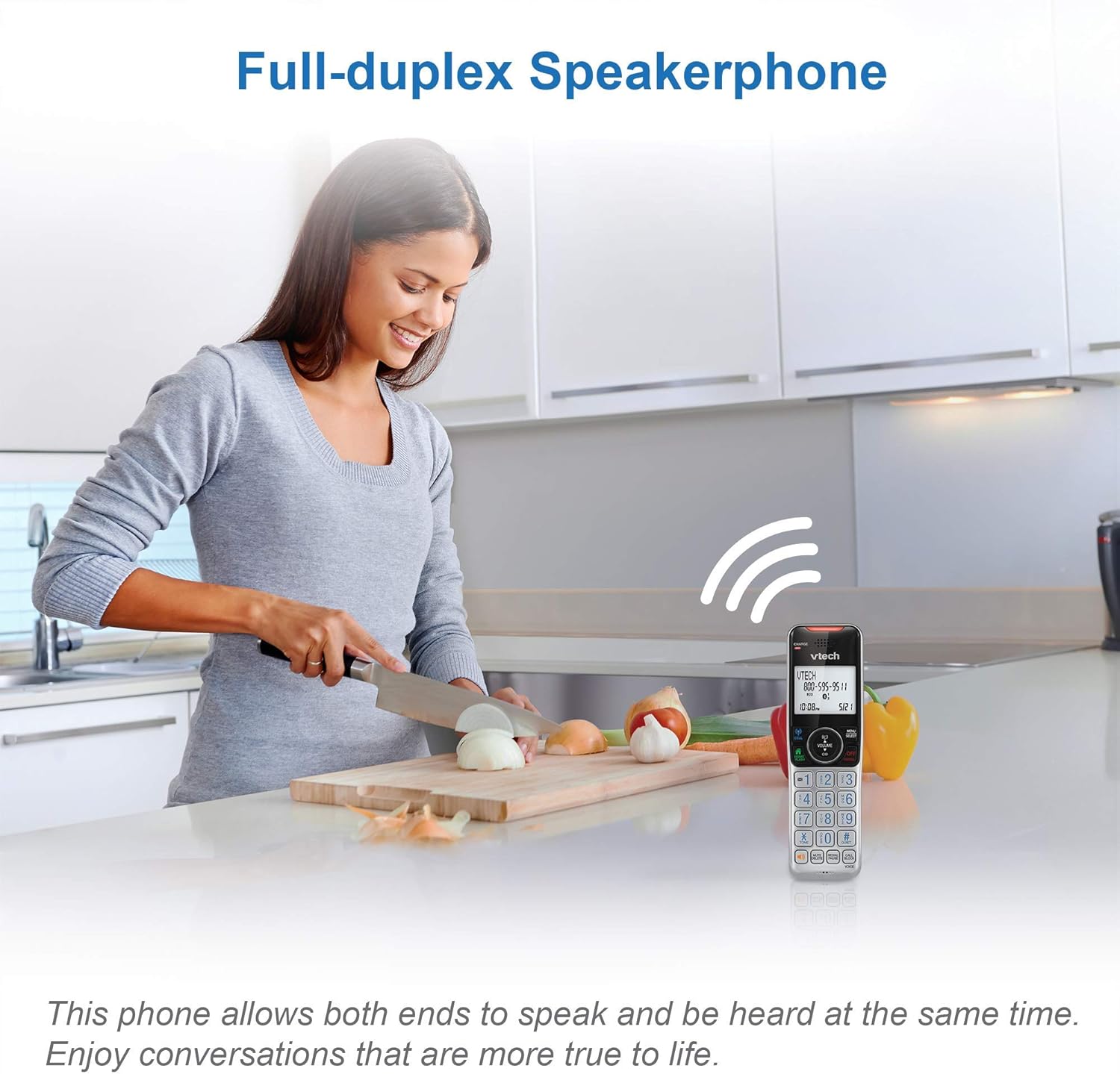
Image: This image illustrates the full-duplex speakerphone in use, showing a user engaged in a hands-free conversation.
3. Паметен блокатор на повици
This feature helps filter unwanted calls, including robocalls. It can block up to 1,000 numbers.
- За блокирање на број за време на повик: Притиснете ПОВИК БЛОК.
- За да блокирате број од историјата на идентификација на повикувач: Navigate to the Caller ID log, select the number, and press ПОВИК БЛОК.
- Robocall screening: Set the system to ask callers to press the pound key.
- Unknown caller screening: Set the system to ask callers to record their names and press the pound key. The phone will announce the caller's name, allowing you to choose to answer, block, or send to voicemail.

Image: This graphic represents the Smart Call Blocker feature, designed to prevent unwanted calls from ringing through.

Image: This image illustrates the capacity of the smart call block directory, capable of storing up to 1,000 names and numbers.
4. Digital Answering System Operation
The answering system records incoming messages when you are unavailable.
- Playing messages: Притиснете ИГРАЈ/СТОП on the base unit or access the Answering System menu on the handset.
- Recording a memo: Access the Answering System menu and select 'Record Memo'.
- The LED message counter on the base unit displays the number of new messages.

Image: This image highlights the digital answering system, showing the message counter and a visual representation of a recorded message.
5. Caller ID and Call Waiting
The phone stores up to 50 name and number caller ID records.
- When a call comes in, the caller's name and number will display on the handset screen (requires subscription to caller ID service).
- If you have call waiting service, a tone will indicate an incoming second call. Press БЛЕС за префрлање помеѓу повици.

Image: This close-up shows the phone's screen displaying caller ID details, indicating an incoming call.
6. Функција домофон
Користете ја функцијата за интерфон за комуникација помеѓу слушалките.
- Притиснете ИНТ on one handset.
- The other handset will ring. Press any key to answer the intercom call.
7. Siri or Google Now Access
When connected to a cell phone via Bluetooth, you can access your smartphone's voice assistant.
- Притиснете и задржете го КЛЕТКА button on the handset to activate Siri or Google Now.
- Speak your command into the handset.
8. Visual Ringer and Display
The handset features a visual ringer and a large, backlit display for enhanced usability.
- A light on top of the handset flashes during an incoming call, providing a visual alert, especially useful in noisy environments or for those with hearing impairments.
- The 2-inch high-contrast, white backlit display and enlarged, lighted keypad ensure easy readability and dialing in various lighting conditions.
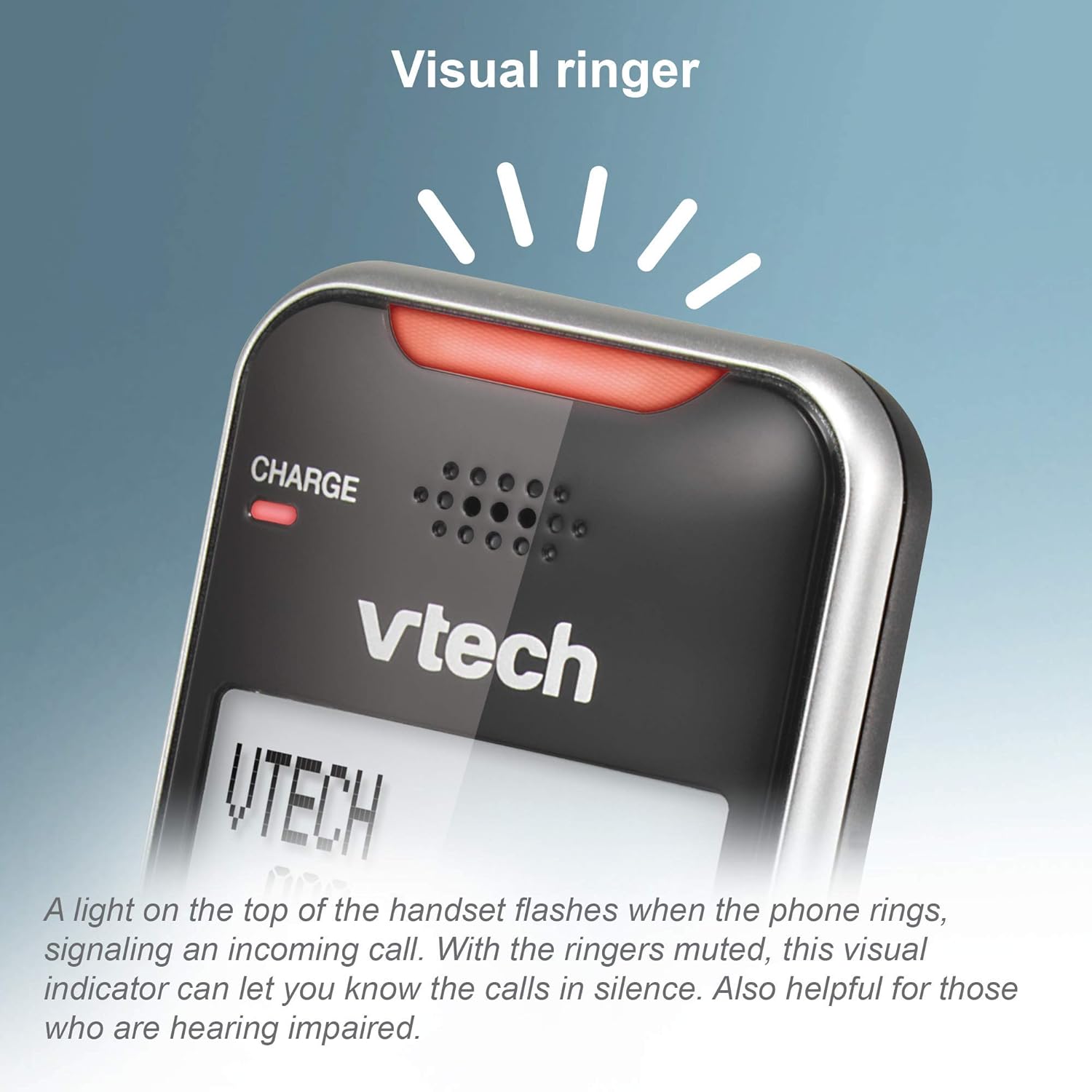
Image: This close-up shows the visual ringer, a light on the handset that flashes to signal an incoming call.

Image: This image highlights the large buttons and the 2-inch white backlit display of the handset, designed for improved visibility and ease of use.
Одржување
1. Чистење на телефонот
- Избришете го телефонот и базата со мека, малку влажна крпа.amp крпа.
- Do not use cleaning sprays or liquid cleaners, as they may damage the finish or electrical components.
- Ensure the phone is unplugged from the power source before cleaning.
2. Нега на батерии
- За да одржите оптимални перформанси на батеријата, чувајте ги слушалките во полначите кога не ги користите.
- If the phone will be unused for an extended period, remove the batteries to prevent leakage.
- Заменете ги батериите кога повеќе не држат ефикасно полнење.
Решавање проблеми
If you experience issues with your phone, try the following troubleshooting steps:
Нема тон за бирање
- Осигурајте се дека адаптерот за напојување на базата е безбедно вклучен во функционален електричен штекер.
- Проверете дали телефонскиот кабел е правилно поврзан и со базата и со ѕидниот приклучок.
- Check if other phones on the same line have a dial tone. If not, the issue may be with your telephone service.
Handset Not Charging
- Ensure the handset is correctly seated in the charger cradle. The CHARGE light should illuminate.
- Clean the charging contacts on both the handset and the charger with a dry cloth.
- Verify the charger's power adapter is plugged into a working outlet.
Poor Call Quality or Static
- Поместете ја слушалката поблиску до основната единица.
- Avoid placing the base unit near large metal objects, other cordless phones, Wi-Fi routers, or microwave ovens.
- If using Connect to Cell, ensure your cell phone is within range of the base unit.
Call Blocking Not Working
- Ensure you have correctly added the numbers to the call block list.
- Verify that the Smart Call Blocker feature is enabled in the phone's settings.
- Note that some call blocking features may require a subscription to caller ID service from your telephone provider.
Answering System Issues
- Ensure the answering system is turned ON.
- Check the memory capacity; if full, delete old messages.
- Verify the number of rings setting.
Спецификации
| Бренд | VTech |
| Модел | VS112-2 |
| Тип на телефон | Безжичен |
| Технологија | DECT 6.0, Bluetooth |
| Број на слушалки | 2 |
| Тип на одговорен систем | Дигитален |
| Време на снимање на телефонската секретарка | До 22 минути |
| Идентификација на повикувач | Да |
| Smart Call Blocker Capacity | До 1,000 броеви |
| Приказ | 2-inch, high-contrast, white backlit |
| Извор на енергија | Електричен со кабел |
| Батерии | Потребни се 2 батерии специфични за производот (вклучени) |
| Димензии на производот | 5.95 x 3.33 x 7.36 инчи |
| Тежина на ставката | 1.82 фунти |
Гаранција и поддршка
Обновена гаранција на Amazon
This product is offered as an Amazon Renewed item. Amazon Renewed products are professionally inspected and tested to work and look like new. If you are not satisfied with your purchase, renewed products are eligible for replacement or refund under the Amazon Renewed Guarantee.
Поддршка на производителот
For further assistance, technical support, or detailed warranty information beyond the Amazon Renewed Guarantee, please refer to the official VTech website or contact VTech customer service directly. Contact information can typically be found on the manufacturer's webна самото место или во оригиналното пакување на производот.