
1. Вовед
This manual provides essential information for the installation, operation, maintenance, and troubleshooting of your MAXSUN GeForce RTX 2060 iCraft 6GB graphics card. Please read this manual thoroughly before installing and using the product to ensure proper functionality and safety.
2. Информации за безбедност
- Секогаш исклучувајте го напојувањето од компјутерот пред да инсталирате или отстраните какви било компоненти.
- Носете антистатички ремен за зглоб или често допирајте заземјен метален предмет за да спречите оштетување на компонентите од електростатско празнење (ESD).
- Држете ја графичката картичка за нејзините рабови за да избегнете допирање на чувствителните компоненти.
- Обезбедете соодветна вентилација во куќиштето на компјутерот за да спречите прегревање.
- Do not attempt to repair the graphics card yourself. Refer to qualified service personnel.
3. Содржина на пакетот
Потврдете дека вашиот пакет ги содржи следниве ставки:
- 1 x MAXSUN GeForce RTX 2060 iCraft 6GB Graphics Card
Доколку недостасуваат или се оштетени некои предмети, ве молиме контактирајте го вашиот продавач.
4. Производот завршиview
The MAXSUN GeForce RTX 2060 iCraft 6GB graphics card is designed for gaming PCs, featuring NVIDIA's Turing GPU architecture, 6GB GDDR6 memory, and a 192-bit memory interface. It includes a triple-fan cooling system and RGB lighting.

Слика 4.1: Предна страна view of the MAXSUN GeForce RTX 2060 iCraft 6GB graphics card, showing the three cooling fans and RGB lighting elements.

Слика 4.2: Аголна view of the graphics card, highlighting its robust design and cooling solution.

Слика 4.3: Заден дел view на графичката картичка, приказasing the alloy backplate designed for structural integrity and heat dissipation.

Figure 4.4: Display output ports on the graphics card, including DisplayPort (DP), HDMI, and DVI connectors.
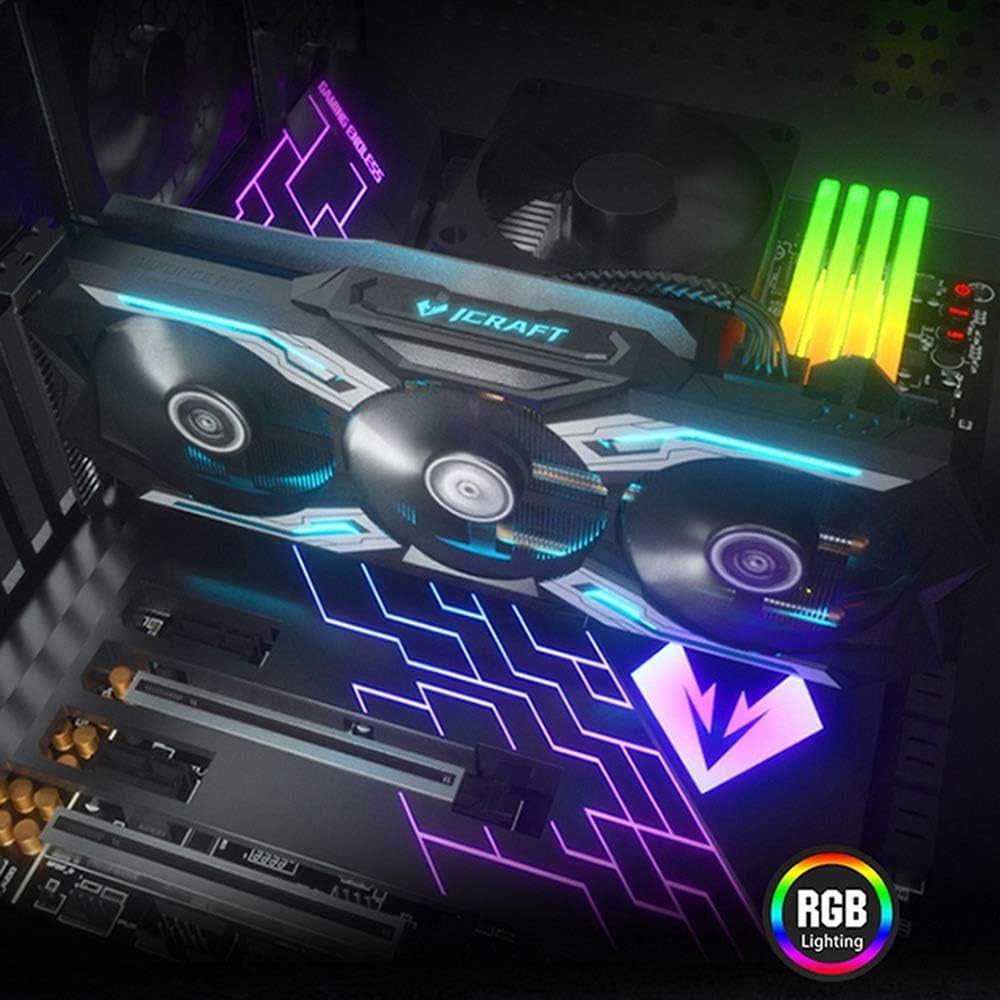
Figure 4.5: The graphics card installed in a PC case, demonstrating its integrated RGB lighting.
Клучни карактеристики:
- Turing GPU Architecture: Provides enhanced performance for real-time ray tracing and AI capabilities.
- iCraft Series RGB Lighting: Features auto RGB lighting for aesthetic customization within your PC build.
- Triple Fan Cooling: Equipped with 3 MAXSUN Blade II hydro-mechanics low noise fans for efficient heat dissipation.
- Alloy Backplate & Radiator: Includes an alloy backplate and a high-end fin technology radiator with 5 heat pipes for improved thermal performance.
- Изведба: Boost Clock up to 1680 MHz, 6GB GDDR6 memory, 192-bit memory interface.
5. Поставување и инсталација
5.1 Пред-инсталација
- Исклучено: Исклучете го компјутерот и исклучете го кабелот за напојување од ѕидниот штекер.
- Отворен случај: Отворете го куќиштето на компјутерот за да пристапите до матичната плоча и PCIe слотовите.
- Статичка заштита: Ground yourself by touching a metal part of the computer chassis or wearing an anti-static wrist strap to prevent ESD.
- Отстранете ја старата картичка (доколку е применливо): If replacing an existing graphics card, carefully remove it by unscrewing its bracket and releasing the PCIe retention clip.
5.2 Физичка инсталација
- Лоцирајте го PCIe слотот: Identify an available PCIe x16 slot on your motherboard. This is typically the topmost long slot.
- Вметнете графичка картичка: Align the graphics card with the PCIe slot and press down firmly until it is securely seated. The PCIe retention clip should click into place.
- Безбедна картичка: Secure the graphics card to the computer case with screws.
- Поврзете напојување: Connect the required PCIe power cables from your power supply to the graphics card. This model typically requires one 8-pin PCIe power connector. Ensure all connections are firm.
- Затвори случај: Затворете го куќиштето на компјутерот и повторно поврзете го кабелот за напојување.
5.3 Инсталација на драјвери
- Вклучување: Connect your monitor to one of the graphics card's output ports (HDMI, DisplayPort, or DVI) and power on your computer.
- Преземи драјвери: Navigate to the official NVIDIA webсајт (www.nvidia.com/drivers) to download the latest drivers for the GeForce RTX 2060.
- Инсталирајте драјвери: Стартувајте го преземениот инсталер на драјвери и следете ги упатствата на екранот. По инсталацијата можеби ќе биде потребно рестартирање.
Video 5.1: An official video demonstrating the MAXSUN Nvidia Geforce RTX 2060 iCraft 6GB graphics card, showcasinнеговиот дизајн и карактеристики. Ова видео дава визуелен прегледview на производот.
6. Упатства за работа
6.1 Поврзување на дисплеи
Connect your monitor(s) to the available display output ports on the graphics card (HDMI, DisplayPort, DVI). The card supports multiple displays simultaneously. Ensure your display cables are securely connected.
6.2 RGB осветлување
The MAXSUN iCraft series graphics card features automatic RGB lighting. The lighting effects are pre-programmed and activate upon system power-on. Please note that dedicated software for controlling the RGB lighting is not typically provided for this model, and it may not be compatible with third-party motherboard RGB software.
7. Одржување
7.1 Чистење
- Фреквенција: Clean your graphics card periodically, especially if you notice dust accumulation on the fans or heatsink.
- Постапка: Disconnect power from your PC. Use compressed air to gently blow dust out of the heatsink fins and fan blades. Hold the fan blades in place while blowing to prevent over-spinning and potential damage.
- Избегнувајте: Do not use liquid cleaners or abrasive materials on the graphics card.
7.2 Одржување на вентилаторот
The Blade II hydro-mechanics fans are designed for durability. If you notice unusual fan noise or reduced cooling performance, ensure there are no obstructions to the fan blades. Do not attempt to lubricate or disassemble the fans.
8 Смена на проблеми
8.1 Нема излез на екранот
- Осигурајте се дека кабелот за мониторот е безбедно поврзан и со графичката картичка и со мониторот.
- Verify that the graphics card is fully seated in the PCIe slot and that all power connectors are properly attached.
- Проверете дали вашиот монитор е поставен на точниот влезен извор.
- Пробајте друг кабел за прикажување или монитор доколку е можно.
8.2 Performance Issues or Crashes
- Ensure you have the latest NVIDIA drivers installed.
- Monitor your GPU temperatures using third-party software. High temperatures can lead to throttling or instability. Ensure proper case airflow.
- Проверете дали вашиот уред за напојување (PSU) ги исполнува минималните ват-потрошни вредности.tagбарања за вашиот систем, вклучувајќи ја и графичката картичка.
- Check for any conflicting software or background applications that might be consuming system resources.
8.3 Шум на вентилаторот
- Уверете се дека нема кабли или пречки што се мешаат со перките на вентилаторот.
- Clean any dust accumulation from the fans and heatsink.
- Fan speed will increase under load to maintain optimal temperatures. This is normal operation.
9. Спецификации
| Карактеристика | Спецификација |
|---|---|
| Графички копроцесор | NVIDIA GeForce RTX 2060 |
| Бренд | maxsun |
| Големина на графичка RAM меморија | 6 GB GDDR6 |
| Интерфејс за видео излез | DVI, DisplayPort, HDMI |
| Производител на графички процесор | NVIDIA |
| Димензии на производот | 12.05 x 4.92 x 1.61 инчи |
| Тежина на ставката | 3.19 фунти |
| Број на модел | NVIDIA Geforce RTX 2060 iCraft 6G |
10. Гаранција и поддршка
For warranty information and technical support, please refer to the documentation provided with your purchase or visit the official MAXSUN webстраница. Зачувајте го доказот за купување за гаранциски побарувања.