
Вовед
This manual provides comprehensive instructions for the XINJIA XJ-768 Electronic Voice Watch, designed for individuals with visual impairments, middle-aged, and elderly users. It features English voice prompts, an alarm clock, and a large digital display for ease of use. Please read this manual thoroughly to understand the watch's functions and ensure proper operation.

Слика 1: Предна страна view of the XINJIA XJ-768 Electronic Voice Watch.
Карактеристики на производот
- Приказ на време: Clearly displays the current time and allows for easy time setting.
- Функција за аларм: Provides customizable alarm settings with the option to change the alarm tone.
- Timekeeping Function: Features a 'TALKING' button to broadcast the current time and an automatic hourly timekeeping function that can be toggled on or off.
- Функција за одложување: Allows for a temporary pause of the alarm, with the alarm sounding again after 5 minutes.
- Подобрена употребливост: Designed with a larger font display, increased volume, and simplified operation for improved accessibility.
Поставување
Initial Battery Installation
The XINJIA XJ-768 watch comes with one LR44 battery included. Before initial use, ensure the battery is properly seated. If the display is blurred or the watch is unresponsive, the battery may need to be replaced. Refer to the 'Battery Replacement' section for detailed instructions.
Упатства за работа
The watch features four primary buttons for operation: B1 (MODE), B2 (MINUTE), B3 (HOUR), и B4 (TALKING). These buttons are located on the sides of the watch case.

Слика 2: Страна view илустрирање на копчињата на часовникот.
1. Поставување на времето
- Од нормалниот режим на прикажување на времето, притиснете го B1 (MODE) button once. The time digits will begin flashing.
- Притиснете го B2 (MINUTE) копче за прилагодување на минутите.
- Притиснете го B3 (HOUR) копче за да ги прилагодите часовите.
- Откако ќе се постави точното време, притиснете B1 (MODE) повторно за да излезете од режимот за поставување време.
2. Поставување на времето на алармот
- Од нормалниот режим на прикажување на времето, притиснете го B1 (MODE) button twice. The display will show the 'AL' symbol, and the alarm time digits will flash.
- Притиснете го B2 (MINUTE) копчето за да ги поставите посакуваните минути за алармот.
- Притиснете го B3 (HOUR) button to set the desired alarm hours.
- Откако ќе го поставите времето за аларм, притиснете B1 (MODE) повторно за да излезете од режимот за поставување аларм.
3. Selecting Alarm Tone and Turning Alarm On/Off
- Од нормалниот режим на прикажување на времето, притиснете го B3 (HOUR) копче.
- Each press will cycle through alarm tone options and toggle the alarm function on or off.
- When the alarm is set to ON, the alarm will sound at the set time, and the LCD will display the alarm time. After the alarm plays, the normal time will be displayed.
- When the alarm is set to OFF, the alarm symbol will disappear, and the watch will broadcast a 'DI' sound to confirm.
4. Turning Hourly Timekeeping On/Off
- Од нормалниот режим на прикажување на времето, притиснете го B2 (MINUTE) копче.
- Each press will toggle the hourly timekeeping function on or off.
- When activated, a specific symbol will appear on the dial, and the watch will automatically announce the hour.
- When turned off, the symbol will disappear.
5. Користење на функцијата за одложување
- Кога се огласува алармот, притиснете го B4 (TALKING) копче.
- This will stop the current alarm and activate the snooze function.
- The alarm will sound again automatically after 5 minutes.
6. Broadcasting the Current Time
- Од нормалниот режим на прикажување на времето, притиснете го B4 (TALKING) копче еднаш.
- The watch will audibly announce the current time.
Одржување
Замена на батеријата
The watch uses one LR44 battery. You will know it's time to replace the battery if you observe any of the following:
- The display font becomes blurred or disappears.
- The sound volume becomes significantly lower.
- The watch functions abnormally or inconsistently.
To replace the battery, carefully open the back casing of the watch. Replace the old LR44 battery with a new one, ensuring correct polarity. Close the back casing безбедно.
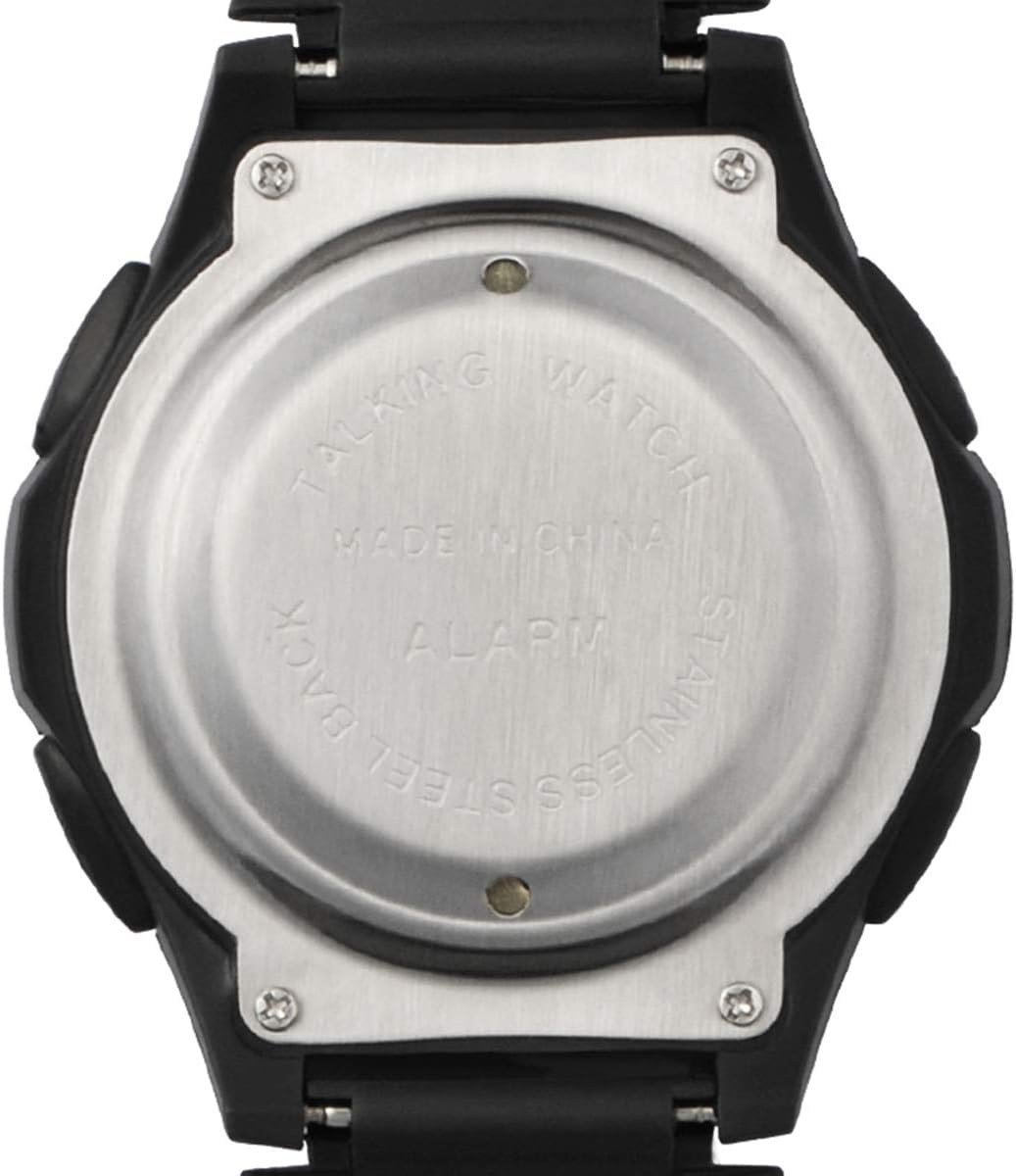
Слика 3: Назад view of the watch, showing the battery compartment access.
Решавање проблеми
If you experience issues with your XINJIA XJ-768 watch, consider the following common solutions:
- Нема екран или екранот е слаб: Check the battery. It may be depleted or improperly installed. Replace with a new LR44 battery if necessary.
- Без звук или слаб звук: This is often an indication of a low battery. Replace the battery.
- Incorrect Time/Alarm: Ensure you have followed the time and alarm setting instructions precisely. Repeat the setting process if needed.
- Копчињата не реагираат: A low battery can affect button responsiveness. Try replacing the battery. If the issue persists, ensure no debris is obstructing the buttons.
For persistent issues not resolved by these steps, please refer to the Warranty and Support section.
Спецификации
| Карактеристика | Детал |
|---|---|
| Број на модел | XJ-768 |
| Димензии на производот | 25 x 4.4 x 1.65 cm |
| Тежина | 59 гр |
| Тип на батерија | 1 x LR44 (вклучено) |
| Производител | Wuhan Prisco |
| Одделот | Унисекс-возрасен |
Гаранција и поддршка
For information regarding warranty coverage or technical support for your XINJIA XJ-768 Electronic Voice Watch, please contact the seller or manufacturer directly. Keep your purchase receipt as proof of purchase.
Manufacturer: Wuhan Prisco