
1. Вовед
Thank you for choosing the Cecotec ForceClima 7450 Touch Connected Portable Air Conditioner. This manual provides essential information for the safe and efficient operation, maintenance, and troubleshooting of your new appliance. Please read it thoroughly before use and keep it for future reference.

Figure 1.1: Cecotec ForceClima 7450 Touch Connected Portable Air Conditioner
The ForceClima 7450 Touch Connected is designed to provide effective cooling, ventilation, and dehumidification for spaces up to 15 m². It features a powerful 7000 BTU cooling capacity, a user-friendly touch control panel, a remote control, and Wi-Fi connectivity for convenient operation via your smartphone.
2. Инструкции за безбедност
За да го намалите ризикот од пожар, електричен удар или повреда при користење на вашиот клима уред, следете ги овие основни мерки на претпазливост:
- Секогаш поврзувајте го уредот на заземјен штекер со точен напонtage (230 волти).
- Не го користете клима уредот со оштетен кабел или приклучок.
- Ensure proper ventilation around the unit. Do not block air inlets or outlets.
- Не вметнувајте прсти или туѓи предмети во отворите за воздух.
- Keep the unit away from water and other liquids. Do not use it in bathrooms or very humid environments.
- Исклучете го апаратот од струја пред чистење или вршење на какво било одржување.
- Не обидувајте се сами да го поправите или модифицирате уредот. За поправки контактирајте квалификуван сервисер.
- Ensure the exhaust hose is properly installed to expel hot air outside.
- Надгледувајте ги децата за да се уверите дека не си играат со апаратот.
3. Содржина на пакетот
Carefully unpack your air conditioner and check that all items are present and in good condition:
- Cecotec ForceClima 7450 Touch Connected Portable Air Conditioner Unit
- Далечински управувач
- Издувно црево
- Комплет за запечатување на прозорци
- Црево за одводнување
- Упатство за употреба
4. Карактеристики на производот
The Cecotec ForceClima 7450 Touch Connected offers a range of features for optimal comfort:
- Капацитет за ладење: 7000 BTU, suitable for rooms up to 15 m².
- Моќност: 790 вати
- Контролни опции: Intuitive touch control panel, remote control, and Wi-Fi connectivity via smartphone app.
- Прикажи: Clear LED screen showing current settings.
- Работни режими:
- Режим на ладење: For effective temperature reduction.
- Режим на вентилатор: Циркулира воздух без ладење.
- Режим на одвлажнување: Отстранува до 20 литри влага дневно, подобрувајќи го квалитетот на воздухот.
- Ноќен режим: Operates quietly for undisturbed sleep.
- Брзини на вентилаторот: Two adjustable speeds (Low and High).
- Функција на тајмер: Programmable for up to 24 hours.
- Преносливост: Опремен со тркала за лесно движење.
5. Поставување
Следете ги овие чекори за да го поставите вашиот преносен клима уред:
5.1 Позиционирање на единицата
Place the air conditioner on a flat, stable surface, ensuring there is at least 30 cm of clear space around the unit for proper airflow. Position it near a window or opening for exhaust hose installation.
5.2 Installing the Exhaust Hose
- Прикачете го едниот крај од цревото за издувни гасови на отворот за воздух на задната страна од уредот.
- Продолжете го цревото за издувни гасови и прикачете го адаптерот за прозорецот на другиот крај.
- Open the window and install the window sealing kit. Secure the window adapter into the opening of the sealing kit to ensure hot air is expelled outside and warm air does not re-enter the room.
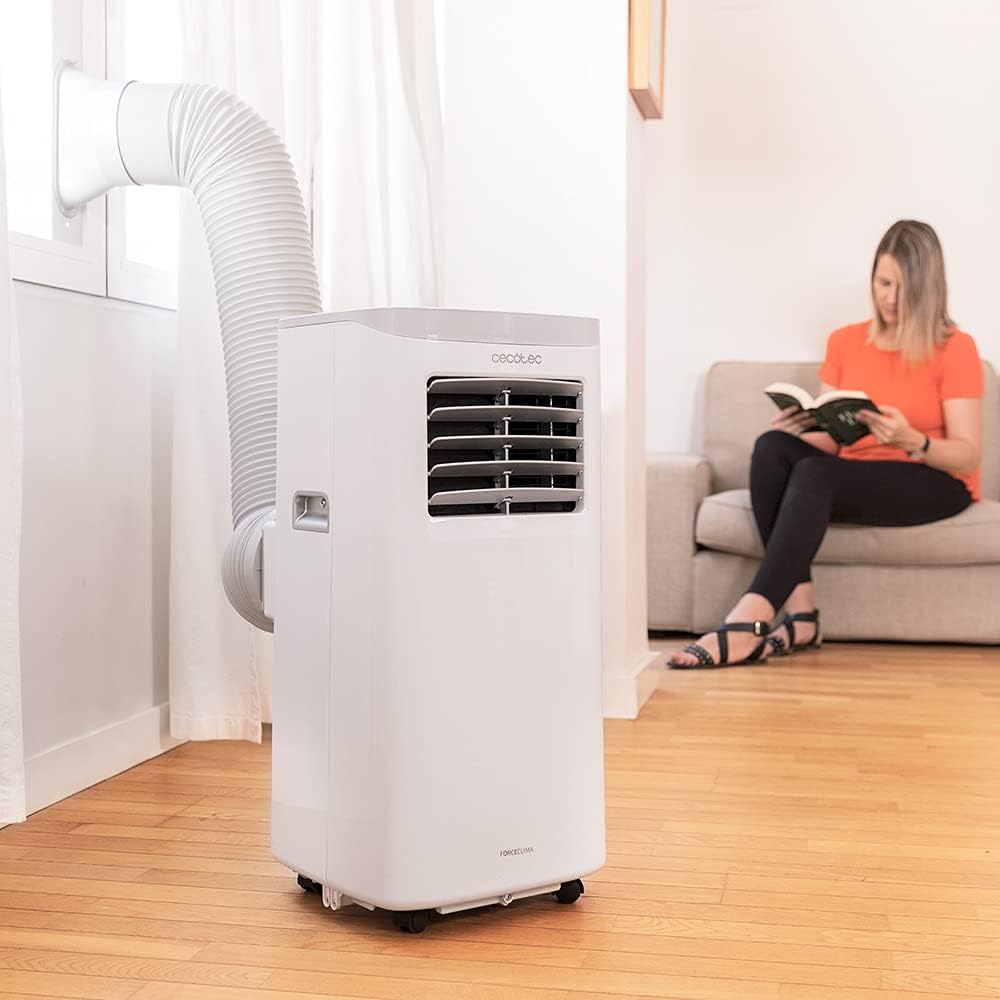
Figure 5.1: Proper installation of the exhaust hose in a window
5.3 Поврзување за напојување
Plug the power cord into a standard 230V grounded electrical outlet. Ensure the outlet is suitable for the appliance's power requirements.
6. Упатства за работа
Your Cecotec ForceClima 7450 Touch Connected can be operated using the touch control panel, the remote control, or the dedicated smartphone app.
6.1 Ракување со контролната табла

Слика 6.1: Контролна табла на допир

Figure 6.2: Interacting with the Control Panel
- Копче за вклучување: Притиснете за да го вклучите или исклучите уредот.
- Копче за режим: Cycle through Cooling, Fan, Dehumidification, and Night modes. The selected mode will be indicated on the LED display.
- Копчиња за прилагодување на температурата (горе/долу): Прилагодете ја саканата температура во режим на ладење.
- Копче за брзина на вентилаторот: Префрлувајте помеѓу ниска и висока брзина на вентилаторот.
- Копче за тајмер: Set the auto-off timer (up to 24 hours).
6.2 Ракување со далечински управувач
The remote control allows you to operate all functions of the air conditioner from a distance. Ensure there are no obstructions between the remote control and the unit's receiver.
- Копчињата на далечинскиот управувач одговараат на функциите на контролната табла.
- Insert 2x AAA batteries (not included) into the remote control before first use.
6.3 Wi-Fi Control (Smartphone App)
The Cecotec ForceClima 7450 Touch Connected can be controlled remotely via a smartphone app. This allows you to manage settings from anywhere with an internet connection.
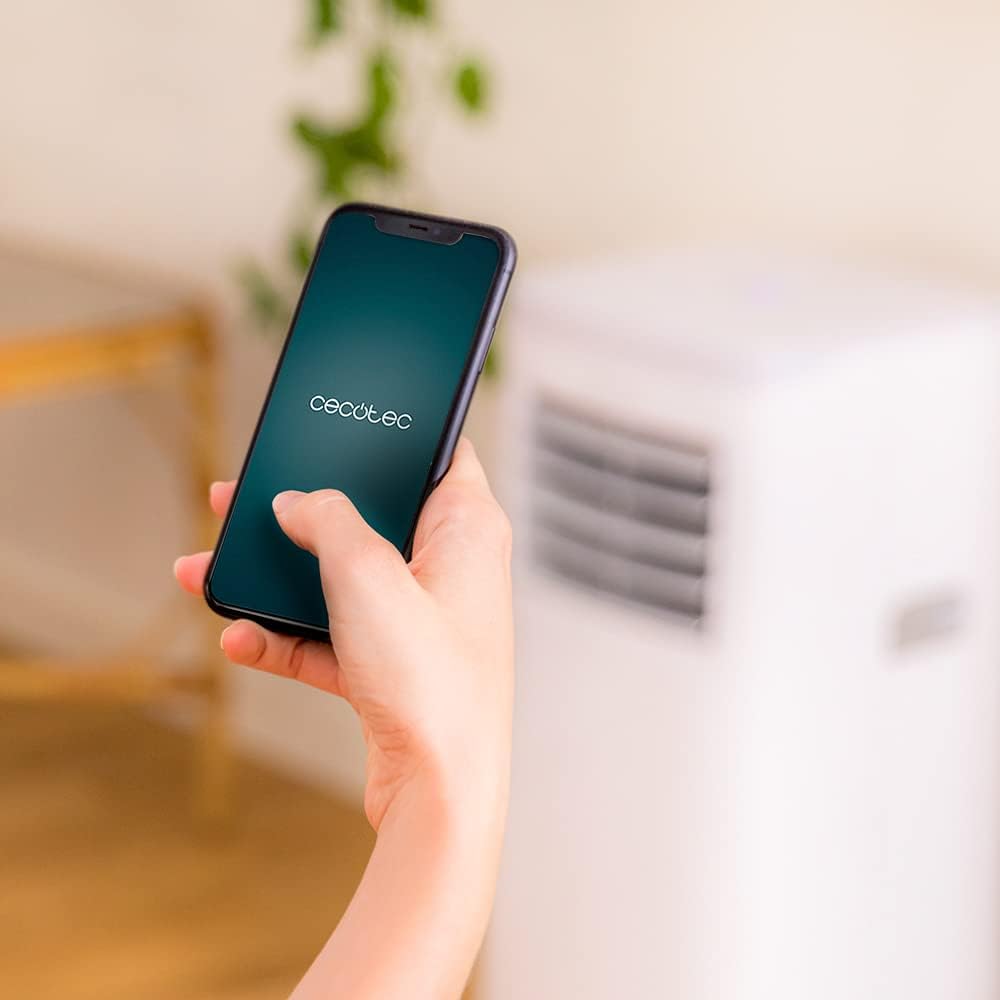
Figure 6.3: Controlling the unit via the Cecotec App
- Download the official Cecotec app from your smartphone's app store (iOS or Android).
- Регистрирајте сметка или најавете се.
- Follow the in-app instructions to add your ForceClima 7450 Touch Connected unit. This typically involves putting the unit into pairing mode and connecting it to your home Wi-Fi network.
- Once connected, you can control all functions, including power, mode, temperature, fan speed, and timer, directly from your smartphone.
7. Одржување
Редовното одржување обезбедува оптимални перформанси и го продолжува животниот век на вашиот клима уред.
7.1 Чистење на филтерот за воздух
Филтерот за воздух треба да се чисти на секои две недели или почесто, во зависност од употребата и квалитетот на воздухот. Валканиот филтер може да ја намали ефикасноста на ладењето и протокот на воздух.
- Исклучете го клима уредот од штекерот.
- Locate and remove the air filter from the back or side of the unit (refer to the diagram in your quick start guide if unsure).
- Clean the filter using a vacuum cleaner to remove dust. For stubborn dirt, wash it gently with lukewarm water and a mild detergent.
- Allow the filter to dry completely before reinserting it into the unit. Do not expose it to direct sunlight.
7.2 Исцедување на акумулираната вода
During cooling and dehumidification, water will accumulate inside the unit. The unit has an internal water tank, but for continuous operation or high humidity, manual drainage may be required.
- When the internal tank is full, the unit may stop operating and display an indicator.
- Исклучете го уредот од струја.
- Place a shallow pan or bucket under the drainage outlet at the bottom rear of the unit.
- Отстранете го одводниот приклучок и оставете ја целата вода да се исцеди.
- For continuous drainage, attach the provided drainage hose to the outlet and direct it to a floor drain or suitable container.
- Вратете го приклучокот за одвод безбедно откако ќе го исцедите.
7.3 Чистење на надворешноста на уредот
Избришете ја надворешноста на уредот со мека, гamp крпа. Не користете груби хемикалии, абразивни средства за чистење или растворувачи, бидејќи тие можат да ја оштетат површината.
8 Смена на проблеми
Пред да контактирате со службата за корисници, ве молиме погледнете ги следните вообичаени проблеми и решенија:
| Проблем | Можна причина | Решение |
|---|---|---|
| Уредот не се вклучува | Нема струја; Кабелот за напојување не е вклучен; Полн резервоар за вода | Check power supply; Plug in power cord; Drain water tank |
| Единицата не лади ефикасно | Dirty air filter; Exhaust hose not properly installed; Room too large; Doors/windows open | Clean air filter; Ensure proper hose installation; Close doors/windows; Check room size (max 15 m²) |
| Единицата е бучна | Unit not on a flat surface; Obstruction in fan; Normal operating sound (65 dB) | Place on flat surface; Check for obstructions; Note that some noise is normal for portable ACs |
| Wi-Fi врската не успее | Incorrect Wi-Fi password; Router too far; App issues | Verify password; Move unit closer to router; Restart app/unit; Consult app's troubleshooting guide |
| Истекување на вода | Drain plug loose; Drainage hose not properly connected | Secure drain plug; Ensure drainage hose is tightly connected |
9. Спецификации
| Карактеристика | Спецификација |
|---|---|
| Број на модел | 05957 |
| Капацитет за ладење | 7000 BTU |
| Потрошувачка на енергија | 790 вати |
| Voltage | 230 волти |
| Ниво на бучава | 65 dB |
| Областа на покриеност | Прибл. 15 m² |
| Капацитет за одвлажнување | До 20 литри/ден |
| Димензии (Д x Ш x В) | 30.5 x 32.8 x 67.8 cm |
| Тежина | 20 кг |
10. Гаранција и поддршка
Cecotec products are manufactured to high-quality standards. This product is covered by a manufacturer's warranty against defects in materials and workmanship from the date of purchase. Please retain your proof of purchase for warranty claims.
For technical support, spare parts, or warranty service, please contact Cecotec customer service through their official website or the contact information provided in your product's packaging. Do not attempt to repair the unit yourself, as this may void the warranty.