
NC SWM 9702
NC Car Radio 1 Din MP5 Player User Manual
Модел: SWM 9702
Производот завршиview
This manual provides detailed instructions for the installation, operation, and maintenance of your NC Car Radio 1 Din MP5 Player (Model SWM 9702). This versatile unit features a 7-inch retractable HD screen, Bluetooth connectivity, GPS navigation, USB support, iOS/Android Mirror Link, and FM radio. It is designed to enhance your in-car entertainment and navigation experience.

Слика 1.1: The NC Car Radio MP5 Player unit shown with its essential components, including the main head unit, two wiring harnesses for power and speakers, a GPS antenna for navigation, and the user operation manual. This image provides a comprehensive view of what is included in the product package.
Поставување и инсталација
1. Содржина на пакетот
Пред да започнете со инсталацијата, проверете дали сите компоненти се присутни во пакетот:
- Main Head Unit (Car Radio MP5 Player)
- GPS антена
- Disassembly Keys (2)
- Power Cords (2) - for rear tail cable plus front connections
- Кориснички оперативен прирачник
2. Приклучоци за жици
Proper wiring is crucial for the functionality of the car radio. Refer to the wiring diagram provided with the unit for specific connections. Below are general guidelines:
- Поврзување за напојување: Connect the yellow wire to constant 12V (B+), the red wire to accessory 12V (ACC), and the black wire to ground.
- Врски со звучници: Connect the speaker wires to your vehicle's speaker system. Ensure correct polarity for optimal sound.
- Антенска врска: Поврзете ја радио антената на возилото.
- GPS антена: Connect the provided GPS antenna to the designated port on the rear of the unit. Position the antenna in a location with a clear view на небото за најдобар прием на сигналот.
- Заден дел View Влез за камера (опционално): Доколку инсталирате заден дел view camera (not included with this specific model), connect its video output to the "REVERSE IN" RCA port and its power to the reverse light circuit.
- RCA излези: Utilize the 2 audio outputs for connecting to external ampлафтери или сабвуфери.
- USB порти: The unit features 2 rear tail cable USB ports and a front USB port for media playback and phone connectivity.
Забелешка: Incorrect wiring can damage the unit or your vehicle's electrical system. If you are unsure, consult a professional installer.
3. Монтирање на единицата
Insert the 1-DIN unit into your vehicle's dashboard opening. Secure it using the provided mounting brackets or screws. Ensure the retractable screen mechanism has sufficient clearance to extend and retract without obstruction.
Упатства за работа
1. Основни функции
- Вклучување/исклучување: Press the power button (usually the VOL knob) to turn the unit on or off.
- Контрола на јачината на звукот: Rotate the VOL knob to adjust the volume.
- Избор на режим: Use the "MODE" button or the touchscreen interface to switch between functions like Radio, USB, AUX, Bluetooth, and Navigation.
- Радио (FM): Access the FM radio function to scan for stations (87.5~108MHz).
- Репродукција на USB: Insert a USB drive into the front or rear USB ports to play audio (MP3/WMA/WAV/APE/FLAC), video, or view pictures (JPG).
- Функција AUX: Connect external audio devices via the front AUX audio input.

Слика 2.1: Надview of the diverse functionalities offered by the car radio, including Mirrorlink for phone integration, GPS Navigation, WiFi connectivity, Reverse Image display, Bluetooth for hands-free calls and audio streaming, Aux In for external devices, USB support for media, a responsive Capacitive touchscreen, support for high-quality audio formats like FLAC/APE, 1080P video playback, Driving Record capability, and FM Radio.
2. Напредни карактеристики
- Bluetooth Function (Version 4.0):
- Спарување: Enable Bluetooth on your mobile device and search for the car radio (e.g., "CarBT"). Select and pair.
- Повикување без раце: Once paired, you can make and receive calls directly through the unit.
- Аудио стриминг: Play music from your phone wirelessly via Bluetooth.
- Mirror Link (Mobile Phone Interconnection):
- Андроид: Supports USB and WiFi screencasting. You can operate your phone from the car screen.
- Apple (iOS): Supports WiFi screencasting. The phone screen is mirrored to the player.
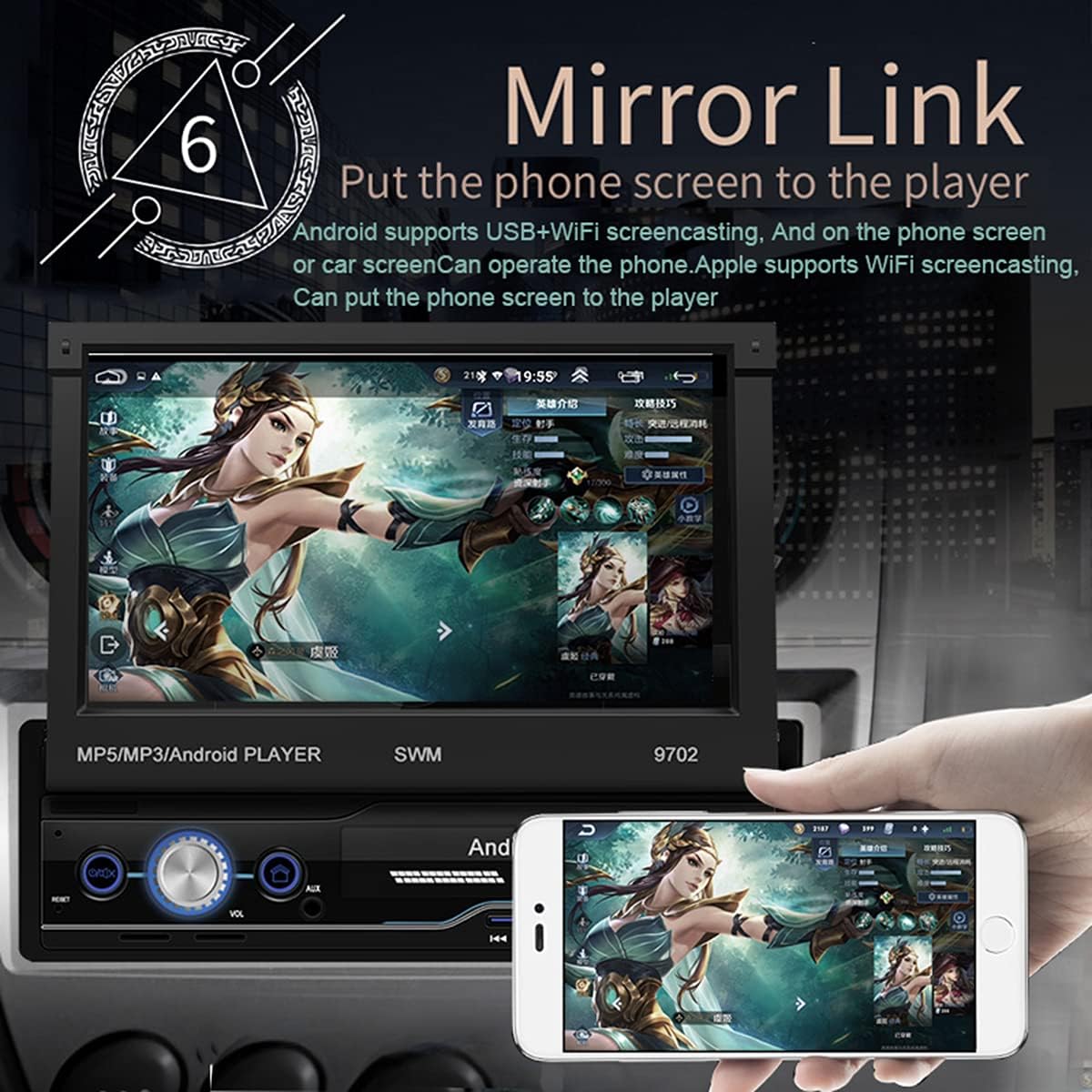
Слика 2.2: The Mirror Link function in action, showing a smartphone's display content, such as a game, being mirrored onto the car radio's 7-inch retractable screen. This feature allows for seamless integration and control of mobile applications directly from the car's display.
- GPS навигација:
- The unit comes with built-in offline maps (Europe).
- Supports online real-time traffic maps and quick positioning.
- Access navigation applications through the touchscreen.

Слика 2.3: The GPS navigation interface on the car radio screen, showing a detailed map with route guidance and estimated travel time. Icons for popular navigation applications are also visible, highlighting the unit's capability for multiple navigation options and real-time traffic updates.
- Заден дел View Функција:
- Кога е компатибилен заден view camera is connected (optional, not included), the screen automatically displays the rear view image when the vehicle is put into reverse.
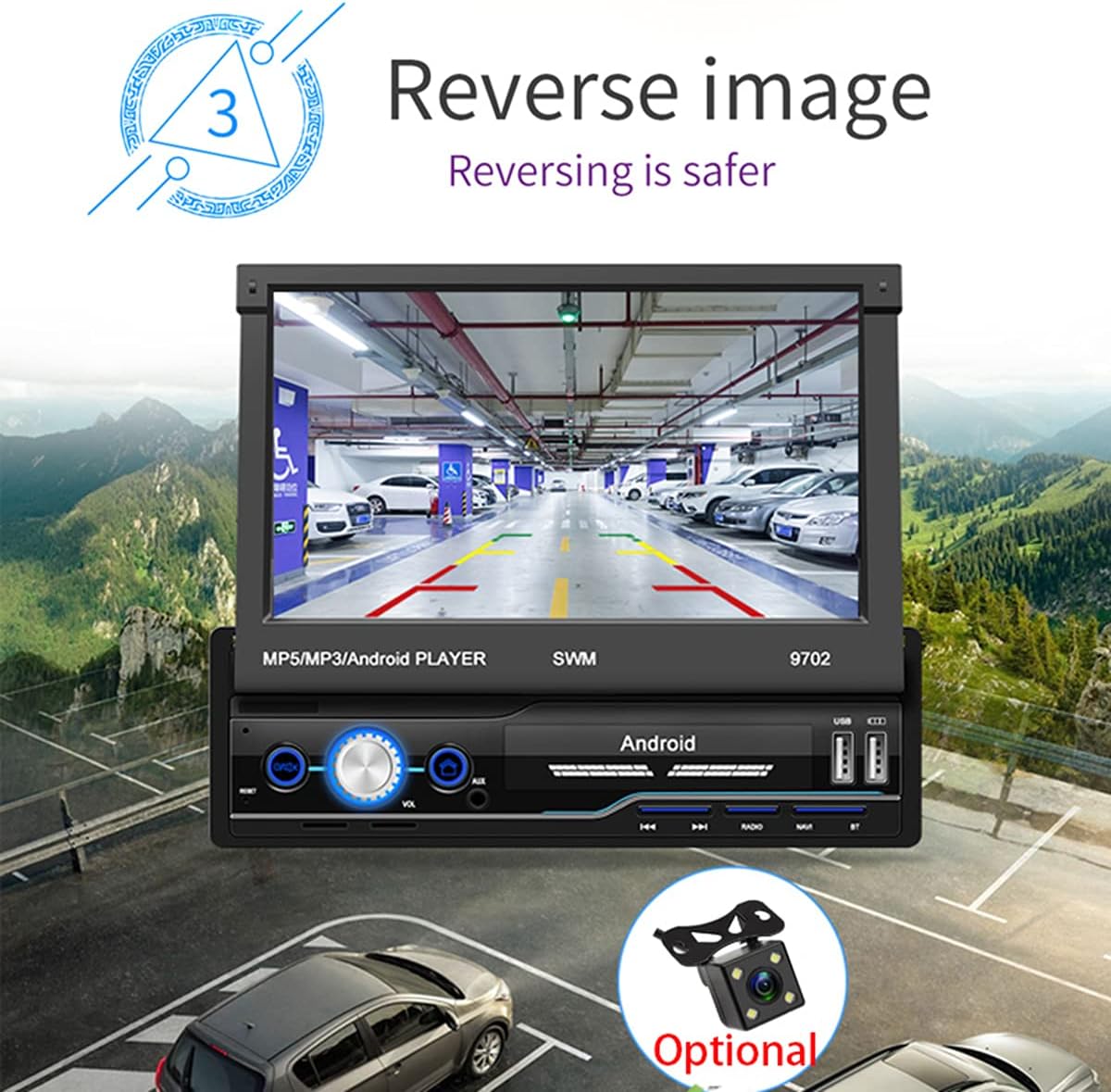
Слика 2.4: The reverse image feature in operation, displaying a clear view from a rear camera on the car radio's screen. This function enhances safety during parking and reversing maneuvers by providing a wide-angle view of the area behind the vehicle, complete with guiding lines.
- WIFI пристап до интернет:
- Connect to a mobile hotspot or available Wi-Fi networks to access online features, download apps, and browse the internet.

Слика 2.5: The car radio's screen showcasing a variety of application icons, including social media, navigation, and entertainment apps, demonstrating the unit's WiFi connectivity and ability to run Android applications. This feature allows users to access online content and services directly from the car's display.
- Функција за контрола на воланот:
- The unit supports learning functions for your original car's steering wheel controls. This allows you to control basic functions (e.g., volume, track skip) without taking your hands off the wheel.
- Navigate to "Steering Learn" in the settings menu to configure.
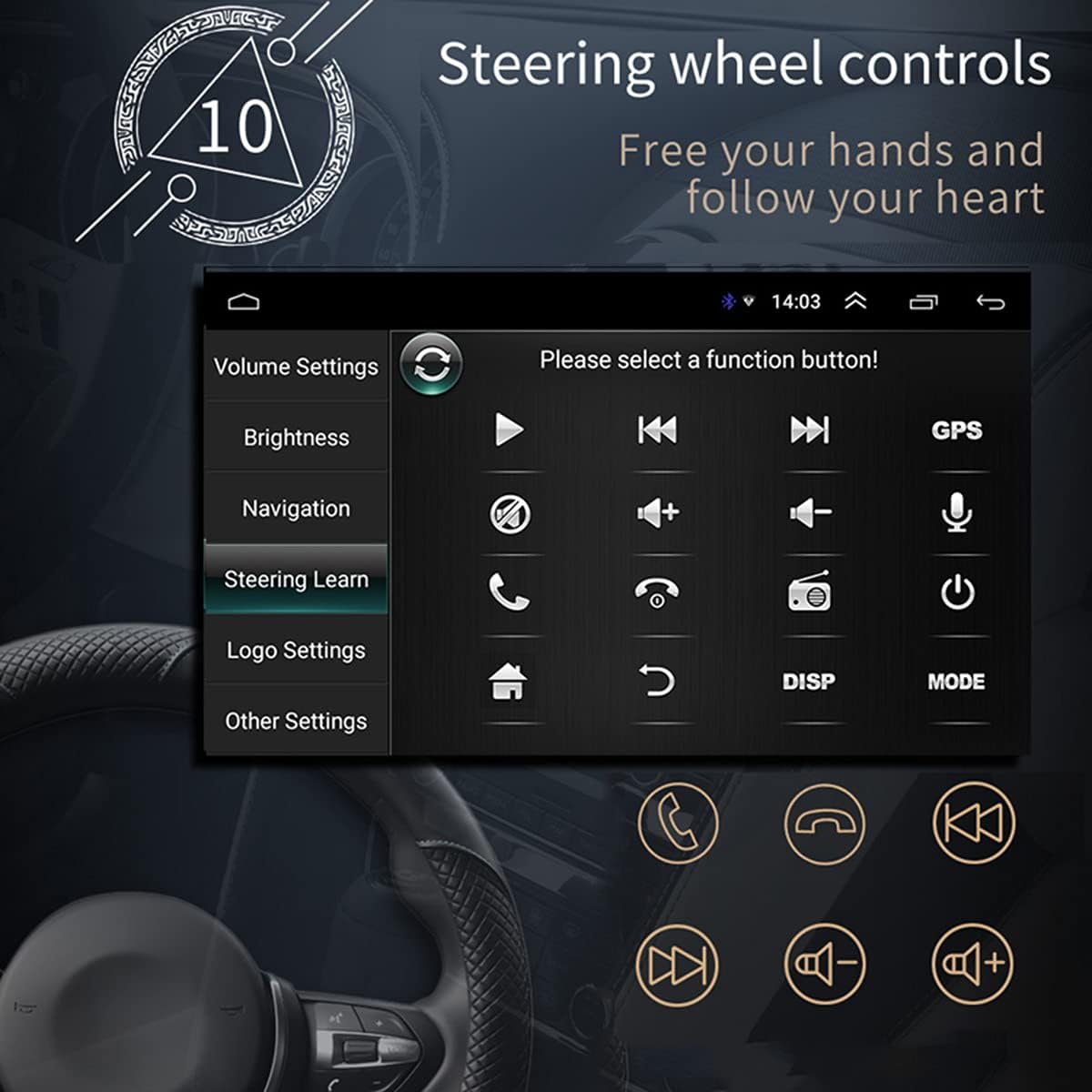
Слика 2.6: The steering wheel control learning interface on the car radio, showing options to configure various functions like volume, track control, and call handling directly from the vehicle's steering wheel buttons. This feature enhances driving safety and convenience by keeping hands on the wheel.
- Инсталација на апликација:
- As an Android system, you can install compatible applications directly onto the unit.
- Car Logo Replacement:
- Customize the boot-up logo to match your car's brand. (Factory setting password: 1111)
Одржување
- Чистење на екранот: Користете мека крпа без влакненца за нежно да го избришете екранот. За тврдокорни дамки, малку избришете гоampИзбришете ја крпата со вода или средство за чистење безбедно за екрани. Избегнувајте абразивни материјали или груби хемикалии.
- Општо чистење: Држете го уредот чист од прашина и остатоци. Користете мека четка или компримиран воздух за чистење на отворите за вентилација и копчињата.
- Ажурирања на софтверот: Периодично проверувајте ги упатствата на производителот website or contact support for available software updates to ensure optimal performance and access to new features.
- Избегнувајте екстремни температури: Не го изложувајте уредот на екстремна топлина или студ, бидејќи тоа може да влијае на неговите перформанси и век на траење.
Решавање проблеми
| Проблем | Можна причина | Решение |
|---|---|---|
| Нема моќ | Incorrect wiring (power/ground), blown fuse, vehicle battery issue. | Check power and ground connections. Verify vehicle fuses. Ensure battery has sufficient charge. |
| Нема звук | Volume too low, mute activated, incorrect speaker wiring, damaged speakers. | Increase volume. Check if mute is on. Verify speaker connections and polarity. Test with different audio source. |
| GPS сигналот е изгубен/слаб | GPS антената не е правилно поврзана или е попречена, уредот е во област со слаб сателитски прием. | Ensure GPS antenna is securely connected and placed in a clear line of sight to the sky. Move to an open area. |
| Bluetooth не се поврзува | Bluetooth not enabled on phone/unit, incorrect pairing, interference. | Проверете дали Bluetooth е овозможен на двата уреди. Избришете ги претходните спарувања и повторно спарете. Приближете се до уредот. |
| Screen Not Retracting/Extending | Опструкција, механички проблем. | Check for any physical obstructions. Do not force the screen. If issue persists, contact support. |
| Екранот на допир не реагира | Software glitch, screen dirty, physical damage. | Рестартирајте го уредот. Исчистете го екранот. Ако проблемот продолжи, контактирајте ја поддршката. |
Спецификации
| Карактеристика | Детал |
|---|---|
| Модел | SWM 9702 година |
| Voltage | 12V |
| Систем | Андроид |
| Конфигурација | 1G+16G |
| Модел на екран | 7 инчен HD |
| Резолуција на екранот | 1024*600 г |
| Големина на панелот | 188*58мм |
| Моќ | 60 W |
| Работна температура | -10-60 степени Целзиусови |
| Модел со Bluetooth | Верзија 4.0 |
| Моќ Ampлафич Чип | TDA7388 |
| Радио фрекфенција | FM 87.5 ~ 108MHz |
| Built-in Offline Map | Европа |
| USB интерфејс | 2 rear tail cable plus front |
| RCA Terminal Introduction | 2 audio outputs, 2 audio inputs, 2 video inputs, 1 reversing input, 1 video output |
| Front AUX Audio Input | Да |
| Функција DVR | Поддршка |
| Supported Picture Format | JPG |
| Поддржани аудио формати | MP3 / WMA / WAV / APE / FLAC |
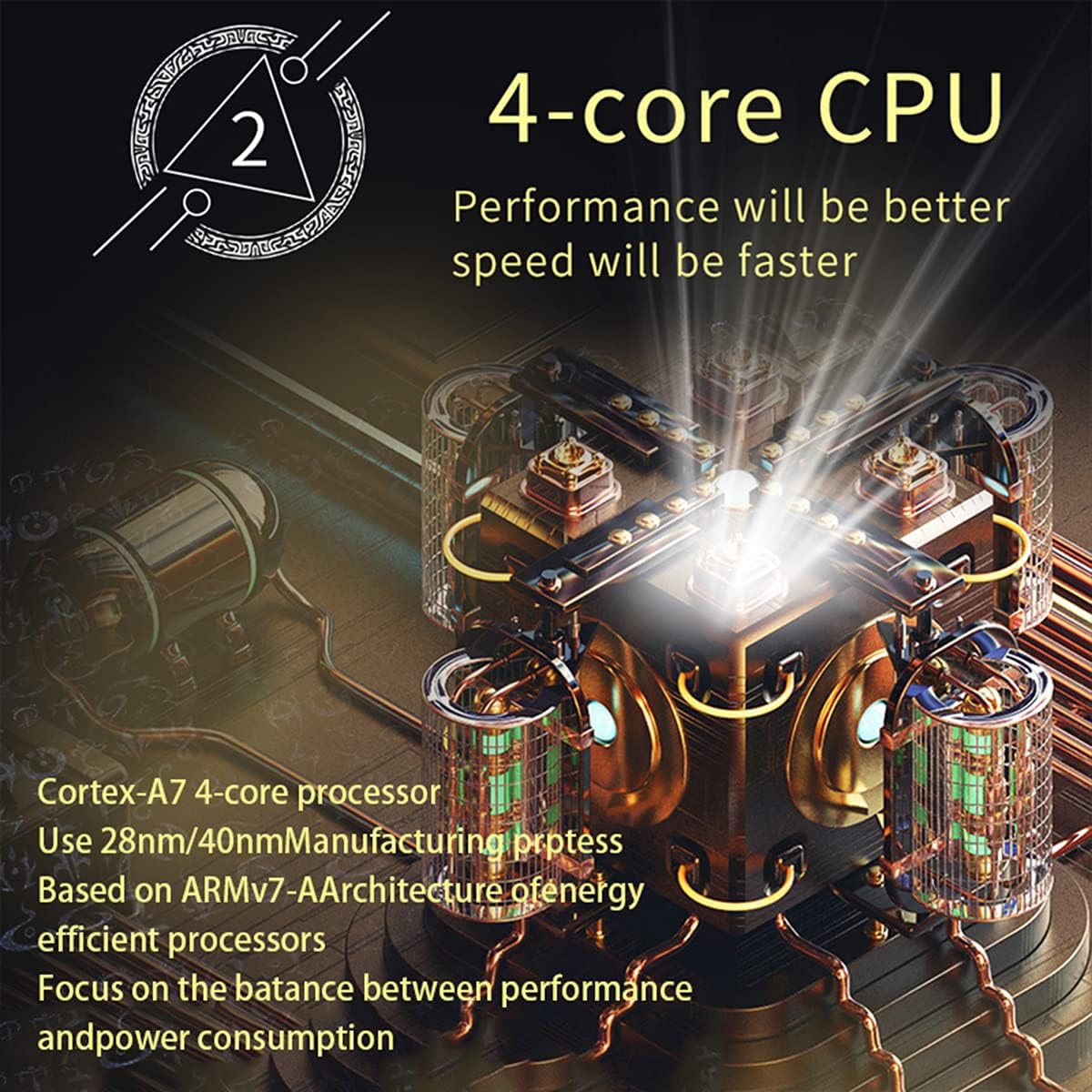
Слика 3.1: An illustration of the unit's 4-core Cortex-A7 processor, emphasizing its efficient architecture and manufacturing process (28nm/40nm). This powerful CPU ensures better performance and faster operation for all functions.

Слика 3.2: The audio playback interface on the car radio, demonstrating support for high-fidelity lossless audio formats such as APE and FLAC. This ensures a superior listening experience with native sound quality, powered by the TDA7388 high-power ampлафикатор ИЦ.
Гаранција и поддршка
За информации за гаранција, техничка поддршка или прашања за сервис, ве молиме контактирајте директно со продавачот или производителот. Зачувајте ја сметката за купување како доказ за купување.
You can visit the official NC Store on Amazon for more information and product updates: NC Store
Ask a question about this manual
Ask about setup, troubleshooting, compatibility, parts, safety, or missing instructions. Manuals+ will review the question and use this page’s manual context to help answer it.