
Вовед
This manual provides essential information for setting up, operating, maintaining, and troubleshooting your Apple iPhone 12 Mini (PRODUCT)RED 64GB. This device is a renewed premium product, ensuring full functionality and a high standard of quality.
Key features of your iPhone 12 Mini include:
- Unlocked for compatibility with any GSM and CDMA network carrier (e.g., AT&T, T-Mobile, Sprint, Verizon).
- Guaranteed battery health exceeding 90% of original capacity.
- Minimal cosmetic damage, not noticeable at arm's length.
- Includes a certified MFi charging cable and a UL certified wall plug.
- Backed by a one-year satisfaction guarantee.
1. Поставување и прва употреба
1.1 Што има во кутијата
Your renewed iPhone 12 Mini package includes the following items:
- Apple iPhone 12 Mini (PRODUCT)RED 64GB
- USB-C to Lightning Cable (generic, MFi certified)
- Wall Plug (generic, UL certified)
- SIM Tray Removal Tool
Note: Headphones and a SIM card are not included.

Image: The iPhone 12 Mini and its included USB-C to Lightning charging cable.
1.2 Вметнување на SIM картичката
- Locate the SIM tray on the side of your iPhone.
- Insert the SIM tray removal tool into the small hole next to the tray and press firmly until the tray ejects.
- Ставете ја вашата Nano-SIM картичка во лежиштето со златните контакти свртени надолу.
- Внимателно вратете го држачот за SIM картичка во iPhone-от.
1.3 Вклучување и почетно поставување
- Притиснете и задржете го страничното копче додека не се појави логото на Apple.
- Следете ги упатствата на екранот за да го изберете вашиот јазик и регион.
- Поврзете се на Wi-Fi мрежа.
- Set up Face ID for secure authentication.
- Create a passcode.
- Restore data from a backup (iCloud or computer) or set up as a new iPhone.
- Најавете се со вашиот Apple ID или креирајте нов.
- Complete the remaining setup steps, including location services and Siri.
2. Operating Your iPhone 12 Mini
2.1 Основна навигација
Your iPhone 12 Mini operates on iOS 16, providing an intuitive touchscreen interface.
- Почетен екран: Повлечете нагоре од долниот раб за да отидете на почетниот екран.
- Преминувач на апликации: Повлечете нагоре од долниот раб и застанете во средината на екранот за да view отворете апликации.
- Контролен центар: Повлечете надолу од горниот десен агол за да пристапите до брзите поставки.
- Известувања: Swipe down from the top-left corner to view известувања.
2.2 Вклучување/исклучување
- За вклучување: Притиснете и задржете го страничното копче додека не се појави логото на Apple.
- За исклучување: Press and hold the Side button and either Volume button simultaneously until the power off slider appears. Drag the slider to power off.
2.3 Идентификација на лице
Face ID uses facial recognition for secure unlocking, purchases, and app authentication. Ensure your face is clear and directly facing the screen for optimal performance.

Image: Detail of the iPhone 12 Mini's front display and notch, housing the Face ID system.
2.4 Употреба на камерата
Your iPhone 12 Mini features a dual-camera system on the rear and a single front camera. Open the Camera app to capture photos and videos. Tap on the screen to focus, and use the zoom options for different perspectives.

Image: Detail of the iPhone 12 Mini's dual rear camera system.
3. Одржување и грижа
3.1 Грижа за батерии
Your renewed iPhone 12 Mini is guaranteed to have a battery capacity exceeding 90% of its original. To maximize battery lifespan:
- Avoid extreme ambient temperatures (below 0°C/32°F or above 35°C/95°F).
- Charge your iPhone using the provided MFi certified cable and UL certified wall plug.
- Enable Optimized Battery Charging in Settings > Battery > Battery Health.
- Избегнувајте често целосно празнење на батеријата.
3.2 Cleaning Your iPhone
To clean your iPhone, use a soft, lint-free cloth. Avoid abrasive materials, aerosols, solvents, or ammonia-based cleaners. Do not submerge your iPhone in water.
3.3 Ажурирања на софтверот
Regularly update your iPhone's software to the latest iOS version to ensure optimal performance, security, and access to new features. Go to Settings > General > Software Update.
4. Решавање на вообичаени проблеми
4.1 Уредот не реагира
Ако вашиот iPhone не реагира, извршете присилно рестартирање:
- Притиснете и брзо отпуштете го копчето за зголемување на јачината на звукот.
- Притиснете и брзо отпуштете го копчето за намалување на јачината на звукот.
- Притиснете и задржете го страничното копче додека не се појави логото на Apple.
4.2 Проблеми со мрежната поврзаност
- No Service/Poor Signal: Check your SIM card insertion. Go to Settings > Cellular and ensure Cellular Data is enabled. Try toggling Airplane Mode on and off.
- Проблеми со Wi-Fi конекција: Go to Settings > Wi-Fi. Ensure Wi-Fi is on and you are connected to the correct network. Try forgetting the network and rejoining.
4.3 Брзо празнење на батеријата
While your renewed iPhone has a healthy battery, usage patterns can affect battery life. If you experience rapid battery drain:
- Check Battery Usage in Settings > Battery to identify apps consuming the most power.
- Намалете ја осветленоста на екранот.
- Disable Background App Refresh for non-essential apps (Settings > General > Background App Refresh).
- Limit location services for apps (Settings > Privacy > Location Services).
5. Спецификации на производот
| Карактеристика | Спецификација |
|---|---|
| Бренд | Епл |
| Име на моделот | iPhone 12 mini |
| Оперативен систем | iOS 16 |
| Капацитет за складирање на меморија | 64 GB |
| Модел на процесорот | Apple A14 Bionic |
| Брзина на процесорот | 3 GHz |
| Големина на екранот | 6.1 инчи |
| Тип на дисплеј | OLED |
| Резолуција | 2340 x 1080 |
| Стапка на освежување | 60 Hz |
| Боја | (PRODUCT) RED |
| Wireless Provider | Отклучен за сите оператори |
| Мобилна технологија | 5G, 4G LTE |
| Технологија за поврзување | Wi-Fi |
| Функција за биометриска безбедност | Препознавање лице |
| Тип на конектор | Молња |
| Опис на батеријата | Литиум-јон |
| Просечен век на траење на батеријата | 14 часа |
| Тежина на ставката | 1.5 грама |
| Година на модел | 2020 |
6. Информации за гаранцијата
Your Apple iPhone 12 Mini (Renewed Premium) is backed by a едногодишна гаранција за задоволство. This warranty covers any functional defects and ensures the device meets the described renewed premium condition.
For specific details regarding coverage and claims, please refer to the documentation provided with your purchase or contact the seller directly.
7. Поддршка за корисници
If you encounter any issues or have questions not covered in this manual, please contact the seller, Hybrid IT, through your Amazon order details. For general Apple support resources, visit support.apple.com/iphone.
For information regarding Amazon Renewed Premium products and their conditions, please refer to the Amazon Renewed program details.
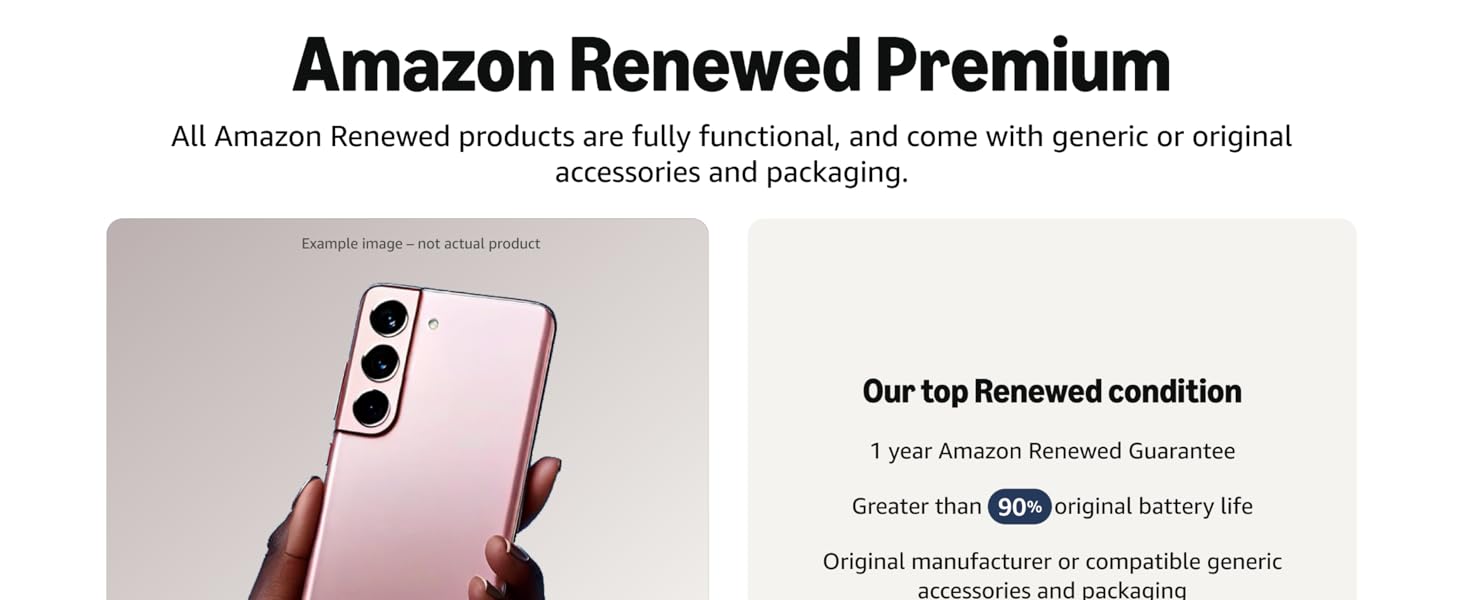
Слика: Надview of Amazon Renewed Premium standards.
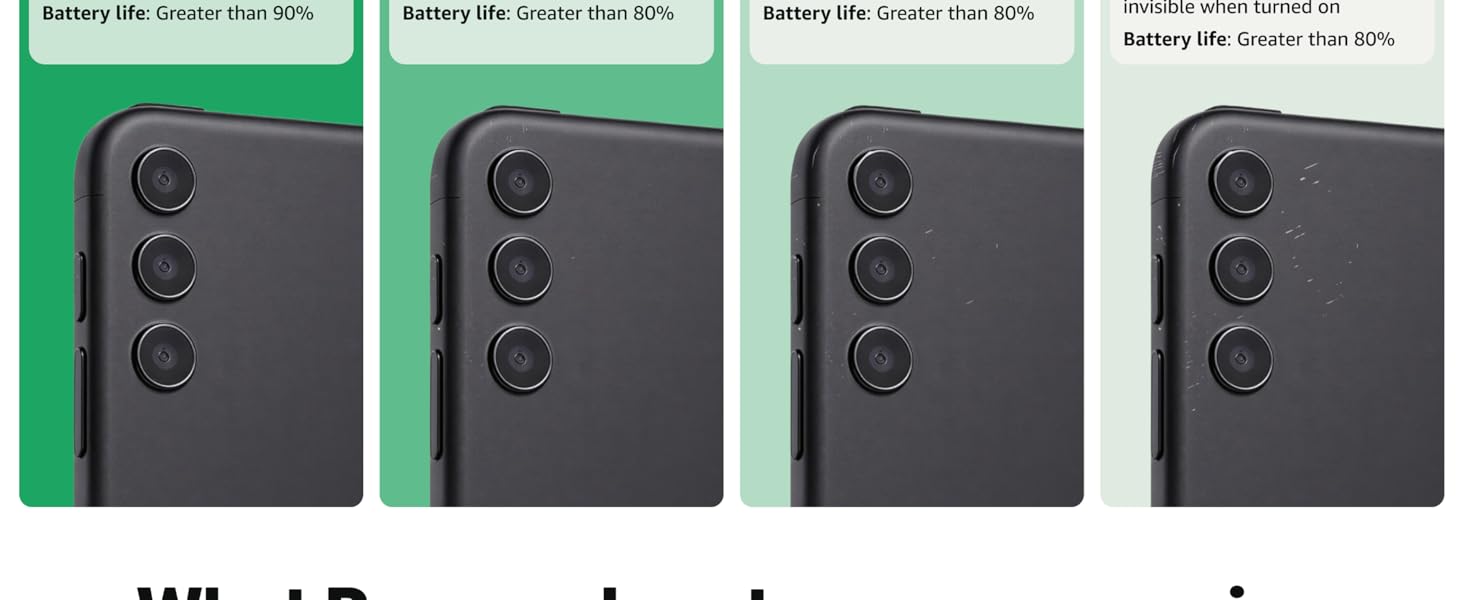
Image: Detailed comparison of Amazon Renewed product conditions.