
1. Производот завршиview и Карактеристики
The XINMENG K61 60% Gaming Keyboard and Mouse Combo offers a compact and efficient setup for gaming and typing. This combo includes a mini RGB backlit keyboard, a high-precision RGB 6400 DPI honeycomb optical mouse, and a gaming mouse pad. Designed for space-saving and enhanced performance, it provides a comfortable and responsive user experience.

Image: The XINMENG K61 60% Gaming Keyboard and Mouse Combo, showcasing its compact design and RGB lighting.
Клучни карактеристики:
- 60% компактен распоред: Ultra-compact design saves desktop space, ideal for gamers requiring more mouse movement area.
- RGB позадинско осветлување: Keyboard and mouse feature customizable RGB backlighting with multiple effects and brightness levels.
- Mechanical Feel Keyboard: Utilizes advanced imitation mechanical technology for a responsive and relatively quiet typing experience.
- Ергономски дизајн: Scientific stair-up keycap design and ergonomic mouse housing ensure maximum comfort during extended use.
- High Precision Mouse: 6400 DPI honeycomb optical mouse with 6 adjustable levels, capable of withstanding 20g acceleration.
- Издржливи капачиња за клучеви: ABS two-color injection keycaps provide strong light transmittance and clear lighting.
- Широка компатибилност: Compatible with Windows XP, WIN 7/8/10, and MAC OS 2.0.

Image: Diagram illustrating the 60% compact layout of the keyboard, measuring approximately 11.8 inches in width and 4.3 inches in height.

Image: The compact keyboard being easily stored in a backpack, highlighting its portability for travel, office, and home use.
2. Упатства за поставување
2.1 Поврзување на тастатурата
- Пронајдете достапна USB порта на вашиот компјутер.
- Вклучете го USB конекторот на тастатурата во USB-портата.
- Тастатурата е „plug-and-play“ и треба автоматски да ја препознае вашиот оперативен систем.
2.2 Поврзување на глувчето
- Пронајдете достапна USB порта на вашиот компјутер.
- Вклучете го USB конекторот на глувчето во USB-портата.
- The mouse is plug-and-play and should be recognized automatically by your operating system.
For optimal performance, ensure both devices are connected directly to your computer's USB ports rather than through unpowered USB hubs.
3. Упатства за работа
3.1 Функции на тастатурата
The 60% keyboard layout utilizes function (Fn) key combinations to access keys typically found on a full-size keyboard.
- Стандардно пишување: Use keys as labeled for alphanumeric input.
- Комбинации на копчиња FN: Притиснете и задржете го Fn key, then press the desired key to activate its secondary function (e.g., F1-F12, arrow keys, Home, End, Delete).
- Shift Key Combinations: Користете го Смена key with other keys to access uppercase letters and symbols.
- Замена на WASD и копчиња со стрелки: The keyboard supports swapping WASD keys with arrow keys. Refer to the specific key combination on your keyboard (often Fn + W) to toggle this function.
- Заклучување на Windows: To prevent accidental presses during gaming, the Windows key can be locked. Look for a key combination (e.g., Fn + Win) to activate/deactivate this feature.
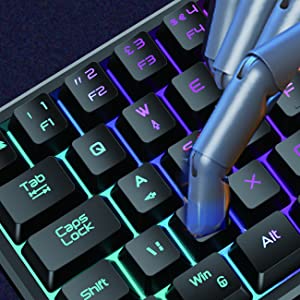
Image: A hand demonstrating key presses on the keyboard, highlighting the ergonomic design.

Image: An icon indicating the Windows key lock feature, useful for uninterrupted gaming.
3.2 Функции на глувчето
The honeycomb optical mouse provides precise tracking and customizable settings.
- Лев/Десен клик: Standard mouse buttons for primary and secondary actions.
- Тркало за лизгање: За вертикално скролување и функционалност со среден клик.
- Копче DPI: Press the DPI button (usually located behind the scroll wheel) to cycle through 6 different DPI levels (up to 6400 DPI). This allows for on-the-fly sensitivity adjustments.
- Копчиња за напред/назад: Side buttons for navigation in web browsers or other applications.
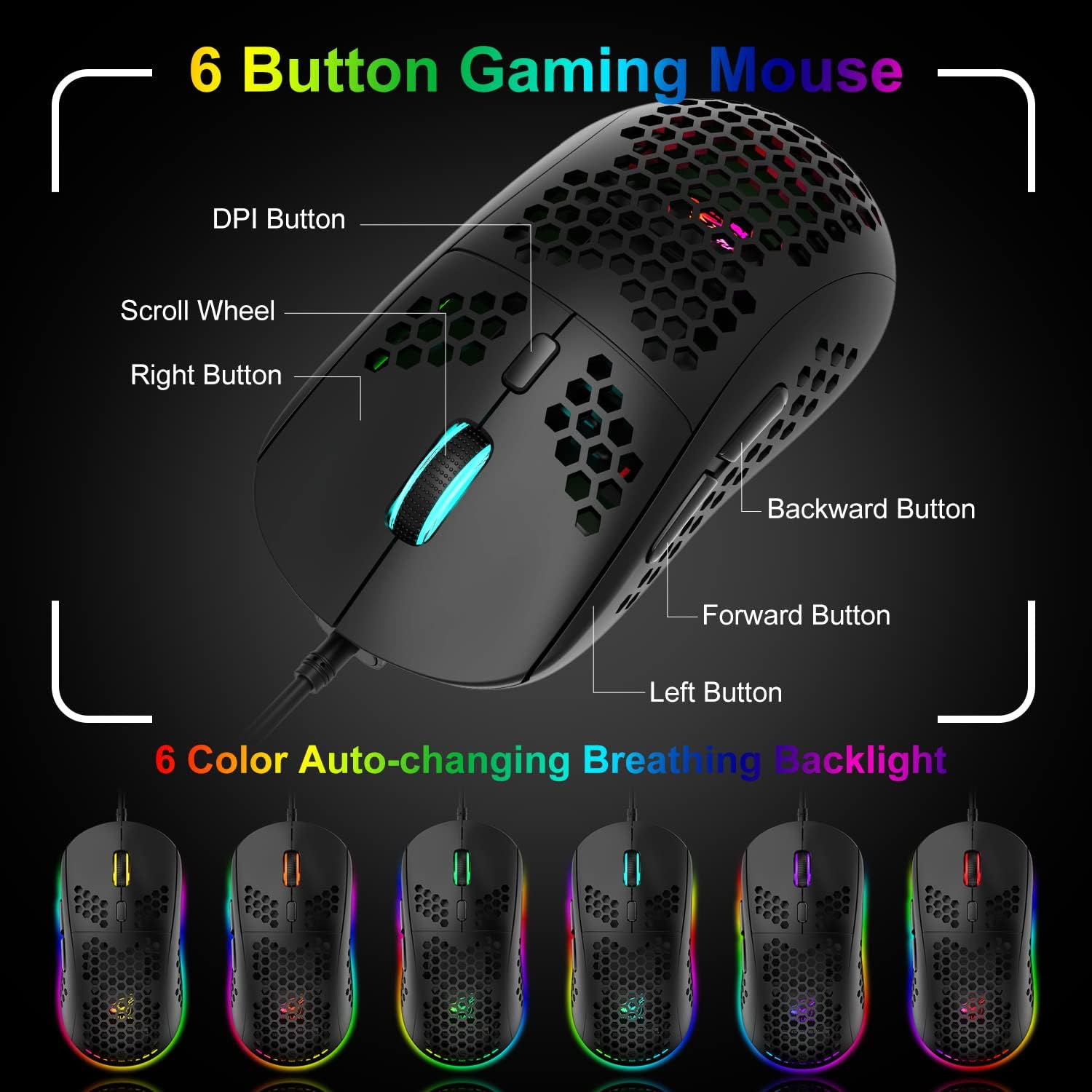
Image: A detailed diagram labeling the 6 buttons on the gaming mouse, including DPI, scroll wheel, left/right, forward, and backward buttons.
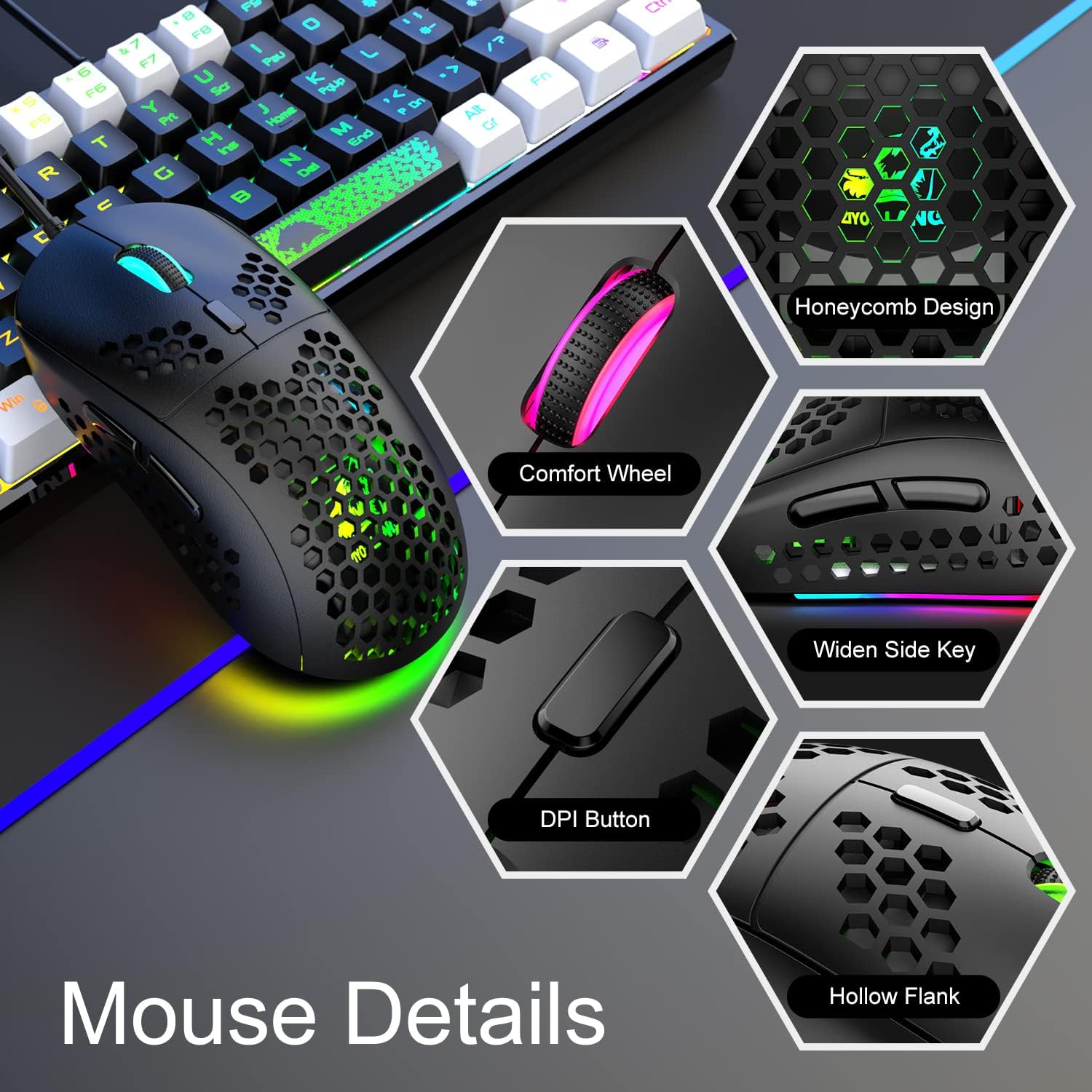
Слика: Крупен план views of the mouse's features, including honeycomb design, comfort wheel, widen side key, DPI button, and hollow flank.
4. RGB контрола на осветлувањето
4.1 Keyboard RGB Backlight
The keyboard features dynamic RGB backlighting with various effects.
- Променете ги светлосните ефекти: Притиснете Fn + P to cycle through different RGB lighting modes and effects.
- Прилагодете ја осветленоста: The keyboard offers 5 levels of brightness. Use specific key combinations (refer to your keyboard's markings, often Fn + Up/Down arrow or similar) to adjust.
- Monochromatic Light Effect: In addition to RGB, the keyboard can display monochromatic light effects.

Image: The keyboard displaying various cool RGB backlit effects, with instructions to press Fn+P to change them.
4.2 Mouse RGB Backlight
The mouse features 6-color auto-changing breathing backlight.
- The mouse's RGB lighting automatically cycles through 6 different colors, creating a breathing effect.
- This lighting enhances the aesthetic appeal and competitive atmosphere during gaming.
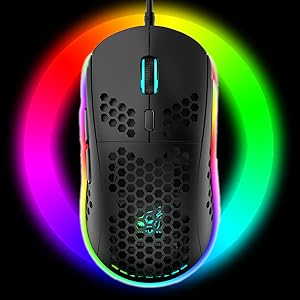
Image: The gaming mouse illuminated with vibrant RGB lighting, showcasing неговата естетска привлечност.
5. Одржување
5.1 Чистење на тастатурата
- Исклучете ја тастатурата од компјутерот.
- Use a can of compressed air to blow out dust and debris from between the keys.
- Избришете ги капачињата на копчињата и површината со мека, малку влажна крпа.amp крпа. Избегнувајте прекумерна влага.
- For deeper cleaning, keycaps can be carefully removed using a keycap puller (if included) and cleaned separately. Ensure they are completely dry before reattaching.
5.2 Чистење на глувчето
- Исклучете го глувчето од компјутерот.
- Користете мека, сува крпа за да ја избришете површината на глувчето.
- For the honeycomb shell, use compressed air to clear any dust.
- Clean the optical sensor on the bottom of the mouse with a cotton swab lightly dampобложени со триење на алкохол.
5.3 Општа нега
- Avoid spilling liquids on the keyboard or mouse.
- Не ги изложувајте уредите на екстремни температури или директна сончева светлина.
- Внимателно ракувајте со каблите за да спречите оштетување.
6 Смена на проблеми
6.1 Keyboard/Mouse Not Responding
- Осигурајте се дека USB кабелот е безбедно приклучен во функционален USB порт на вашиот компјутер.
- Обидете се да го вклучите уредот во различен USB порт.
- Рестартирајте го компјутерот.
- Test the device on another computer to determine if the issue is with the device or your system.
6.2 RGB Lights Not Working or Incorrectly Displaying
- For the keyboard, ensure it is properly connected. Press Fn + P за циркулирање низ режимите на осветлување.
- Check brightness settings using the appropriate Fn key combination.
- For the mouse, ensure it is connected. The mouse lighting is typically automatic.
- If the issue persists, try reconnecting the device or restarting your computer.
6.3 Mouse Tracking Issues or Incorrect DPI
- Ensure the mouse sensor is clean and free of debris.
- Press the DPI button on the mouse to cycle through different sensitivity levels.
- Ensure you are using the mouse on a suitable surface, preferably the included mouse pad.
7. Спецификации
| Бренд | КСИНМЕНГ |
| Модел | K61 |
| Боја | Црно-бело |
| Технологија за поврзување | USB жичен |
| Посебни карактеристики | Осветлување позади, Ергономски |
| Компатибилни уреди | Конзола за игри, персонален компјутер |
| Movement Detection (Mouse) | Оптички |
| Поддршка за боја на позадинско осветлување на тастатурата | RGB |
| Потребни се батерии | бр |
| Извор на енергија | Електричен со кабел |
| Распоред на тастатура | QWERTY |
| Hand Orientation (Mouse) | Амбидекстно |
| Оперативен систем | Mac OS, Windows XP, WIN 7/8/10 |
| Број на копчиња (тастатура) | 61 |
| Опис на тастатурата | Ergonomic, Mechanical Feel |
| DPI на глувчето | Up to 6400 DPI (6 levels) |
8. Гаранција и поддршка
8.1 Информации за гаранцијата
This XINMENG product comes with a 1-year warranty from the date of purchase, covering manufacturing defects. Please retain your proof of purchase for warranty claims.
8.2 Поддршка за корисници
For technical assistance, troubleshooting, or warranty inquiries, please contact XINMENG customer support through the retailer where the product was purchased or visit the official XINMENG webсајт за информации за контакт.