
Matrix Keyboards SYM
Matrix 65% Mechanical Keyboard User Manual
Model: SYM
Вовед
Thank you for choosing the Matrix 65% Mechanical Keyboard. This compact, high-performance keyboard is designed for gaming and esports, featuring fast switches, extensive RGB lighting options, and hot-swappable capabilities. Its durable doubleshot PBT keycaps ensure longevity and a premium typing experience. This manual provides essential information for setup, operation, maintenance, and troubleshooting to help you get the most out of your new keyboard.

Слика: Од горе надолу view of the Matrix 65% Mechanical Keyboard, featuring a compact 61-key layout with vibrant blue and white doubleshot PBT keycaps. The keyboard is designed for gaming and esports.
Содржина на пакетот
- Matrix 65% Mechanical Keyboard
- USB кабел
- Привлечник за клучеви
Поставување
- Поврзете ја тастатурата: Insert the USB cable into the USB-C port on the keyboard and the other end into an available USB port on your computer. The keyboard is plug-and-play and does not require additional drivers for basic functionality.
- Почетно вклучување: RGB осветлувањето на тастатурата ќе светне по успешното поврзување.
- Инсталација на софтвер (опционално): For advanced customization of RGB lighting and key remapping, download the official Matrix Keyboards software from the manufacturer's webсајт.
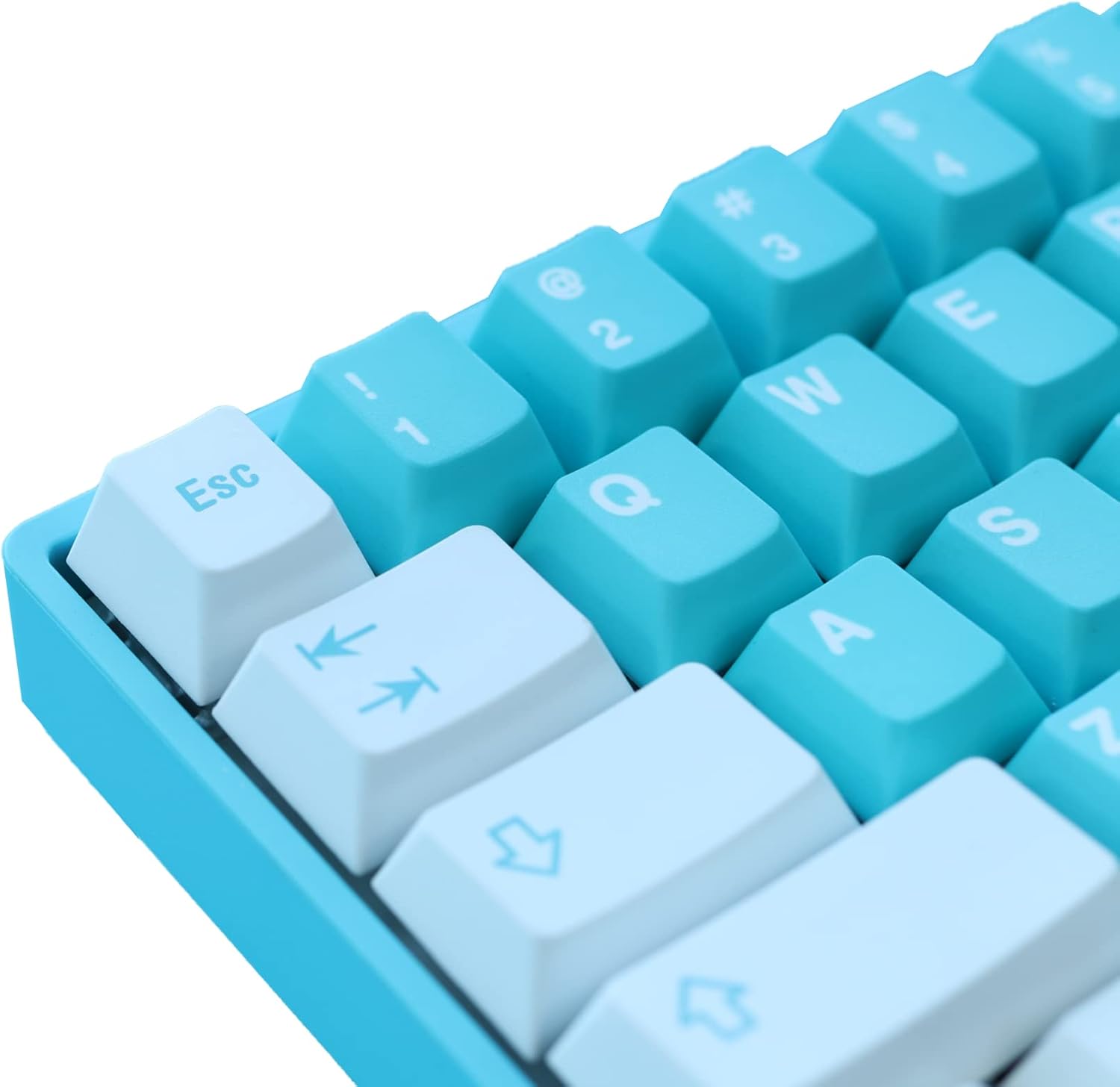
Слика: Крупен план view of the Matrix 65% Mechanical Keyboard's keycaps, highlighting the doubleshot PBT material and the clear legends. The 'Esc' key and arrow keys are visible.
Упатства за работа
Function Key Combinations (Fn)
The 65% layout utilizes the Fn (Function) key to access secondary functions of certain keys. Refer to the keycap legends for specific combinations.
- Fn + [Копче]: Activates the secondary function printed on the keycap (e.g., media controls, volume, lighting effects).
Приспособување на RGB осветлување
The Matrix 65% Mechanical Keyboard features extensive RGB lighting options. You can cycle through various effects and adjust brightness directly on the keyboard or through the dedicated software.
- Fn + \: Преминувајте низ различни RGB режими на осветлување.
- Fn + ↑/↓: Прилагодете ги нивоата на осветленост.
- Fn + ←/→: Прилагодете ја брзината или насоката на ефектот на осветлување.
Прекинувачи со жешка замена
This keyboard supports hot-swappable switches, allowing you to change mechanical switches without soldering. This feature enables customization of typing feel and sound.
- To remove a switch, use a switch puller (not included) to gently pry it out.
- To install a new switch, align the pins with the sockets on the PCB and press firmly until it clicks into place. Ensure pins are straight to avoid bending.
Одржување
Чистење на тастатурата
- Исклучете ја тастатурата од компјутерот пред чистење.
- Користете мека четка или компримиран воздух за да отстраните прашина и остатоци од меѓу копчињата на копчињата.
- За тврдокорна нечистотија, нежно избришете ги капачињата на копчињата со адamp крпа и раствор од благ сапун. Уверете се дека течноста не влегува во тастатурата.
- The doubleshot PBT keycaps are durable and resistant to shine, but regular cleaning helps maintain their appearance.
Keycap and Switch Care
- Use the provided keycap puller to remove keycaps. Pull straight up to avoid damaging the switch stem.
- When reattaching keycaps, align them carefully and press down gently.
- When handling switches for hot-swapping, ensure the pins are not bent. Bent pins can prevent proper connection and damage the PCB socket.
Решавање проблеми
| Проблем | Можна причина | Решение |
|---|---|---|
| Тастатурата не реагира | Лабава USB конекција, неисправен USB порт, проблем со драјверот. | Проверете дали USB кабелот е безбедно поврзан. Обидете се со друг USB порт. Рестартирајте го компјутерот. |
| RGB осветлувањето не работи или е заглавено | Software conflict, incorrect settings, temporary glitch. | Try cycling through RGB modes using Fn combinations. Restart the keyboard by unplugging and replugging. Check software settings if installed. |
| Specific key not working | Dust/debris under keycap, faulty switch, bent switch pin. | Remove keycap and clean. If hot-swappable, remove and re-insert the switch, checking for bent pins. Try swapping with a known working switch. |
Спецификации
| Карактеристика | Детал |
|---|---|
| Димензии на производот | 4 x 11.5 x 1.2 инчи |
| Број на модел на ставка | SYM |
| Бренд | Matrix Keyboards |
| Технологија за поврзување | USB |
| Опис на тастатурата | Играње |
| Препорачана употреба | Канцеларија, игри |
| Посебни карактеристики | Backlit, Water Resistant (Note: Water resistance typically refers to spill resistance, not full submersion) |
| Позадинско осветлување на тастатурата | RGB |
| Стил | Модерен |
| Распоред на тастатура | QWERTY (65% layout, 61 keys) |
| Материјал за клуч | Даблшот PBT |
| Прекинувачи | Speed Silver (Hot-Swappable) |
Гаранција и поддршка
Matrix Keyboards products are manufactured to high quality standards. For specific warranty information, please refer to the warranty card included with your product or visit the official Matrix Keyboards webлокација. Условите на гаранцијата може да се разликуваат во зависност од регионот и производот.
For technical support, troubleshooting assistance, or inquiries about your product, please contact Matrix Keyboards customer service through their official webстраницата или информациите за контакт дадени со вашето купување.

Image: The official logo for Matrix Keyboards, featuring stylized white text on a black background.