
Formovie M146FCN
Упатство за користење на 4K проекторот Formovie V10
Model: M146FCN
Вовед
Thank you for choosing the Formovie V10 4K Projector. This smart mini home theater projector delivers stunning 4K UHD visuals and immersive audio, designed to enhance your entertainment experience. This manual provides essential information for setting up, operating, maintaining, and troubleshooting your projector to ensure optimal performance and longevity.
Што има во кутијата
Проверете ја содржината на вашиот пакет за да се осигурате дека сите предмети се присутни:
- Formovie V10 4K Projector
- Далечински управувач
- Кабел за напојување
- Адаптер за напојување
- Упатство за употреба
- Гарантна картичка

Image: The retail box of the Formovie V10 4K Projector, showing the product packaging.
Производот завршиview
Familiarize yourself with the main components of your Formovie V10 projector.

Слика: напред view of the Formovie V10 4K Projector, highlighting the lens and 4K UHD branding.
- Проекциски објектив: Ја емитува сликата на екранот.
- Сензори: For auto-focus, keystone correction, and human detection.
- Решетка за звучник: Integrated 2x7.5W full-range speakers and 15W independent subwoofer for immersive audio.
- Влезни/излезни порти: (Located on the rear/side, refer to specific diagrams in the physical manual for exact placement)
- HDMI (for connecting external devices like gaming consoles, laptops)
- USB 3.0 (for connecting USB drives)
- 3.5mm Audio Out (for external audio systems)
- Ethernet (for wired network connection)
- Влез на енергија
Поставување
- Поставување: Place the projector on a stable, flat surface or mount it according to your preference. Ensure there are no obstructions in front of the lens. For optimal viewинг, позиционирајте го проекторот нормално на површината за проекција.
- Поврзување за напојување: Connect the power adaptor to the projector's power input port, then plug the power cord into a wall outlet.
- Почетно вклучување: Притиснете го копчето за вклучување на проекторот или далечинскиот управувач за да го вклучите уредот.
- Фокус и корекција на Keystone: The projector features automatic focus and keystone correction. Allow a few moments for the system to adjust the image clarity and shape. Manual adjustments can typically be made via the settings menu if needed.
- Мрежна конекција:
- Wi-Fi: Одете до мрежните поставки, изберете ја вашата Wi-Fi мрежа и внесете ја лозинката.
- Етернет: Connect an Ethernet cable from your router to the projector's Ethernet port.
Упатства за работа
Поврзување на уреди
- HDMI уреди: Connect your laptop, gaming console, or Blu-ray player to the HDMI port using an HDMI cable. The projector will automatically detect the input or you can select it from the input source menu.
- USB-уреди: Insert a USB drive into the USB 3.0 port to access media fileи директно.
- Bluetooth: Pair Bluetooth devices like speakers or headphones via the Bluetooth settings menu. The projector supports Bluetooth 5.
- Пресликување на екранот: The projector supports various screen mirroring protocols.

Image: Display showing support for Huawei Cast+, Miracast, and Mac Airplay for screen mirroring.
Основна навигација
Use the provided remote control to navigate the Android interface. The remote typically includes directional buttons, an OK/Enter button, Back, Home, and Volume controls.
Клучни карактеристики
- Неверојатна осветленост: Enjoy excellent image performance in any lighting condition with 2500 ANSI Lumens of brightness.
- Stunning 4K Clarity: Experience breathtaking visuals with 4K resolution (3840 x 2160 pixels) and 8.3 million individual pixels for exceptional clarity.

Image: A graphic emphasizing "TRUE 4K Resolution" for the projector's display capabilities.
- Advanced Color Performance: Features 10-bit color depth, 118% DCI P3 color gamut, and 1024 bits color scale for vibrant and accurate colors.

Image: A graphic detailing the projector's color performance with "10 Bit Color Depth", "118% DCI P3", and "1024 bits Color Scale".
- Built for Gaming: Elevate your gaming with a 240Hz refresh rate and low 12ms latency, ensuring smooth and responsive gameplay.
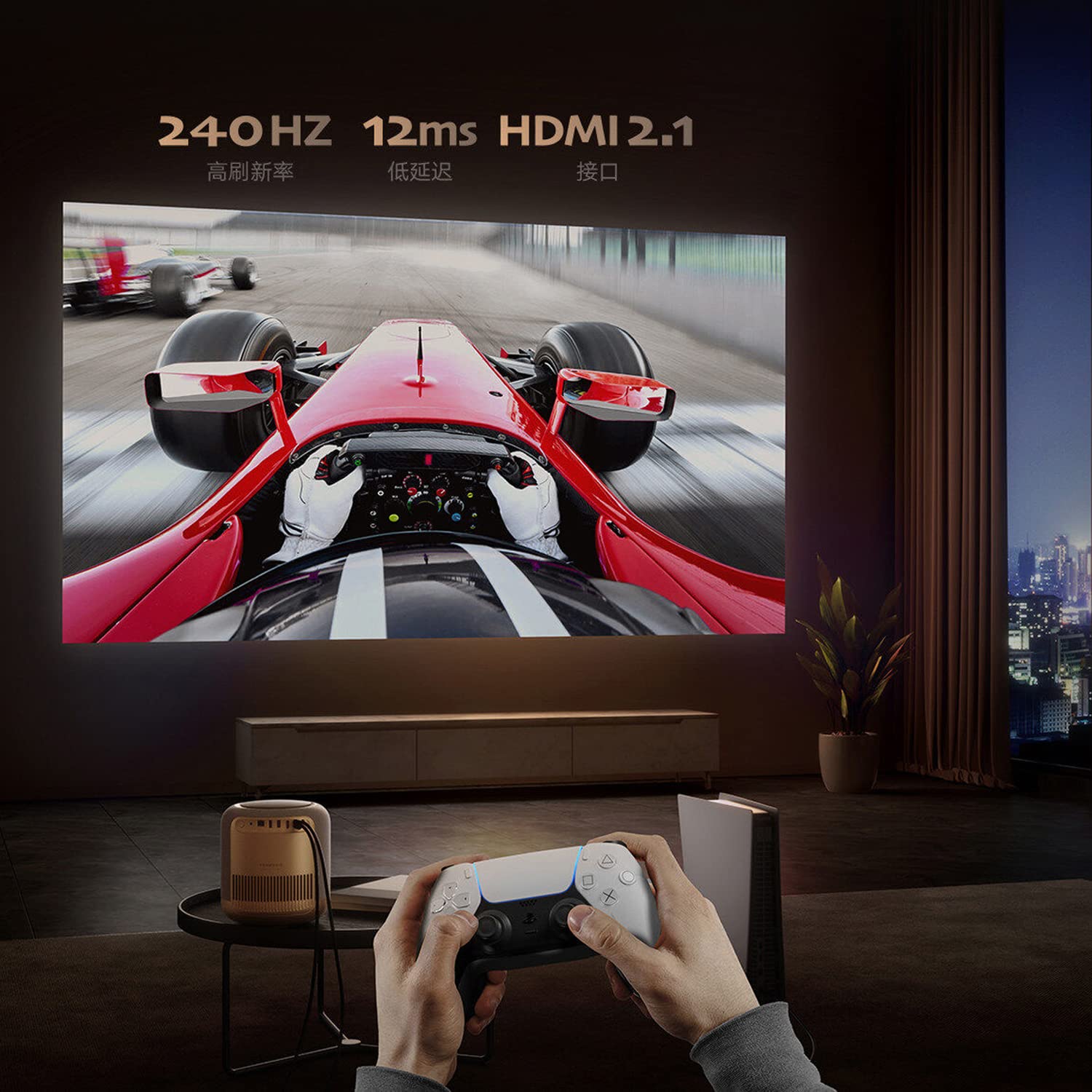
Image: A person playing a racing game projected by the Formovie V10, with text highlighting "240Hz", "12ms", and "HDMI 2.1".
- Извонредно аудио искуство: Enhance your experience with 2x7.5W full-range speakers and a powerful 15W independent subwoofer for rich, dynamic sound.
- Заштита на очите: Features ToF human detection to automatically adjust brightness and prevent eye injury when someone approaches the light source.

Image: A screen prompt in Chinese warning not to look directly at the light source, demonstrating the ToF human detection feature.
- Разновидна употреба: Perfect for movies, gaming, and streaming, this projector offers a comprehensive entertainment solution for any setting.
Спецификации
| Карактеристика | Детал |
|---|---|
| Бренд | Формовие |
| Име на моделот | FORMOVIE V10 |
| Број на модел | M146FCN |
| Технологија на прикажување | 4K UHD |
| Резолуција | 3840 x 2160 пиксели |
| Осветленост на сликата | 2500 ANSI лумени |
| Сооднос на контраст на слика | 10000:1 |
| Сооднос на аспект | 16:9 |
| Стапка на освежување | 240 Hz |
| Ниво на бучава | 28 dB |
| Аудио | 2x7.5W full-range speakers, 15W independent subwoofer |
| Технологија за поврзување | Bluetooth 5, Wi-Fi, USB 3.0, Ethernet, HDMI |
| Хардверски интерфејс | HDMI, LANC, 3.5mm Audio, USB 3.0, Bluetooth 5 |
| Компатибилни уреди | Laptop, Gaming Console, Tablet, Smartphone, Speaker |
| Димензии на производот | 20 x 20 x 21 cm |
| Тежина на ставката | 3.8 кг |
| Тип на монтирање | Монтирање на маса |
| Земја на потекло | Кина |
Одржување
- Чистење на објективот: Користете мека крпа без влакненца, специјално дизајнирана за оптички леќи. Не користете абразивни средства за чистење или крпи што би можеле да го изгребат леќата.
- Чистење на куќиштето на проекторот: Избришете ја надворешноста со мека, сува крпа. За тврдокорни дамки, малкуamp cloth can be used, followed by a dry cloth. Avoid using strong detergents or solvents.
- Вентилација: Ensure the projector's ventilation openings are not blocked to prevent overheating. Do not place the projector on soft surfaces like carpets or blankets that could obstruct airflow.
- Складирање: Кога не го користите подолго време, чувајте го проекторот на ладно и суво место, подалеку од директна сончева светлина и екстремни температури.
Решавање проблеми
| Проблем | Можна причина / решение |
|---|---|
| Нема моќ |
|
| No Image / Blank Screen |
|
| Заматена слика |
|
| Нема звук |
|
| Далечинскиот управувач не работи |
|
Гаранција и поддршка
The Formovie V10 4K Projector comes with a 1 година гаранција обезбедено од производителот од датумот на купување. Ве молиме зачувајте го доказот за купување за гаранциски барања.
For technical support, service, or warranty inquiries, please contact the authorized distributor or the manufacturer directly. The importer for this product is Aytexcel Private Limited.
Importer Contact Information:
Aytexcel Private Limited
12 Highland, Pali Hill, Bandra, Mumbai 400050
Е-пошта: hello@aytexel.com
Контакт: +91.9820022205
For more information, you may also visit the official Formovie store on Amazon: Formovie India Direct Store.
Ask a question about this manual
Ask about setup, troubleshooting, compatibility, parts, safety, or missing instructions. Manuals+ will review the question and use this page’s manual context to help answer it.