
ЗЕЛЕН 15598
UGREEN Revodok 6-in-1 USB C Hub Gigabit Ethernet Adapter Instruction Manual
Модел: 15598 | Бренд: UGREEN
Производот завршиview
The UGREEN Revodok 6-in-1 USB C Hub is a versatile multiport adapter designed to expand the connectivity of your USB-C enabled devices. It transforms a single USB-C port into multiple essential ports, enhancing productivity and convenience for laptops, tablets, and smartphones.
Клучни карактеристики:
- 6-во-1 поврзување: Integrates 4K@30Hz HDMI, Gigabit Ethernet, 100W Power Delivery (PD) charging, and three USB-A 3.0 data ports.
- 4K HD Visuals: Supports video output up to 4K at 30Hz via the HDMI port for clear display mirroring or extension. (Note: Does not support HDR/3D).
- Stable Gigabit Ethernet: Provides a reliable 1000Mbps wired network connection for faster and more stable internet access compared to Wi-Fi.
- Испорака на енергија од 100 W: Offers up to 85W pass-through charging for your laptop via the Type-C port, with 15W reserved for hub operations. (Note: USB-C port supports charging only, no data or video).
- Брз пренос на податоци: Three USB-A 3.0 ports allow data transfer speeds up to 5Gbps, ideal for connecting peripherals like external hard drives, USB flash drives, mice, and keyboards.
- Универзална компатибилност: Compatible with a wide range of devices including MacBook Neo/Pro/Air M1, M2, M3, M4, M5, iPad, iPhone 16 Pro/Pro Max, Steam Deck, and various laptops, smartphones, and tablets running macOS, Windows, Chrome OS, and iPadOS.
- Издржлив дизајн: Features a metallic finish and aluminum alloy construction for efficient heat dissipation and enhanced durability.
Содржина на пакетот
- UGREEN Revodok 6-in-1 USB C Hub (Model: 15598)
- Упатство за употреба
Инструкции за поставување
- Поврзете го центарот со вашиот уред:
Plug the integrated USB-C cable of the UGREEN Revodok hub into an available USB-C port on your laptop, tablet, or smartphone. Ensure the connection is secure.

Image: The UGREEN Revodok 6-in-1 USB C Hub connected to a laptop, showcasing неговиот компактен дизајн и повеќекратните порти.
- Доставување на енергија (опционално):
If your device requires charging or if you are connecting power-intensive peripherals, connect your original USB-C power adapter to the PD 100W USB-C port on the hub. This will provide pass-through charging to your host device.

Image: A laptop connected to the UGREEN Revodok hub, which is then connected to a 100W power adapter for fast charging.
- Поврзување на надворешен дисплеј (опционално):
For video output, connect an HDMI cable from your monitor or TV to the 4K@30Hz HDMI port on the hub. Your device should automatically detect the external display. Adjust display settings (mirror or extend) as needed in your operating system settings.
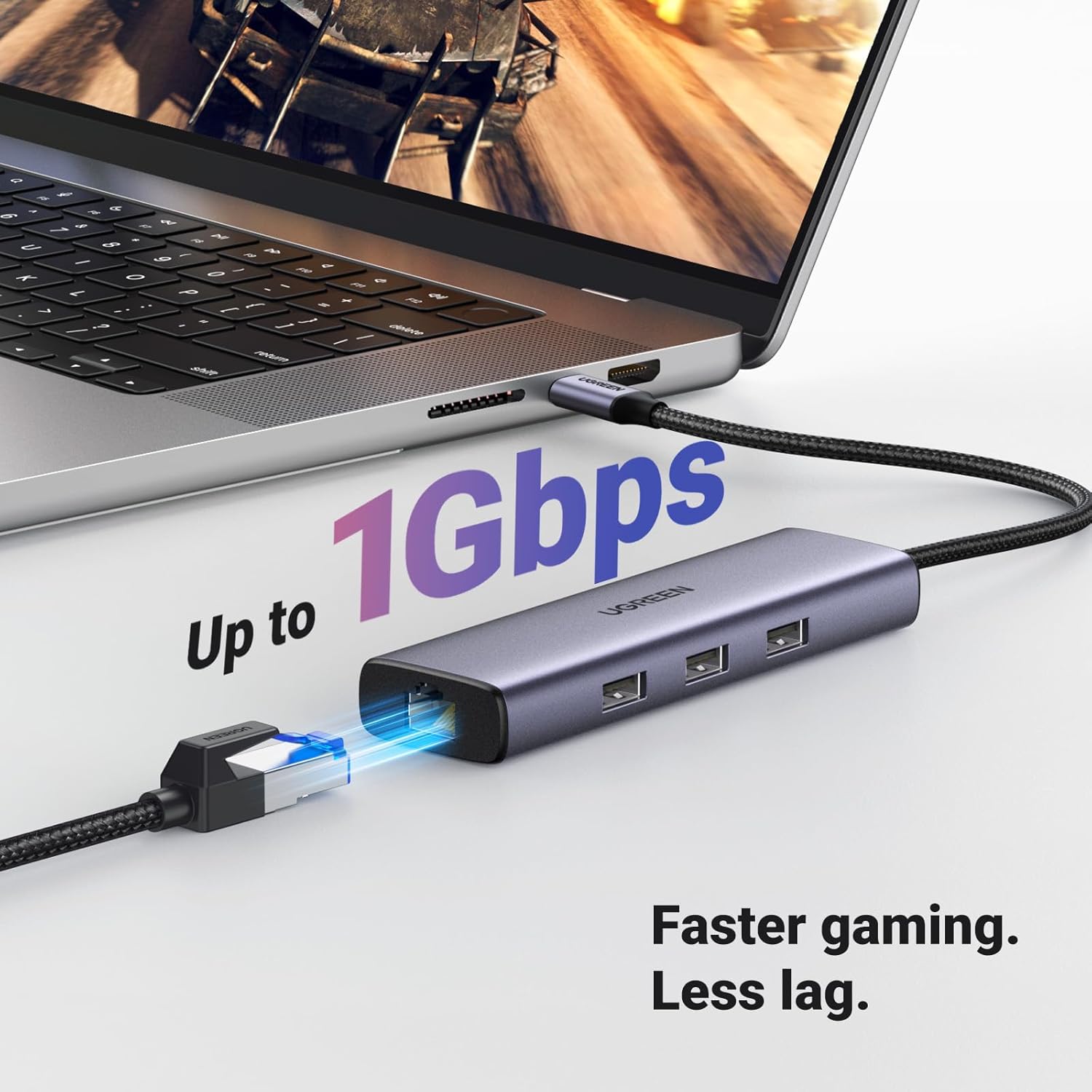
Image: A laptop connected to the UGREEN Revodok hub, which is displaying content on an external 4K monitor via HDMI.
- Поврзете го етернет кабелот (опционално):
For a wired network connection, plug an Ethernet cable into the Gigabit Ethernet (RJ45) port on the hub. Connect the other end of the Ethernet cable to your router or modem. The connection should be established automatically.

Image: The UGREEN Revodok hub connected to a laptop, with an Ethernet cable plugged into its RJ45 port, indicating a stable network connection.
- Поврзување на USB периферни уреди (опционално):
Plug your USB-A devices (e.g., mouse, keyboard, USB flash drive, external hard drive) into the three USB-A 3.0 ports on the hub.

Image: A laptop connected to the UGREEN Revodok hub, with various USB devices like a flash drive and external hard drive plugged into its USB-A ports.
Упатства за работа
The UGREEN Revodok 6-in-1 USB C Hub is designed for plug-and-play functionality, requiring no additional drivers for most operating systems.
- Автоматско откривање:
Once connected, your operating system (macOS, Windows, Chrome OS, iPadOS) should automatically detect the hub and its connected peripherals. You can verify this in your device's system settings or device manager.
- Using HDMI Output:
After connecting an HDMI display, navigate to your device's display settings to configure the external monitor. Options typically include "Mirror Displays" (duplicate your primary screen) or "Extend Displays" (use the external monitor as an additional workspace).
- Utilizing Ethernet:
When the Ethernet cable is connected, your device should prioritize the wired connection over Wi-Fi for internet access. Check your network settings to confirm the Gigabit Ethernet connection is active.
- USB пренос на податоци:
Files can be transferred to and from connected USB-A devices at speeds up to 5Gbps. Ensure your connected devices and cables support USB 3.0 for optimal performance.
- Напојување на вашиот уред:
The 100W PD port allows you to charge your host device while using the hub. Connect your original power adapter to the hub's PD port. The hub will draw power for its own operation and pass the remaining power to your device.
Одржување
- Чистење: Користете мека, сува крпа за чистење на главчината. Избегнувајте течни средства за чистење или аеросоли.
- Складирање: Чувајте го главчината на ладно и суво место, подалеку од директна сончева светлина и екстремни температури.
- Ракување: Избегнувајте испуштање на уредот или негово изложување на силни удари. Не обидувајте се да го расклопите главчината.
- Грижа за кабел: Не го виткајте или извиткувајте прекумерно интегрираниот USB-C кабел за да спречите оштетување.
Решавање проблеми
| Проблем | Решение |
|---|---|
| Нема приказ на надворешниот монитор. |
|
| Етернет-врската е нестабилна или не работи. |
|
| USB-уредите не се препознаваат. |
|
| Device is not charging via PD port. |
|
| Центарот е топол за време на употребата. |
|
Спецификации
| Карактеристика | Детал |
|---|---|
| Бренд | ЗЕЛЕНА |
| Број на модел | 15598 |
| Боја | Греј |
| Хардверски интерфејс | Ethernet, HDMI, USB, USB Type C |
| Посебни карактеристики | Fast Data Transfer, Heat Resistant, Lightweight, Plug and Play, Portable |
| Компатибилни уреди | Laptops, MacBook Neo, Macbook M5/M4/M3/M2/M1, Smartphones, Tablets |
| Вкупно USB порти | 3 (USB-A 3.0) |
| Стапка на пренос на податоци | 5 гигабити во секунда |
| Број на пристаништа | 6 |
| HDMI излез | 4K@30Hz |
| Етернет порта | Gigabit (1000Mbps) RJ45 |
| Испорака на енергија (ПД) | 100W (85W to host, 15W for hub) |
| Минимален потребен оперативен систем | Windows 7 |
| Компатибилност на оперативниот систем | Mac OS 9, Windows 10, Windows 7, Chrome OS, iPadOS |
| Материјал за куќиште | Plastic (with Aluminum Alloy for heat dissipation) |
| Тежина на ставката | 140 грама |
Гаранција и поддршка
Гаранција: Овој производ доаѓа со 24-месечна гаранција од датумот на купување.
Поддршка за корисници: За техничка помош, решавање проблеми или барања за гаранција, ве молиме контактирајте ја корисничката поддршка на UGREEN преку нивната официјална website or the retailer where the product was purchased. Please have your model number (15598) and proof of purchase ready.
Видеа со производи
UGREEN USB C Adapter Overview
Video: A seller-created overview of the UGREEN USB C Adapter, highlighting its various ports and functionalities. This video demonstrates the adapter's use with a tablet, showing how multiple USB devices and charging can be managed simultaneously.
UGREEN Revodok 6-in-1 USB C Hub Features
Видео: Официјално видео од продавачотasing the UGREEN Revodok 6-in-1 USB C Hub. It details the product's design, port types (HDMI, USB-A, USB-C PD, Ethernet), and its compatibility with various devices, emphasizing its utility for expanding connectivity.
Ask a question about this manual
Ask about setup, troubleshooting, compatibility, parts, safety, or missing instructions. Manuals+ will review the question and use this page’s manual context to help answer it.