
1. Вовед
Ви благодарам за купувањетоasing the Hoco BS55 Wireless Outdoor Speaker. This manual provides important information regarding the setup, operation, and maintenance of your speaker. Please read it carefully before using the product to ensure proper function and to extend its lifespan. Keep this manual for future reference.
2. Производот завршиview
2.1 Содржина на пакетот
- Hoco BS55 Wireless Outdoor Speaker
- Кабел за полнење
- Аудио кабел (AUX)
- Wired Microphone (may vary by package)
- Упатство за употреба
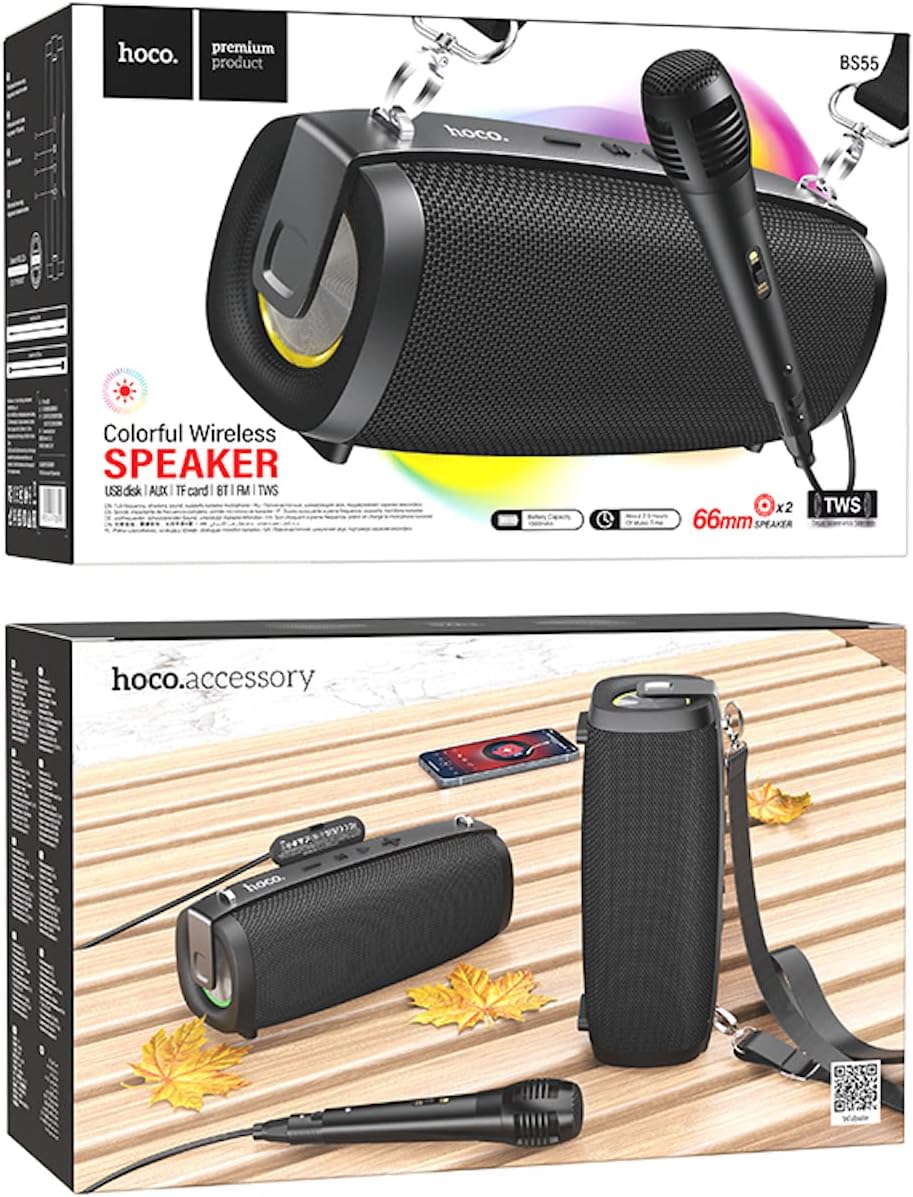
Image: Hoco BS55 Speaker packaging, illustrating the speaker, a wired microphone, and connecting cables.
2.2 Компоненти и контроли на звучникот

Image: The Hoco BS55 speaker, highlighting its control panel with buttons and various input ports.
- Копче за вклучување: Press and hold to turn the speaker ON/OFF. Short press to switch between modes.
- Копче '-': Кратко притискање за претходната песна. Долго притискање за намалување на јачината на звукот.
- Копче „M“ (Режим): Short press to cycle through input modes (Bluetooth, FM Radio, TF Card, AUX, USB).
- '>' (Play/Pause) Button: Кратко притиснете за да репродуцирате или паузирате музика.
- Копче „+“: Кратко притискање за следната песна. Долго притискање за зголемување на јачината на звукот.
- USB порта: For USB flash disk playback.
- Слот за картичка TF: За репродукција на TF (MicroSD) картичка.
- Влез AUX: За поврзување на надворешни аудио уреди преку 3.5 мм аудио кабел.
- Влез за микрофон: За поврзување на жичен микрофон.
- Порта за полнење: За полнење на внатрешната батерија на звучникот.
3. Поставување
3.1 Полнење на звучникот
Before first use, fully charge the speaker. Connect the charging cable to the speaker's charging port and the other end to a USB power adapter (not included) or a computer's USB port. The charging indicator light will illuminate during charging and turn off when fully charged. Charging time is approximately 2 hours.
3.2 Вклучување/исклучување
Притиснете и задржете го Копче за напојување for a few seconds to turn the speaker ON. You will hear an audible prompt. To turn OFF, press and hold the Копче за напојување повторно.
4. Упатства за работа
4.1 режим на Bluetooth
- Turn on the speaker. It will automatically enter Bluetooth pairing mode, indicated by a flashing light and an audible prompt.
- Овозможете Bluetooth на вашиот мобилен уред (паметен телефон, таблет итн.).
- Пребарај за "Hoco BS55" in the list of available Bluetooth devices and select it to pair.
- Once successfully paired, you will hear a confirmation sound. You can now play audio from your device through the speaker.
- Користете го „+“ и '-' копчињата за контрола на јачината на звукот и '>' button for play/pause. Short press „+“ or '-' for next/previous track.
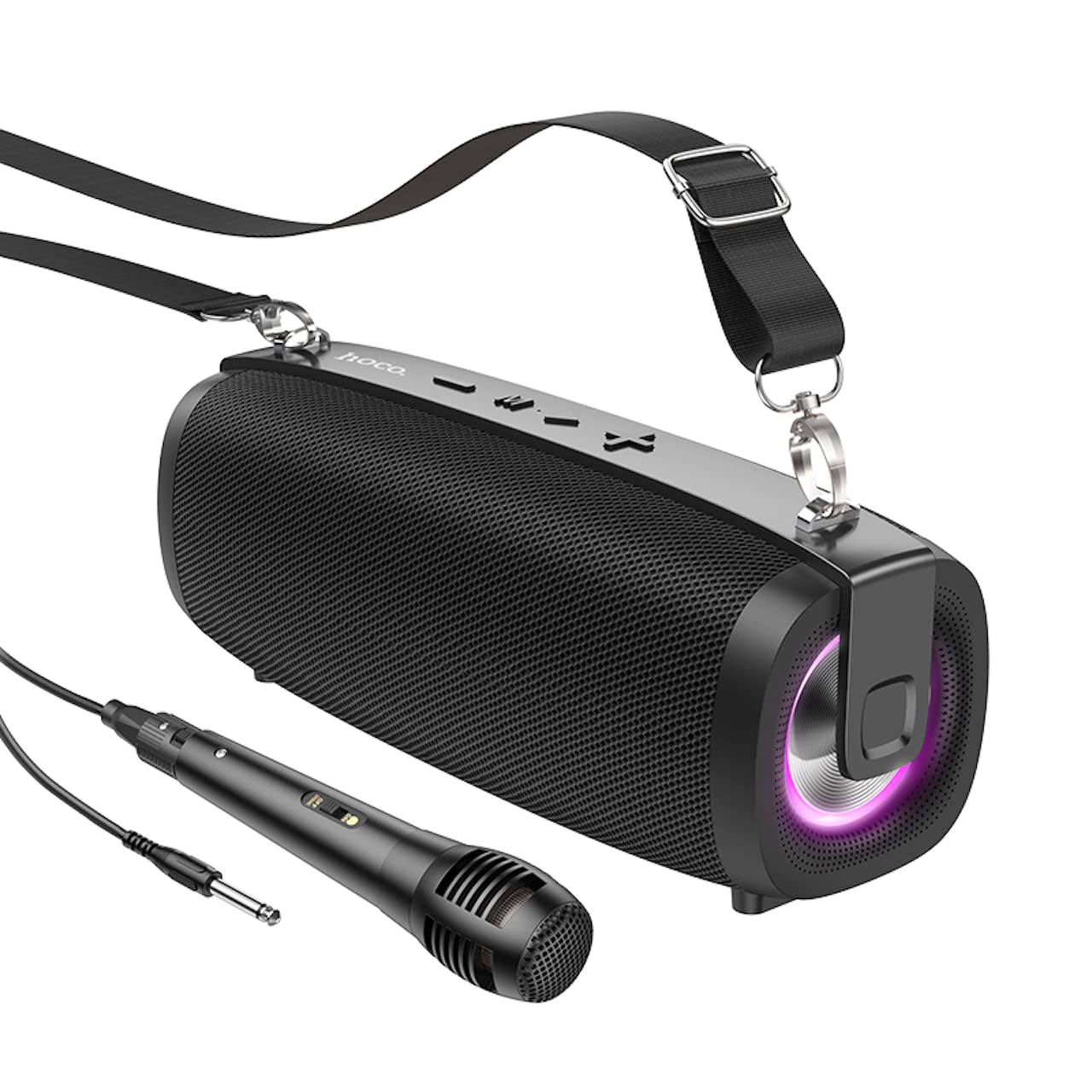
Image: The Hoco BS55 Wireless Outdoor Speaker, ready for use.
4.2 FM режим на радио
- Кратко притиснете го Копче „M“ (Режим) until you hear the FM radio prompt.
- За автоматско скенирање и зачувување на достапните станици, долго притиснете го '>' (Play/Pause) ButtonЗвучникот автоматски ќе скенира и ќе складира станици.
- Кратко притиснете го „+“ or '-' buttons to switch between saved FM stations.
4.3 TF Card / USB Flash Disk Mode
- Insert a TF (MicroSD) card or a USB flash disk into the corresponding slot.
- The speaker will automatically switch to TF Card or USB mode and begin playing audio files. If it doesn't, short press the Копче „M“ (Режим) за да го изберете точниот режим.
- Користете го „+“ и '-' buttons for volume control, and short press them for next/previous track. Use the '>' копче за репродукција/пауза.
4.4 Режим на AUX влез
- Connect one end of the 3.5mm audio cable to the speaker's AUX input port and the other end to the audio output of your external device (e.g., MP3 player, computer).
- Кратко притиснете го Копче „M“ (Режим) until you hear the AUX mode prompt.
- Control playback and volume primarily from your external device. The speaker's volume buttons will also function.
4.5 TWS (Вистинско безжично стерео) функција
The TWS function allows you to pair two Hoco BS55 speakers together for a stereo sound experience.
- Ensure both BS55 speakers are turned ON and are not connected to any Bluetooth device.
- На еден од звучниците (ова ќе биде примарниот звучник), долго притиснете го Копче „M“ (Режим) додека не слушнете тон за спарување.
- Двата звучника автоматски ќе пребаруваат и ќе се спарат еден со друг. Откако ќе се поврзат, ќе слушнете звук за потврда.
- Сега, поврзете го вашиот мобилен уред со примарниот звучник преку Bluetooth како што е опишано во дел 4.1. И двата звучника ќе репродуцираат аудио во стерео.
4.6 Wired Microphone Usage
If your package includes a wired microphone, connect it to the speaker's dedicated microphone input port. The speaker will automatically detect the microphone. Adjust the volume as needed using the speaker's volume controls or your connected device.
5. Одржување
- Чистење: Користете мека, сува крпа за чистење на звучникот. Не користете абразивни средства за чистење или растворувачи.
- Складирање: Чувајте го звучникот на ладно и суво место, подалеку од директна сончева светлина и екстремни температури.
- Нега на батеријата: To prolong battery life, charge the speaker regularly, even if not in use. Avoid fully discharging the battery frequently.
- Отпорност на вода: The Hoco BS55 speaker is не е отпорен на вода. Avoid exposing it to water, rain, or excessive moisture to prevent damage.
- Избегнувајте влијание: Do not drop or subject the speaker to strong impacts.
6 Смена на проблеми
| Проблем | Решение |
|---|---|
| Звучникот не се вклучува. | Проверете дали звучникот е наполнет. Поврзете го со извор на напојување и обидете се повторно. |
| Нема звук. | Проверете го нивото на јачина на звук и на звучникот и на поврзаниот уред. Проверете дали е избран точниот режим на внесување. |
| Не може да се спари преку Bluetooth. | Проверете дали звучникот е во режим на спарување преку Bluetooth. Оневозможете го и повторно овозможете го Bluetooth на вашиот уред. Поместете го звучникот поблиску до вашиот уред. Проверете дали нема други уреди поврзани со звучникот. |
| FM радио приемот е слаб. | Try repositioning the speaker. Perform an auto-scan again. |
| Спарувањето преку TWS не успева. | Ensure both speakers are not connected to any other Bluetooth device. Try restarting both speakers and repeating the TWS pairing process. |
7. Спецификации
| Карактеристика | Спецификација |
|---|---|
| Модел | БС55 |
| Димензии (Д x Ш x В) | 202 x 89.5 x 71.4 мм (20.2 x 7.1 x 9 см) |
| Тежина | 810 гр |
| Bluetooth верзија | 5.3 |
| Bluetooth чип | JLAC6965E |
| Капацитет на батеријата | 1500 mAh |
| Време на полнење | Приближно 2 часа |
| Време на репродукција на музика | До 2.5 часа |
| Големина на звучникот | 66 мм * 2 |
| Излезна моќност | 5W * 2 (Вкупно 10W) |
| Опции за поврзување | Bluetooth, FM Radio, TF Card, AUX, USB Flash Disk, TWS |
| Поддршка за микрофон | Iredичен влез за микрофон |
| Отпорност на вода | Не е водоотпорен |
| Боја | Црното |
8. Гаранција и поддршка
Hoco products are designed and manufactured to the highest quality standards. For warranty information and customer support, please refer to the warranty card included with your purchase or contact your local Hoco distributor or retailer. Keep your proof of purchase for any warranty claims.