
1. Вовед
The ATN Odin LT 640x480 2-8x is a compact, lightweight thermal monocular designed for versatile observation in various conditions. Powered by ATN's Obsidian LT core, this device provides advanced thermal imaging capabilities, allowing users to detect heat signatures in complete darkness or challenging environments. Its ergonomic design ensures comfortable handling and ease of use for extended periods.
2. Што има во кутијата
Carefully unpack your ATN Odin LT thermal monocular and ensure all components are present:
- ATN Odin LT 640x480 2-8x Thermal Monocular
- USB-C кабел за полнење
- Ремен за зглоб
- Мека торбичка за носење
- Водич за брз почеток
3. Производот завршиview
Familiarize yourself with the key components and controls of your ATN Odin LT monocular.

Слика 3.1: Во текот наview of the ATN Odin LT thermal monocular, highlighting its compact design, USB-C port, and control buttons. The image also shows a simulated monocular view of a distant scene.
3.1. Компоненти
- Објективен објектив: Front lens for thermal image capture.
- Окулар: Прилагодлив за удобност viewинг.
- Контролни копчиња: For power, menu navigation, and zoom.
- USB-C порта: За полнење и пренос на податоци.
- Оддел за батерии: Го содржи изворот на енергија.
3.2. Контроли
- Копче за вклучување: Press and hold to turn the device On/Off. A short press may activate standby mode.
- Копче за мени: Пристапува до поставките и опциите на уредот.
- Копчиња за зумирање: Adjusts the magnification level (Step Zoom).
- Фокус прстен: Located on the objective lens, used for manual focus adjustment.
4. Поставување
4.1. Инсталација и полнење на батеријата
- Locate the battery compartment cover, typically on the side or bottom of the monocular.
- Open the cover and insert the required 123A batteries, ensuring correct polarity (+/-).
- Добро затворете го капакот на преградата за батерии.
- For initial use or if the battery is low, connect the USB-C charging cable to the monocular's USB-C port and a power source. The charging indicator will show the charging status.
4.2. Првично вклучување
- Press and hold the Power Button for approximately 3-5 seconds until the ATN logo appears on the display.
- Дозволете уредот да се иницијализира. Ова може да потрае неколку секунди.
4.3. Прилагодување на фокусот
- Погледнете низ окуларот.
- Rotate the focus ring on the objective lens until the image appears sharp and clear.
5. Упатства за работа
5.1. Вклучување/исклучување и режим на подготвеност
- Вклучување: Press and hold the Power Button until the display activates.
- Исклучено: Press and hold the Power Button until the device shuts down.
- Режим на подготвеност: A short press of the Power Button will put the device into standby, conserving battery while allowing for quick reactivation.
5.2. Changing Color Palettes (White Hot/Black Hot)
The Odin LT offers different color palettes to suit various observation needs:
- Бело жешко: Hot objects appear white, and colder objects appear black. This is a common and often preferred mode for general detection.
- Црното жешко: Hot objects appear black, and colder objects appear white. This mode can be useful for reducing eye strain during prolonged observation.
To switch between palettes, navigate through the menu using the Menu Button and select the desired option.
5.3. Операција на зумирање
The monocular features a 2-8x magnification range with a Step Zoom function.
- Use the dedicated Zoom Buttons to increase or decrease the magnification in predefined steps.
- Adjust the zoom level to optimize your field of view and target identification.

Слика 5.1: A user demonstrating handheld operation of the ATN Odin LT thermal monocular in an outdoor setting.
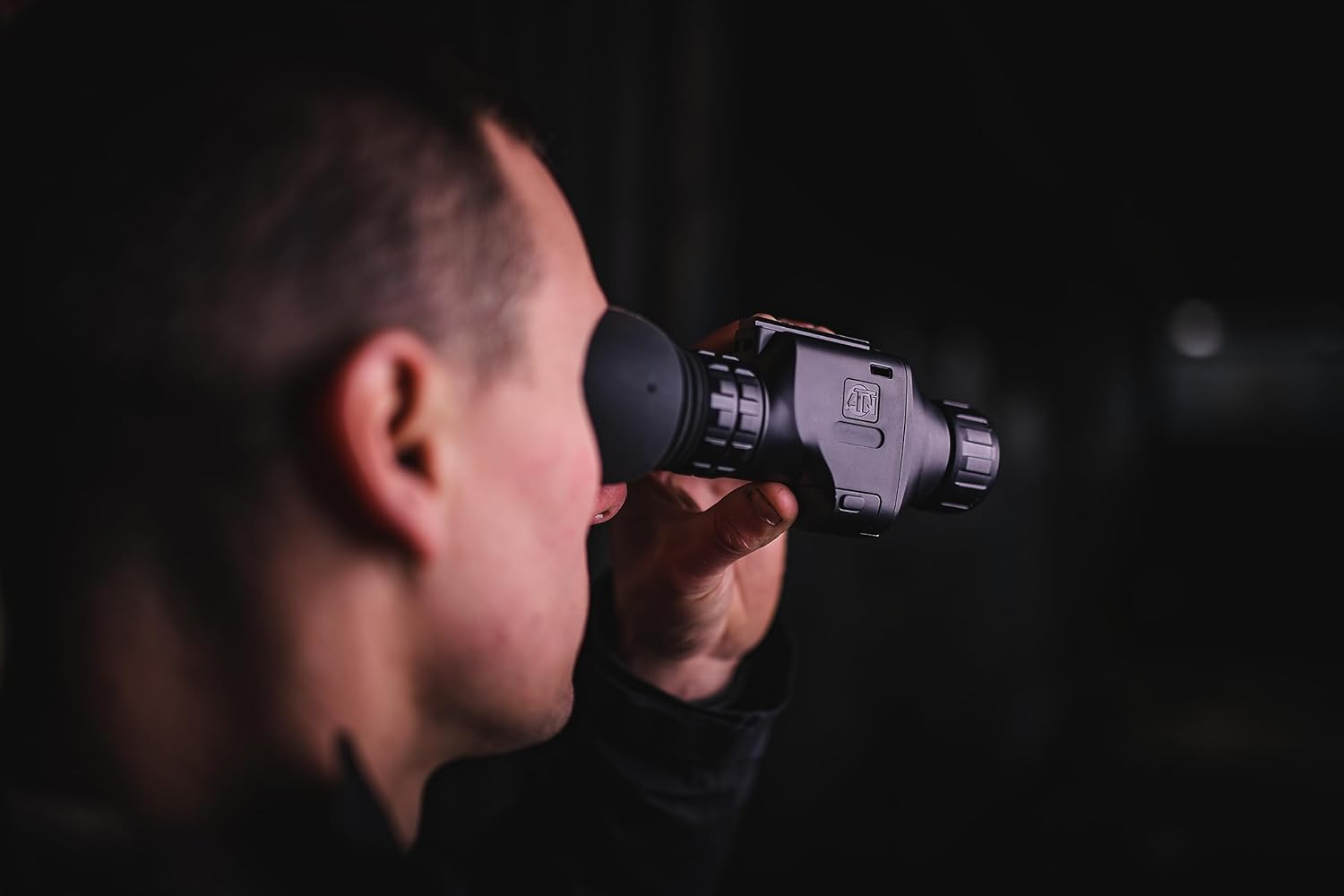
Слика 5.2: Close-up of a user observing through the ATN Odin LT thermal monocular, highlighting its ergonomic design for eye-level use.
5.4. Опции за монтирање
The ATN Odin LT is designed for versatile use:
- Рачно: The compact and lightweight design allows for comfortable handheld observation.
- Helmet Mounted: Compatible with various helmet mounts for hands-free operation.
- Head Mounted: Can be attached to head mounts for extended comfortable observation.
6. Одржување
6.1. Чистење на леќите
To maintain optimal image quality, keep the objective and eyepiece lenses clean.
- Use a soft, lint-free cloth specifically designed for optics.
- Gently wipe the lens surfaces to remove dust and smudges.
- For stubborn dirt, use a small amount of lens cleaning solution applied to the cloth, not directly to the lens.
- Avoid abrasive materials or harsh chemicals, as these can damage the lens coatings.
6.2. Нега на батерии
- Always use high-quality 123A batteries.
- Отстранете ги батериите ако уредот нема да се користи подолг период за да спречите протекување.
- Recharge optional rechargeable batteries as needed, avoiding complete discharge for optimal battery life.
6.3. Складирање
Store the monocular in its protective carrying case in a cool, dry place away from direct sunlight and extreme temperatures. Ensure the lenses are covered to prevent dust accumulation.
7 Смена на проблеми
If you encounter issues with your ATN Odin LT, refer to the following common problems and solutions:
| Проблем | Можна причина | Решение |
|---|---|---|
| Уредот не се вклучува. | Low or depleted batteries; incorrectly installed batteries. | Replace batteries with fresh ones or recharge if using rechargeable batteries. Ensure correct polarity. |
| Сликата е заматена или не е во фокус. | Неправилно прилагодување на фокусот. | Adjust the focus ring on the objective lens until the image is clear. |
| Display shows artifacts or dead pixels. | Manufacturing defect or sensor issue. | Contact ATN customer support for assistance. |
| Краток век на батеријата. | Old or low-quality batteries; frequent use of high brightness/zoom. | Use new, high-quality batteries. Reduce brightness or zoom when not critical. |
If the problem persists after attempting these solutions, please contact ATN customer support.
8. Спецификации
Detailed technical specifications for the ATN Odin LT 640x480 2-8x Thermal Monocular:
| Карактеристика | Опис |
|---|---|
| Бренд | ATN |
| Име на моделот | ATN ODIN LT 640 2-8x |
| Дијаметар на објективната леќа | 25 милиметри |
| Димензии на производот (Д x Ш x В) | 5.16" Д x 2.8" Ш x 1.81" В |
| Тип на фокус | Рачен фокус |
| Пронаоѓач | Рефлекс |
| Тежина на ставката | 1 фунта |
| Компатибилни уреди | Rifle, Shotgun, Handgun (for mounting purposes) |
| Опис на фокусна должина | 2-8x |
| Полето на View | 22.27 степени |
| Сооднос на зумирање | 2x-8x |
| Дополнителни карактеристики | Advanced Thermal Imaging with Long-Distance Target Identification and High-Resolution Display, Head/Helmet Mountable |
| Глобален трговски идентификациски број (GTIN) | 00658175123729 |
| Производител | АТН Корпорација |
| UPC | 658175123729 |
| Број на модел | TIMNODN625X |
| Вграден медиум | Моноглед |
9. Гаранција и поддршка
9.1. Гаранција на производителот
The ATN Odin LT 640x480 2-8x Thermal Monocular is covered by a 3-годишна гаранција од производителотОваа гаранција ги покрива дефектите во материјалите и изработката при нормална употреба. Ве молиме задржете го доказот за купување за гаранциски барања.
9.2. Поддршка за корисници
For technical assistance, warranty claims, or any questions regarding your ATN Odin LT monocular, please contact ATN customer support through their official webстраницата или информациите за контакт дадени со пакувањето на вашиот производ.