
1. Вовед
This manual provides instructions for the proper use and maintenance of your ATN Odin LT 640x480 1-4x 19mm Thermal Monocular. The Odin LT is a compact, ergonomic, and versatile thermal imaging device designed for observation. It features ATN's Obsidian LT core, offering a hands-free experience when mounted.
Главните карактеристики вклучуваат:
- Obsidian LT Core: Advanced thermal processing for clear imaging.
- White Hot/Black Hot Mode: Selectable color palettes for displaying thermal signatures.
- Компактен дизајн: Fits comfortably in one hand for easy manipulation.
- Екран со висока резолуција: 1280x960 display for vivid images.
- Разновидна монтажа: Handheld, helmet, or head-mounted for various observation scenarios.
2. Содржина на пакетот
По распакувањето, проверете дали сите предмети наведени подолу се присутни и во добра состојба:
- Термички монокулар ATN Odin LT
Note: Additional accessories such as mounts or rechargeable batteries may be sold separately.
3. Производот завршиview
The ATN Odin LT is designed for intuitive operation with its ergonomic form factor.

Слика 3.1: Предната страна view of the ATN Odin LT Thermal Monocular, showing the objective lens and eyepiece.

Слика 3.2: Diagram illustrating key features of the Odin LT, including the Obsidian LT core, USB-C port, step zoom, ergonomic design, and lightweight construction.
3.1 Компоненти
- Објективен објектив: Collects thermal radiation.
- Окулар: За viewing the thermal image.
- Контролни копчиња: For power, menu navigation, and zoom.
- USB-C порта: For charging (with optional rechargeable battery) or data transfer.
- Точка за монтирање: For attaching to helmets or head mounts.
4. Поставување
4.1 Инсталација на батерија
- Пронајдете ја преградата за батерии на уредот.
- Отворете го капакот на преградата.
- Insert the required batteries (type specified in specifications) according to the polarity indicators.
- Безбедно затворете го капакот на одделот за батерии.
4.2 Опции за монтирање
The Odin LT can be used handheld or mounted for extended observation periods.
- Рачна употреба: Simply hold the monocular to your eye for observation.
- Helmet/Head Mount: Attach the monocular to a compatible helmet or head mount using the integrated mounting point. Ensure the mount is securely fastened and adjusted for comfortable viewинг.

Слика 4.1: Example of handheld use of the ATN Odin LT in an outdoor environment.
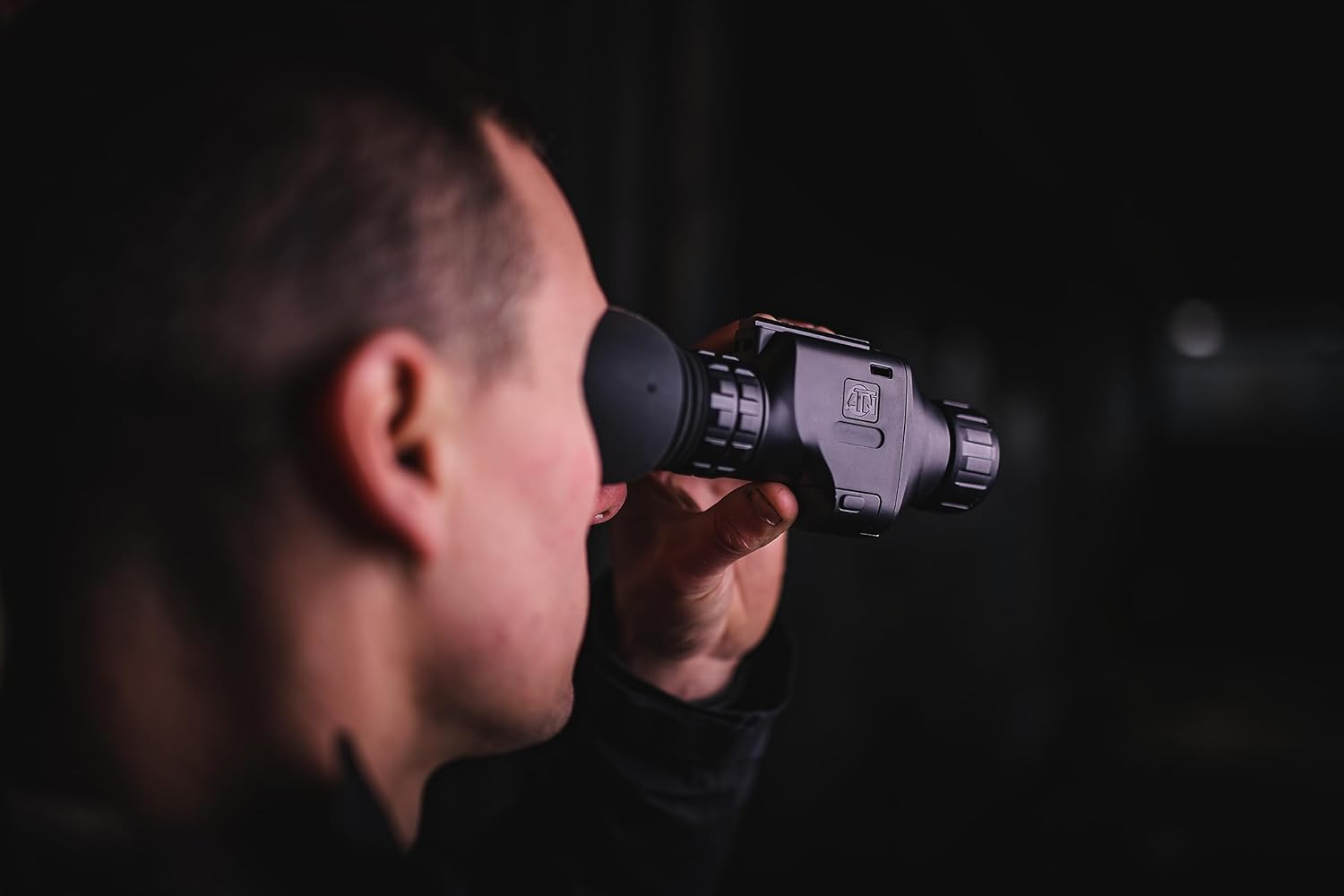
Слика 4.2: Одблиску view of the monocular being used for observation.
5. Упатства за работа
5.1 Вклучување/исклучување
- Вклучување: Press and hold the Power button (typically marked with a power symbol) for approximately 2-3 seconds until the display illuminates.
- Исклучено: Press and hold the Power button again for approximately 3-5 seconds until the display turns off.
5.2 Прилагодување на фокусот
The Odin LT features manual focus. Rotate the focus ring on the objective lens until the image appears sharp and clear in the eyepiece.
5.3 Функција за зумирање
Utilize the step zoom feature to adjust the magnification. Refer to the device's on-screen display or specific buttons for zoom control. The monocular offers a 1-4x magnification range.
5.4 Display Modes (White Hot/Black Hot)
The Odin LT provides different thermal display modes to suit various observation conditions:
- Бело жешко: Hot objects appear white, and colder objects appear black.
- Црното жешко: Hot objects appear black, and colder objects appear white.
Cycle through these modes using the designated button (refer to your device's button layout for specifics).
6. Одржување
6.1 Чистење
- Леќи: Use a soft, lint-free cloth specifically designed for optics. Gently wipe the lens surfaces. For stubborn smudges, use a small amount of lens cleaning solution.
- Тело: Избришете го телото на монокуларот со мека, дamp крпа. Избегнувајте груби хемикалии или абразивни материјали.
6.2 Складирање
When not in use, store the monocular in a cool, dry place, away from direct sunlight and extreme temperatures. If storing for extended periods, remove the batteries to prevent leakage.
7 Смена на проблеми
If you encounter issues with your ATN Odin LT, refer to the following common problems and solutions:
| Проблем | Можна причина | Решение |
|---|---|---|
| Уредот не се вклучува | Изумрени или неправилно инсталирани батерии | Replace batteries or ensure correct polarity. Charge rechargeable battery if applicable. |
| Сликата е матна | Неправилно прилагодување на фокусот | Adjust the manual focus ring on the objective lens. |
| Нема слика на екранот | Device not powered on; display settings | Ensure device is powered on. Check brightness settings. |
| Краток век на батеријата | Old batteries; continuous use | Replace with fresh batteries. Reduce continuous use or use power-saving features if available. |
If the problem persists after attempting these solutions, please contact ATN customer support for further assistance.
8. Спецификации
Technical specifications for the ATN Odin LT 640x480 1-4x 19mm Thermal Monocular:
| Карактеристика | Спецификација |
|---|---|
| Име на моделот | ATN ODIN LT 640 1-4x |
| Број на модел на ставка | TIMNODN619X |
| Резолуција | 640x480 |
| Зголемување | 1-4x |
| Дијаметар на објективната леќа | 19 милиметри |
| Полето на View | 23.2 степени |
| Тип на фокус | Рачен фокус |
| Резолуција на екранот | 1280x960 |
| Извор на енергија | Напојува со батерија |
| Димензии на производот | 5.16 x 2.8 x 1.81 инчи (5.16"Д x 2.8"Ш x 1.81"В) |
| Тежина на ставката | 1 фунти |
| Компатибилни уреди | Helmet or Head Mount |
| Производител | АТН Корпорација |
9. Гаранција и поддршка
For information regarding warranty coverage, technical support, or service, please refer to the official ATN website or contact ATN customer service directly. Keep your proof of purchase for warranty claims.
Повеќе информации и контакт информации можете да најдете на ATN Official Store.