
Вовед
Welcome to your VTech VT680 Cordless Phone. This manual provides essential information for setting up, operating, and maintaining your new phone. The VTech VT680 is a DECT 6.0 cordless phone designed for reliable fixed-line communication.
Key features include Caller ID, a log of the last 10 received calls, a reminder alarm, and a 20-contact phonebook.

Image: VTech VT680 Cordless Phone handset and base unit positioned on a desk in a home office environment, alongside office supplies.
Содржина на пакетот
Ве молиме проверете дали вашиот пакет ги содржи следниве артикли:
- VTech VT680 Cordless Handset
- База за полнење
- Адаптер за напојување
- Кабел за телефонска линија
- 2 AAA Rechargeable Batteries
- Упатство за употреба (овој документ)
Поставување
1. Инсталација на батерија
Чекор 1: Пронајдете ја преградата за батерии на задниот дел од слушалката.
Чекор 2: Вметнете ги двете AAA батерии што можат да се полнат, почитувајќи ја точната поларност (+ и -) како што е наведено во преградата.
Чекор 3: Добро затворете го капакот на преградата за батерии.

Слика: Заден дел view of the VTech VT680 cordless phone handset, showing the battery compartment area.
2. Поврзување со основната единица
Чекор 1: Connect one end of the telephone line cord to the TEL LINE jack on the back of the charging base.
Чекор 2: Поврзете го другиот крај од телефонскиот кабел со телефонскиот ѕиден приклучок.
Чекор 3: Connect the small end of the power adapter to the POWER jack on the back of the charging base.
Чекор 4: Вклучете го големиот крај на адаптерот за напојување во стандарден електричен штекер.

Слика: Страничен професионалецfile of the VTech VT680 cordless phone handset docked in its charging base, illustrating its compact design.
3. Почетно полнење
Place the handset on the charging base. The handset display will show a charging indicator. Allow the handset to charge for at least 12 hours before initial use to ensure optimal battery performance and longevity.

Слика: напред view of the VTech VT680 cordless phone handset docked in its charging base, displaying the screen and keypad.
Упатства за работа
Упатување повик
- Подигнете ја слушалката или притиснете ја ТЕЛЕФОН копче.
- Бирајте го саканиот телефонски број користејќи ја тастатурата.
- Притиснете го ТЕЛЕФОН повторно копче за да го завршите повикот.
Одговарање на повик
Кога телефонот ќе заѕвони, подигнете ја слушалката или притиснете го копчето ТЕЛЕФОН копче.
Користење на идентификација на повикувач
When a call comes in, the caller's name and number will appear on the handset display (requires subscription to Caller ID service from your telephone provider).
За повторноview the call log, press the ПОВИК ЗА ПРИЈАВУВАЕ копче. Користете го UP и ДОЛУ arrow buttons to scroll through the last 10 received calls.
Именик
The phonebook can store up to 20 contacts.
Додавање контакт
- Притиснете го МЕНИ копче.
- Navigate to "Phonebook" and select "Add New Entry".
- Enter the contact's name and phone number using the keypad.
- Притиснете ЗАЧУВАЈ за складирање на записот.
Making a Call from Phonebook
- Притиснете го ИМЕНИК копче.
- Користете го UP и ДОЛУ arrow buttons to find the desired contact.
- Притиснете го ТЕЛЕФОН button to dial the contact.
Setting a Reminder Alarm
- Притиснете го МЕНИ копче.
- Navigate to "Alarm" or "Reminders" in the menu.
- Set the desired time and activate the alarm function.
- Притиснете ЗАЧУВАЈ да се потврди.
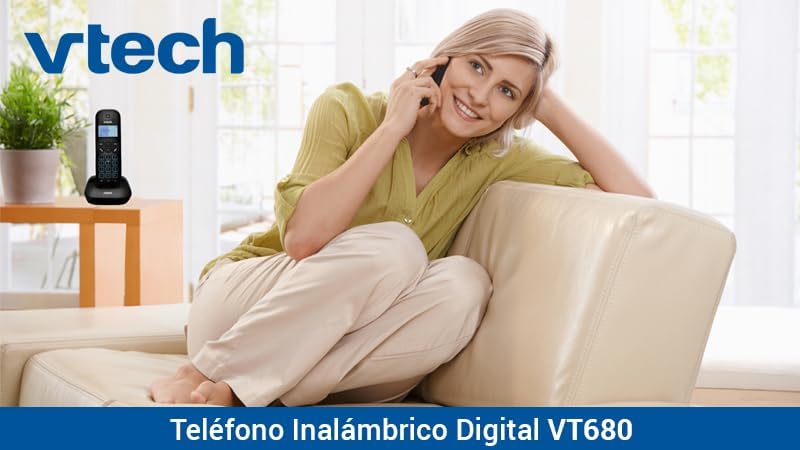
Image: A woman comfortably seated on a couch, engaged in a phone conversation using the VTech VT680 cordless phone.
Одржување
Чистење
Избришете ја слушалката и базата со мека, малку влажна крпа.amp cloth. Do not use harsh cleaning agents, abrasive materials, or excessive liquid, as these can damage the device.
Нега на батерии
Use only the specified AAA rechargeable batteries. Replace batteries when they no longer hold a charge effectively or if you notice a significant decrease in talk time.
Решавање проблеми
If you encounter any issues with your VTech VT680 Cordless Phone, please refer to the table below for common problems and their solutions.
| Проблем | Решение |
|---|---|
| Нема тон за бирање | Ensure the telephone line cord is securely connected to both the base unit and the telephone wall jack. Verify the power adapter is properly connected to the base unit and a working electrical outlet. |
| Слушалката не се полни | Ensure the handset is correctly seated in the charging cradle. Verify the power adapter is plugged in. Clean the charging contacts on both the handset and base unit with a dry cloth. |
| Лош квалитет на повик или статичен сигнал | Move closer to the base unit. Check for interference from other electronic devices (e.g., Wi-Fi routers, microwaves). Try relocating the base unit. |
| Идентификацијата на повикувачот не работи | Ensure you are subscribed to Caller ID service from your telephone service provider. Contact your provider to confirm the service is active. |
Спецификации
Технички спецификации
- Бренд: VTech
- Модел: VT680
- Тип на телефон: Cordless, DECT 6.0 Technology
- Боја: Црното
- Материјал: Пластика
- Извор на енергија: Battery operated (2 AAA rechargeable batteries included)
- Dimensions (Handset on Base): Приближно 16.8 x 7.8 x 15.8 cm
- Тежина: Приближно 680 гр
- Карактеристики: Caller ID, 10-call log, Reminder Alarm, 20-contact Phonebook
- Line Operation: Single-line operation
Гаранција и поддршка
For detailed warranty information, technical support, or to register your product, please visit the official VTech website or contact VTech customer service. Specific warranty terms and support options may vary by region.