
STRICH LOOPER&DRUM
STRICH Stereo Looper Pedal with Built-in Drum Machine
Model: LOOPER&DRUM
Бренд: СТРИЧ
1. Вовед
The STRICH Stereo Looper Pedal is a versatile 2-in-1 device combining a powerful looper with a comprehensive drum machine. Designed for guitarists and musicians, it offers extensive recording capabilities and a wide array of rhythmic patterns to enhance practice, composition, and live performance. This manual provides essential information for setting up, operating, maintaining, and troubleshooting your pedal.
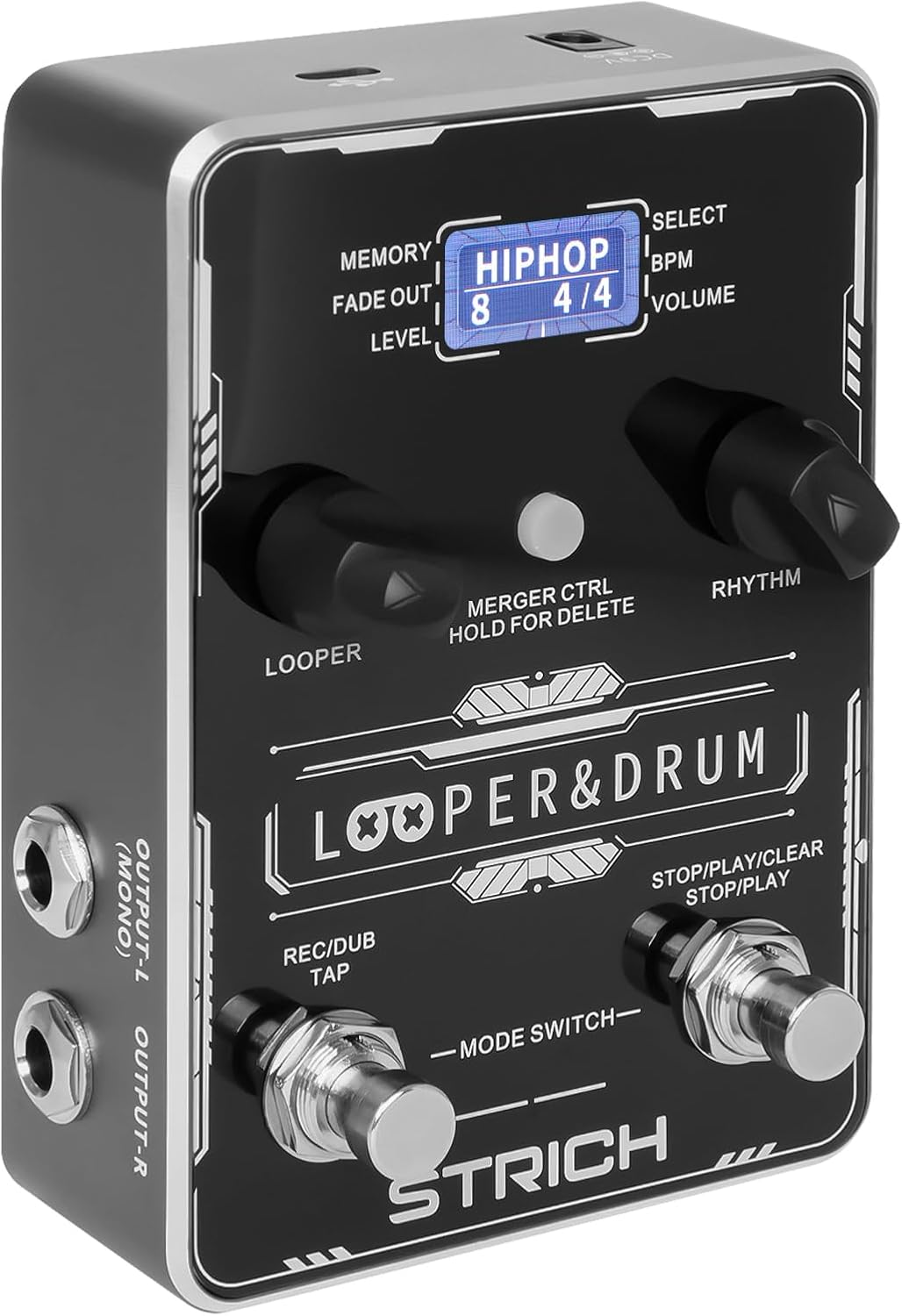
Предна страна view of the STRICH Stereo Looper Pedal, showcasing неговите контроли и дисплеј.
2. Клучни карактеристики
- Дизајн 2-во-1: Integrates a looper and drum machine for combined creative and rhythmic practice needs.
- Powerful Looper: Stores 40 presets, each with a maximum recording time of 4 minutes, totaling 160 minutes. Features a 24-bit/44.1kHz DSP chip for accurate sound reproduction.
- Versatile Drum Machine: Offers 10 different drum styles, each with 10 unique rhythmic patterns, providing 100 diverse drum patterns (pop, rock, metal, Latin, blues, jazz, fusion, hip-hop, funk, disco).
- Dual Inputs/Outputs: Two mono 1/4" inputs for simultaneous instrument and microphone connection, and two mono 1/4" outputs for stereo output.
- USB поврзување: Supports audio upload and download, and software editing for loop management.
- Контрола на прекинувач за нозе: Allows for hands-free operation during performance.

The pedal's 2-in-1 design combines looper and drum machine functionalities.
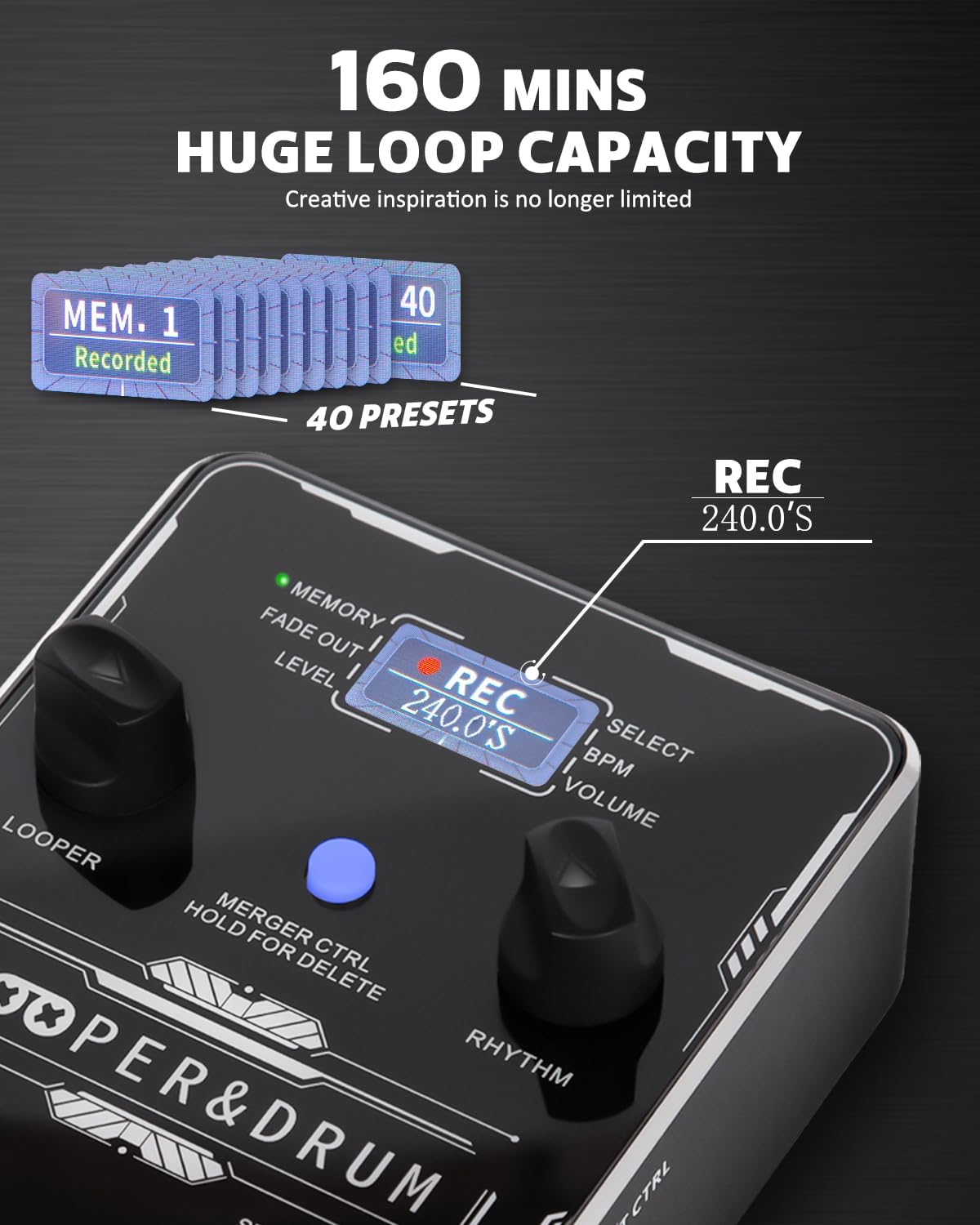
The looper offers a substantial 160 minutes of total recording time across 40 presets.

Explore 100 diverse drum patterns across various musical genres.
3. Водич за поставување
3.1 Напојување
The STRICH Stereo Looper Pedal requires a 9V DC, minimum 300mA, center-negative adapter. The power supply is не се вклучени with the pedal. Using an incorrect adapter may damage the device. There is no battery compartment.

Ensure correct power supply (9V DC, 300mA, center-negative) and proper signal connections.
3.2 Врски
The pedal features dual inputs and outputs for versatile connectivity:
- Input R (Mono): Connect your instrument (e.g., guitar) here for mono input.
- Input L (Mono): Connect a second instrument or microphone here. Connect both L and R inputs for stereo input.
- Output L (Mono): Поврзете се со вашиот amplifier or audio interface. Connect both L and R outputs for stereo output.
- Output R: Поврзете се со вашиот ampзалажувач или аудио интерфејс.
- EXT CTRL: For connecting an external footswitch (purchased separately).
- USB (тип-C): Connect to a computer for editor software, import/export files, or factory reset.

The pedal supports dual input and output for stereo or multi-instrument setups.

Example connection setup for the looper pedal with instruments and output devices.
4. Упатства за работа
4.1 Контроли надview

Детално view of the pedal's controls and their functions.
- LOOPER Control: Adjusts loop position, volume, and fade out time.
- LOOPER LED: Indicates current looper parameters.
- Екран за прикажување: Shows current status information.
- LED РИТАМ: Indicates current rhythm parameters.
- MERGER CTRL (Hold for Delete): Toggles independent/simultaneous operation of looper and drum machine. Hold to delete recorded tracks.
- RHYTHM Control: Selects rhythm type, speed (BPM), and volume.
- Right Footswitch (STOP/PLAY/CLEAR): Controls playback, stop, and clear functions for the looper. Also controls Play/Stop for the drum machine.
- Left Footswitch (REC/DUB/TAP): Controls record, dub, and playback in looper mode. Taps tempo for rhythm.
4.2 Работа со лупер
- Снимање: Press the Left Footswitch (REC/DUB) once to start recording. The screen will show 'REC' and the recording time.
- Репродукција: Press the Left Footswitch again to stop recording and start playback. The screen will show 'PLAY'.
- Синхронизирање: During playback, press the Left Footswitch again to start dubbing (overdubbing). The screen will show 'DUB'.
- Стоп: Press the Right Footswitch (STOP/PLAY/CLEAR) once to stop playback/dubbing.
- Исчисти: While stopped, hold the Right Footswitch to clear the current loop.
- Select Memory: Use the LOOPER control knob to navigate through the 40 memory slots.
4.3 Работа со машина за тапани
- Изберете шема на тапан: Use the RHYTHM control knob to select from 100 diverse drum patterns.
- Adjust BPM: Press the RHYTHM control knob to enter BPM adjustment mode, then turn the knob to change the tempo.
- Прилагодете ја јачината на звукот: Press the RHYTHM control knob again to enter volume adjustment mode, then turn the knob to change the drum volume.
- Допрете Темпо: Tap the Left Footswitch (REC/DUB/TAP) multiple times to set the tempo for the drum machine.
4.4 USB Functionality and Software
The pedal supports USB Type-C connectivity for managing your loops and settings via computer software. This allows for importing/exporting recorded files and performing factory resets.

Manage your loops and settings using the dedicated editor software.
4.5 Инструктивни видеа
For visual guidance on setup and operation, please refer to the official product videos:
Video: STRICH Looper Pedal Guitar Pedal with Drum Machine 2 IN 1
Ова видео дава крајview and demonstration of the pedal's core functionalities, including basic looping and drum machine features.
Video: STRICH Stereo Guitar Looper Pedal with Drum Machine 2 IN 1
A detailed demonstration of the stereo capabilities and integrated drum machine, showcasing various operational aspects.
5. Одржување
- Чистење: Користете мека, сува крпа за чистење на површината на педалата. Избегнувајте употреба на абразивни средства за чистење или растворувачи.
- Складирање: Чувајте ја педалата на ладно и суво место, подалеку од директна сончева светлина и екстремни температури.
- Ракување: Handle the pedal with care to prevent damage to the footswitches and knobs. Avoid dropping or subjecting it to strong impacts.
- Исклучување на струја: Секогаш исклучувајте го напојувањето кога педалата не се користи подолг период.
6 Смена на проблеми
- Без моќност: Ensure the correct 9V DC, 300mA, center-negative power adapter is connected securely. Check the power outlet.
- Нема звук: Verify all audio cables are correctly connected to inputs and outputs. Check instrument and amplifier volume levels. Ensure the pedal's volume is not set to zero.
- Искривен звук: Check input levels to avoid clipping. Ensure proper impedance matching with your instruments and ampживописен.
- Јамката не снима/репродуцира: Ensure you are in the correct mode (REC/PLAY). Check if the memory slot is full or corrupted (try clearing it).
- Drum Machine Issues: Verify drum volume is up. Ensure a drum pattern is selected.
- Проблеми со поврзувањето со софтверот: Ensure the USB cable is securely connected. Try a different USB port or cable. Restart your computer and the pedal.
7. Спецификации
| Карактеристика | Детал |
|---|---|
| Број на модел | ЛУПЕР & ТАРМАН |
| Тежина на ставката | 1.21 фунти (0.55 килограми) |
| Димензии на производот | 6.69 x 4.33 x 2.95 инчи |
| Тип на материјал | Легура |
| Извор на енергија | Електричен со кабел |
| Voltage | 9 волти |
| Хардверски интерфејс | USB тип C |
| Време на снимање | 160 minutes total (40 presets, 4 minutes each) |
| Drum Patterns | 100 diverse patterns (10 styles, 10 patterns each) |
| Sampling Стапка | 44.1 kHz |
| SampЛинг Точност | 24 бит |

Detailed input and output specifications of the pedal.
8. Гаранција и поддршка
STRICH is committed to crafting quality musical instruments and values customer feedback. For any inquiries or support needs, please refer to the following:
- Гарантни услуги: Up to 12-month warranty.
- Политика за враќање: 30-day free return.
- Грижа за клиенти: E-mail chat assistant response within 24 hours.
For additional support, you may refer to the official User Manual (PDF) available online: Упатство за употреба (PDF)
Ask a question about this manual
Ask about setup, troubleshooting, compatibility, parts, safety, or missing instructions. Manuals+ will review the question and use this page’s manual context to help answer it.