
1. Вовед
Thank you for choosing the SIMOLIO SM-829D2 Dual Wireless Headphones for TV. This system is designed to provide an enhanced audio experience for television viewing, offering clear dialogue, adjustable volume, and the convenience of wireless listening. The 2-in-1 transmitter and charging stand ensures your headphones are always ready for use. This manual will guide you through the setup, operation, and maintenance of your new headphones.
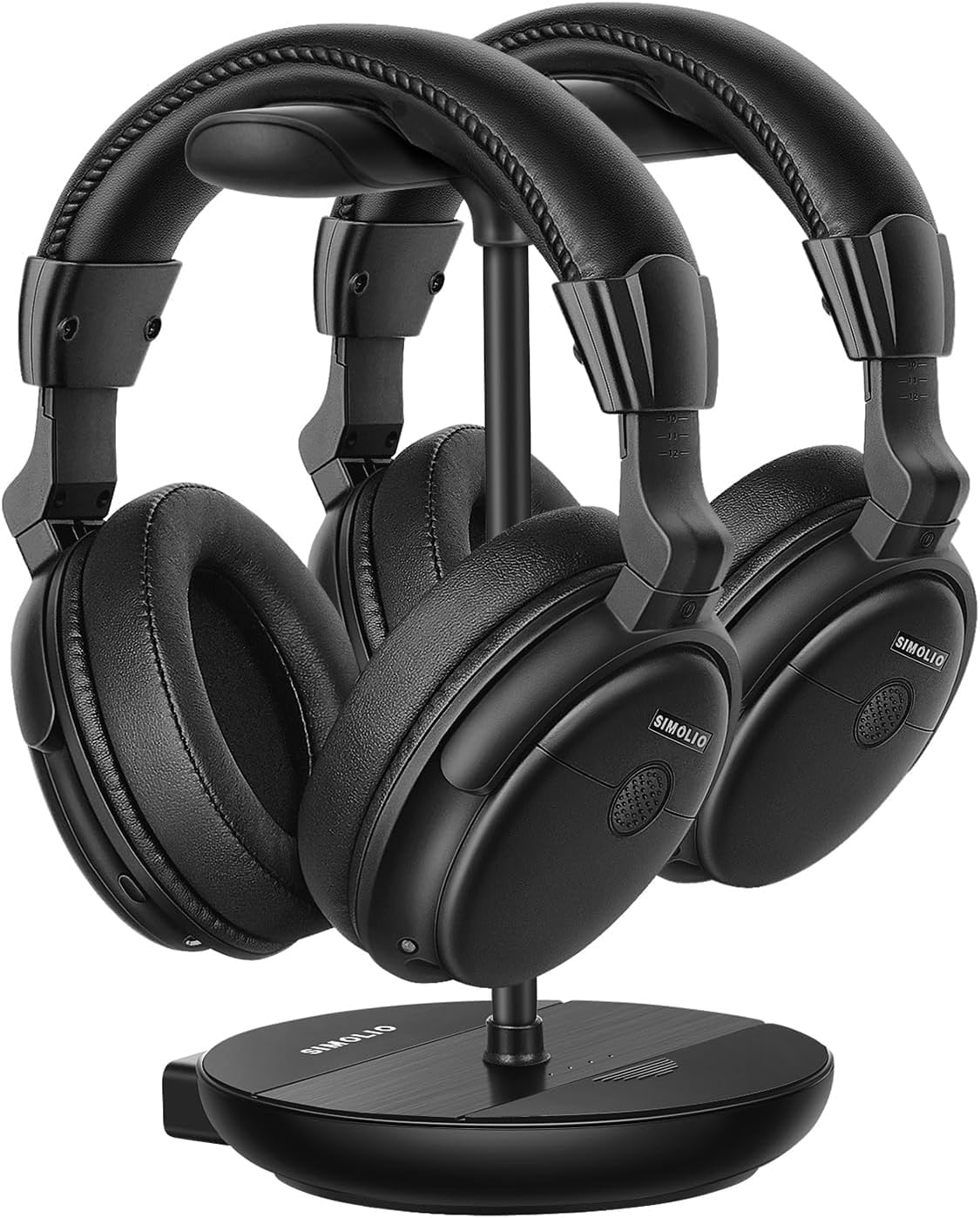
Image 1.1: The SIMOLIO SM-829D2 Dual Wireless Headphones with their charging stand.
2. Содржина на пакетот
Ве молиме проверете дали сите артикли се присутни во вашиот пакет:
- 2 x SIMOLIO SM-829D2 Wireless Headphones
- 1 x Transmitter / Charging Stand
- 1 x Optical Audio Cable
- 1 x RCA аудио кабел
- 1 x 3.5 mm аудио кабел
- 2 x USB кабли за полнење
- 1 x адаптер за напојување
- 1 x Spare Rechargeable Battery
- 1 x Упатство за употреба (овој документ)

Image 2.1: All components included in the SIMOLIO SM-829D2 package.
3. Почетно поставување
3.1. Полнење на слушалките
Before first use, fully charge both headphones and the spare battery. Place the headphones on the charging posts of the transmitter stand. Insert the spare battery into the designated slot on the stand. The charging indicator lights will show charging status.

Image 3.1: Headphones and spare battery charging on the 2-in-1 stand.
3.2. Поврзување на предавателот со вашиот телевизор
The SIMOLIO SM-829D2 transmitter supports Optical, RCA, and 3.5mm AUX audio inputs. Choose the connection method compatible with your TV.
- Optical Connection (Recommended for Digital Audio):
- Connect one end of the Optical cable to the Оптички излез порта на вашиот телевизор.
- Поврзете го другиот крај со ОПТИЧКИ ВО port on the SIMOLIO transmitter.
- On your TV's audio settings, set the Digital Audio Output format to PCM. (Refer to your TV manual for specific instructions).
- RCA Connection (Analog Audio):
- Connect the red and white plugs of the RCA cable to the corresponding АУДИО ИЗЛЕЗ (L/R) порти на вашиот телевизор.
- Поврзете го другиот крај со RCA ВО ports on the SIMOLIO transmitter.
- 3.5mm AUX Connection (Analog Audio):
- Поврзете го едниот крај на аудио кабелот од 3.5 мм на СЛУЧАЈ ОДНОС or АУДИО порта на вашиот телевизор.
- Поврзете го другиот крај со AUX ВО port on the SIMOLIO transmitter.

Image 3.2: Connection options for the SIMOLIO transmitter.
3.3. By-Pass Feature (Simultaneous Audio Output)
The transmitter includes a by-pass feature, allowing audio to be sent to both the headphones and an external sound system (soundbar or AV receiver) simultaneously. Connect your soundbar or AV receiver to the ИЗЛЕЗ ДО ЗВУЧНИК ports on the transmitter using the appropriate cable (Optical, RCA, or AUX).

Image 3.3: Using the by-pass feature to output audio to both headphones and a soundbar.
3.4. Powering On and Automatic Connection
Once the transmitter is connected to your TV and powered on, turn on the headphones. The headphones and transmitter will automatically connect. No complex pairing process is required. The system operates on a 2.4GHz radio frequency, providing a working range of up to 30 meters (100 feet).

Image 3.4: Plug & Play functionality with a 30-meter working range.
4. Упатства за работа
4.1. Прилагодување на јачината на звукот и тонот
Each headphone features independent volume controls. Use the volume buttons on the headphones to adjust the listening level to your preference. The transmitter also has a TONE adjustment switch with three presets (D+, D, S) to enhance dialogue clarity or provide a balanced sound experience.
- D+ (Dialogue+): Maximizes dialogue clarity, ideal for speech-heavy content.
- D (Dialogue): Enhances dialogue while maintaining a balanced sound.
- S (Standard): Обезбедува балансиран аудио професионалецfile за општо слушање.

Image 4.1: Personalize your TV sound with tone presets and individual volume control.
4.2. Контрола на рамнотежа
For users with different hearing levels in their left and right ears, the headphones offer a balance control feature. This allows you to adjust the audio output balance between the left and right earcups for a more comfortable and clear listening experience.
4.3. Ambient Sound Amplifier (MIC Button)
The MIC button on the headphones allows you to temporarily amplify ambient sounds, enabling you to hear your surroundings without removing the headphones. Press the MIC button to activate this feature and press it again to return to TV audio.
4.4. Dual Headset Usage
The SIMOLIO SM-829D2 system includes two headphones that can be used simultaneously with a single transmitter. This allows two individuals to enjoy TV audio at their preferred volume levels without disturbing others. The system ensures no lip-sync delay, providing synchronized audio with on-screen video.

Image 4.2: Enjoying TV with dual headphones and no lip-sync delay.
5. Нега и одржување
- Чистење: Wipe the headphones and transmitter with a soft, dry cloth. Do not use abrasive cleaners or solvents.
- Складирање: When not in use, store the headphones on the charging stand to keep them charged and organized. Store in a cool, dry place away from direct sunlight.
- Нега на батеријата: The built-in rechargeable batteries provide up to 12 hours of use. For optimal battery life, avoid fully discharging the batteries frequently. Always keep the spare battery charged in the stand.
- Отпорност на вода: The headphones are not water-resistant. Avoid exposure to liquids.
6 Смена на проблеми
If you encounter issues with your SIMOLIO SM-829D2 headphones, please refer to the following table for common problems and solutions:
| Проблем | Можна причина | Решение |
|---|---|---|
| Нема звук од слушалки |
|
|
| Sound is distorted or intermittent |
|
|
| Слушалките не се полнат |
|
|
| Lip-sync delay |
|
|
7. Спецификации на производот
| Карактеристика | Спецификација |
|---|---|
| Име на моделот | SM-829D2 Wireless Headphones for TV |
| Технологија за поврзување | Безжична (RF 2.4 GHz) |
| Џек за слушалки | 3.5 mm Jack (for wired option, if applicable) |
| Компатибилни уреди | TVs, Soundbars |
| Тип на контрола | Volume Control, Tone Control, Balance Control, Ambient Sound Ampживописен |
| Време на полнење | Приближно 12 часа (за целосно полнење) |
| Просечен век на траење на батеријата | До 12 часа |
| Тип на батерија | Литиум полимер (се полни) |
| Материјал | Пластика |
| Поставување на увото | Над уво |
| Контрола на бучава | Пасивна звучна изолација |
| Посебни карактеристики | Adjustable Headband, Multipoint Pairing (multiple headphones to one transmitter) |
| Формат на микрофон | Built-In (for ambient sound ampликвидација) |
| Работен опсег | До 30 метри (100 стапки) |
8. Гаранција и корисничка поддршка
8.1. Информации за гаранцијата
SIMOLIO products are manufactured with high-quality materials and undergo rigorous quality control. This product is covered by a manufacturer's warranty against defects in materials and workmanship. Please refer to the warranty card included in your package or visit the official SIMOLIO webстраница за детални услови за гаранција.
8.2. Поддршка за корисници
If you have any questions, require technical assistance, or experience issues not covered in this manual, please contact SIMOLIO customer support. Contact information can typically be found on the SIMOLIO website or on the product packaging. Please have your model number (SM-829D2) and purchase details ready when contacting support.