
HAILIWEI LYYX-M12
Упатство за користење на преносна машина за караоке HAILIWEI
Model: LYYX-M12
Вовед
Thank you for choosing the HAILIWEI Portable Karaoke Machine. This device is designed to provide an enjoyable audio experience with its portable speaker and two wireless microphones, perfect for various occasions. Please read this manual carefully to ensure proper use and maintenance of your new karaoke machine.
Што има во кутијата
- 1 x HAILIWEI Portable Karaoke Machine Speaker
- 2 x безжични микрофони
- 1 x USB кабел за полнење
- 1 x AUX кабел
- 1 x Упатство за употреба (овој документ)

Figure 1: HAILIWEI Portable Karaoke Machine package contents, including the speaker, two microphones, and the gift box.
Производот завршиview
Familiarize yourself with the main components and features of your HAILIWEI Portable Karaoke Machine.

Figure 2: The karaoke machine connected to a smartphone and laptop, showcasing its Bluetooth 5.3 compatibility and various sound effects.

Figure 3: A child using the wireless microphone, emphasizing the product's ease of use and portability for all ages.
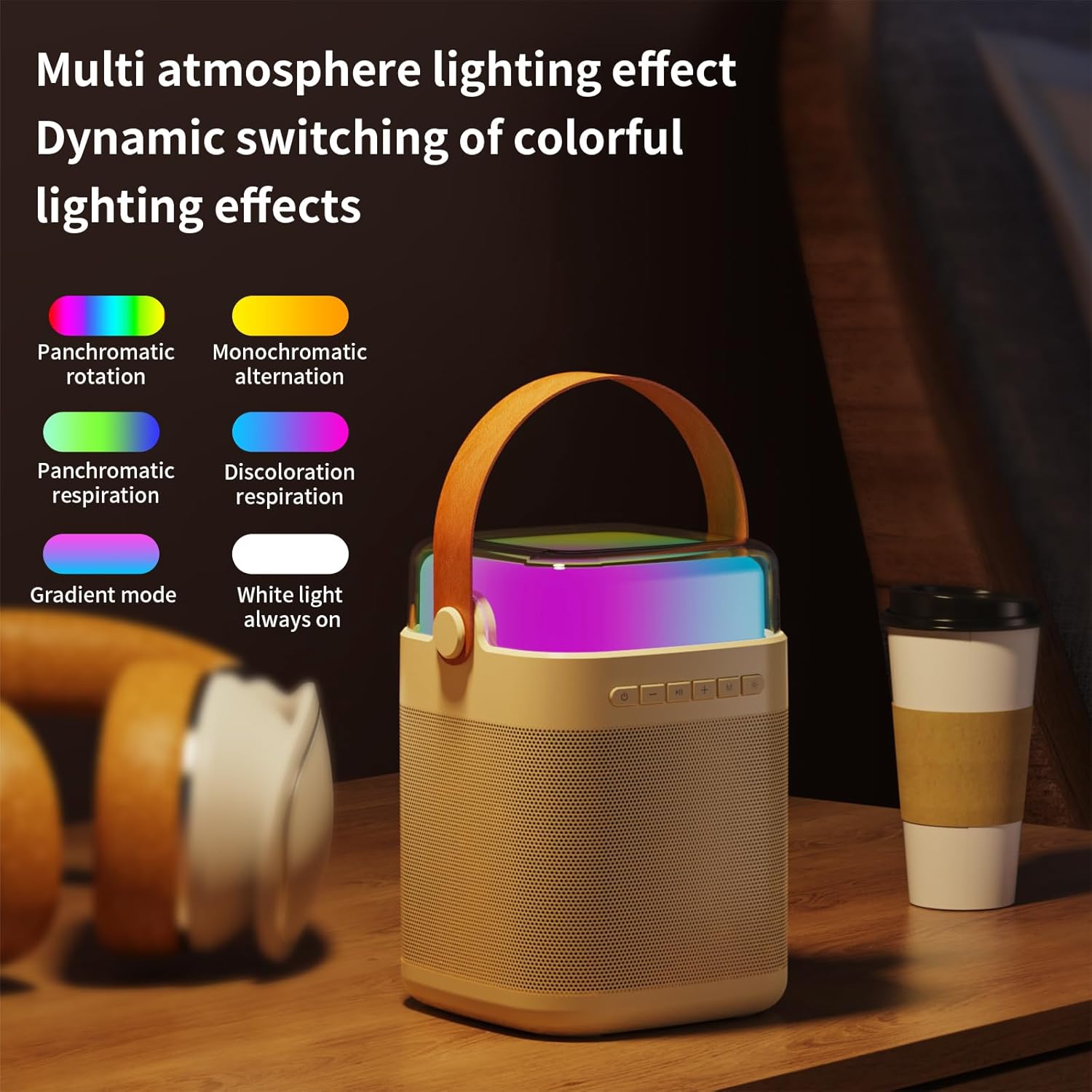
Слика 4: Готовоview of the machine's features including colorful lights, dual wireless microphones, USB-C charging, AUX-in, SD card slot, and USB-A port.
Водич за поставување
1. Полнење на уредот
Before first use, fully charge the karaoke machine speaker and both wireless microphones. Use the provided USB charging cable.
- Полнење на звучникот: Connect the USB-C cable to the charging port on the speaker and to a USB power adapter (not included). The charging indicator will show status.
- Полнење на микрофон: Connect the USB cable to the charging port on each microphone.
- Време на полнење: Speaker takes approximately 3 hours for a full charge. Microphones take approximately 2 hours.
2. Вклучување/исклучување
- Говорник: Press and hold the power button on the speaker for 3 seconds to turn on or off.
- Микрофони: Press and hold the power button on each microphone for 3 seconds to turn on or off.
3. Поврзување со Bluetooth
The karaoke machine uses Bluetooth 5.3 for stable wireless connection to your devices.
- Turn on the karaoke machine speaker. It will automatically enter Bluetooth pairing mode.
- On your smartphone, tablet, or other Bluetooth-enabled device, go to Bluetooth settings and search for "HAILIWEI".
- Select "HAILIWEI" to pair. A voice prompt will confirm successful connection.
Once connected, you can play music from your device through the karaoke machine speaker.
4. Microphone Pairing
The two wireless microphones are pre-paired with the speaker. If they do not connect automatically:
- Ensure both the speaker and microphones are powered on.
- The microphones should automatically connect to the speaker. A blue indicator light on the microphone will confirm connection.
- If connection fails, turn off both the speaker and microphones, then turn them on again.
Упатства за работа
1. Репродукција на музика
- Bluetooth: Play music from your paired device.
- Влез AUX: Connect an external audio source using the 3.5mm AUX cable.
- USB/TF картичка: Insert a USB flash drive or TF (Micro SD) card with MP3 files into the respective port. The speaker will automatically play music.
2. Speaker Controls
Звучникот има интуитивни контроли на горниот панел:
- Копче за вклучување: Press and hold to power on/off. Short press to switch modes (Bluetooth/AUX/USB/TF).
- Копче за репродукција/пауза: Кратко притиснете за да репродуцирате или паузирате музика.
- Previous/Volume Down (-): Кратко притискање за претходната песна. Долго притискање за намалување на јачината на звукот.
- Next/Volume Up (+): Кратко притискање за следната песна. Долго притискање за зголемување на јачината на звукот.
- Microphone Volume (M): Прилагодете ја јачината на звукот на микрофонот.
- Light Mode Button (*): Short press to cycle through different lighting effects.

Figure 5: The speaker's top panel showing control buttons and dynamic lighting effects.
3. Употреба на микрофон
- Ensure microphones are powered on and connected to the speaker.
- Speak or sing into the microphone. Adjust the microphone volume using the 'M' button on the speaker.
- Звучни ефекти: The system supports five sound change effects: Original Voice, Child, Monster, Male Voice, Female Voice. Refer to the speaker controls for activating these effects.
Одржување
Proper care will extend the life of your karaoke machine.
- Чистење: Use a soft, dry cloth to clean the exterior of the speaker and microphones. Do not use abrasive cleaners or solvents.
- Складирање: Чувајте го уредот на ладно и суво место, подалеку од директна сончева светлина и екстремни температури.
- Нега на батеријата: За да ја одржите состојбата на батеријата, полнете го уредот редовно, дури и ако не го користите често. Избегнувајте целосно празнење на батеријата подолг временски период.
- Изложеност на вода: Овој уред не е водоотпорен. Избегнувајте изложување на вода или висока влажност.
Решавање проблеми
Доколку наидете на проблеми, ве молиме погледнете ги следните вообичаени проблеми и решенија:
| Проблем | Решение |
|---|---|
| Нема звук од звучникот. |
|
| Микрофоните не работат. |
|
| Проблеми со поврзувањето со Bluetooth. |
|
| Краток век на батеријата. |
|
Спецификации
| Карактеристика | Детал |
|---|---|
| Број на модел | LYYX-M12 |
| Бренд | ХАИЛИВЕИ |
| Тип на монтирање | На маса |
| Извор на енергија | Напојува со батерија |
| Тип на конектор | Aux, USB |
| Материјал | Метал |
| Излезен Ватtage | 13 вати |
| Број на канали | 1 |
| Аудио влез | Bluetooth, TF card, USB flash drive, AUX cable |
| Димензии на производот | 6.62 x 5.2 x 7 инчи |
| Тежина на ставката | 2.4 фунти |
| Тежина на микрофон | 0.18 фунти (приближно) |
| Капацитет на батеријата на микрофонот | 500 mAh (приближно) |
| Microphone Usage Time | Околу 15 часа |
| Капацитет на батеријата на звучникот | 3000 mAh (приближно) |
| Speaker Usage Time | 5-12 часа |
| Технологија за поврзување | AUX, Bluetooth, USB |
| Боја | Беж |
| Компатибилни уреди | Паметен телефон, таблет |

Figure 6: Detailed dimensions and weight of the speaker and microphone.
Гаранција и поддршка
HAILIWEI products are manufactured to high quality standards. For warranty information or technical support, please refer to the contact details provided with your purchase or visit the official HAILIWEI webсајт.
Additional user guides in PDF format may be available for download from the product's Amazon listing or the manufacturer's webсајт.
Ask a question about this manual
Ask about setup, troubleshooting, compatibility, parts, safety, or missing instructions. Manuals+ will review the question and use this page’s manual context to help answer it.