
1. Производот завршиview
The Roku 40" Select Series 1080p Full HD Smart RokuTV offers a seamless entertainment experience with its integrated Roku platform. Enjoy bright, full HD picture quality and clear audio. The customizable home screen provides quick access to streaming apps, inputs, and free live TV. This model features a bezel-less design and comes with a voice remote for easy navigation.
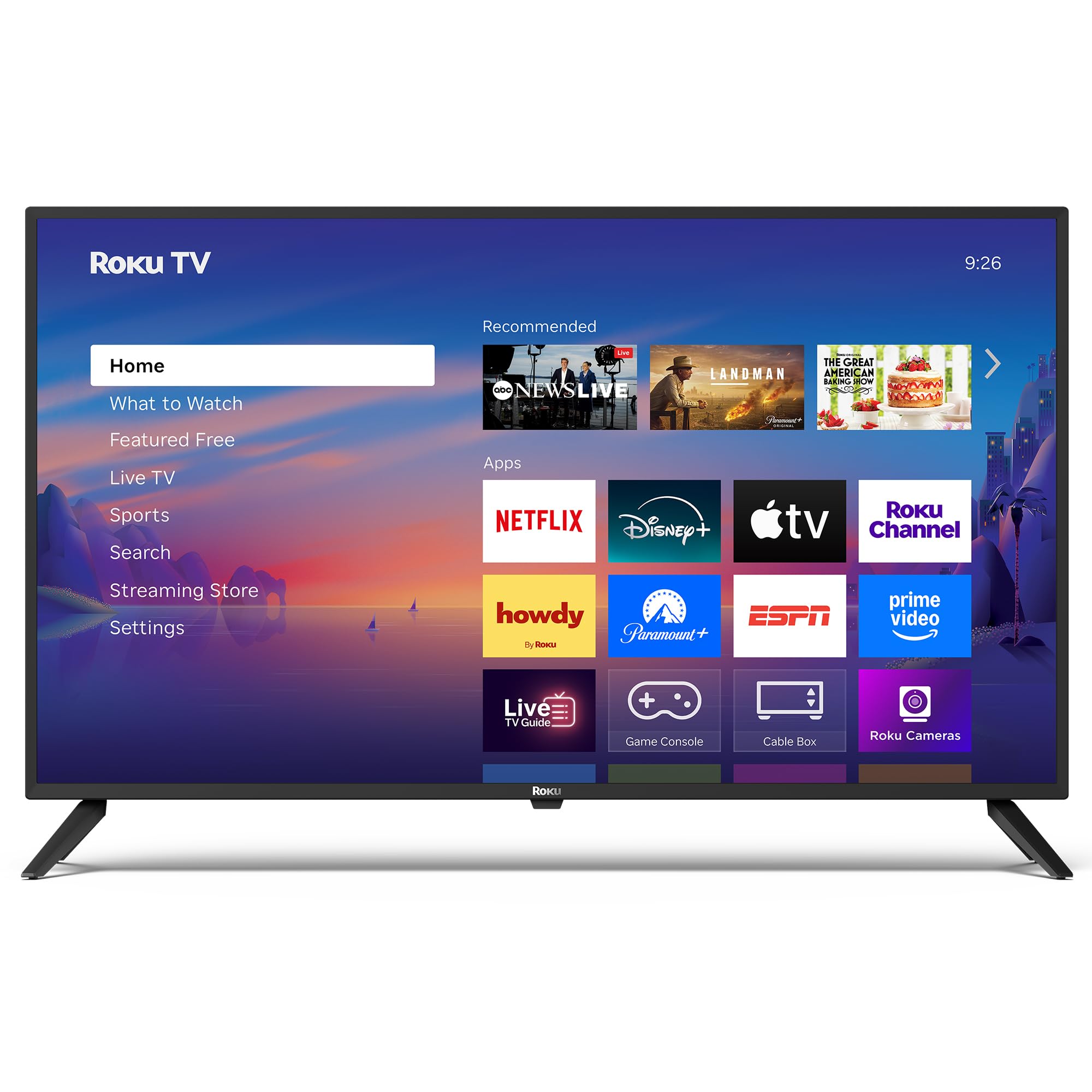
Слика: напред view of the Roku 40" Select Series Full HD Smart TV.
2. Што има во кутијата
- Roku 40” Select Series Full HD Smart TV
- Roku voice remote with batteries
- ТВ штандови (2)
- Stand screws (4)
- Упатство за употреба (овој документ)

Image: Diagram illustrating the components included in the Roku TV package.
3. Водич за поставување
3.1 Прикачување на држачите за телевизор
- Внимателно поставете го екранот на телевизорот со свртен надолу на мека, чиста површина за да спречите гребнатини.
- Align each TV stand with the corresponding screw holes on the bottom of the TV.
- Insert the provided screws into the holes and tighten them securely with a screwdriver.
- Ensure both stands are firmly attached before proceeding.
3.2 Поврзување на напојувањето и почетно поставување
- Connect the power cord to the TV and then to a standard electrical outlet (100-240 VAC, 50-60 Hz).
- Insert the AAA batteries into the Roku voice remote.
- Притиснете го копчето за вклучување на далечинскиот управувач за да го вклучите телевизорот.
- Follow the on-screen instructions to select your language, connect to your Wi-Fi network, and activate your Roku account.
- The TV will guide you through adding your preferred streaming apps and setting up any connected devices.

Слика: Крупен план view of the TV's side panel, showing various input ports like HDMI, USB, and antenna connection.
4. Operating Your Roku TV
4.1 Навигација на почетниот екран
The Roku home screen provides a centralized hub for all your entertainment. Easily access streaming apps, connected devices (like game consoles or cable boxes), and free live TV channels. The interface is designed for quick and intuitive navigation using your Roku voice remote.

Image: The Roku TV home screen, showing a grid of streaming applications and input selections.
4.2 Користење на гласовниот далечински управувач
The included voice remote simplifies your TV experience. Use voice commands to search for movies, shows, or songs across thousands of streaming apps. Dedicated shortcut buttons provide instant access to popular services like Netflix, Disney+, and Apple TV. Volume controls are conveniently located on the side of the remote.

Image: Close-up of the Roku voice remote, highlighting the voice command button and dedicated app shortcuts.
4.3 Поставки за слика и звук
The Roku TV delivers a bright, full HD picture with exceptional clarity. It features direct LED backlighting for better brightness and uniformity. Enhanced audio output is provided by built-in speakers. You can adjust picture modes, screen brightness, and other advanced settings through the TV's menu to optimize your viewискуство.
4.4 Интеграција со паметен дом
The Roku TV is compatible with various smart home ecosystems, including Apple AirPlay 2, Apple Home, Alexa, and Google Home. This allows for integrated control and seamless interaction with your existing smart devices.

Image: Icons representing compatibility with various smart home platforms.
5. Одржување
За да обезбедите долготрајност и оптимални перформанси на вашиот Roku телевизор, следете ги овие упатства за одржување:
- Чистење на екранот: Use a soft, lint-free cloth specifically designed for electronics. Gently wipe the screen to remove dust and smudges. Avoid harsh chemicals or abrasive materials.
- Чистење на надворешноста: Wipe the TV's exterior with a soft, dry cloth. Do not use liquid cleaners directly on the TV.
- Вентилација: Осигурајте се дека отворите за вентилација на телевизорот не се блокирани за да спречите прегревање. Одржувајте доволно простор околу телевизорот за циркулација на воздух.
- Моќен менаџмент: Unplug the TV from the power outlet during electrical storms or when it will be left unattended for long periods.
6 Смена на проблеми
If you encounter issues with your Roku TV, try the following basic troubleshooting steps:
- Без моќност: Ensure the power cord is securely plugged into both the TV and the electrical outlet. Check if the outlet is functioning by plugging in another device.
- Нема слика/звук: Verify that the correct input source is selected on the TV. Check all cable connections (HDMI, AV, etc.) for looseness.
- Далечинското не реагира: Replace the batteries in the remote. Ensure there are no obstructions between the remote and the TV. Re-pair the remote if necessary (refer to the on-screen instructions during initial setup or the Roku support site).
- Проблеми со мрежната конекција: Restart your Wi-Fi router and modem. Go to the TV's network settings to reconnect to your Wi-Fi network.
- Замрзнување/пад на апликацијата: Restart the specific app. If the issue persists, restart the TV by unplugging it from the power outlet for 30 seconds and then plugging it back in.
За подетално решавање проблеми или постојани проблеми, посетете ја официјалната поддршка на Roku. webсајт.
7. Спецификации
| Карактеристика | Детал |
|---|---|
| Големина на екранот | 40 инчи |
| Бренд | Року |
| Број на модел | 40R2A5R |
| Технологија на прикажување | LED |
| Резолуција | 1080p full HD |
| Стапка на освежување | 60 Hz |
| Оперативен систем | Roku OS |
| Посебни карактеристики | Bezel-Less Design, Voice Remote |
| Технологија за поврзување | HDMI, USB, Wi-Fi |
| Вкупно HDMI порти | 3 |
| Total USB 3.0 Ports | 1 |
| Режим за излез на звук | Засилено |
| Контролен метод | App Control, Remote Control, Voice Control |
| Screen Mirroring Technology | AirPlay 2, Miracast |
| Димензии на производот (Д x Ш x В) | 8.7" Д x 35.5" Ш x 22.6" В |
| Item Weight Without Stand | 11.2 фунти |
| VESA стандард за монтирање | 200 x 100 mm |
8. Гаранција и поддршка
8.1 Ограничена гаранција
Roku warrants the hardware of this device against defects in materials and workmanship under normal use for a period of one (1) year from the date of purchase ("Warranty Period"), provided it is used in accordance with the provided documentation. If a hardware defect is determined during the Warranty Period, Roku's sole obligation and your exclusive remedy will be to either repair or replace the unit with a new or rebuilt device, at Roku's option.
Important information about warranty returns and replacements is available on the Roku support site.
8.2 Враќање на производи
You may return a device for any reason, subject to the terms of the applicable return policy:
- Within thirty (30) days from the date of purchase from Roku.
- Within the applicable return period if purchased from an authorized reseller or distributor.
Additional details regarding product returns can be found on the Roku support site.