1. Вовед
Ви благодарам за купувањетоasing the Generic 48 x 24 Inch White Tabletop Standing Desk. This manual provides important information regarding the assembly, operation, maintenance, and troubleshooting of your new desk. Please read this manual thoroughly before assembly and use to ensure safe and proper operation. Keep this manual for future reference.
Информации за безбедност
- Пред склопување, проверете дали сите компоненти се присутни и неоштетени. Не го користете ако некои делови недостасуваат или се неисправни.
- Склопете ја масата на мека, чиста површина за да спречите гребнатини.
- Држете ги децата и домашните миленици подалеку за време на склопувањето. Малите делови може да претставуваат опасност од задушување.
- Не преоптоварувајте ја работната маса. Погледнете го делот „Спецификации“ за носивост.
- Ensure the desk is stable and level before placing items on it.
- Држете ги рацете и прстите подалеку од подвижните делови за време на прилагодувањето на висината.
2. Содржина на пакетот
Ве молиме проверете дали сите од следниве компоненти се вклучени во вашиот пакет:
- Desk Tabletop (White, 48 x 24 inches)
- Ногарки за биро (2 единици)
- Crossbar/Frame Support
- Metal Drawer with Glides
- Crank Handle for Height Adjustment
- Foot Pads/Levelers (4 units)
- Опрема за склопување (шрафови, завртки, шестоаголен клуч)
- Упатство за употреба
3. Поставување и склопување
Follow these steps to assemble your standing desk. It is recommended to have two people for assembly.
Step 1: Attach Desk Legs to Tabletop
Carefully place the tabletop upside down on a soft, clean surface. Align the desk legs with the pre-drilled holes on the underside of the tabletop. Secure them using the provided screws and Allen wrench.

Image: Desk legs being attached to the tabletop. Ensure all screws are tightened securely.
Step 2: Install Crossbar/Frame Support
Attach the crossbar between the two desk legs. This provides additional stability and support for the desk frame. Use the designated bolts and nuts to secure it firmly.

Image: Detail of the perforated crossbar connecting the desk legs, enhancing structural integrity.
Step 3: Install Metal Drawer
Slide the metal drawer into its designated slot under the tabletop. Ensure the drawer glides are properly aligned and the drawer slides smoothly. Secure any retaining screws if provided.

Image: The integrated metal drawer, shown partially open, providing convenient storage.
Step 4: Attach Crank Handle and Foot Pads
Insert the crank handle into its port on the side of the desk. Attach the adjustable foot pads to the bottom of each desk leg. These pads help level the desk on uneven surfaces and protect your floor.
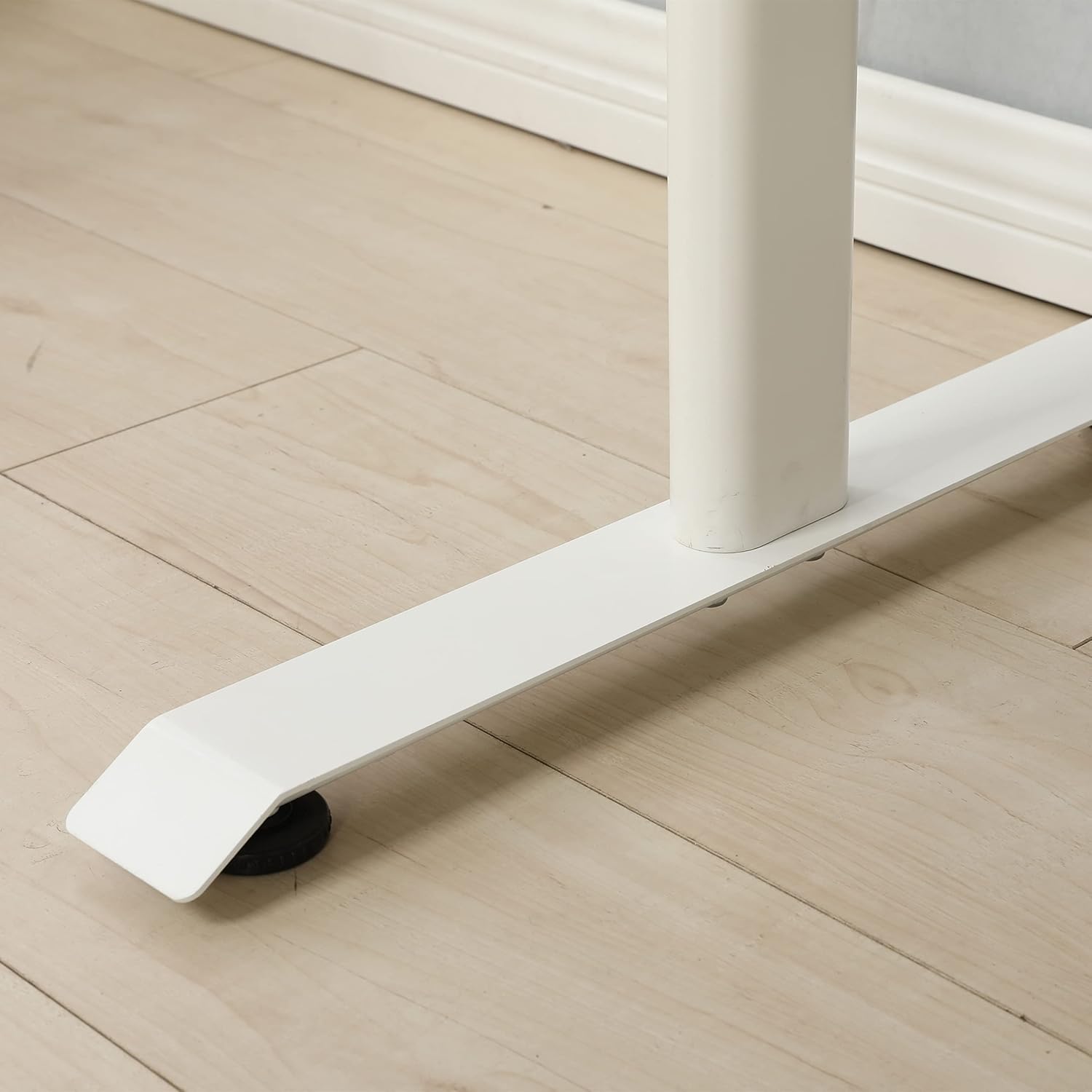
Image: An adjustable foot pad at the base of a desk leg, designed for stability and floor protection.
Чекор 5: Конечна проверка
Once assembled, carefully turn the desk upright. Ensure all screws and bolts are tight. Check for stability and adjust the foot pads if necessary to eliminate any wobbling.

Image: The fully assembled standing desk, viewed from the front, ready for use.
4. Упатства за работа
Прилагодување на висината на работната маса
This standing desk features a manual crank system for height adjustment. To change the desk height:
- Пронајдете ја рачката на страната од бирото.
- Insert the crank handle firmly into its port.
- Rotate the crank handle clockwise to raise the desk.
- Rotate the crank handle counter-clockwise to lower the desk.
- Adjust to your desired ergonomic height, whether sitting or standing.
- Remove the crank handle when not in use to prevent accidental adjustments or obstruction.
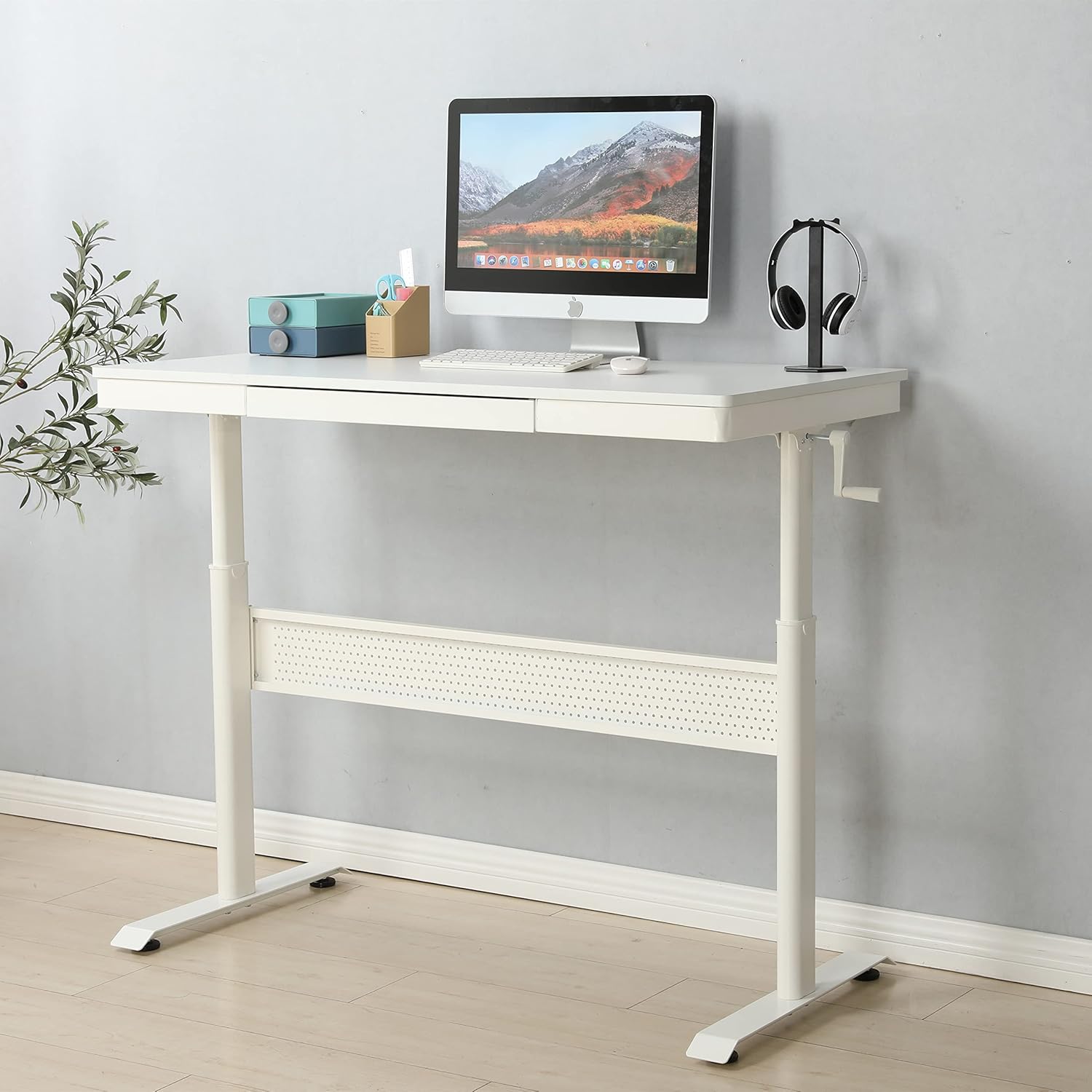
Image: The standing desk with the manual crank handle positioned for height adjustment.
5. Одржување
Regular maintenance will help prolong the life and functionality of your standing desk.
- Чистење: Избришете ја површината и рамката на бирото со мека, дamp крпа. Избегнувајте груби хемикалии или абразивни средства за чистење кои би можеле да ја оштетат завршната обработка.
- Проверка на хардверот: Периодично проверувајте ги сите завртки и клинови за да се осигурате дека се стегнати. Затегнете ги повторно доколку е потребно за да ја одржите стабилноста.
- Одржување на фиоката: Ensure the drawer glides are free of debris for smooth operation.
- Подмачкување: The height adjustment mechanism is generally maintenance-free. If you notice any stiffness, consult customer support before applying lubricants.
6 Смена на проблеми
Доколку наидете на какви било проблеми со вашата работна маса, погледнете ги следниве вообичаени проблеми и решенија:
| Проблем | Можна причина | Решение |
|---|---|---|
| Бирото е нестабилно | Loose hardware; uneven floor; uneven foot pads | Check and tighten all screws and bolts. Adjust the foot pads to level the desk on uneven surfaces. |
| Crank handle is stiff or difficult to turn | Mechanism obstruction; excessive weight on desk | Ensure no objects are obstructing the lifting mechanism. Reduce weight on the desk. Contact support if issue persists. |
| Drawer does not slide smoothly | Debris in glides; misaligned glides | Clean the drawer glides. Check for proper alignment of the drawer and glides. |
If you encounter a problem not listed here or if the suggested solutions do not resolve the issue, please contact customer support.
7. Спецификации
| Карактеристика | Детал |
|---|---|
| Бренд | Генерички |
| Број на модел | home-office-desks |
| Димензии на производот (Д x Ш x В) | 47.24" x 23.62" x 29.52" |
| Боја | Бело |
| Врвен тип на материјал | Легуриран челик |
| Основен материјал | Легуриран челик |
| Број на фиоки | 1 |
| Потребно е собрание | Да |
| Специјална карактеристика | Durable, Adjustable Height |
8. Гаранција и поддршка
This product is offered with a 30-day easy return policy. For any questions, assistance, or to report missing/damaged parts, please contact customer support through the retailer where the product was purchased.
Manufacturer: SeeTruth


