
типизирање KB206129
Футрола за тастатура typecase за iPad Pro 12.9 (6-та, 5-та, 4-та, 3-та генерација) упатство за употреба
Модел: KB206129
Вовед
This manual provides detailed instructions for the setup, operation, maintenance, and troubleshooting of your typecase Keyboard Case for iPad Pro 12.9. Please read this manual thoroughly before using the product to ensure optimal performance and longevity.
The typecase Keyboard Case is designed to enhance your iPad Pro 12.9 experience, offering a versatile keyboard with a trackpad and backlit keys. It is compatible with iPad Pro 12.9-inch (6th, 5th, 4th, 3rd Generation) models.
Содржина на пакетот
- 1 x typecase Keyboard Case (for iPad Pro 12.9 6th/5th/4th/3rd Gen)
- 1 x кабел за полнење USB-C
- 1 x Упатство за употреба
Поставување
1. Полнење на тастатурата
Before initial use, fully charge the keyboard. Connect the provided USB-C charging cable to the charging port on the side of the keyboard and to a USB power adapter (not included). The charging indicator light will show the charging status.
- Charging Port Location: Typically on the right side of the keyboard.
- Траење на батеријата: The keyboard features a built-in rechargeable lithium polymer battery. Battery level can be checked on your iPad (like other connected Bluetooth devices) or via a shortcut key (Fn + Spacebar, if available, to show 1/3, 2/3, 3/3 battery life).
2. Attaching Your iPad Pro
The keyboard case features a magnetic attachment system. Align your iPad Pro 12.9 with the magnetic panel on the case. The magnets will securely hold the iPad in place.
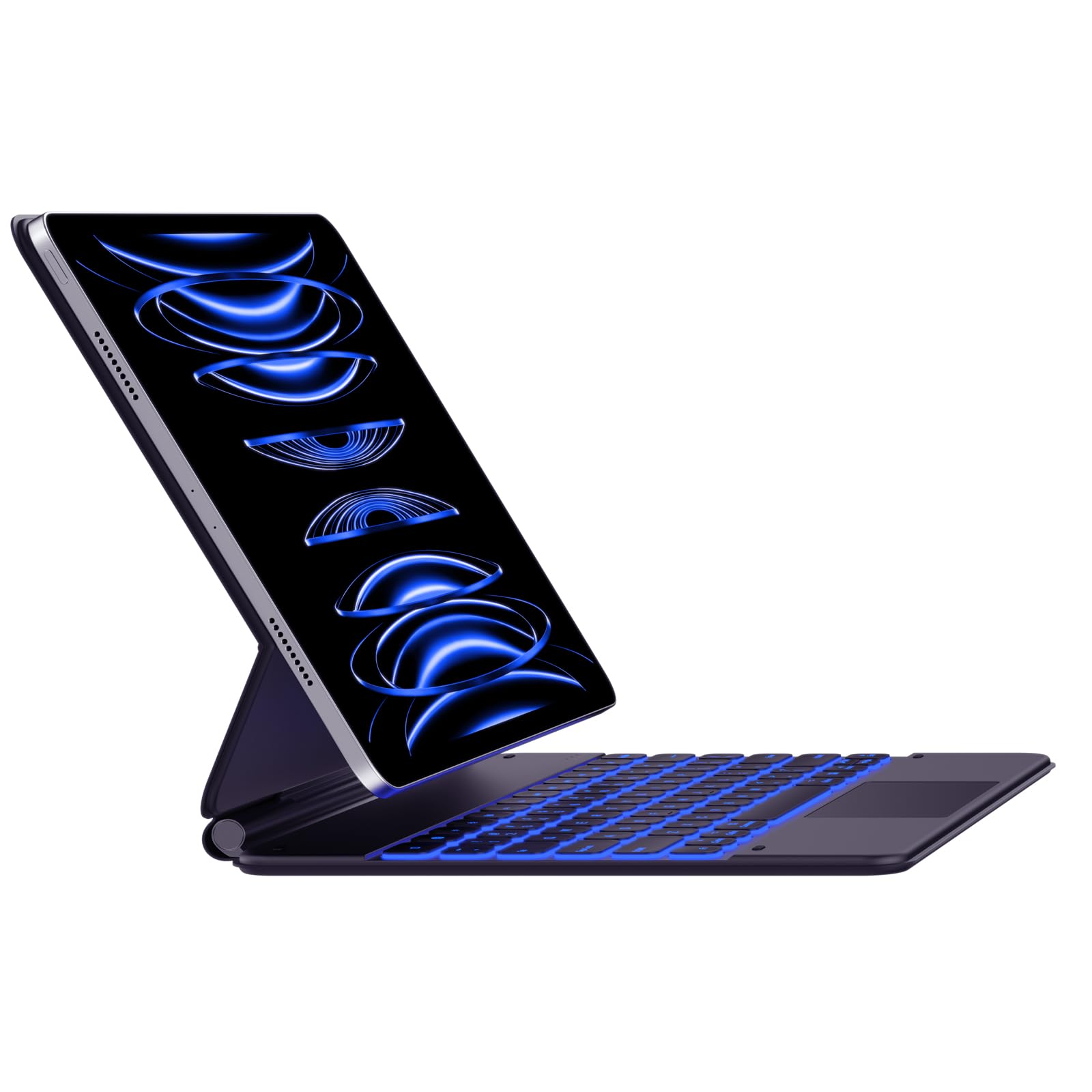
Image: The typecase Keyboard Case with an iPad Pro magnetically attached, displaying blue backlit keys and a vibrant screen.
- Ensure the camera cutout on the case aligns with your iPad's camera.
- The magnetic connection is designed to be strong, but always handle with care.
3. Pairing with Your iPad (Bluetooth Connection)
- Вклучување: Locate the power switch on the side of the keyboard and slide it to the "ON" position.
- Активирајте го режимот за спарување: Притиснете и задржете го Поврзете се button (or a similar Bluetooth pairing key, often indicated by a Bluetooth icon) on the keyboard. The Bluetooth indicator light will start blinking, indicating it's in pairing mode.
- On Your iPad: Одете на Поставки > Bluetooth.
- Изберете уред: In the Bluetooth devices list, you should see "typecase Keyboard" or a similar name. Tap on it to connect.
- Потврда: Once paired, the Bluetooth indicator light on the keyboard will stop blinking and remain solid (or turn off), and your iPad will show the keyboard as "Connected."
Note: The keyboard will automatically attempt to reconnect to the last paired device when powered on. If connection issues occur, repeat the pairing steps.
Упатства за работа
Keyboard Layout and Function Keys
The keyboard features a standard QWERTY layout with an additional row of function keys at the top for quick access to iPad features.
- Escape (Esc): Functions as a Home button.
- Brightness Keys: Прилагодете ја осветленоста на екранот на iPad.
- Keyboard Backlight Keys: Adjust backlight color and brightness.
- Копчиња за контрола на медиуми: Пушти/Пауза, Претходна песна, Следна песна.
- Копчиња за јачина на звук: Исклучување на звук, Намалување на јачината на звукот, Зголемување на јачината на звукот.
- Клуч за заклучување: Го заклучува екранот на iPad.
- Globe Key: Used for switching between keyboard languages or emoji keyboard (functionality may vary based on iPadOS settings).
Контрола на позадинско осветлување
The keyboard offers 11 backlight colors and 3 levels of brightness. Use the dedicated backlight keys (often marked with a light bulb icon or similar) in the function row to cycle through colors and adjust brightness.
- Press the backlight key once to change color.
- Press the brightness key (often combined with backlight key or separate) to cycle through brightness levels.
Употреба на тракпадот
The integrated trackpad supports multi-touch gestures, similar to a laptop trackpad. Ensure your iPadOS is updated to support trackpad functionality.
| Гест | Акција |
|---|---|
| Single Finger Tap | Click, select item. |
| Two Fingers Swipe | Scroll up/down/left/right. |
| Two Fingers Pinch | Зумирајте/одзумирајте. |
| Повлечете нагоре со три прста | Go to Home Screen. |
| Повлечете лево/десно со три прста | Префрлете се помеѓу отворени апликации. |
Note: Trackpad precision and responsiveness are optimized for general use. For specific settings or advanced gestures, refer to your iPad's accessibility settings.
Функција за автоматско спиење
The keyboard case is designed with an auto-sleep feature to conserve battery. If inactive for a period, the keyboard will enter sleep mode. Press any key to wake it up and reconnect to your iPad.
Одржување
- Чистење: Користете мека, гamp, lint-free cloth to clean the keyboard and case. Avoid harsh chemicals or abrasive materials.
- Складирање: When not in use, close the case to protect both the iPad and the keyboard. Store in a cool, dry place away from direct sunlight.
- Нега на батеријата: За да го продолжите животниот век на батеријата, избегнувајте често целосно празнење на тастатурата. Полнете ја редовно, дури и ако не е целосно испразнета.
- Магнетна затворачка: Ensure the magnetic clasp is free from debris to maintain a secure closure.
Решавање проблеми
- Тастатурата не се поврзува:
- Осигурајте се дека тастатурата е вклучена и наполнета.
- Проверете дали Bluetooth е овозможен на вашиот iPad.
- Forget the device in your iPad's Bluetooth settings and re-pair it.
- Restart both the keyboard and your iPad.
- Копчињата не реагираат:
- Verify the keyboard is connected via Bluetooth.
- Осигурајте се дека тастатурата не е во режим на спиење.
- Проверете дали има физички пречки под клучевите.
- Trackpad Issues:
- Confirm the keyboard is connected.
- Проверете ги поставките на iPadOS за функционалноста на тракпедот.
- Исчистете ја површината на тракпедот.
- iPad Slipping from Magnetic Mount:
- Ensure the iPad is correctly aligned with the magnetic panel.
- Check for any debris between the iPad and the magnetic surface.
- Avoid excessive force or sudden movements that could dislodge the iPad.
Спецификации
| Карактеристика | Детал |
|---|---|
| Број на модел | KB206129 |
| Компатибилност | iPad Pro 12.9-inch (6th, 5th, 4th, 3rd Gen) |
| Поврзување | Bluetooth |
| Тип на батерија | Литиум полимер (вклучен) |
| Порта за полнење | USB-C |
| Задно осветлување | 11 Colors, 3 Brightness Levels (RGB support) |
| Посебни карактеристики | Backlit, Lightweight, Integrated Trackpad, Magnetic Clasp |
| Материјал | Акрилонитрил Бутадиен Стирен |
| Тежина на ставката | 1.13 килограми |
| Димензии на пакетот | 30.48 x 25.4 x 3.56 cm |
Гаранција и поддршка
Your typecase Keyboard Case is covered by a limited warranty against manufacturing defects. For specific warranty terms and conditions, please refer to the documentation included with your purchase or visit the official typecase webсајт.
For technical support, troubleshooting assistance, or warranty claims, please contact typecase customer service through their official support channels. Contact information can typically be found on the product packaging or the brand's webсајт.
Ask a question about this manual
Ask about setup, troubleshooting, compatibility, parts, safety, or missing instructions. Manuals+ will review the question and use this page’s manual context to help answer it.