
1. Вовед
This manual provides detailed instructions for the safe and effective use of your Levana Nala 5.5" HD Video Baby Monitor. This system is designed to provide secure, high-definition video and audio monitoring of your child without relying on Wi-Fi, ensuring privacy and reliability.
Key features include a 5.5-inch 1080P HD display, a Pan-Tilt-Zoom (PTZ) camera with night vision, two-way talk functionality, and an extended battery life of up to 22 hours.

Image: The Levana Nala 5.5" HD Video Baby Monitor system, showing the monitor, camera, and carrying case.
2. Информации за безбедност
- Опасност од задушување: Keep all power cords and cables out of reach of children (at least 3 feet / 1 meter away). Never place the camera or cords within a crib or playpen.
- Вода и влага: Do not expose the monitor or camera to water or moisture. This product is for indoor use only.
- Извори на топлина: Држете го уредот подалеку од извори на топлина како што се радијатори, грејни тела, шпорети или други апарати што произведуваат топлина.
- Вентилација: Ensure proper ventilation around the camera and monitor. Do not block ventilation openings.
- Надзор за возрасни: This product is intended to assist in monitoring your child and is not a substitute for proper adult supervision.
- Secure Signal: The Levana Nala monitor utilizes GigaXtreme wireless technology, providing a secure, unhackable connection without Wi-Fi or Bluetooth, enhancing your privacy.

Image: The Levana Nala monitor highlighting its secure, unhackable signal without Wi-Fi, Bluetooth, or mobile app.
3. Содржина на пакетот
Проверете дали сите артикли се присутни во вашиот пакет:
- 1 x 5.5" 1080P Monitor
- 1 x 1080P PTZ Camera
- 1 x Camera Charger (6.5 ft)
- 1 x Monitor Charger (6.5 ft)
- 1 x Хардвер за монтирање на камера
- 1 x Premium Carrying Case
- Водич за брз почеток
- Информации за гаранција од 2 години
- Lifetime Support Information

Image: A visual representation of all components included in the Levana Nala baby monitor package.
4. Поставување
4.1 Поставување на камерата
- Place the camera on a flat surface or mount it to a wall using the included hardware. Ensure the camera is at least 3 feet (1 meter) away from the crib or playpen to prevent cord entanglement.
- Position the camera to provide a clear view of your child. The PTZ (Pan-Tilt-Zoom) function allows for remote adjustment after placement.
- Plug the camera charger into the camera and then into a power outlet.
4.2 Поставување на мониторот
- Поставете го мониторот на погодно место каде што лесно можете view екранот.
- Plug the monitor charger into the monitor and then into a power outlet. The monitor's internal battery will begin charging.
- Press and hold the Power button on the monitor to turn it on. The monitor and camera should automatically connect.
4.3 Pairing Additional Cameras (Optional)
If you have purchased additional cameras, they may need to be manually paired. Refer to the Quick Start Guide for specific pairing instructions, typically found within the monitor's menu settings under 'Camera Management' or 'Add Camera'.

Image: The Levana Nala monitor and camera illustrating its pan, tilt, and zoom capabilities for comprehensive room coverage.
5. Упатства за работа
5.1 Контроли на мониторот
Familiarize yourself with the buttons on your monitor:
- Копче за вклучување: Press and hold to turn the monitor on/off. Press briefly to turn the screen on/off while audio continues.
- Копче за мени: Access settings, camera management, lullabies, and other features.
- Копчиња за навигација (горе/долу/лево/десно): Used to navigate menus and control camera pan/tilt.
- Во ред/копче за избор: Потврдете ги изборите во менито.
- Копче за зумирање: Magnify the image on the screen (digital zoom up to 4x).
- Two-Way Talk Button: Press and hold to speak through the camera to your child.
- Копчиња за јачина на звук: Adjust the audio level from the camera.
5.2 Видео мониторинг
The 5.5" HD display provides a clear 1080P view of your child. The monitor automatically switches to night vision in low-light conditions, displaying a clear black and white image.
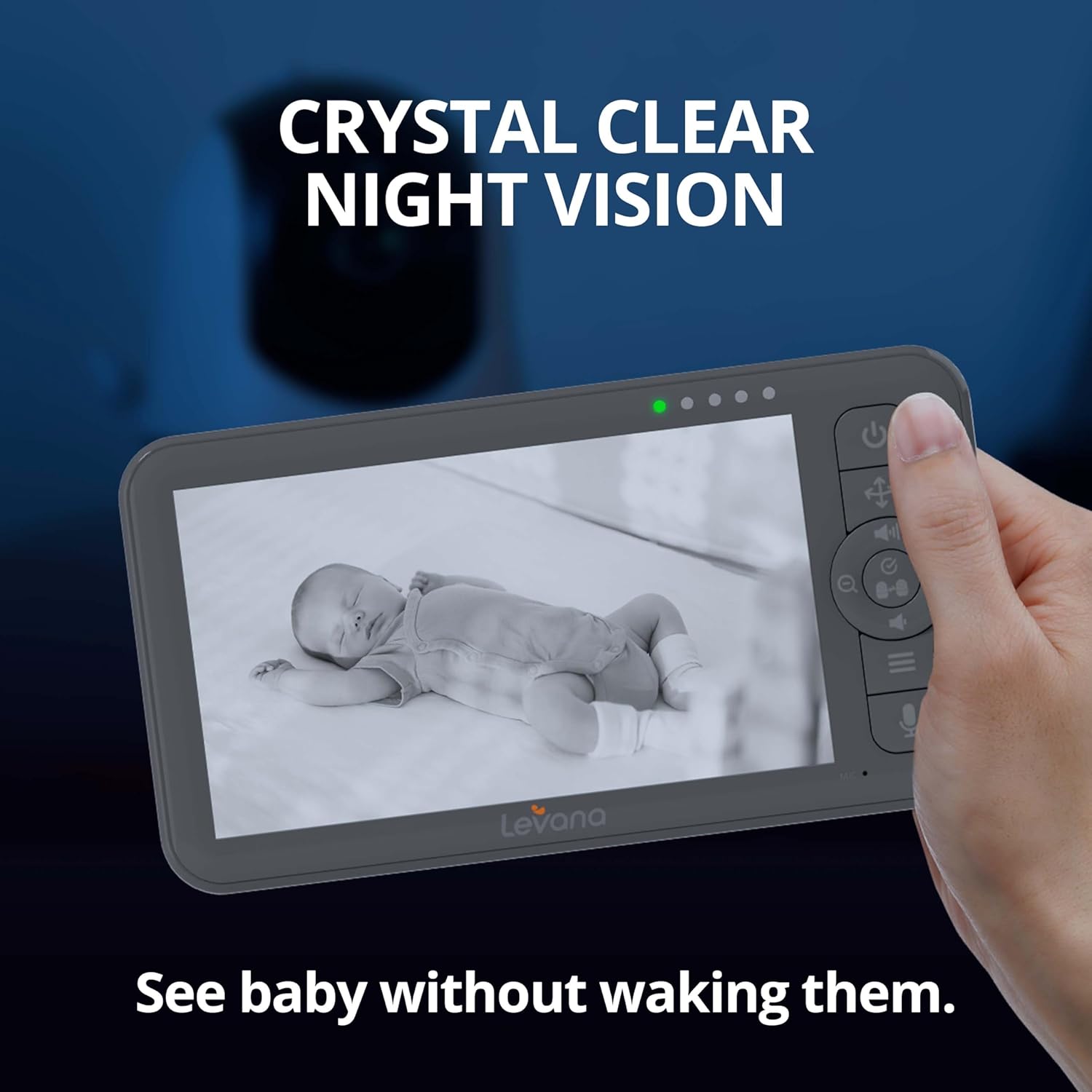
Image: The Levana Nala monitor showcasing its crystal clear night vision capability, allowing monitoring without disturbing the baby.
5.3 Двонасочен разговор
To comfort your child, press and hold the Two-Way Talk button on the monitor. Speak clearly into the monitor's microphone. Your voice will be transmitted through the camera's speaker.

Image: The Levana Nala monitor demonstrating the two-way talk feature, allowing parents to soothe their baby remotely.
5.4 Панорамирање, навалување и зумирање (PTZ)
Користете ги копчињата за навигација на мониторот за далечинско прилагодување на камерата view:
- Пан: Move the camera horizontally (left/right).
- Навалување: Move the camera vertically (up/down).
- Зумирајте: Press the dedicated Zoom button to digitally zoom in or out on the image.
5.5 Траење на батеријата
The monitor features a powerful 5000mAh rechargeable battery, providing up to 22 hours of continuous video monitoring. Battery life may vary based on usage and settings (e.g., screen brightness, VOX mode).

Image: The Levana Nala monitor highlighting its extended 22-hour battery life for day and night use.
5.6 VOX Mode (Cry Detection)
The monitor can be set to VOX (Voice Operated eXchange) mode, where the screen and/or audio activate only when sound is detected from the camera. This conserves battery and reduces screen light during quiet periods.

Image: The monitor demonstrating its ability to activate when sound is detected, showing a sleeping baby with the screen off and an awake baby with the screen on.
5.7 Приспивни песни
The camera can play built-in lullabies to help soothe your child. Access this feature through the monitor's menu.

Image: A baby sleeping peacefully with musical notes originating from the camera, illustrating the lullaby function.
6. Одржување
- Чистење: Use a soft, dry cloth to clean the monitor and camera surfaces. Do not use liquid cleaners or aerosol sprays.
- Нега на батеријата: To prolong battery life, avoid fully discharging the monitor's battery frequently. Charge the monitor regularly.
- Складирање: If storing the device for an extended period, ensure the battery is partially charged (around 50%) and store in a cool, dry place.
7 Смена на проблеми
| Проблем | Можна причина | Решение |
|---|---|---|
| Нема слика/звук на мониторот | Monitor or camera is off; Out of range; Low battery; Not paired. | Ensure both units are powered on and charged. Move monitor closer to camera. Re-pair units if necessary (refer to Section 4.3). |
| Лош квалитет на сликата | Low light (night vision active); Camera lens dirty; Obstructions. | Ensure adequate lighting if color vision is desired. Clean camera lens. Remove any objects blocking the camera's view. |
| Нема звук или низок волумен | Monitor volume too low; VOX sensitivity too low. | Increase monitor volume. Adjust VOX sensitivity in the menu. |
| Monitor not charging | Charger not properly connected; Faulty charger/cable. | Ensure charger is securely plugged into both monitor and outlet. Try a different compatible charger/cable if available. |
| Camera PTZ not responding | Out of range; Interference. | Move monitor closer to the camera. Ensure no large metal objects or other wireless devices are causing interference. |
8. Спецификации
- Големина на екранот на мониторот: 5.5 инчи
- Видео резолуција: 1080p HD
- Поврзување: Giga Xtreme Wireless Technology (No Wi-Fi, No Bluetooth)
- Безжичен опсег: До 1000 стапки (гледна линија)
- Карактеристики на камерата: Pan, Tilt, Zoom (PTZ), Night Vision, Two-Way Talk
- Оптички зум: 4x дигитален зум
- Батерија на мониторот: 5000 mAh, up to 22 hours continuous video
- Извор на енергија: Battery Powered (Monitor), AC Adapter (Camera)
- Внатрешна/надворешна употреба: Затворен
- Тип на монтирање: Монтирање на ѕид
- Материјал: Пластика
- Voltage: 5 волти
- Димензии на производот: 6.63 x 3.5 x 0.75 инчи (монитор)
- Тежина на ставката: 2.75 фунти (Вкупно пакување)
- UPC: 842751005596
- Меѓународен рејтинг за заштита: IP65 (Camera, for dust and water resistance)
9. Гаранција и поддршка
Your Levana Nala 5.5" HD Video Baby Monitor comes with a 2-годишна гаранција, covering defects in materials and workmanship under normal use. Additionally, Levana provides Поддршка за цел живот за овој производ.
For warranty claims, technical assistance, or any questions regarding your product, please refer to the contact information provided in your Quick Start Guide or visit the official Levana support webсајт.