
VTech VG131-11
VTech VG131-11 DECT 6.0 Cordless Phone User Manual
Model: VG131-11
1. Вовед
The VTech VG131-11 DECT 6.0 Cordless Phone offers reliable and clear communication with advanced features. Enjoy hands-free conversations with Bluetooth connectivity, superior range with DECT 6.0 technology, and enhanced visibility with its backlit display and large buttons. This manual provides comprehensive instructions for setting up, operating, and maintaining your new cordless phone.

Image: The VTech VG131-11 DECT 6.0 Cordless Phone handset resting in its black base unit. The handset features a blue-white display and large, green-backlit buttons.
2. Што има во кутијата
Осигурајте се дека сите предмети се присутни во вашиот пакет:
- Базна единица
- Безжична слушалка
- AC адаптер
- Пакет батерии
- Кабел за телефонска линија
3. Поставување
3.1. Почетна инсталација
- Connect the AC adapter to the base unit and plug it into a power outlet.
- Connect the telephone line cord to the base unit and plug the other end into a telephone wall jack.
3.2. Инсталација на батерија
- Отворете го капакот на преградата за батерии на задниот дел од слушалката.
- Цврсто поврзете го приклучокот на батеријата во приклучокот во внатрешноста на преградата.
- Place the battery pack with the label UP and tuck the wires neatly inside the compartment.
- Затворете го капакот на преградата за батерии.
3.3. Полнење на слушалката
Place the handset face forward in the base unit. The CHARGE light on the base unit will illuminate, indicating proper charging. Allow the handset to charge for at least 16 hours before initial use for optimal battery performance.
4. Упатства за работа
4.1. Остварување и примање повици
- За да остварите повик: Притиснете РАБОТИ, потоа бирајте го телефонскиот број.
- To receive a call: Press РАБОТИ or any dialing key (0-9, #, *).
- За да завршите повик: Притиснете ИСКЛУЧЕНО.
4.2. Користење на звучникот
The phone features a full-duplex speakerphone, allowing both parties to speak and be heard simultaneously for more natural conversations.
- За време на повик, притиснете на ЗВУЧНИК копче за да го активирате звучникот.
- Притиснете го ЗВУЧНИК button again to switch back to handset mode.
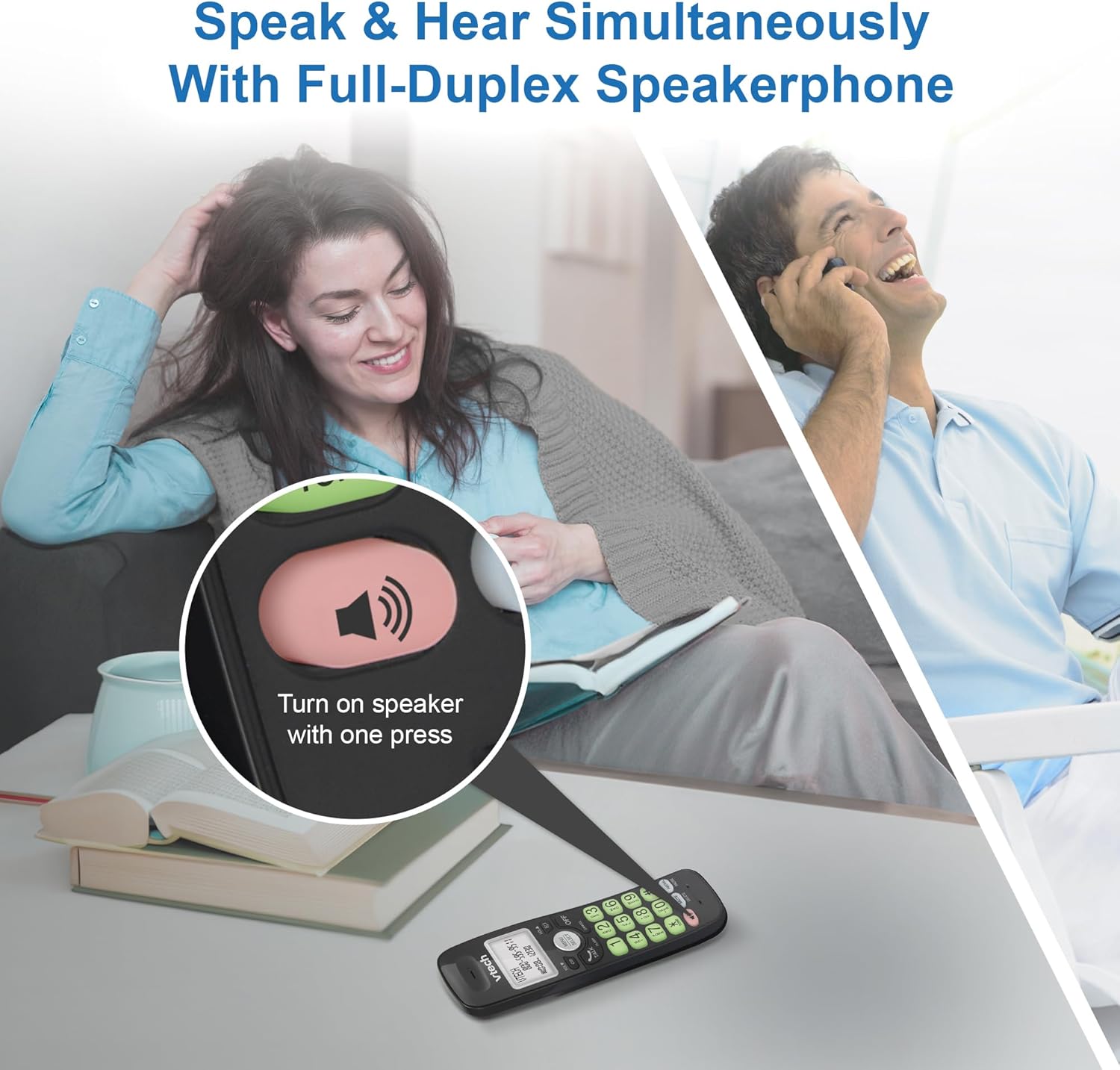
Image: A close-up of the VTech cordless phone handset showing the speakerphone button highlighted, with a person talking on the phone in the background, demonstrating the full-duplex speakerphone feature.
4.3. Контрола на јачината на звукот и исклучување на звукот
- To adjust earpiece or speakerphone volume during a call, press VOL ▼ or ЈАЧИНА ▲.
- To mute the microphone during a call, press МУТИРА. The other party cannot hear you, but you can still hear them. Press МУТИРА повторно да го вклучите звукот.

Слика: Детална view of the VTech cordless phone handset, highlighting the 'MUTE' button, indicating its function for silencing the microphone during a call.
4.4. Caller ID and Phonebook
The handset displays the name, number, time, and date of incoming calls. The phone also includes a 30-name and number phonebook directory.
- За повторноview Caller ID history, press CID.
- To access the phonebook, press MENU/SELECT, then navigate to the Phonebook option.

Image: A person smiling while holding the VTech cordless phone, with an overlay showing a digital phonebook display with contact names and icons, illustrating the Caller ID and phonebook features.
5. Карактеристики
5.1. Поврзување со Bluetooth
By pairing a Bluetooth headset, earbuds, or conference speakerphone to the system, you can enjoy a wireless calling experience. This feature is perfect for multitasking around your home or office.

Image: A woman in a kitchen pouring a drink while wearing wireless earbuds, with the VTech cordless phone and its base unit visible on the counter, demonstrating hands-free calling via Bluetooth connection.
Спарување на уред со Bluetooth:
- Ensure your Bluetooth headset/earbuds are in pairing mode (refer to your device's manual).
- On the VTech phone, navigate to the Bluetooth menu (usually via MENU/SELECT).
- Select 'Pair Device' or similar option.
- The phone will search for available Bluetooth devices. Select your device from the list.
- Следете ги сите предупредувања на екранот за да го завршите процесот на спарување.
5.2. DECT 6.0 Technology
Trusted by families worldwide for decades, VTech's cordless telephone transmits secure signals via the DECT 6.0 channel. This ensures crystal clear sounds, interference-free communication, and a stable operation range of up to 1000 ft outdoors, allowing you to move freely while on a call.

Image: A woman working on a laptop at a table, with the VTech cordless phone and its base unit nearby, and a graphic indicating DECT 6.0 digital technology, highlighting its superior range and clarity.
5.3. Backlit Display and Big Buttons
The phone features a blue-white backlit display and green backlit keypad for easier viewing and dialing in dim light conditions. The large buttons enhance usability, especially for those with visual impairments.

Слика: Крупен план view of the VTech cordless phone handset, emphasizing its backlit LCD screen and large, clearly visible buttons, designed for better visibility and ease of use.
5.4. Easy Wall Mount
The base unit is designed for easy wall mounting, fitting all standard wall mount plates without the need for additional brackets. Simply slide the base unit into the mounting plate using the built-in mounting holes for convenient placement.

Image: The VTech cordless phone base unit shown mounted on a wall, highlighting its built-in mounting holes on the back of the base for easy installation.
5.5. Hearing Aid Compatible
This phone is designed to be compatible with hearing aids, providing a clearer audio experience for users with hearing devices.

Image: A woman with a hearing aid talking on the VTech cordless phone, illustrating the phone's hearing aid compatibility feature.
5.6. Производот завршиview Видео
Видео: Краток преглед на производотview of the VTech VG131-11 DECT 6.0 Cordless Phone, showcasing неговите клучни карактеристики и леснотијата на користење.
6. Одржување
To ensure the longevity and optimal performance of your VTech cordless phone, follow these maintenance guidelines:
- Чистење: Избришете го телефонот и базата со мека, дamp крпа. Не користете спрејови за чистење или јаки хемикалии.
- Нега на батеријата: Avoid exposing the battery to extreme temperatures. If the phone will not be used for an extended period, remove the battery from the handset.
- Поставување: Држете го телефонот подалеку од извори на топлина, директна сончева светлина и влага.
7 Смена на проблеми
If you experience any issues with your VTech cordless phone, please refer to the following common problems and solutions:
| Проблем | Решение |
|---|---|
| Без тон на бирање. | Ensure the telephone line cord is securely plugged into both the base unit and the wall jack. Check if the AC adapter is properly connected to the base unit and a working power outlet. |
| Слушалката не се полни. | Make sure the handset is correctly placed in the base unit. Clean the charging contacts on both the handset and the base unit with a dry cloth. Verify the AC adapter is plugged in. |
| Лош квалитет на звук или статичен електрицитет. | Move closer to the base unit. Other electronic devices (Wi-Fi routers, microwaves) may cause interference; try relocating the base unit. Ensure the handset battery is fully charged. |
| Cannot connect to Bluetooth headset. | Ensure both the phone and the Bluetooth headset are in pairing mode. Make sure the headset is within range of the phone's base unit. Try restarting both devices and attempting the pairing process again. Confirm the headset is compatible with the phone's Bluetooth version. |
| Екранот е празен или нечитлив. | Ensure the handset battery is charged. If the display is dim, check if the backlight setting is enabled or adjust the contrast if available. |
8. Спецификации
| Карактеристика | Детал |
|---|---|
| Број на модел | VG131-11 |
| Димензии на производот | 3.8 x 4.09 x 7.17 инчи |
| Тежина на ставката | 14.9 унци (0.42 килограми) |
| Батерии | 1 батерија специфична за производот (вклучена) |
| Тип на телефон | Безжичен |
| Материјал | Пластика |
| Извор на енергија | Електричен со кабел |
| DECT технологија | ДЕКТ 6.0 |
| Bluetooth | Да |
| Идентификација на повикувач / Повик на чекање | Да |
| Full-Duplex Speakerphone | Да |
| Backlit Display & Keypad | Yes (Blue-white display, green keypad) |
| Монтирање на ѕид | Да |
| Капацитет на именик | 30 имиња и броеви |
| Опсег | Up to 1000 ft outdoor |
9. Гаранција и поддршка
For warranty information, technical support, or to purchase accessories, please visit the official VTech webлокација или контактирајте го нивниот оддел за корисничка поддршка. Чувајте ја сметката како доказ за купување за гаранциски побарувања.
VTech Customer Service: www.vtechphones.com/support
Ask a question about this manual
Ask about setup, troubleshooting, compatibility, parts, safety, or missing instructions. Manuals+ will review the question and use this page’s manual context to help answer it.