
1. Вовед
Ви благодарам за купувањетоasing the VTech XS1050 Cordless Phone. This manual provides essential information for setting up, operating, and maintaining your new phone. Please read it thoroughly to ensure proper use and to take full advantagе од неговите карактеристики.

Figure 1: VTech XS1050 Cordless Phone and Base Unit
This image shows the VTech XS1050 cordless phone handset resting in its white base unit. The handset features a digital display and a numeric keypad. The base unit also has controls for the answering machine.
2. Поставување
2.1 Содржина на пакетот
Пред да започнете, проверете дали сите елементи се присутни:
- VTech XS1050 Handset
- VTech XS1050 Base Unit
- Адаптер за напојување за основната единица
- Кабел за телефонска линија
- 2 x Product-Specific Batteries (included)
- Упатство за употреба (овој документ)
2.2 Инсталација на батерија
- Отворете го капакот на преградата за батерии на задниот дел од слушалката.
- Insert the two supplied batteries, observing the correct polarity (+ and -).
- Добро затворете го капакот на преградата за батерии.
2.3 Поврзување на основната единица
- Connect the power adapter to the base unit and plug it into a wall outlet.
- Поврзете го едниот крај од телефонскиот кабел со базата, а другиот крај со телефонскиот ѕиден приклучок.
2.4 Почетно полнење
Place the handset on the base unit. The battery indicator on the handset display will show charging. Allow the handset to charge for at least 16 hours before initial use to ensure optimal battery performance.
3. Упатства за работа
3.1 Остварување и примање повици
- Упатување повик: Земете ја слушалката, бирајте го бројот и притиснете го копчето Јавете се копче.
- Примање повик: Кога телефонот ќе заѕвони, притиснете го копчето Јавете се копче.
- Завршување на повик: Притиснете го Заврши повик копчето или вратете ја слушалката на базата.
3.2 Користење на телефонската секретарка
The VTech XS1050 features a digital answering machine with up to 30 minutes of recording time.
- Репродукција на пораки: Притиснете го Играј копчето на базата.
- Снимање поздрав: Refer to the detailed instructions in the full manual for custom greeting setup.
3.3 Спикерфон без раце
За да го активирате звучникот без раце за време на повик, притиснете го копчето Звучник button on the handset. Press it again to switch back to handset mode.

Figure 2: Hands-Free Speakerphone Function
This image shows a person in a kitchen setting, using the VTech XS1050 handset on speakerphone mode while performing other tasks, indicating the convenience of the hands-free function.
3.4 Прилагодување на јачината на звукот
За време на повик, користете го Јачина на звук нагоре и Намалување на јачината на звукот buttons on the side of the handset to adjust the earpiece volume. The base unit also has volume controls for the speakerphone and answering machine playback.
3.5 Phonebook and Speed Dial
- Именик: Store up to 100 names and numbers. Access and manage entries via the handset menu.
- За брзо бирање: Assign frequently called numbers to 8 dedicated speed dial keys for quick access.
3.6 Caller ID and Call History
The phone displays caller information (if available from your service provider) and stores a history of the last 20 incoming calls.

Figure 3: Caller ID and Call History Display
This image illustrates the handset's display showing multiple entries in the call history, including caller names and numbers, demonstrating the caller ID and call waiting features.
3.7 Conference Function
The intercom/hands-free function allows multiple users to participate in a conversation simultaneously, facilitating three-way conference calls.

Figure 4: Three-Way Conference Call
This image depicts three individuals engaged in separate phone conversations, symbolizing the three-way conference call capability of the VTech XS1050.
3.8 Функција за аларм и исклучување на звук
The handset includes an alarm function for reminders and a mute function to temporarily silence your microphone during a call.

Figure 5: Alarm and Mute Function Icons
This image shows the VTech XS1050 handset on a table, with graphic overlays of an alarm clock and a muted speaker icon, illustrating the alarm and mute functionalities.
4. Клучни карактеристики
4.1 Том Ampживописен
The VTech XS1050 features an integrated volume amplifier that boosts incoming sound and voice for enhanced clarity and volume. This feature is particularly beneficial for users with hearing impairments or those who prefer a louder audio experience.

Figure 6: Volume Amplifier in Action
This image visually represents the volume amplification feature, showing sound waves emanating from the handset and an ear icon with a plus sign, indicating increased audio output for clearer conversations.
4.2 Digital Answering Machine
Record and store incoming calls when you are unavailable. The digital answering machine offers a maximum storage duration of 30 minutes, ensuring you don't miss important messages.
4.3 Backlit Screen and Keypad
The handset features a backlit screen and keypad, providing improved visibility in low-light conditions and enhancing ease of use.

Figure 7: Backlit Screen and Keypad
This image highlights the illuminated display and keys of the VTech XS1050 handset, demonstrating its backlit feature for better visibility in dim environments.
4.4 Долг век на траење на батеријата
Enjoy extended conversations with up to 18 hours of talk time on a single charge, ensuring your phone is ready when you need it.

Слика 8: Траење на батеријата до 18 часа
This image features a woman talking on the VTech XS1050 handset, with a graphic overlay indicating '18 hours' talk time, emphasizing the product's long battery endurance.
4.5 Adjustable Ringtone Volume and Melodies
Customize your phone experience by adjusting the ringtone volume and choosing from various melodies to suit your preference.

Figure 9: Adjustable Ringtone Settings
This image shows the VTech XS1050 handset with graphic icons representing a bell (ringtone) and musical notes, indicating the ability to adjust ringtone volume and select melodies.
4.6 Multilingual Help Messages
The phone supports multilingual help messages, providing assistance in various languages for user convenience.
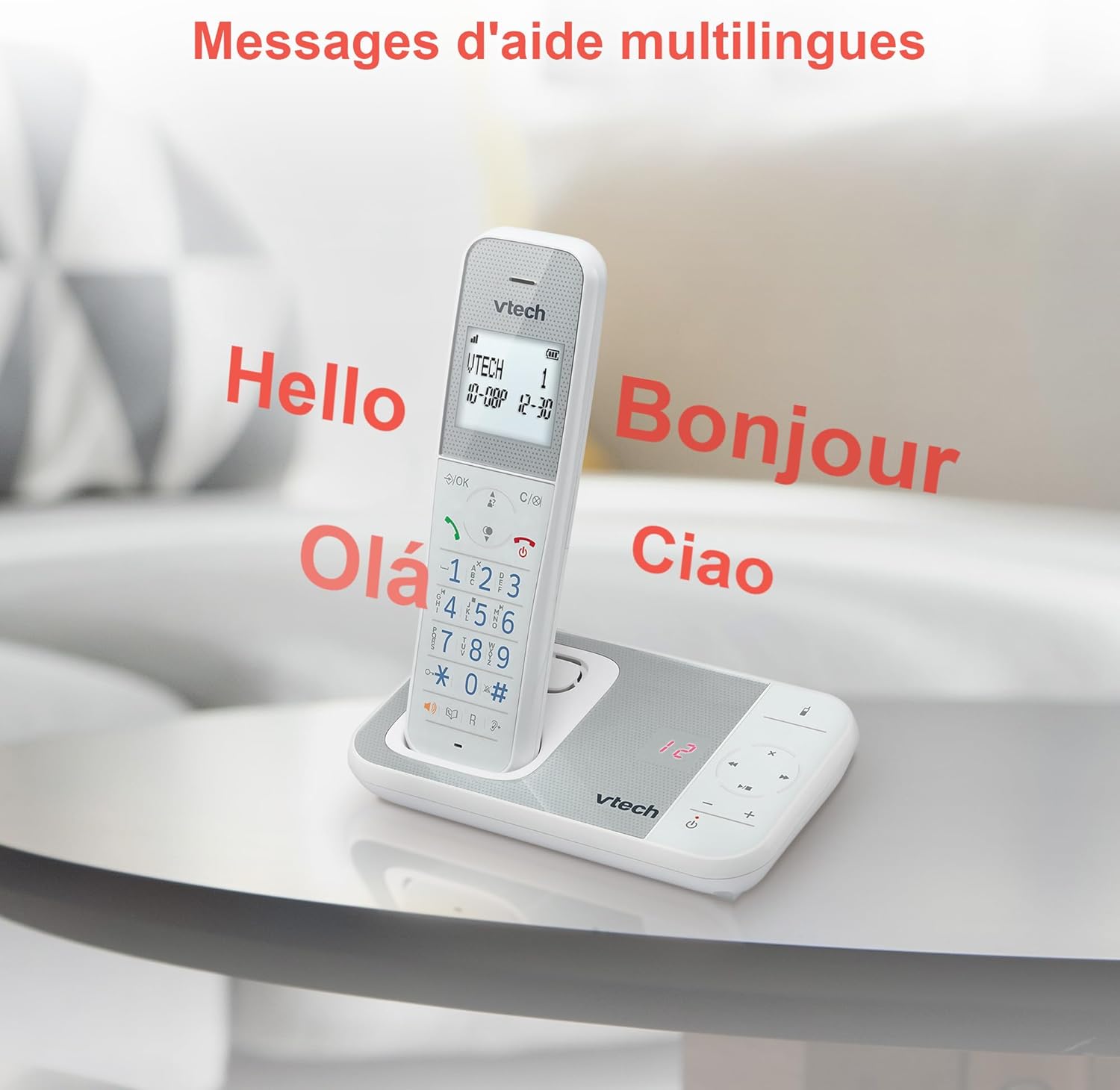
Figure 10: Multilingual Help Messages
This image displays the VTech XS1050 handset with various greetings like 'Hello', 'Bonjour', 'Olá', and 'Ciao' floating around it, illustrating the multilingual support feature.
5. Одржување
5.1 Чистење
Избришете го телефонот и базата со мека, дamp крпа. Не користете абразивни средства за чистење или растворувачи. Уверете се дека никаква течност не влегува во отворите на телефонот.
5.2 Грижа за батерии
- Always use the supplied batteries.
- Доколку телефонот не се користи подолг период, извадете ги батериите за да спречите протекување.
- Отстранете ги старите батерии одговорно во согласност со локалните прописи.
6 Смена на проблеми
If you experience issues with your VTech XS1050, please refer to the following common problems and solutions:
| Проблем | Можна причина | Решение |
|---|---|---|
| Нема тон за бирање | Телефонскиот кабел не е правилно поврзан. | Проверете дали телефонскиот кабел е безбедно приклучен во базата и ѕидниот приклучок. |
| Телефонот не се вклучува | Batteries are not charged or incorrectly installed. | Check battery polarity and ensure the handset is properly seated on the base unit for charging. Verify power adapter connection. |
| Лош квалитет на звукот | Пречки од други електронски уреди. | Move the base unit or handset away from other electronic devices such as TVs, computers, or microwaves. |
| Телефонската секретарка не снима | Memory full or answering machine is off. | Delete old messages to free up space. Ensure the answering machine function is activated. |
7. Спецификации
| Карактеристика | Детал |
|---|---|
| Бренд | VTech |
| Модел | XS1050 |
| Боја | Бело |
| Тип на телефон | Безжичен (DECT) |
| Број на батерии | 2 (Product Specific - Included) |
| Материјал | Пластика |
| Извор на енергија | Напојува со батерија |
| Тип на бирач | Единечна тастатура |
| Димензии на ставката (Д x Ш x В) | 18.5 x 15.1 x 6.6 сантиметри |
| Тип на одговорен систем | Дигитален |
| Тежина на ставката | 400 грама |
| Answering Machine Capacity | До 30 минути |
| Капацитет на именик | 100 имиња и броеви |
| Историја на повици | 20 записи |
| Време за разговор | До 18 часа |
8. Гаранција и поддршка
8.1 Информации за гаранцијата
For detailed warranty information, please refer to the warranty card included with your product or visit the official VTech webстраница. Чувајте ја сметката за купување како доказ за купување.
8.2 Поддршка за корисници
If you require further assistance or have questions not covered in this manual, please contact VTech customer support. Contact details can typically be found on the VTech webлокацијата или во пакувањето на производот.