
1. Вовед
This manual provides essential information for the safe and efficient use of your Philips 32E1N3100LA monitor. Please read these instructions carefully before operating the device and retain them for future reference.
The Philips 32E1N3100LA is a 32-inch Full HD (1920x1080) monitor featuring a VA panel, 75Hz refresh rate, and 1ms MPRT response time, designed for a clear and smooth visual experience. It includes built-in speakers and supports Adaptive Sync technology.

Предна страна view of the Philips 32E1N3100LA monitor.
2. Информации за безбедност
Always follow these basic safety precautions when using your monitor:
- Не го изложувајте мониторот на дожд или влага.
- Не го отворајте мониторот casing. Внатре нема делови што може да ги сервисира корисникот.
- Обезбедете соодветна вентилација околу мониторот.
- Користете го само адаптерот за напојување што е испорачан со мониторот.
- Држете го мониторот подалеку од директна сончева светлина и извори на топлина.
- Refer to the official "Safety Information (PDF)" document for comprehensive safety guidelines.
For detailed safety instructions, please consult the official safety document: Безбедносни информации (PDF)
3. Поставување
3.1 Отпакување
Carefully remove all components from the packaging. Ensure all items listed in the packing list are present and undamaged.
3.2 Склопување на штандот
- Поставете го мониторот со лицето надолу на мека, чиста површина за да спречите гребнатини.
- Прикачете го вратот на држачот на мониторот користејќи ги испорачаните завртки.
- Secure the base to the stand neck.

Заден дел view of the monitor with the stand assembly.
3.3 Кабли за поврзување
Поврзете ги потребните кабли на задните порти на мониторот:
- Кабел за напојување: Поврзете го кабелот за напојување со влезот за напојување на мониторот, а потоа со заземјен електричен штекер.
- Видео кабел: Connect an HDMI cable from your computer's video output to the monitor's HDMI input. Alternatively, use a D-Sub (VGA) cable if your system supports it.

Rear ports of the monitor for power and video connections.
3.4 Управување со кабли
Utilize the integrated cable management feature on the stand to keep your workspace tidy.
Cable management feature on the monitor stand.
4. Ракување со мониторот
4.1 Вклучување/исклучување
Press the power button, usually located on the back or bottom edge of the monitor, to turn it on or off. The power LED will indicate the monitor's status.
4.2 Мени за приказ на екран (OSD).
The monitor features a micro joystick control, typically located on the rear right side, for navigating the OSD menu. This allows you to adjust various settings.
4.2.1 Поставки за слика
- Осветленост/Контраст: Adjust these settings to optimize image visibility.
- Температура на боја: Select predefined color modes or customize RGB levels.
- Нискосин режим: Reduces harmful blue light emissions for eye comfort during prolonged use.
- Технологија без треперење: Minimizes screen flickering to reduce eye strain.

LowBlue Mode and Flicker-free technology for eye comfort.
4.2.2 Аудио поставки
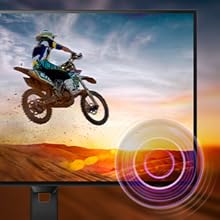
Adjust the volume of the built-in speakers through the OSD menu. An audio output jack is also available for connecting external headphones or speakers.

Monitor with built-in speakers.
4.3 Адаптивна синхронизација (FreeSync)
This monitor supports Adaptive Sync technology, which synchronizes the display's refresh rate with your graphics card's frame rate. This helps eliminate screen tearing and stuttering for smoother gameplay and video playback. Ensure your graphics card supports FreeSync and that the feature is enabled in your graphics card settings and the monitor's OSD.

Adaptive Sync technology for smooth visuals.
5. Одржување
5.1 Чистење на екранот
Нежно избришете го екранот со мека крпа што не остава влакненца. За тврдокорни дамки, лесно избришете гоampen the cloth with a screen cleaner specifically designed for monitors. Do not spray cleaner directly onto the screen.
5.2 Чистење на Casing
Користете мека, сува крпа за да го избришете мониторот casing. Избегнувајте употреба на абразивни средства за чистење или растворувачи.
5.3 Општа нега
- Избегнувајте поставување тешки предмети врз мониторот или неговите кабли.
- Не блокирајте ги отворите за вентилација.
- Исклучете го мониторот од штекерот за време на грмотевици или кога не се користи подолг период.
6 Смена на проблеми
Доколку наидете на проблеми со вашиот монитор, погледнете ги следните вообичаени проблеми и решенија:
| Проблем | Можно решение |
|---|---|
| Нема моќ | Ensure the power cable is securely connected to the monitor and a working electrical outlet. Check the power adapter. |
| Нема слика на екранот | Verify the video cable (HDMI/D-Sub) is correctly connected to both the monitor and your computer. Ensure the correct input source is selected in the OSD menu. |
| Сликата е заматена или искривена | Adjust the resolution settings on your computer to match the monitor's native resolution (1920x1080). Check video cable quality and connection. |
| Нема звук од звучници | Check the volume settings in the OSD menu and on your computer. Ensure the audio source is correctly configured. |
| Адаптивното синхронизирање не работи | Confirm your graphics card supports FreeSync and that it is enabled in both your graphics card control panel and the monitor's OSD settings. |
7. Спецификации
| Карактеристика | Детал |
|---|---|
| Број на модел | 32E1N3100LA/00 |
| Големина на екранот | 32 инчи |
| Тип на панел | VA панел |
| Резолуција | FHD 1080p (1920 x 1080) |
| Сооднос на аспект | 16:9 |
| Стапка на освежување | 75 Hz |
| Време на одговор | 1 милисекунда (MPRT) |
| Сооднос на контраст | 3000:1 |
| Осветленост | 300 cd/m² |
| Поврзување | 1x HDMI 1.4, 1x D-Sub (VGA) |
| Аудио | Built-in Speakers, Audio Out |
| Адаптивна синхронизација | FreeSync |
| Потрошувачка на енергија | 30.5 вати |
| Димензии (DxWxH) | 25P x 72l x 52H cm |
| Тежина | 7 килограми |
| Планината ВЕСА | Yes (Wall Mount Type) |
8. Гаранција и поддршка
8.1 Информации за гаранцијата
This Philips monitor comes with a limited warranty. For specific terms, conditions, and duration of your warranty, please refer to the documentation included with your product or visit the official Philips support webсајт.
8.2 Поддршка за корисници
For technical assistance, troubleshooting beyond this manual, or warranty claims, please contact Philips customer support. You can find contact information and additional resources on the official Philips webсајт.
Additional detailed instructions are available in the official user manual: Упатства за употреба (PDF)