
1. Производот завршиview
The Logitech Zone 301 is an essential wireless Bluetooth headset designed for both work and leisure. It offers reliable connectivity with multipoint Bluetooth, allowing you to move freely up to 30 meters (98 feet) from your device. Equipped with dual noise-canceling microphones on an extended boom, it effectively suppresses background noise, ensuring clear communication. Enhanced speakers provide excellent audio quality for calls and other listening activities. The headset is also constructed with a minimum of 55% recycled plastic (excluding PWA, cables, and packaging), making it an environmentally conscious choice.
Клучни карактеристики
- LogiTune Software Compatibility: Download LogiTune for advanced features, firmware updates, and customization of sidetone, mic level, and EQ.
- Микрофон за поништување шум: Dual beamforming mics with noise-canceling algorithms reduce background sound for clear conversations in various environments.
- Impressive Audio: Features 30 mm dynamic audio drivers with fine-tuned diaphragm patterns for clear sound.
- Безжична слобода: Enjoy a wireless range of up to 30 meters (98 feet) and seamless switching between computer and phone.
- Продолжен век на батеријата: Provides up to 20 hours of listening time and 16 hours of talk time on a full charge. A 5-minute quick charge offers up to 1 hour of talk time.
- Удобен дизајн: Lightweight at just 122 grams (4.3 oz), with enlarged earpads and a padded headband for all-day comfort.
- Replaceable Earpads: Earpads can be replaced to extend the headset's lifespan (sold separately).
- Одржливо градење: Certified carbon neutral and made with certified post-consumer recycled plastic (Graphite: 55%, Off-white and Rose: 42%).
- Широка компатибилност: Fully compatible with Windows 11, Mac, Chrome, Linux, iOS, iPadOS, and Android devices.

Figure 1.1: The Logitech Zone 301 Wireless Bluetooth Headset in Graphite, showcasinнеговиот елегантен дизајн и интегриран микрофонски бум.

Figure 1.2: Detail of the dual noise-canceling microphones on the boom, designed to ensure clear voice transmission by suppressing background noise.

Figure 1.3: A user wearing the headset, highlighting the comfortable fit and the position of the microphone for optimal audio input.

Figure 1.4: The headset positioned on a desk, illustrating its wireless capability and connectivity to multiple devices like a laptop and smartphone.
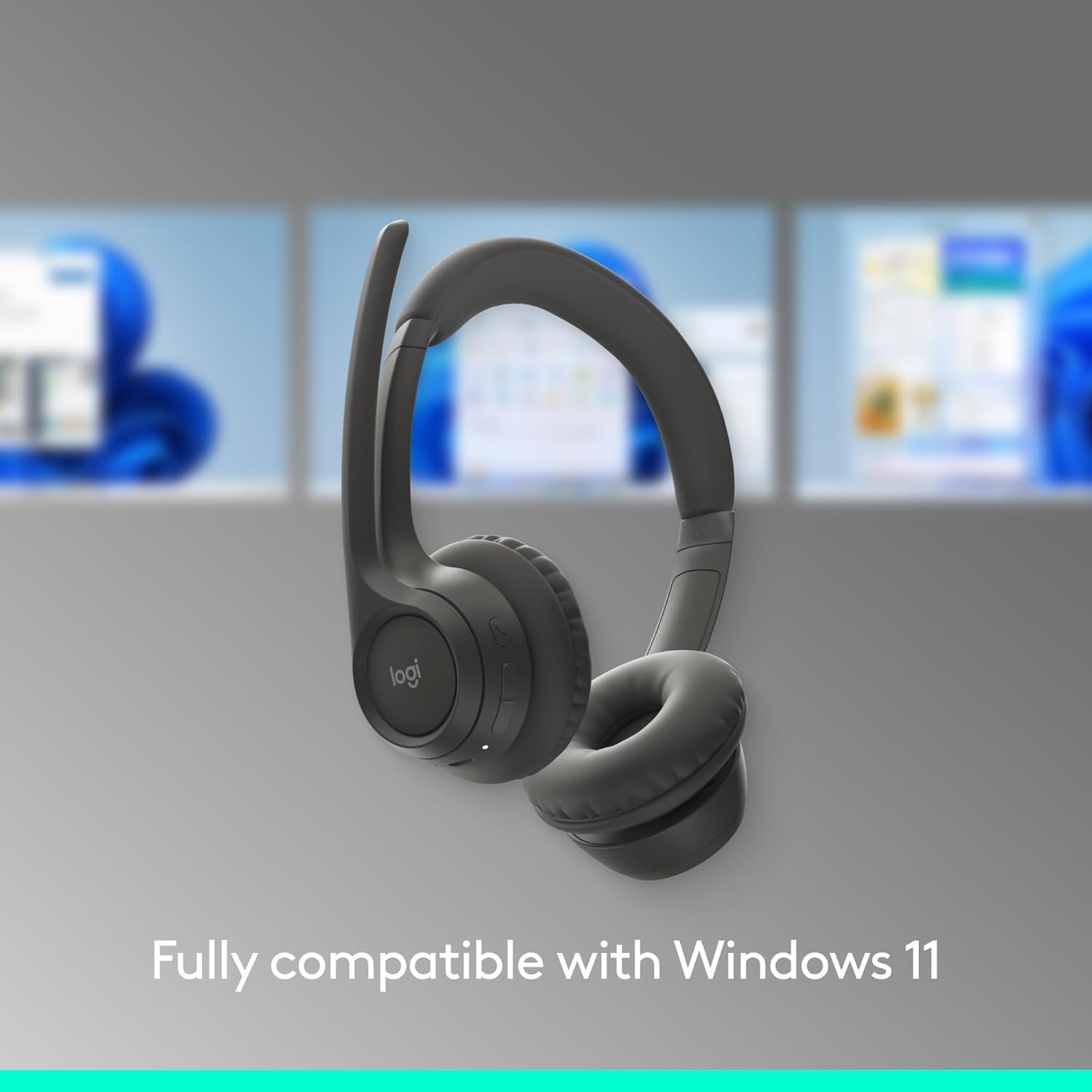
Figure 1.5: The headset shown with a background depicting the Windows 11 operating system, emphasizing its full compatibility.

Figure 1.6: An annotated diagram pointing out key features such as the 2 noise-canceling mics, padded headband, flip-to-mute function, on-ear controls, and USB-C charging port.

Figure 1.7: Visual representation of the headset's sustainable design, highlighting its use of recycled plastic, responsibly sourced packaging, and carbon-neutral certification.

Figure 1.8: A user wearing the headset, with an overlay indicating up to 20 hours of battery life and the quick charge feature providing 1 hour of talk time from a 5-minute charge.

Figure 1.9: The headset displayed on a stand, emphasizing its lightweight construction at just 122 grams (4.3 oz) for enhanced comfort.

Figure 1.10: The headset shown alongside a laptop running the LogiTune application, illustrating how users can customize settings for a personalized audio experience.
2. Водич за поставување
2.1 Почетно полнење
Before first use, fully charge your Logitech Zone 301 headset. Use the included USB-C charging cable to connect the headset to a power source (e.g., computer USB port or USB wall adapter). The LED indicator on the headset will show charging status.

Figure 2.1: The headset and its accompanying USB-C charging cable, which is used for initial charging and power.
2.2 Спарување со уреди (Bluetooth)
- Вклучување: Притиснете и задржете го копчето за вклучување на слушалките додека не светне LED индикаторот.
- Влезете во режим на спарување: Press and hold the Bluetooth pairing button (usually indicated by a Bluetooth icon) until the LED indicator flashes rapidly, indicating it's in pairing mode.
- Овозможете Bluetooth на уредот: On your computer, smartphone, or tablet, go to Bluetooth settings and ensure Bluetooth is enabled.
- Изберете слушалки: In the list of available Bluetooth devices, select "Logitech Zone 301" (or similar name).
- Потврдете ја врската: Once connected, the LED indicator on the headset will turn solid, and you will hear an audible confirmation.
2.3 Installing LogiTune Software
For enhanced features and customization, it is recommended to install the LogiTune software on your computer.
- Посетете ја официјалната поддршка на Logitech webсајт.
- Пребарај за "LogiTune" and download the appropriate version for your operating system (Windows or macOS).
- Следете ги упатствата на екранот за да ја завршите инсталацијата.
- Once installed, open LogiTune to access settings for sidetone, mic level, EQ, and firmware updates.
3. Упатства за работа
3.1 Вклучување/исклучување
- Вклучување: Press and hold the Power button for approximately 2 seconds until the LED indicator lights up and you hear a power-on tone.
- Исклучено: Press and hold the Power button for approximately 3 seconds until the LED indicator turns off and you hear a power-off tone.
3.2 Контрола на јачината на звукот
The volume buttons are located on the right earcup.
- Јачина на звук нагоре: Притиснете го копчето „+“ за да ја зголемите јачината на звукот при слушање.
- Намалување на јачината на звукот: Притиснете го копчето '-' за да ја намалите јачината на звукот при слушање.
3.3 Mute/Unmute Microphone (Flip-to-Mute)
The Zone 301 features a convenient flip-to-mute function for the microphone.
- Исклучи звук: Flip the microphone boom arm upwards until it is parallel with the headband. You will hear an audible confirmation that the microphone is muted.
- Вклучи звук: Flip the microphone boom arm downwards towards your mouth. You will hear an audible confirmation that the microphone is unmuted.
3.4 Управување со повици
Use the multi-function button (often indicated by a phone icon) on the earcup for call control.
- Одговори/заврши повик: Притиснете го копчето за повеќе функции еднаш.
- Одбијте го повикот: Притиснете и држете го копчето за повеќе функции 2 секунди.
- Пушти/паузирај аудио: Press the multi-function button once when not on a call.
3.5 Префрлување помеѓу уреди
The Zone 301 supports multipoint Bluetooth, allowing connection to two devices simultaneously.
- To switch audio source, simply play audio on the desired connected device. The headset will automatically switch.
- If automatic switching does not occur, pause audio on the current device and initiate playback on the other.
Слика 3.1: Детален view of the headset's on-ear controls, including volume buttons, multi-function button, and the USB-C charging port.
4. Нега и одржување
4.1 Чистење
- Користете мека, сува крпа што не остава влакненца за чистење на слушалките.
- Не користете абразивни средства за чистење, растворувачи или аеросолни спрејови.
- Избегнувајте навлегување на влага во какви било отвори.
4.2 Замена на влошките за уши
The earpads on your Zone 301 headset are replaceable to extend the product's life. Replacement earpads can be purchased separately from Logitech's official webсајт или овластени трговци на мало.
- Gently twist and pull the old earpads off the earcups.
- Align the new earpads with the earcup and press firmly, twisting slightly until they click into place.
4.3 Грижа за батерии
- Редовно полнете ги слушалките, дури и ако не се користат често, за да се одржи здравјето на батеријата.
- Avoid exposing the headset to extreme temperatures (hot or cold), as this can degrade battery performance.
- Чувајте ги слушалките на ладно и суво место кога не ги користите.
5 Смена на проблеми
| Проблем | Можна причина | Решение |
|---|---|---|
| Нема аудио од слушалките | Headset not powered on; Not paired correctly; Volume too low; Incorrect audio output selected on device. | Ensure headset is powered on and charged. Re-pair the headset. Increase headset and device volume. Select Logitech Zone 301 as the audio output device in your system settings. |
| Микрофонот не работи | Микрофонот е исклучен; Избран е неправилен влезен уред; Штитникот на микрофонот не е правилно поставен. | Ensure microphone boom is flipped down (unmuted). Select Logitech Zone 301 as the microphone input device in your system settings. Position the microphone closer to your mouth. |
| Cannot pair headset with device | Headset not in pairing mode; Device Bluetooth off; Interference; Device limit reached. | Put headset into pairing mode (rapidly flashing LED). Ensure Bluetooth is enabled on your device. Move closer to the device and away from other wireless devices. Try unpairing other devices from the headset or device. |
| Краток век на батеријата | Battery not fully charged; Old battery; High volume usage. | Ensure headset is fully charged before use. Battery life naturally degrades over time. Lower volume settings can extend battery life. |
| Audio cutting out or poor connection | Too far from device; Obstructions; Wireless interference. | Move closer to your connected device. Ensure there are no large obstructions (walls, metal objects) between the headset and device. Avoid using near other strong wireless signals (Wi-Fi routers, microwaves). |
6. Технички спецификации
| Карактеристика | Детал |
|---|---|
| Име на моделот | 981-001468 |
| Технологија за поврзување | Безжичен (Bluetooth) |
| Технологија на безжична комуникација | Bluetooth 5.3 |
| Опсег на Bluetooth | До 30 метри (98 стапки) |
| Тип на драјвер за аудио | Динамичен драјвер |
| Големина на драјвер за аудио | 30 милиметри |
| Опсег на фреквенција | 100-20000 Hz |
| Импеданса | 38 Ом |
| Контрола на бучава | Активно поништување на бучава (микрофон) |
| Траење на батеријата (слушање) | До 20 часа |
| Живот на батеријата (време за разговор) | До 16 часа |
| Време на полнење | Приближно 2 часа (за целосно полнење) |
| Брзо полнење | 5 min charge for up to 1 hour talk time |
| Тежина на ставката | 122 грама (4.3 унци) |
| Димензии на производот | 2.6 x 6.6 x 6.8 инчи |
| Материјал | Plastic (minimum 55% recycled plastic for Graphite model) |
| Поставување на увото | На уво |
| Тип на контрола | Media Control, Touch, App |
| Компатибилни уреди | Windows, Mac, Chrome, Linux, iOS, iPadOS, Android, Phone |
| Вклучени компоненти | Headset, USB-C Charging Cable |
| UPC | 097855196989 |
7. Информации за гаранцијата
Logitech products are designed with reliability in mind. The Logitech Zone 301 Wireless Bluetooth Headset typically comes with a limited hardware warranty. For specific warranty terms, duration, and conditions applicable to your region, please refer to the warranty card included with your product or visit the official Logitech webделот за поддршка на страницата.
Optional protection plans may also be available for purchase, offering extended coverage beyond the standard manufacturer's warranty. Please check with your retailer or Amazon for details on available protection plans.
8. Поддршка за корисници
For further assistance, technical support, or to access additional resources for your Logitech Zone 301 headset, please visit the official Logitech Support webсајт:
Овде можете да најдете:
- FAQs and knowledge base articles
- Driver and software downloads (including LogiTune)
- Форуми на заедницата
- Контакт информации за директна поддршка