
Вовед
This manual provides detailed instructions for the setup, operation, and maintenance of your VOOPEAK 4G Solar Trail Camera. This camera is designed for outdoor wildlife surveillance, featuring 4G connectivity, solar power, 2.5K video resolution, infrared night vision, and motion activation. Please read this manual thoroughly before using the product to ensure proper functionality and safety.
Содржина на пакетот
- 1 x VOOPEAK 4G Solar Trail Camera
- 1 x SIM Card (pre-loaded with 300 MB data)
- 1 x Упатство за употреба
- 1 x 6W соларен панел
- 1 x Носач за соларни панели
- 1 x 2.5m Mounting Strap
- 1 x Set of Screws for Installation
Карактеристики на производот
4G Wireless Connectivity & Solar Power
The camera connects to the internet via a 4G mobile network, enabling remote viewing and video downloads from anywhere. Equipped with a solar panel and a 10400 mAh built-in battery, the camera can operate for extended periods, up to 365 days on a full charge, minimizing the need for frequent battery maintenance.

Image: The camera's 4G cellular connectivity and solar charging capabilities.

Image: The camera's long-lasting operation thanks to its solar panel and 10400mAh battery.
2.5K Crystal Clear Video & 360° Panoramic View
The wireless trail camera records true 2.5K HD videos, providing clear and detailed footage. It offers 355° pan and 90° tilt capabilities, allowing for a comprehensive 360° viewing angle to monitor wildlife effectively. You can easily adjust the camera's angle remotely via the dedicated mobile application.

Image: Demonstrates the camera's 360-degree coverage with 355° pan and 90° tilt.
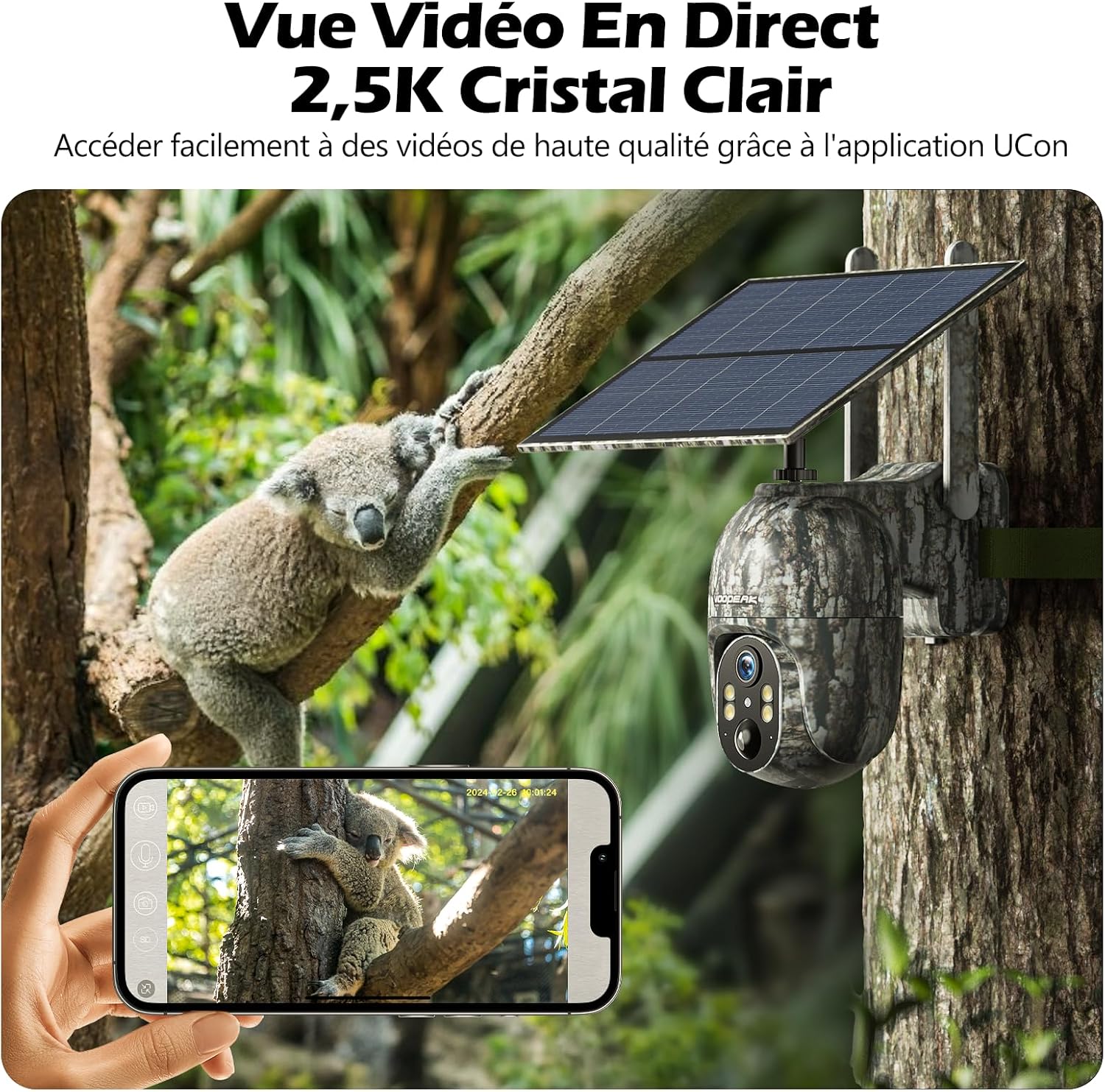
Image: A smartphone displaying a 2.5K crystal clear live video feed from the camera.
Remote Access & Flexible Storage
By inserting a micro SD card (up to 128GB, not included) and the included SIM card, you can remotely view and download videos from the trail camera using the free application. Manual recording and adjustments are also possible through the app. Both micro SD card and cloud storage options are supported for flexible data management.

Image: Smartphone interface showing cloud storage and micro SD card options for video storage.
Smart Motion Detection & Notifications
The integrated PIR sensor quickly and accurately detects movement from people or animals, reducing false positives. Once motion is detected, your smartphone will receive instant push notifications or email alerts from the application, ensuring you are always informed.

Image: Real-time motion detection and notification feature on a smartphone.
IP66 водоотпорен дизајн
With its robust and IP66 waterproof casing, the cellular solar trail camera is designed to withstand various outdoor conditions, including splashes, rain, heat, and cold, ensuring reliable operation in diverse environments.
Dual Night Vision Modes
The camera offers two distinct night vision modes. Infrared (IR) night vision provides clear black and white images in complete darkness. Additionally, it features color night vision (starlight) for capturing color images in low-light conditions where luminosity is greater than 0.5 lux.

Image: Comparison of infrared and color night vision capabilities.
Поставување
1. Инсталација на SIM картичка и микро SD картичка
Locate the SIM card slot and micro SD card slot on the camera. Insert the provided 4G SIM card and a compatible micro SD card (up to 128GB, not included) into their respective slots. Ensure they are inserted correctly until they click into place. Close the protective cover securely to maintain waterproofing.
Слика: Детална view of the SIM and micro SD card installation slots.
2. Монтирање на камерата
Use the provided 2.5m strap and screw set to securely mount the camera to a tree or other suitable outdoor structure. Position the solar panel to receive maximum direct sunlight exposure throughout the day for optimal charging.
Image: The camera mounted on a tree, demonstrating proper installation.
3. Инсталација и поврзување на апликацијата
Download the dedicated mobile application (e.g., "UCon" as indicated in product images) from your smartphone's app store. Follow the in-app instructions to register an account and add your camera. You may need to scan a QR code located on the camera to pair it with your device.
Упатства за работа
Во живо View
Open the application and select your camera from the device list to access the live video feed. This allows you to view храна во реално времеtage from your camera remotely.
Слика: Видео пренос во живо од камерата прикажана на паметен телефон.
Контрола на движење/навалување
Во живо view interface of the app, use the on-screen directional controls to remotely pan the camera 355° horizontally and tilt it 90° vertically. This allows you to adjust the viewing angle as needed to cover a wider area.
Image: On-screen controls for remote pan and tilt functionality.
Снимање и репродукција
The camera automatically records video when motion is detected. You can also initiate manual recordings through the app. Access and review all recorded videos from the app's playback section, which typically organizes footagе по датум и време.
Поставки за детекција на движење
Adjust the sensitivity of the PIR motion sensor in the app's settings to optimize detection and minimize false alarms caused by environmental factors. Configure push notifications and email alerts to be sent to your smartphone when motion events occur.
Image: Smartphone screen showing motion detection alerts from the camera.
Пристап за споделување
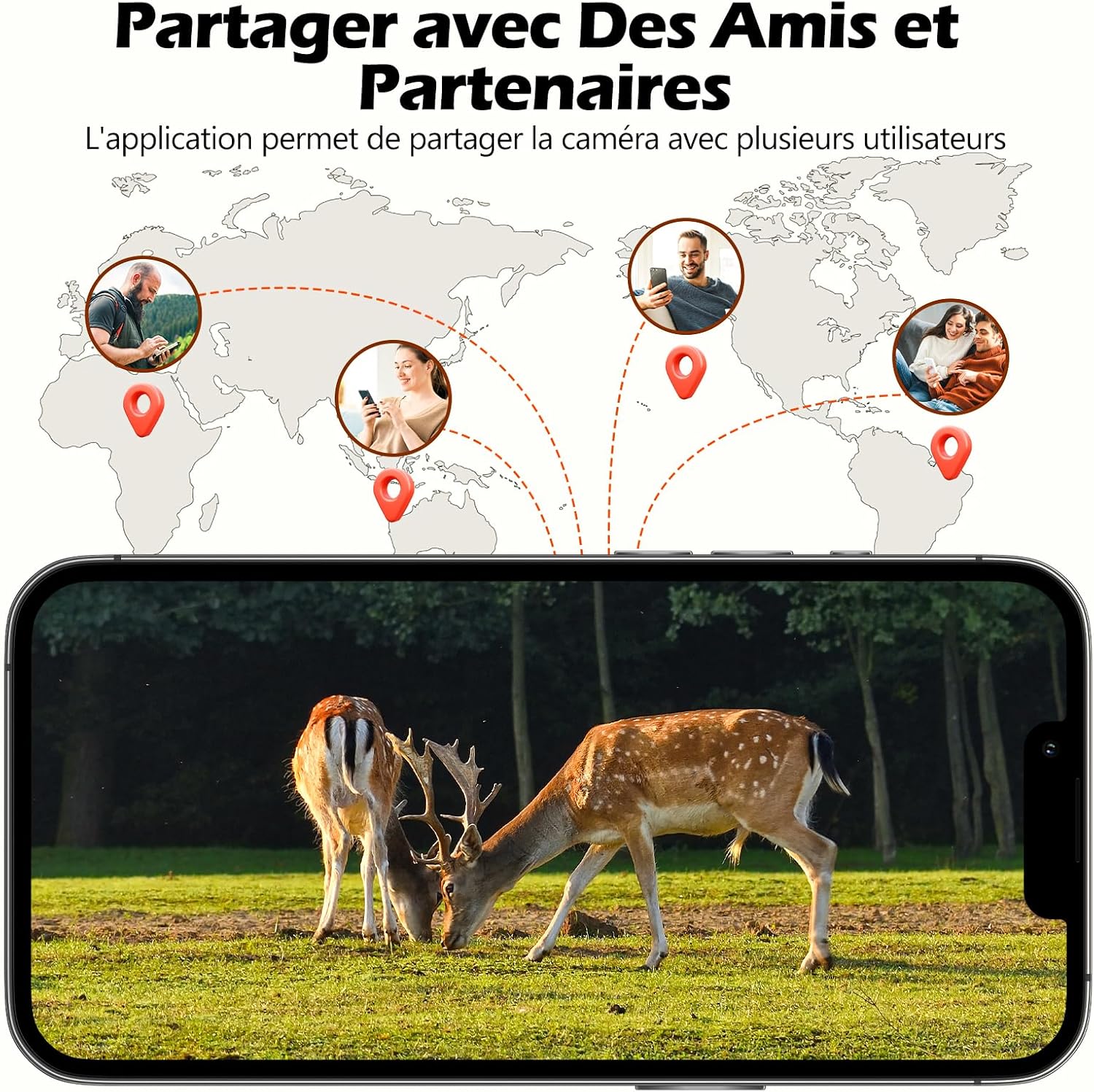
The application allows you to share camera access with multiple users. Navigate to the sharing settings in the app to invite friends or family members to view the camera feed, granting them specific permissions as needed.
Image: The camera's sharing feature, allowing multiple users to view добиточната храна.
Video: Demonstrates global sharing and simultaneous viewing capabilities of the camera.
Одржување
Грижа за соларни панели
Regularly clean the solar panel surface to ensure optimal charging efficiency. Remove any dust, dirt, leaves, or debris that may accumulate and obstruct sunlight. A clean panel ensures maximum power generation for your camera.
Информации за батеријата
The camera features a built-in 10400 mAh battery. While the solar panel provides continuous charging, ensure the camera receives sufficient sunlight. In prolonged periods of low light or heavy usage, manual charging via a USB cable (not included) may be required to maintain battery levels.
Чистење
Користете мека, гamp cloth to gently clean the camera lens and casing. Avoid using abrasive cleaners, solvents, or harsh chemicals, as these can damage the camera's components or waterproof seals.
Решавање проблеми
Нема во живо View / Offline Camera
- Check the 4G signal strength in the camera's location. Ensure it is within network coverage.
- Verify that the SIM card is correctly inserted and has an active data plan with sufficient data.
- Check the camera's battery level. A low battery can prevent the camera from connecting.
- Рестартирајте ја камерата со исклучување и повторно вклучување.
No Motion Detection Alerts
- Adjust PIR sensor sensitivity in the app settings. High sensitivity may be needed for distant objects.
- Ensure motion detection is enabled in the camera's settings within the application.
- Check your smartphone's notification settings to ensure the app is permitted to send alerts.
- Ensure there are no obstructions directly in front of the PIR sensor.
Лош квалитет на видеото
- Ensure the camera lens is clean and free from dirt, dust, or condensation.
- Check for any physical obstructions in the camera's field of view.
- Verify network connectivity. A weak 4G signal can affect streaming quality.
- Ensure the camera firmware is up to date via the app.
Батеријата не се полни
- Ensure the solar panel is clean and positioned to receive direct sunlight for several hours daily.
- Check the physical connection between the solar panel and the camera to ensure it is secure.
- If the issue persists, try charging the camera directly using a USB power adapter.
Спецификации
| Бренд | ВУПИК |
| Име на моделот | 4G Solar Trail камера |
| Број на модел | TC27 |
| Технологија за поврзување | Wireless (Cellular) |
| Специјална карактеристика | Ноќна визија |
| Внатрешна/надворешна употреба | На отворено |
| Компатибилни уреди | Паметен телефон |
| Извор на енергија | Соларна енергија |
| Тип на монтирање | Планина на дрвото |
| Ниво на отпорност на вода | IP66 Водоотпорен |
| Тип на сигнализација | Само движење |
| Контролен метод | Апликација |
| Screen Capture Resolution | 2.5 илјади |
| Стапка на слики | 30 кадри во секунда |
| Viewинголен агол | 360 степени (355° панорама, 90° навалување) |
| Димензии на ставката | 19.5 x 16.7 x 13.6 сантиметри |
| Формат за снимање видео | MP4 |
| Опсег на ноќни визии | 20 метри |
| Тип на ноќно гледање | Color Night Vision (and Infrared) |
| GTIN/UPC | 711696989257 |
| ASIN | B0CYLSYGRK |
Гаранција и поддршка
Информации за гаранцијата
VOOPEAK is committed to product quality and offers lifetime after-sales service for its trail cameras, ensuring long-term support for your device.
Враќање и размена
We provide hassle-free returns and exchanges for 30 days from the date of purchase. Please refer to the retailer's return policy for specific details.
Поддршка за корисници
For any inquiries or technical assistance, our customer support team is available to help. Expect a response to your inquiries within 24 hours.

Image: VOOPEAK's commitment to customer support and service.