
1. Вовед
Ви благодарам за купувањетоasing the plplaaoo Cordless Table LampОва упатство дава основни информации за безбедно и ефикасно работење на вашиот нов лampВе молиме внимателно прочитајте го пред употреба и зачувајте го за идна референца.
2. Инструкции за безбедност
- Не го изложувајте лamp на вода или прекумерна влага.
- Избегнувајте расклопување или модифицирање на lamp, бидејќи тоа може да ја поништи гаранцијата и да предизвика безбедносни ризици.
- За полнење користете го само испорачаниот USB Type-C кабел.
- Чувајте го лamp away from heat sources and direct sunlight to prevent battery damage.
- Обезбедете лamp се поставува на стабилна, рамна површина за да се спречи превртување.
- Оваа лamp е дизајниран само за внатрешна употреба.
3. Содржина на пакетот
Проверете дали сите артикли се присутни во вашиот пакет:
- 1 x Cordless Table Lamp
- 1 x USB тип-C кабел за полнење

4. Производот завршиview
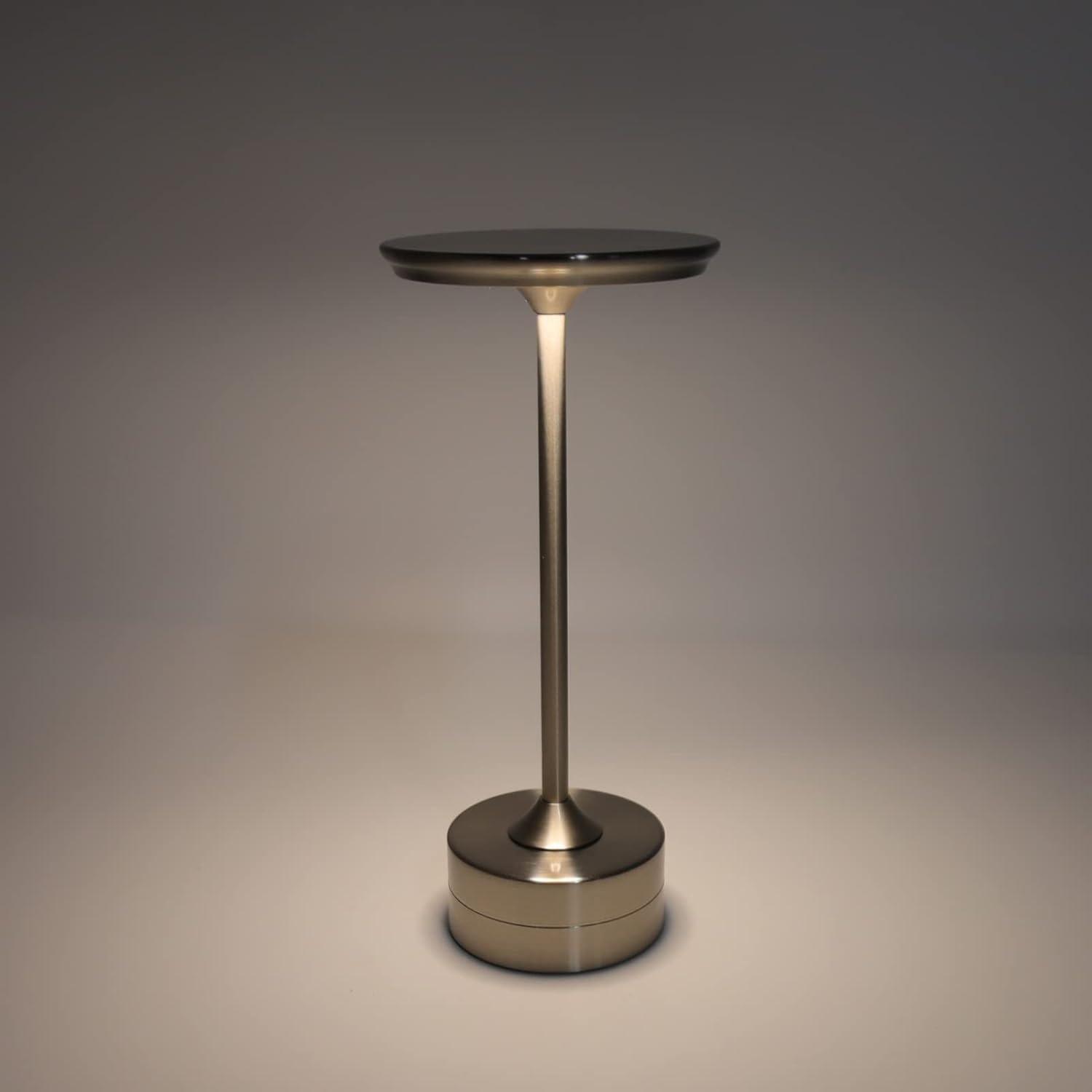
The plplaaoo Cordless Table Lamp features a sleek design with a durable iron, aluminum, and acrylic construction. It includes a built-in 2000mAh rechargeable lithium battery, offering 10-15 hours of working time on a full charge. The lamp provides three light sources: white light, warm light, and ordinary light, with adjustable brightness up to 150lm.


5. Поставување
Почетно полнење
Пред првата употреба, целосно наполнете го lamp. Connect the provided USB Type-C cable to the charging port on the lamp's base and plug the other end into a compatible USB power adapter (not included).
- Пронајдете го USB Type-C приклучокот за полнење на основата од l.amp.
- Insert the USB Type-C cable into the lampпортот за полнење.
- Connect the USB-A end of the cable to a standard USB power adapter (e.g., phone charger, computer USB port).
- The charging indicator (if present) will show the charging status. Allow several hours for a full charge.
6. Упатства за работа
Вклучување/исклучување и прилагодување на осветленоста
Л.amp features both a bottom switch and a top touch control for operation.
- Долен прекинувач: Flip the switch on the bottom of the lamp to the 'ON' position to enable the touch control function.
- Top Touch Control: Gently touch the top surface of the lamp to cycle through the three light modes: white light, warm light, and ordinary light. Continue touching to adjust brightness levels within each mode.
- За да го исклучите лamp, either cycle through all light modes until it turns off via touch control, or flip the bottom switch to the 'OFF' position.


7. Одржување
- Чистење: Избришете го lamp со мека, сува крпа. Не користете абразивни средства за чистење или растворувачи.
- Складирање: Кога не се користи подолг период, чувајте го лamp in a cool, dry place. Ensure the battery is partially charged before storage to prolong its lifespan.
- Нега на батеријата: To maintain battery health, avoid completely draining the battery frequently. Recharge the lamp кога излезот на светлината станува значително слаб.
8 Смена на проблеми
| Проблем | Можна причина | Решение |
|---|---|---|
| Lamp не се вклучува. | Battery is depleted. Bottom switch is off. | Наполнете го lamp using the USB Type-C cable. Ensure the bottom switch is in the 'ON' position. |
| Светлината е слаба или трепка. | Слаба батерија. | Наполнете го lamp. |
| Cannot change light mode/brightness. | Bottom switch is off. Touch control malfunction. | Ensure the bottom switch is 'ON'. Try restarting the lamp by turning the bottom switch off and on again. |
| Lamp не наплаќа. | Faulty cable or adapter. Charging port issue. | Try a different USB Type-C cable and power adapter. Ensure the cable is fully inserted. |
9. Спецификации
| Карактеристика | Детал |
|---|---|
| Модел | B0D2LG61MQ |
| Материјал | Iron, Aluminum, Acrylic |
| Висина | Приближно 28.5 см / 11.2 инчи |
| Дијаметар | Приближно 13 см / 5.1 инчи |
| Тежина | Approx. 0.66 kg / 23.4 oz |
| Вградена батерија | Литиум 2000 mAh |
| Извор на светлина | White light, Warm light, Ordinary light (3 levels brightness) |
| Максимална осветленост | 150 lm |
| Начин на полнење | USB тип-C |
| Контрола | Bottom switch, Top touch control |

10. Гаранција и поддршка
This product is covered by a standard manufacturer's warranty. For specific warranty details, please refer to the product packaging or contact the retailer where you purchased the item. For technical support or inquiries, please visit the official plplaaoo store or contact customer service.