
Вовед
Thank you for choosing the KOORUI 2.4G Silent Full Size Ergonomic Wireless Keyboard and Mouse Combo. This manual provides essential information for setting up, operating, maintaining, and troubleshooting your new wireless peripheral set. Please read this manual thoroughly before use to ensure optimal performance and longevity of your product.

Figure 0: KOORUI Wireless Keyboard and Mouse Combo
1. Поставување
1.1 Содржина на пакетот
- Безжична тастатура
- Безжичен глушец
- 2-во-1 USB приемник
- Упатство за употреба
1.2 Инсталација на батерија
- Locate the battery compartment on the underside of the keyboard. Insert one AAA battery (not included), ensuring correct polarity.
- Locate the battery compartment on the underside of the mouse. The 2-in-1 USB receiver is stored inside this compartment. Remove the receiver, then insert one AA battery (not included), ensuring correct polarity.
- Затворете ги двата прегради за батерии безбедно.

Figure 1: Battery and USB Receiver Installation
1.3 Поврзување со вашиот уред
- Ensure both the keyboard and mouse are switched to the "ON" position using their respective power switches.
- Plug the 2-in-1 USB receiver into an available USB port on your computer (Laptop/PC/Gaming Console).
- Your operating system should automatically detect and install the necessary drivers. The keyboard and mouse are ready for use once the installation is complete.
Video 1: Demonstrating the setup and functionality of the KOORUI 104-key wireless keyboard and mouse combo.
2. Упатства за работа
2.1 Карактеристики на тастатурата
- Full Size Layout: The keyboard features a full-size layout with 104 keys, including a numeric keypad, for comprehensive input.
- Тивко пишување: Soft and responsive keys provide a quiet typing experience, reducing noise in shared environments.
- Ергономски дизајн: Designed for comfort, the keyboard includes an 8° tilt angle to reduce wrist strain during extended use.
- Multimedia & Shortcut Keys: Access 5 multimedia keys and 12 shortcut functions (primarily for Windows systems) for quick control over media, applications, and system functions.

Figure 2: Ergonomic Design with 8° Tilt
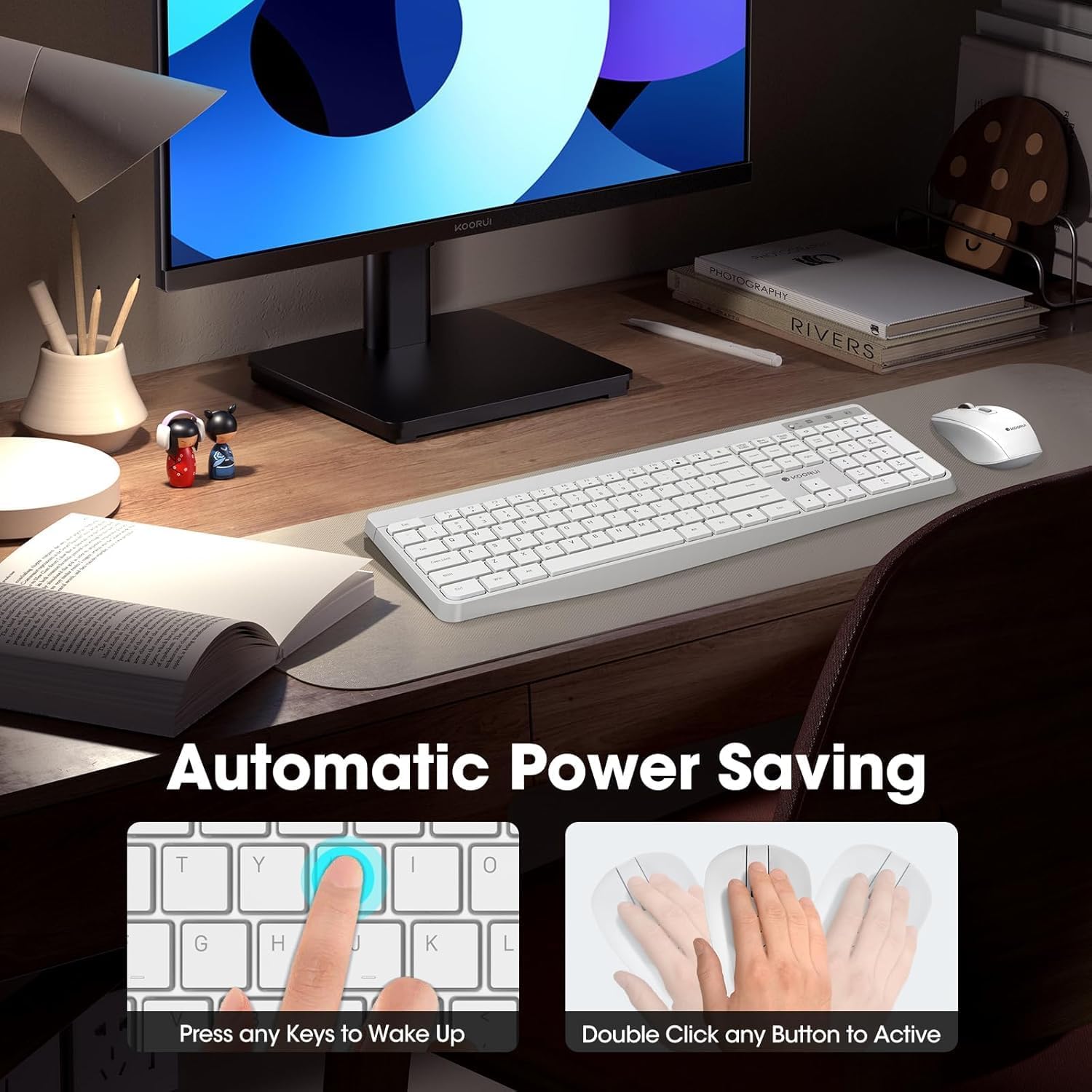
Figure 3: Multimedia and Shortcut Keys
2.2 Карактеристики на глувчето
- 3 прилагодливи нивоа на DPI: Cycle through 800, 1200, and 1600 DPI settings to adjust cursor sensitivity for precise control.
- Тивки кликови: The mouse features ultra-quiet buttons, minimizing click noise.
- Ергономски дизајн: Contoured shape fits comfortably in your hand for extended use.

Figure 4: Mouse DPI Settings
2.3 Компатибилност
The KOORUI Wireless Keyboard and Mouse Combo is compatible with a wide range of operating systems, including Windows 7/8/10/11/Vista, macOS, and Linux. It can be used with laptops, personal computers, and gaming consoles.

Слика 5: Широка компатибилност
3. Одржување
3.1 Чистење
The keyboard features a waterproof design, offering protection against accidental spills. To clean, gently wipe the surfaces of the keyboard and mouse with a soft, damp cloth. Avoid using harsh chemicals or abrasive materials. Ensure the devices are completely dry before use.

Figure 6: Waterproof Keyboard Design
3.2 Живот на батеријата и заштеда на енергија
- The keyboard and mouse are equipped with an auto-sleep mode function to conserve battery life. They will enter sleep mode after a period of inactivity.
- To wake the devices, simply click any button on the mouse or press any key on the keyboard.
- Replace batteries when the low battery indicator light appears (Keyboard: 1 AAA, Mouse: 1 AA).
Figure 7: Battery Compartments and Power Indicators
4 Смена на проблеми
4.1 Проблеми со поврзувањето
- Нема одговор:
- Ensure the keyboard and mouse power switches are in the "ON" position.
- Проверете дали батериите се правилно инсталирани и дали се доволно наполнети. Заменете ги доколку е потребно.
- Проверете дали USB приемникот е безбедно приклучен во функционален USB порт на вашиот компјутер. Обидете се со друг USB порт.
- Move the keyboard and mouse closer to the USB receiver to rule out range issues (maximum 10m/33ft).
- Доцнење или прекината врска:
- Намалете ги пречките со оддалечување на другите безжични уреди од приемникот.
- Уверете се дека нема големи метални предмети помеѓу уредите и приемникот.
4.2 Keyboard Specific Issues
- Копчињата не реагираат:
- Проверете го нивото на батеријата.
- Ensure the keyboard is not in sleep mode (press any key to wake).
4.3 Mouse Specific Issues
- Cursor Not Moving:
- Проверете го нивото на батеријата.
- Ensure the mouse is not in sleep mode (click any button to wake).
- Исчистете го оптичкиот сензор на долната страна од глувчето.
- Осигурајте се дека го користите глувчето на соодветна површина.
5. Спецификации
| Бренд | КООРУИ |
| Модел | B0C4DVG5WV |
| Боја | Бело |
| Технологија за поврзување | Радио фреквенција од 2.4 GHz |
| Специјална карактеристика | Ergonomic, Silent Keys, Waterproof Design, Auto Power Saving |
| Компатибилни уреди | Gaming Console, Laptop, Personal Computer |
| Movement Detection (Mouse) | Optical (800/1200/1600 DPI) |
| Компатибилност на оперативниот систем | Windows 7/8/10/11/Vista, macOS, Linux |
| Распоред на тастатура | QWERTY, Full Size (104 keys) |
| Извор на енергија | Напојување со батерии (тастатура: 1 AAA, глушец: 1 AA) |
| Опсег | До 10 метри (33 стапки) |
| Тежина на ставката | 0.7 килограми |
| UPC | 738060953515 |
6. Информации за гаранцијата
Овој производ KOORUI доаѓа со 1-годишна ограничена гаранција from the date of purchase. This warranty covers manufacturing defects and workmanship under normal use. It does not cover damage caused by misuse, accident, unauthorized modification, or external causes.
Ве молиме чувајте го вашиот доказ за купување за барањата за гаранција.
7. Поддршка за корисници
For any questions, technical assistance, or warranty inquiries regarding your KOORUI Wireless Keyboard and Mouse Combo, please contact our customer support team. We are committed to providing 24-hour service to assist you.
Please refer to the product packaging or the official KOORUI webстраница за најактуелните информации за контакт.