
1. Вовед
Thank you for choosing the EVERSECU 2K 3.0MP Outdoor WiFi PTZ Security Camera. This manual provides detailed instructions for setting up, operating, and maintaining your camera to ensure optimal performance and security. This camera features 2K 3.0MP super-high-definition video, 2.4G WiFi connectivity, auto-tracking, two-way audio, and spot night vision, making it suitable for both indoor and outdoor surveillance.
2. Што има во кутијата
Ве молиме проверете дали сите компоненти се присутни во вашето пакување:
- EVERSECU 2K 3.0MP Outdoor WiFi PTZ Security Camera Unit(s)
- Адаптер за напојување
- Монтирачки завртки и ѕидни анкери
- Упатство за употреба (овој документ)
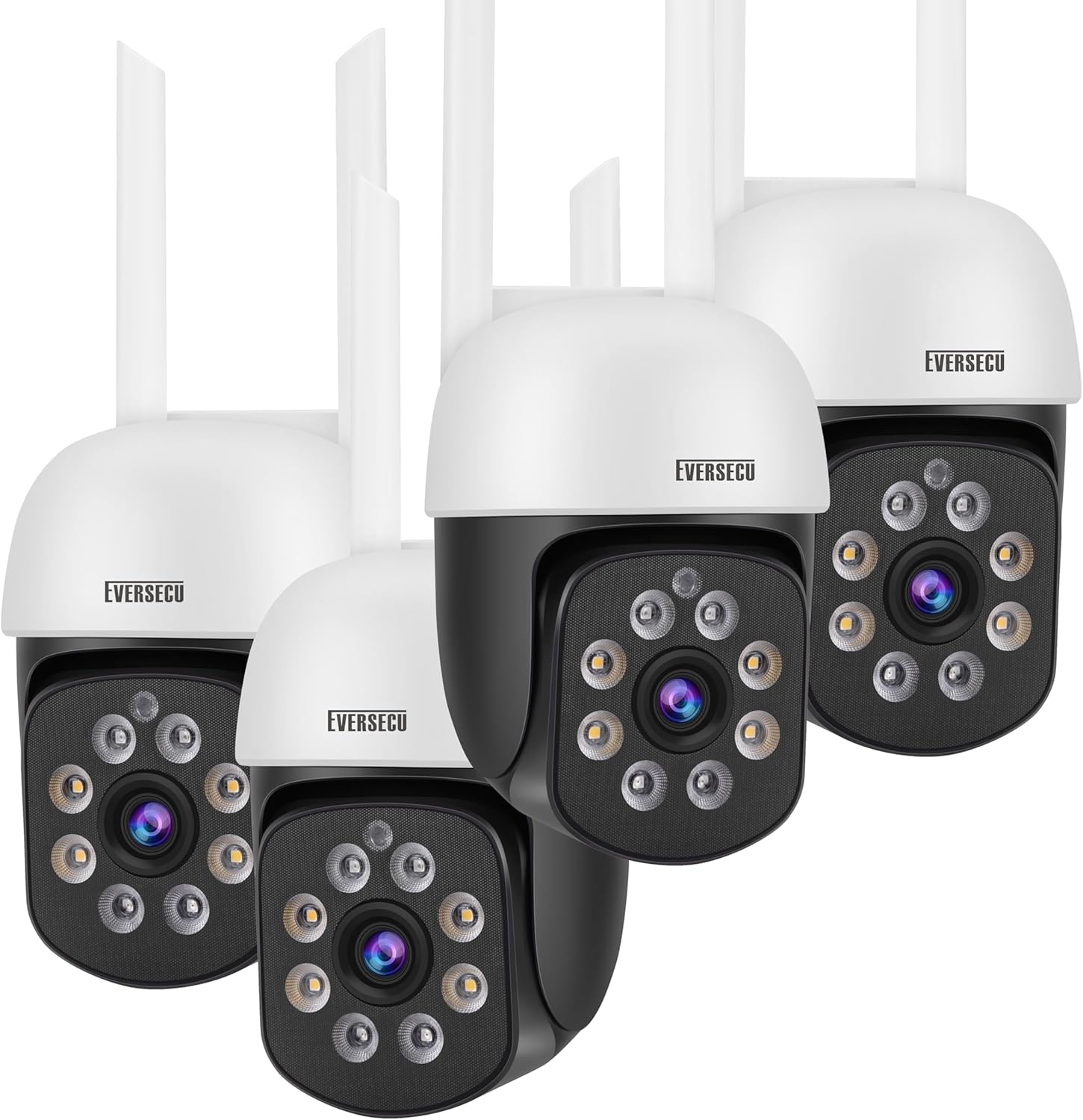
Image: The EVERSECU 2K 3.0MP Outdoor WiFi PTZ Security Camera units and included accessories.
3. Водич за поставување
3.1. Пред да започнете
- Ensure your Wi-Fi network is 2.4GHz. This camera supports both 2.4GHz and 5GHz Wi-Fi for connection.
- Подгответе го името на вашата Wi-Fi мрежа (SSID) и лозинката.
- Choose a suitable location for installation, ensuring good Wi-Fi signal strength.
3.2. Инсталација на апликација
Download the official O-KAM App from your mobile device's app store (iOS App Store or Google Play Store). Follow the on-screen instructions to create an account and log in.
3.3. Поврзување на камерата
- Power on the camera by connecting the power adapter.
- Open the O-KAM App and tap 'Add Device' or the '+' icon.
- Изберете го моделот на вашиот фотоапарат или скенирајте го QR-кодот на фотоапаратот доколку се побара.
- Follow the in-app instructions to connect the camera to your 2.4GHz Wi-Fi network. This may involve scanning a QR code displayed on your phone with the camera lens or using the AP hotspot function for direct connection.
- Once connected, you can test the Wi-Fi signal strength within the app to ensure optimal placement.

Image: The camera requires a stable 2.4GHz Wi-Fi connection for optimal performance.
3.4. Физичка инсталација
After successful network connection, you can proceed with physical installation:
- Mark the desired mounting points on the wall or ceiling using the camera's base as a template.
- Дупчете пилотски дупки и вметнете ѕидни типли доколку е потребно.
- Прицврстете ја основата на камерата со помош на приложените завртки за монтирање.
- Прилагодете го аголот на камерата по потреба.
4. Упатства за работа
4.1. Во живо View & PTZ контрола
Access the live video feed through the O-KAM App. Use the Pan/Tilt/Zoom (PTZ) controls within the app to remotely adjust the camera's viewing angle. The camera supports 355° horizontal rotation and 90° vertical rotation.

Image: Bidirectional Pan & Tilt functionality provides a wide viewинголен агол.

Image: Pan/Tilt rotation allows you to view every corner clearly.
4.2. Двонасочно аудио
The camera features a built-in microphone and speaker, enabling two-way communication. You can speak through the app to anyone near the camera and hear their response.

Image: Two-Way Voice feature for easy communication.

Image: 2-way Audio & Remote Live View способности.
4.3. Режими на ноќно гледање
The camera offers both full-color night vision and infrared (IR) night vision. The IR-CUT filter automatically switches between day and night modes. The Sony IMX353 sensor provides excellent low-light performance.

Image: Comparison of Full Color Night Vision and Infrared Night Vision.
4.4. Motion Detection & Alarms
Enable humanoid detection to receive alarm messages on your mobile app when human movement is detected, reducing false alarms from animals or insects. The camera can also trigger a high-decibel sound alarm and flash white lights to deter intruders.
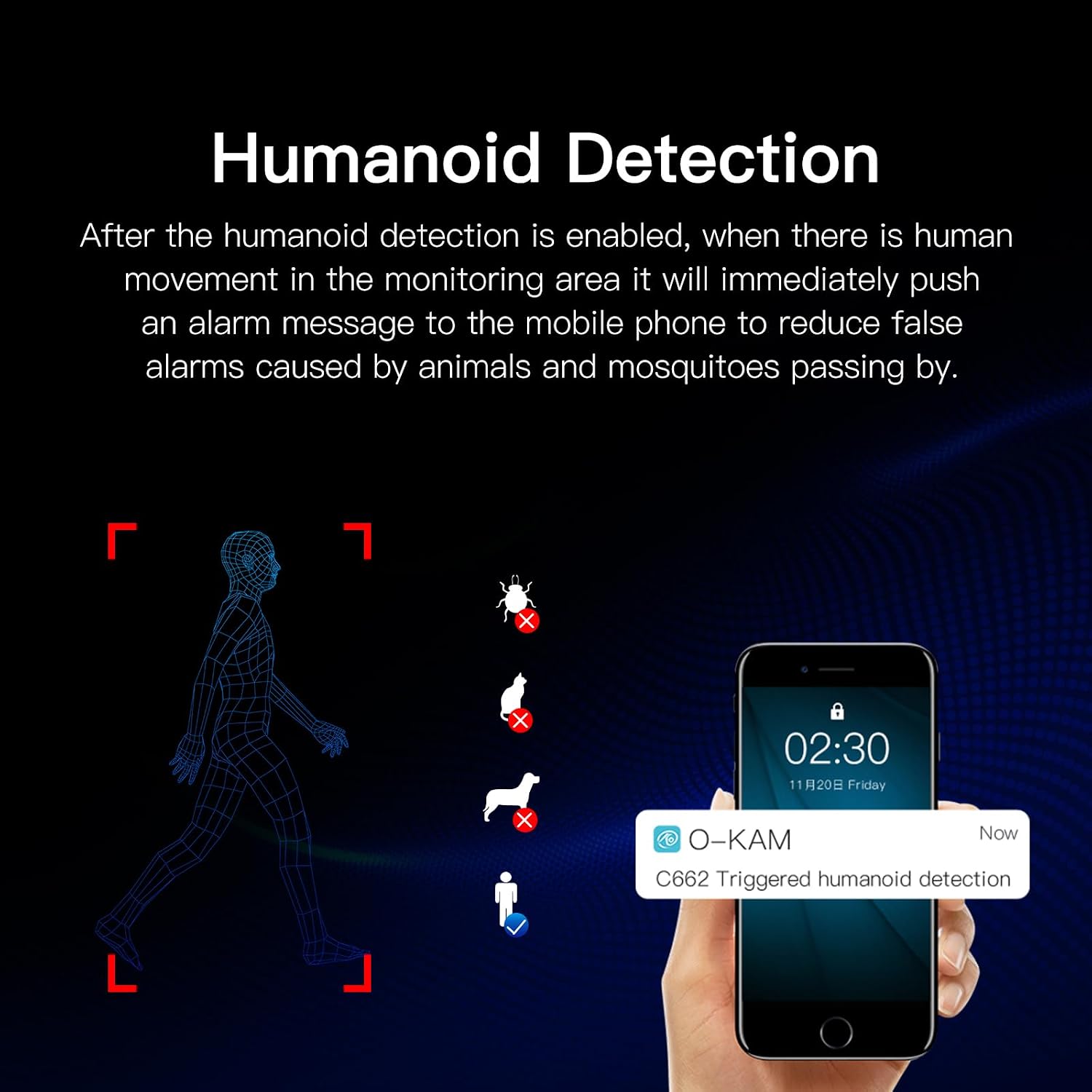
Image: Humanoid Detection feature.

Image: Sound and Light Alarm Dual Warning to Drive Theft.
4.5. Опции за складирање
Recordings can be saved to a local SD card (not included, supports up to 128GB) or to cloud storage (3 days free trial every month). High-level encryption ensures your videos are secure and accessible only by you.
4.6. Интеграција со Алекса
The camera is compatible with Amazon Alexa for voice control. Follow the instructions in the O-KAM App to link your camera with your Alexa device.
5. Одржување
- Чистење: Regularly wipe the camera lens and body with a soft, dry cloth to remove dust and smudges. For outdoor cameras, ensure the lens is clear of water spots or debris after rain.
- Ажурирања на фирмверот: Check the O-KAM App periodically for firmware updates. Keeping your camera's firmware up-to-date ensures optimal performance and security.
- Проверка на врската: Periodically verify the camera's Wi-Fi connection strength in the app, especially after environmental changes or network adjustments.
- Отпорност на времето: The camera is waterproof and dustproof (IP66 rated), designed to withstand various outdoor weather conditions.

Image: Waterproof and Dustproof design for complex outdoor weather.

Image: The camera is designed to work well in any weather.
6 Смена на проблеми
- Камерата не се поврзува со Wi-Fi: Ensure your Wi-Fi is 2.4GHz. Check Wi-Fi signal strength at the camera's location. Restart the camera and your router.
- RTSP connection issues: If using third-party software like Blue Iris or VLC, ensure the correct RTSP address is used:
rtsp://[username]:[password]@[ip]:10554. Note that the default username for RTSP might be "admin" instead of your app username. Set a password on the O-KAM App to enable ONVIF. - Чести лажни аларми: Adjust the sensitivity of motion detection in the app. Utilize the "activity zone" feature to define specific areas for detection, ignoring irrelevant movements (e.g., road traffic).
- Нема звук или квалитетот на звукот е слаб: Check microphone and speaker settings in the app. Ensure there are no obstructions blocking the microphone or speaker.
- Ноќното гледање не работи: Ensure the camera is in a dark environment for night vision to activate. Check for any obstructions blocking the IR lights.
7. Спецификации
| Карактеристика | Спецификација |
|---|---|
| Име на моделот | C662-4 |
| Резолуција за снимање видео | 1296p (2K 3.0MP) |
| Внатрешна/надворешна употреба | Надворешен, Внатрешен |
| Протокол за поврзување | Wi-Fi (2.4GHz & 5GHz supported) |
| Извор на енергија | Електричен со кабел |
| Тип на контролер | Амазон Алекса |
| Тип на монтирање | Монтирање на ѕид |
| Опсег на ноќни визии | 60 стапки |
| Стапка на слики | 30 FPS |
| Димензии на производот | 7 x 4.3 x 7.5 инчи |
| Тежина на ставката | 4.75 фунти |
| Посебни карактеристики | HD Resolution, 2-Way Audio, Built-In Light, PTZ Technology, Motion Sensor, Humanoid Detection, Full Color Night Vision |
8. Гаранција и поддршка
За информации за гаранцијата и техничка поддршка, ве молиме обратете се до официјалниот контакт на производителот. webстраницата или директно контактирајте ја нивната служба за корисници. Чувајте ја сметката за купување како доказ за купување за какви било рекламации за гаранција.