1. Вовед
This manual provides essential information for the safe and efficient operation of your OMTech Galvo 50W Fiber Laser Engraver Cutter. This all-metal body fiber laser engraver is designed for precision marking and cutting on various materials, offering high accuracy and speed.
Key features include a 0.01 mm spot diameter, a 5.9''x5.9'' workbed, and a maximum engraving speed of up to 10,000 mm/s. The laser is classified as Class 2 with an output power of 0.874 mW.

Figure 1: OMTech Galvo 50W Fiber Laser Engraver Cutter unit.
2. Информации за безбедност
Always prioritize safety when operating the laser engraver. Failure to follow safety guidelines can result in serious injury or damage to the equipment.
- Заштита на очите: Always wear appropriate laser safety glasses to protect your eyes from laser radiation.
- Вентилација: Ensure adequate ventilation in the work area to remove fumes and particles generated during engraving or cutting.
- Компатибилност на материјали: Only engrave or cut materials approved for fiber lasers. Avoid materials that produce toxic fumes or are highly flammable.
- Итен прекин: Запознајте се со локацијата и работата на копчето за итно сопирање.
- Надзор: Никогаш не оставајте ја машината без надзор за време на работата.
3. Поставување
3.1 Initial Placement and Connections
Place the laser engraver on a stable, level surface. Connect the power cable and ensure all necessary peripheral connections are secure.
3.2 Software Installation and Compatibility
The OMTech Galvo 50W is compatible with LightBurn software and comes pre-loaded with EZCad. Install the required software on your computer (Windows 7, 8, 10, 11, or macOS) to control the laser engraving operations.

Figure 2: The laser engraver is compatible with LightBurn and EZCad on multiple operating systems.
3.3 Focusing with Red Dot Pointer
The engraver is equipped with a red dot indicator to assist in adjusting the laser focus. To activate or deactivate the red dot guider, press the dedicated focus button.

Figure 3: Red dot pointer for precise focus adjustment.
3.4 Rotary Axis Connection
For engraving on curved surfaces such as rings and bracelets, the unit includes a rotary axis connection port. Connect a compatible rotary axis accessory to this port as per the accessory's instructions.

Figure 4: The laser engraver supports a rotary axis for cylindrical objects.
4. Упатства за работа
4.1 Процес на гравирање и сечење
- Prepare your design in LightBurn or EZCad software.
- Place the material on the workbed. For curved items, use the rotary axis.
- Use the red dot pointer to adjust the focus for optimal results.
- Set the appropriate laser parameters (power, speed, frequency) for your material.
- Initiate the engraving or cutting process from the software.
- Monitor the process and ensure proper ventilation.
4.2 High Accuracy and Speed
The laser engraver offers high accuracy at 0.01 mm, allowing for detailed engravings. Its maximum engraving speed of 10,000 mm/s significantly boosts productivity.
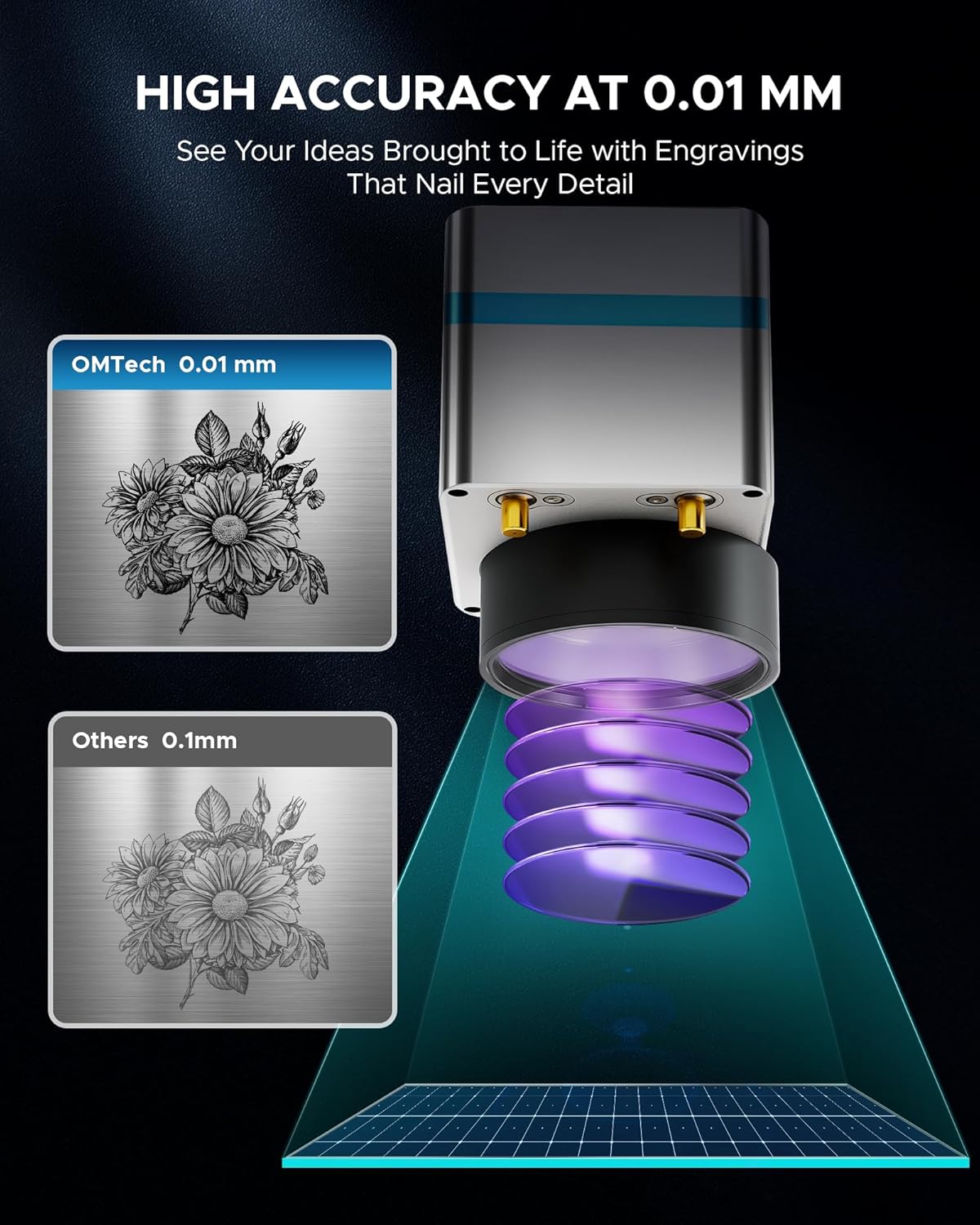
Слика 5: Прample of high-accuracy engraving.

Figure 6: Speed comparison highlighting the fiber laser's performance.
4.3 Компатибилност на материјалите
The OMTech Galvo 50W Fiber Laser Engraver Cutter is suitable for marking and etching a wide range of materials, including but not limited to:
- Метали: Brass, Aluminum, Silver, Tungsten, Titanium, Gold, Stainless Steel, Cast Aluminum, Copper.
- Non-Metals: Brick, Granite, Tile, Marble, Stone, Acrylic, Leather, Paper, Plastic, Wood, Glass.

Figure 7: Various materials suitable for engraving with the OMTech 50W Fiber Laser.
5. Одржување
Редовното одржување обезбедува долготрајност и оптимални перформанси на вашиот ласерски гравер.
- Чистење леќи: Periodically clean the laser lens with a specialized lens cleaning solution and cloth to maintain beam quality.
- Чистење на работната површина: Keep the workbed clean from debris and residue to prevent interference with engraving and ensure proper material placement.
- Проверки за поврзување: Regularly inspect all cables and connections for any signs of wear or looseness.
- Систем за вентилација: Ensure the ventilation system is clear and functioning effectively to extract smoke and particles.
6 Смена на проблеми
Овој дел се однесува на вообичаени проблеми со кои може да се соочите.
6.1 Laser Not Engaging
If the red laser pointer is active but the fiber laser does not engage, check the internal connections. A common issue can be a loose flat control cable from the mainboard to the fiber laser source. If accessible and you are comfortable, carefully open the case and ensure this cable is securely plugged in. If the issue persists or you are unsure, contact customer support.
6.2 Software Connection Issues
If the software (LightBurn or EZCad) fails to connect to the engraver, ensure:
- The engraver is powered on.
- The USB cable is securely connected to both the engraver and the computer.
- The correct drivers are installed on your computer.
- No other software is attempting to communicate with the engraver simultaneously.
7. Спецификации
| Карактеристика | Спецификација |
|---|---|
| Број на модел | LYF-60W (Galvo 50W) |
| Ласерска моќност | 50 W |
| Ласерска класа | 2 |
| Излезна моќност | 0.874 mW |
| Работна област | 5.9" x 5.9" (150 мм x 150 мм) |
| Дијаметар на точка | 0.01 мм |
| Макс. Брзина на гравирање | 10,000 mm/s |
| Точност на означување | ± 0.001 mm |
| Max. Single Pass Marking Depth | 0.1 мм |
| Ласерска бранова должина | 1064 nm |
| Estimated Laser Service Life | 100,000+ часови |
| Компатибилен софтвер | LightBurn, EZCad |
| Поддржани формати на слика | .bmp, .gif, .jpg, .jpeg, .dxf, .dst, .ai |
| Rotary Axis Compatibility | Да |
| Нето Тежина | 40 фунти. |
| Димензии (Д x Ш x В) | 15.8" x 13.4" x 21.3" |
| Производител | OMTech |
| Датум прв на располагање | 2 јули 2024 година |

Слика 8: Готовоview на клучните спецификации на производот.
8. Гаранција и поддршка
OMTech provides comprehensive customer service and support for its products.
- Гаранција: A 2-year support period is provided for this product.
- Услуга за клиенти: A 24-hour service team is available in the US, Philippines, and China.
- Техничка поддршка: Professional pre-sales and after-sales service, technical support, and on-site experience (by appointment) are offered.
Контакт информации:
Телефон: +1 (949) 438-4949
Поддршка за е-пошта: SUPPORT@OMTECHLASER.COM
Email Tech Support: TECHSUPPORT@OMTLASER.COM
9. Видеа за производи
No relevant product videos created by the seller were found in the provided data for the OMTech Galvo 50W Fiber Laser Engraver Cutter. The available videos pertain to a different product (WIFI Backup Camera) and have therefore not been embedded.