1. Вовед
This manual provides detailed instructions for the installation, operation, and maintenance of the LTS LXIP3C82WI-28SDL Pro-X 8MP IP Camera. This camera is designed for both indoor and outdoor surveillance, offering high-resolution video and advanced detection features. Please read this manual thoroughly before using the product to ensure proper setup and functionality.
2. Информации за безбедност
- Ensure the power supply meets the camera's requirements (12V DC or PoE IEEE 802.3af).
- Не го изложувајте фотоапаратот на екстремни температури, влажност или корозивни средини.
- Avoid pointing the lens directly at strong light sources for extended periods.
- Инсталацијата треба да ја изврши квалификуван персонал и да биде во согласност со локалните електрични прописи.
- Keep the camera clean and free from dust to maintain optimal performance.
3. Содржина на пакетот
Проверете дали сите артикли се присутни во пакувањето:
- LTS LXIP3C82WI-28SDL Pro-X 8MP IP Camera (1 unit)
- Хардвер за монтирање (завртки, сидра)
- Водич за брз почеток
4. Производот завршиview и Карактеристики
The LTS LXIP3C82WI-28SDL is an 8 Megapixel (3840 x 2160) IP camera designed for advanced surveillance. Key features include:
- Висока резолуција: Captures video at up to 8 MP (3840 × 2160) at 30 frames per second.
- Фиксна леќа: Equipped with a 2.8 mm fixed lens.
- Advanced Illumination: Features built-in IR LED and warm light LED illuminators, providing clear images up to 98 feet (30 meters) even in low light conditions, enabling 24/7 color imaging.
- X-Deterrence: Integrated siren and visual alerts (red and blue flashing lights) for active deterrence.
- Двонасочен разговор: Built-in dual microphones and speaker facilitate two-way audio communication.
- Откривање движење 2.0: Intelligent motion detection focusing on human and vehicle recognition to reduce false alarms.
- Широк динамички опсег (WDR): True WDR 120 dB for clear images in scenes with strong backlighting.
- Складирање: Supports MicroSD card storage up to 256 GB.
- Опции за напојување: Can be powered via Power over Ethernet (PoE IEEE 802.3af) or 12V DC.
- Трајност: IP67 rated for outdoor use, providing protection against dust and water.
- Компресија: Utilizes Smart H.264 / H.265 compression for efficient storage and bandwidth usage.
- Усогласеност со NDAA: This device adheres to NDAA compliance standards.
5. Поставување
5.1 Camera Wiring
The LXIP3C82WI-28SDL camera uses a network cable for both video and Power over Ethernet (PoE). It is not compatible with traditional DC power and BNC video connections.
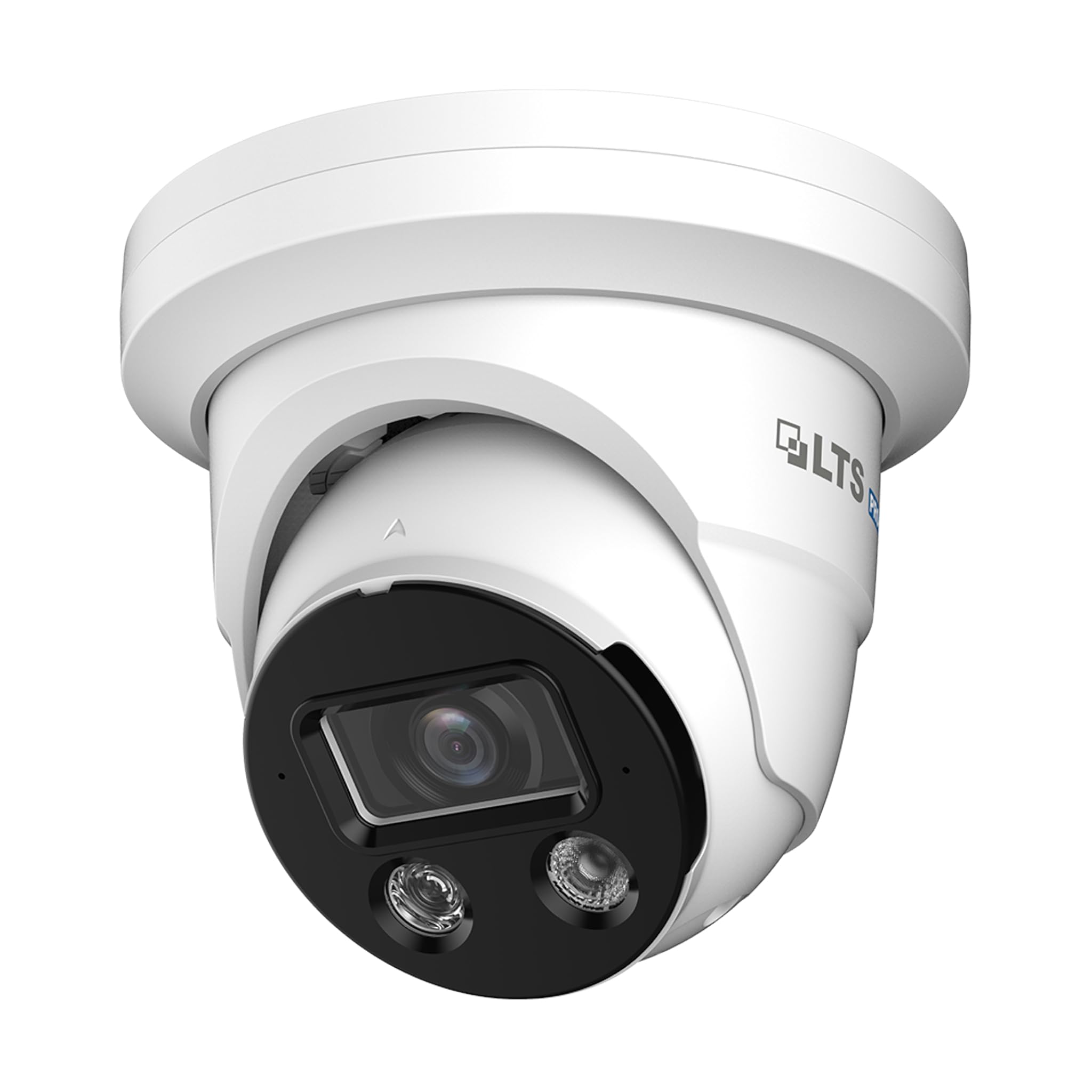
Image 1: Camera Wiring Compatibility. This diagram illustrates the correct wiring method using a network cable for both video and Power over Ethernet (PoE), marked as 'Compatible' with a green circle. It also shows traditional DC power and BNC video cables marked as 'Not Compatible' with a red cross, indicating they should not be used with this camera model.
- Connect a standard Ethernet network cable to the camera's network port.
- If using PoE, connect the other end of the network cable to a PoE-enabled switch or NVR.
- If not using PoE, connect the network cable to a standard network switch/router and provide 12V DC power to the camera's power input.
5.2 Монтирање
The camera is designed for ceiling mount installation.
- Choose a suitable mounting location on the ceiling that provides the desired field of view.
- Use the provided mounting template (if included) to mark the drill holes.
- Дупчете пилотски дупки и вметнете сидра доколку е потребно.
- Прицврстете ја основата на камерата на таванот со помош на приложените завртки.
- Прилагодете го аголот на камерата колку што е потребно за оптимално покривање.
5.3 Мрежна врска и почетна конфигурација
After physical installation and wiring, connect the camera to your network. For best compatibility, pair this Pro-X series camera with a Pro-X NVR. It is not plug & play compatible with LTS Platinum NVRs.
- Ensure your network is properly configured for IP cameras.
- Use the manufacturer's provided software or a standard IP camera tool to discover the camera on your network.
- Пристапете до камерата web interface using its IP address to perform initial configuration, including setting a strong password, network settings, and video parameters.
6. Работење
6.1 Видео мониторинг
Access live video feeds through a compatible NVR, PC software, or mobile application. The camera supports 8MP resolution for detailed surveillance.
6.2 Motion Detection 2.0
Configure Motion Detection 2.0 settings via the camera's web interface or NVR. This feature distinguishes between human and vehicle movement, reducing false alarms from other sources.
- Дефинирајте зони за детекција и нивоа на чувствителност.
- Set up recording schedules and notification preferences (e.g., email alerts, push notifications).
6.3 X-Deterrence (Siren and Lights)
The X-Deterrence feature can be activated manually or triggered by motion detection events. When triggered, the camera will emit a siren sound and flash red and blue lights to deter intruders.
- Configure X-Deterrence actions within the camera's event settings.
- Adjust siren volume and light flashing patterns if available.
6.4 Двонасочно аудио
Utilize the built-in microphone and speaker for two-way audio communication. This feature is accessible through compatible NVRs or client software.
- Ensure audio input/output settings are enabled in the camera's configuration.
- Use the talk button in your monitoring software to speak through the camera's speaker.
6.5 Local Storage (MicroSD)
The camera supports a MicroSD card up to 256 GB for local video storage. This provides a backup or primary recording solution.
- Insert a compatible MicroSD card into the designated slot (refer to the camera's physical diagram for location).
- Format the MicroSD card via the camera's web интерфејс пред употреба.
- Configure recording schedules and overwrite settings for the MicroSD card.
7. Одржување
7.1 Чистење
Regularly clean the camera lens and housing to ensure clear image quality and proper operation.
- Користете мека, сува крпа за да го избришете телото на фотоапаратот.
- For the lens, use a lens cleaning solution and a microfiber cloth to avoid scratches.
- Не користете груби хемикалии или абразивни средства за чистење.
7.2 Ажурирања на фирмверот
Периодично проверувајте ги упатствата на производителот website for firmware updates. Firmware updates can improve performance, add new features, and enhance security.
- Download the correct firmware version for your camera model.
- Follow the update instructions provided by the manufacturer carefully to avoid damaging the device.
8 Смена на проблеми
8.1 Нема струја
- Verify that the power source (PoE switch/injector or 12V DC adapter) is functioning correctly.
- Проверете ги сите кабелски врски за безбедно прицврстување.
8.2 Нема видео пренос
- Проверете дали камерата е вклучена и поврзана со мрежата.
- Verify network connectivity by pinging the camera's IP address.
- Check firewall settings on your network and viewинг уред.
- Confirm that the NVR or viewing software is compatible and correctly configured.
8.3 Лош квалитет на сликата
- Исчистете ја леќата на камерата.
- Adjust video settings (resolution, bitrate, exposure) in the camera's web интерфејс.
- Ensure adequate lighting in the surveillance area, especially at night.
8.4 Детекцијата на движење не работи
- Verify that motion detection is enabled and configured correctly in the camera settings.
- Adjust detection zones and sensitivity.
- Осигурајте се дека нема пречки што го блокираат пристапот на камерата view.
9. Спецификации
| Карактеристика | Спецификација |
|---|---|
| Број на модел | LXIP3C82WI-28SDL |
| Ефективна сепак резолуција | 8 MP (3840 x 2160) |
| Стапка на слики | 30 fps |
| Леќа | Фиксни 2.8 мм |
| Illuminator Distance | Up to 98 feet (IR LED & Warm Light LED) |
| Минимално осветлување | 0.001 lux @ f 1.0 (Color, 30 IRE), 0 lux with illuminator on |
| Компресија | Smart H.264 / H.265 |
| Сензор | 1/2.8" CMOS со прогресивно скенирање |
| X-Deterrence | Siren and visual alerts (red and blue flashing lights) |
| Аудио | Built-in dual mic and speaker, two-way talk |
| WDR | True WDR 120 dB |
| Складирање | MicroSD до 256 GB |
| Напојување | 12V DC, PoE (IEEE 802.3af) |
| Заштита од навлегување | IP67 |
| Детекција на движење | MD 2.0 - Human and vehicle detection |
| Тип на монтирање | Монтирање на таванот |
| Димензии (Д x Ш x В) | 5.61 x 5.61 x 4.91 инчи |
| Тежина на ставката | 3 фунти |
| Производител | LTS |
10. Гаранција и поддршка
For warranty information and technical support, please refer to the official LTS webлокација или контактирајте го вашиот овластен продавач. Зачувајте ја сметката за гаранциски барања.
- Производител: LTS
- Поддршка: Refer to the manufacturer's official support channels for assistance with product issues, firmware updates, and advanced configurations.


